Frequently Asked Questions
What is the difference between ModuleNotFoundError and ImportError?
ModuleNotFoundError is a subclass of ImportError, introduced in Python 3.6. ModuleNotFoundError is raised specifically when the named module cannot be found. ImportError is the broader parent class, also raised when the module IS found but the specific name you tried to import from it does not exist (e.g., from numpy import nonexistent_thing). If you catch ImportError, you will also catch ModuleNotFoundError automatically.
Why is pip installing the module but Python still says "No module named X"?
You have multiple Python interpreters on your system, and pip is installing to a different one than the one running your script. Check: (1) Run which pip and which python, do their bin paths match? (2) Use python -m pip install <module> instead of bare pip install, this forces pip to use the same Python as the command. (3) Inside a virtualenv, always activate it BEFORE running pip.
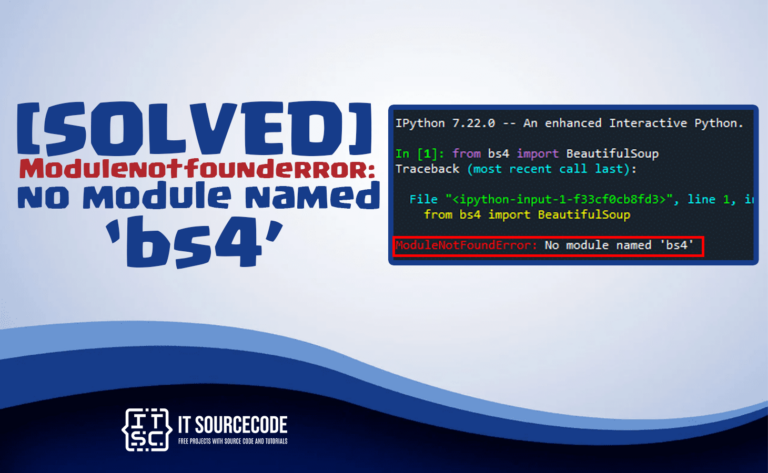
Why does pip install bs4 / opencv / dotenv import differently?
Some Python packages have different install names and import names because the original PyPI name was taken or the package was renamed. Common examples: pip install beautifulsoup4 → import bs4. pip install opencv-python → import cv2. pip install python-dotenv → import dotenv. pip install pyyaml → import yaml. pip install scikit-learn → import sklearn. pip install pillow → import PIL. Check the package's PyPI page for the correct import name.
Why am I getting ModuleNotFoundError in VS Code but not in terminal?
VS Code uses its own Python interpreter selection that may differ from your shell's. Click the Python version indicator in the bottom-right status bar of VS Code, select the interpreter that matches the one where your modules are installed (likely your venv's bin/python or Scripts/python.exe). After switching, reload the window (Cmd/Ctrl+Shift+P → Reload Window).
How do I fix ModuleNotFoundError in Jupyter Notebook?
Jupyter has its own kernel selection separate from terminal Python. Two fixes: (1) Install the module with !pip install <module> inside a notebook cell (the ! runs shell). (2) Make sure the notebook kernel points to the right Python. In Jupyter: Kernel → Change kernel. If the venv is not listed, register it with python -m ipykernel install --user --name=myenv.
Can I catch and ignore a ModuleNotFoundError?
Yes, with a try/except, and it is a legitimate pattern for optional dependencies. Example: try: import ujson as json except ModuleNotFoundError: import json. This loads the faster ujson if available, otherwise falls back to the standard library. Common with optional speed-ups (ujson, orjson, lxml, ciso8601) or optional features that should not block the rest of the program.
Why does my Python say "No module named '_ssl'" / '_tkinter' / '_curses'?
These are core Python modules implemented in C, built into the Python binary at compile time. The error means your Python was compiled WITHOUT the required system library (OpenSSL for _ssl, Tk for _tkinter, ncurses for _curses). Fix: install the system library (e.g., brew install tcl-tk, apt install python3-tk) and rebuild Python, OR use a distribution like pyenv with proper build flags, OR install a different Python (Anaconda, official python.org binary).
How often is this ModuleNotFoundError reference updated?
New posts are added weekly as we hit new errors in real projects. Existing posts are revised every 6-12 months to keep up with package version changes (PyTorch 2.x, TensorFlow 2.16, Pandas 2.x, sklearn 1.x). This page was last refreshed in May 2026.


![Modulenotfounderror: no module named 'aws_cdk' [SOLVED]](https://itsourcecode.com/wp-content/uploads/2023/03/modulenotfounderror-no-module-named-aws_cdk-768x473.png)



![Modulenotfounderror: no module named 'openai' [SOLVED]](https://itsourcecode.com/wp-content/uploads/2023/03/modulenotfounderror-no-module-named-openai-768x473.png)