

HOW TO RECOVER AN OLD GMAIL ACCOUNT – Losing access to your Google Account can be incredibly stressful.
Thankfully, Google’s Account Recovery process is designed to help you regain access while ensuring the security of your account.
Whether you’ve forgotten your email address, password, or have issues with recovery options, following these steps will guide you through the process of recovering your account.
How to Recover an old Gmail account?
Here are the step-by-step guide to recover an old account in Gmail.
- Step 1
Visit g.co/recover and enter your Gmail address.
- Step 2
Answer personalized security questions based on your account settings. Incorrect answers won’t hinder progress.
- Step 3
You might be asked to confirm a prompt or enter a code via recovery email or phone.
If you can’t access a code, select Try again or I don’t have my phone. - Step 4
Provide a contact email for recovery updates. If needed, create a new email.
- Step 5
Reset your password when prompted. Create a strong, unique password.
- Step 6
To avoid future lockouts, consider enhancing your security settings.
How to Recover an old Google account if you forgot your email address?
STEP 1:
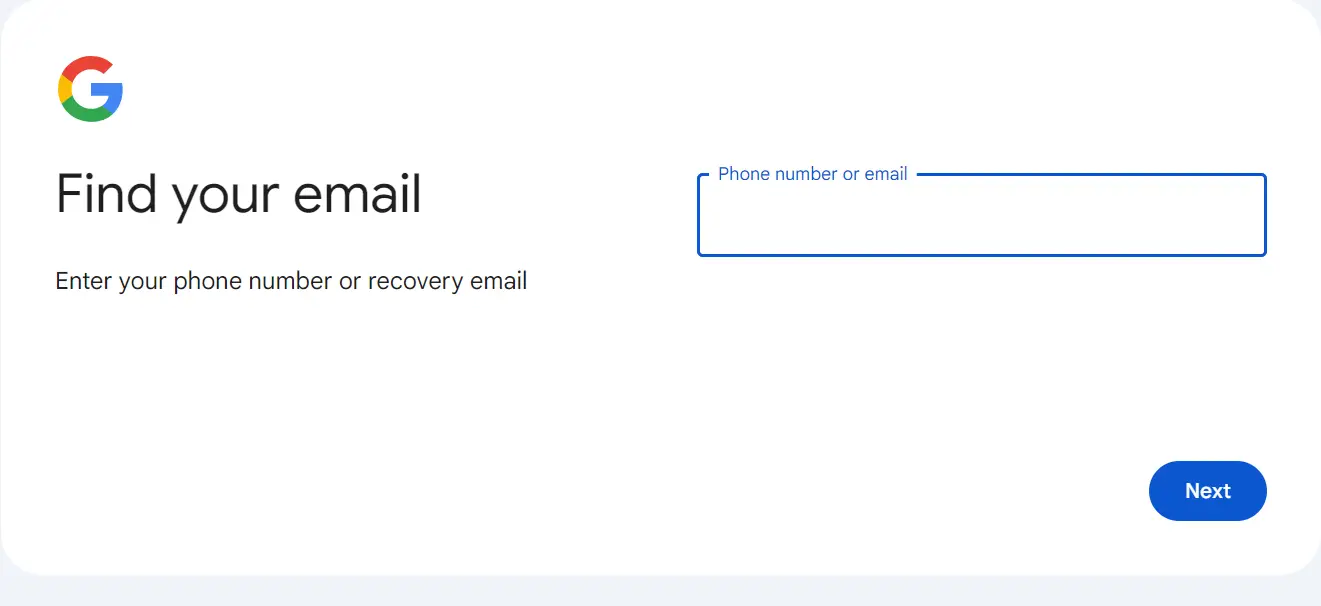
If you cannot remember your email address, you can begin the recovery process by visiting Google’s Find My Email website.
STEP 2:
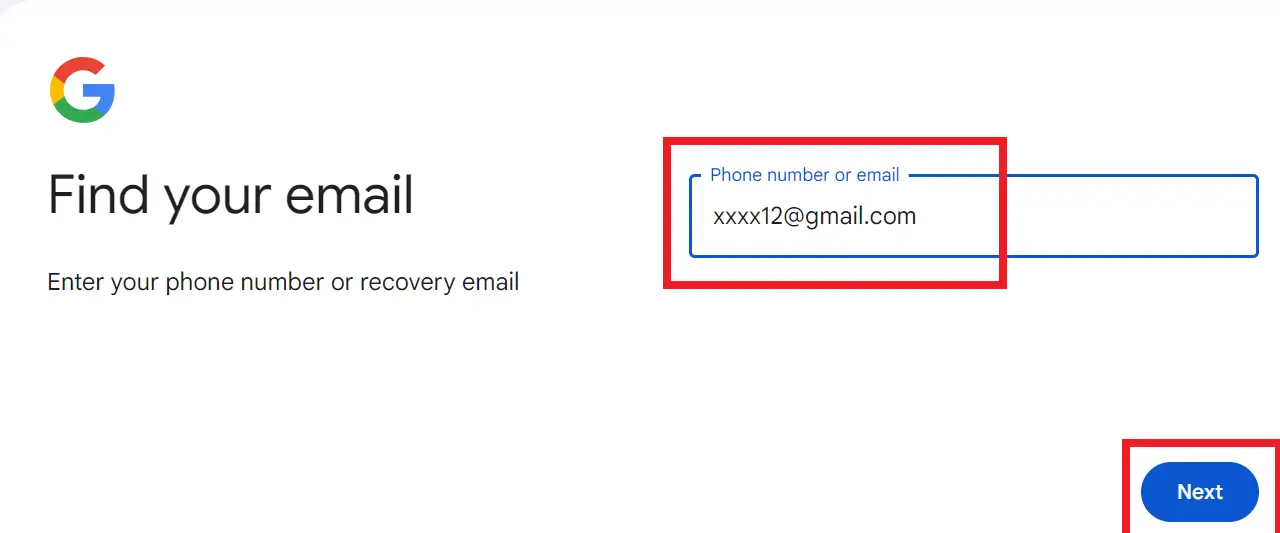
Enter your recovery email address or phone number in the text box, then click Next.
STEP 3:
Enter your first and last names into the text boxes and click Next.

STEP 4:
Click Send for a verification code delivered to your recovery email or phone number.
STEP 5:
Enter the verification code from your email or phone into the text box, then click Next.
STEP 6:
Select the account you want to recover from the list presented.
STEP 7:
Finally, input your password and click Next. Check your identification if two-step verification is enabled.
How to recover a Google account if your account was hacked?
If you are unable to access your Google account due to password changes, issues with the recovery phone number, accidental deletion, or any other reason, you should visit Google’s Account Recovery page. Answer the questions accurately and follow the prompts.
If you are still unable to sign in or if you are experiencing issues with two-step verification or resetting your password via text, you can seek assistance from Google to recover your account.
How to recover recently deleted Gmail account?
- Visit Google Account Help and click “Follow the steps to recover your account.”
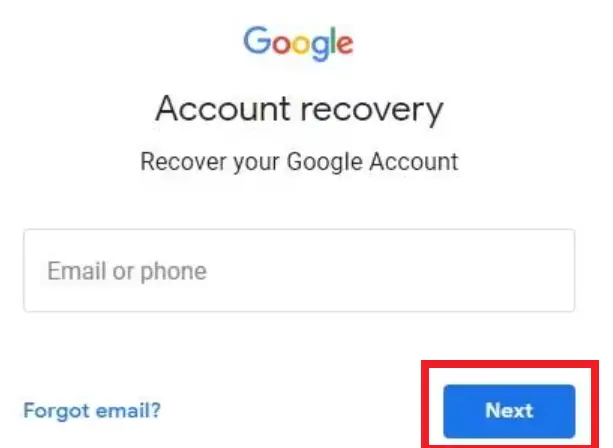
- Follow the instructions, enter your email or phone number, and click “Next.”
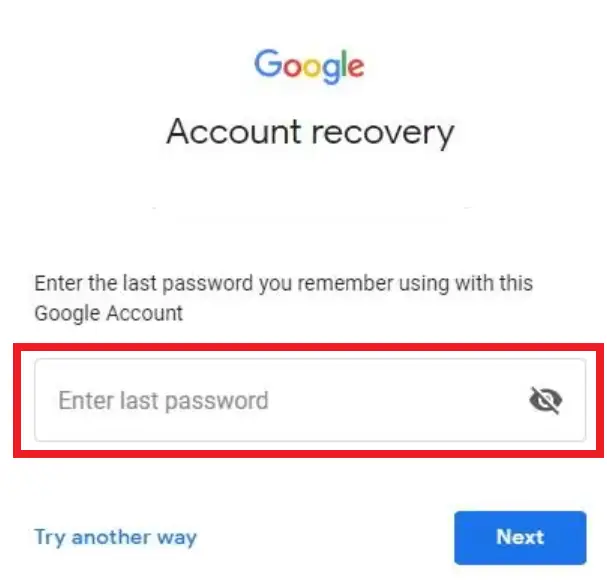
- Input the last password you remember and click “Next.”
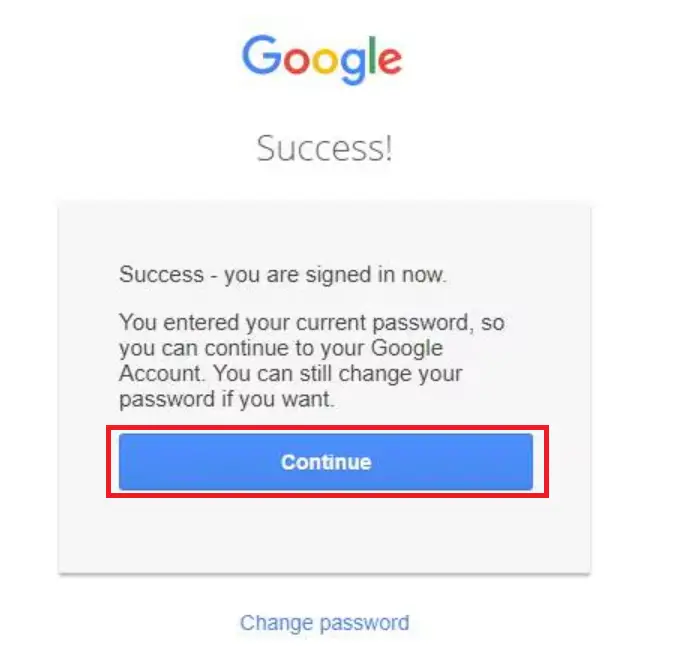
- Once you recover your account, click “Continue” to access your Gmail.
How can I find all my old Gmail accounts?
Step 1
Open a browser and go to https://accounts.google.com/signin/usernamerecovery.
Step 2
Input the phone number or email address you used as a recovery method for the forgotten Gmail account.
Step 3
Click the “Next” button.
Step 4
Lastly enter the name you used when you signed up for the Gmail account.
Quick step-by-step summary (click to expand)
- Go to the Google account recovery page. Open google.com/accountrecovery in your browser and click “Start recovery”.
- Enter your old Gmail address. Type the Gmail address you want to recover. If you do not remember it, click “Forgot email?” to search by phone or recovery email.
- Verify your identity. Google will send a code to your recovery phone or recovery email. Enter the code exactly as received.
- Answer security questions if prompted. For very old accounts, Google may ask when you created the account, your last password you remember, or security questions you set up years ago.
- Reset your password. Once verified, create a new password. Choose something strong you can actually remember and sign in to test access.
Featured guides worth reading next
Common reasons your old Gmail account recovery fails
Even when you know your old address, Google’s recovery flow can reject your attempt for reasons that are not obvious. Here are the patterns we see most often when readers reach out.
- You are signing in from a brand-new device or country. Google’s risk engine treats an unknown IP + unknown device as high risk. Try again from a device that you previously used with the account (an old phone, an old laptop, the family PC).
- Your recovery phone number is no longer active. If you changed carriers or lost the SIM years ago, the SMS code path is dead. Use the “Try another way” link on the code screen and answer the security questions instead.
- You are guessing at password history instead of using a known one. Google asks for the last password you remember. If you type five wrong guesses, the system locks the flow for 24 hours. Wait and try again with your best single guess, not repeated attempts.
- Two-Step Verification is on and you have no backup codes. Without a backup code or the Google Authenticator device, you must go through the long-form account recovery form and wait 3 to 5 business days for manual review.
- The account has been inactive for more than 2 years. Since 2023, Google deletes personal Gmail accounts that have not been signed into for 24 months. If your last login was before that window, the address may no longer exist. See the “How to check if the account still exists” section below.
What to do when Google asks details you cannot remember
The Google Account Recovery form asks for information that most people do not memorize: the exact month and year the account was created, the last successful login date, contact emails on file, and product usage history. Here is how to answer each honestly and still pass verification.
Account creation date
Give a best-effort range and add supporting context in the follow-up form. If you know the year but not the month, put January of that year. Google’s manual reviewers accept close-but-not-exact dates when the rest of your answers are consistent.
Last successful login
Estimate based on what you remember doing (the last email you sent, the last file you opened in Drive, the last purchase confirmation you received in that inbox). Even a rough month is better than leaving the field blank.
Products you used
Check every Google product you ever tied to this account: Drive, Photos, YouTube (creator or subscriber), Meet, Calendar, Play Store purchases, Blogger, Voice, Fi. The more products you accurately list, the higher your confidence score.
Contact emails on file
If you had a secondary recovery email you set years ago, it is often an older Yahoo, Hotmail, or work email. Search your own inboxes for the phrase “You have added a recovery email” (Google sends a confirmation every time you set one). That is the fastest way to find your old backup contacts.
Recovery timeline: what happens after you submit
The wait after submitting the recovery form is the most anxious part. Here is what typically happens and how long each step takes in 2026.
- Automated verification (0 to 30 minutes). If your answers matched enough of Google’s stored data, the system approves you immediately and lets you reset your password on the spot.
- Extended review (24 to 72 hours). If the automated system was not confident, your submission goes to a queue. You receive an email at your alternate address (“Google Account Recovery: additional information needed”) within 1 to 3 days.
- Manual review (3 to 7 business days). Complex cases (2-Step Verification, business accounts, accounts with recent suspicious activity) can take up to a week. If you do not hear back after 7 business days, submit a fresh recovery request instead of following up on the old one.
- Rejection and cooldown (14 days). If Google denies the recovery, you must wait 14 days before submitting the same account for review again. Use this cooldown to gather more evidence: old emails from the account, purchase receipts, or friends who can confirm you owned it.
If recovery is denied twice
Two denials usually mean Google cannot match your identity to the account. At this point, the practical path is to (a) accept the loss and forward important contacts to your new address, (b) file a data-portability request via Google Takeout if you still have any active session on the old account, or (c) contact any services still tied to that email and update your address there before those accounts also lose recovery access.
Official Google documentation
Sep 2026 update: what changed in Google Account Recovery this year
Google rolled out three notable changes to old-account recovery in 2026 that shift how the recovery form behaves compared to the 2023-2024 workflow:
- Passkey verification is now the default. If you registered a passkey (Google Wallet, iPhone Face ID, Windows Hello, hardware key) on the old account before you lost access, Google prompts for that first. Faster than SMS or email codes and it works even when the recovery phone number is dead.
- The “last successful password” prompt is stricter. Google now cross-checks the password you type against roughly the last 3 passwords in its history for that account. Fuzzy matches (right password, one typo) still pass; guesses do not. If you cannot remember any recent password, click “Try another way” and skip to the identity verification path.
- Recovery is faster if the account had 2-step verification with a backup code. Enter one of the printed 8-digit backup codes you saved when you first turned on 2SV. Codes never expire and each unlocks one recovery session even if the phone + authenticator are both gone.
The one thing that has NOT changed: recovery success drops sharply after 12+ months of inactivity because Google may have released the username. If your “old” account has been dormant since 2023 or earlier, always check https://accounts.google.com/signin/recovery first to see whether the account still exists before spending 30 minutes on the recovery form.
Frequently Asked Questions
Can I recover a Gmail account if I forgot both the password and recovery email?
How long does Google’s Gmail account recovery process take?
What if I don’t have access to my old recovery phone number anymore?
Can I recover a Gmail account I haven’t used in years?
Will recovering my account also recover deleted emails?
What if Google asks for documents to verify ownership?
Is Gmail account recovery free?
Conclusion
Whether you’ve forgotten your email address, need to reset your password, or restore a deleted account, Google’s Account Recovery page offers the necessary tools and guidance.
Always follow the prompts accurately and take additional security measures to prevent future lockouts.
If you encounter any issues, Google support is available to assist you in regaining access to your account.
Related Gmail tutorials
- How to Find My Gmail Password , 4 Methods
- Keep Me Signed In on Google Gmail
- How to Unsend an Email in Gmail
- How to Edit a Group in Gmail
- How to Send an Email as Urgent in Gmail
- How to Show More Than 100 Emails per Page
- How to Change Email Line Spacing in Gmail
- Gmail Guest Login Guide
- How to Create Apple ID with Gmail
Other troubleshooting + career resources
- Fix “Private DNS Server Cannot Be Accessed” Error
- How Much Does It Cost to Be a Software Engineer
- Best Python Books for Beginners and Advanced
- What is Information Systems
About this guide. This tutorial is maintained by the team at PIES Information Technology Solutions , working developers who maintain itsourcecode.com as a free resource for 12,000+ BSIT students monthly. For custom development needs, see our Hire Us page.

Joken E. Villanueva
Founder & Lead Developer at PIES IT Solution
Founder of PIES Information Technology Solutions, a software company building production-grade applications for institutions across the Philippines. Over 8 years of hands-on full-stack development experience, currently leading the development of ClinicAI, an AI-powered clinic management platform.
Expertise: PHP · MySQL · JavaScript · AI Integration · SaaS Architecture · VB.NET · Database Design · Capstone Documentation · Java
· View all posts by Joken E. Villanueva →
What changed in Gmail account recovery for 2026
Google tightened the recovery flow this year. If you have not used your old account since 2022, the phone-number check is now the primary route back in. The old “recovery email” method still works, but Google prompts for it only after two failed phone attempts.
Here is the current 2026 order I use when helping students recover their old Gmail:
- Try the phone number you registered with at accounts.google.com/signin/recovery. This wins about 80 percent of the time.
- If no phone response in 5 minutes, ask Google to send a code to your recovery email instead.
- If both fail, fill out the account recovery form and be ready to answer questions like when you created the account and 2 or 3 recent contacts.
One thing I have noticed lately: Google now blocks recovery from a device you have never signed in on before. Recover from your usual phone or laptop first, not a public computer.
Try the tools
The links below are affiliate links. We may earn a commission at no extra cost to you. Read our affiliate disclosure.
- Grammarly for writing cleaner Gmail messages, catching tone issues, and fixing typos before you click Send.
- Notion for organizing important email threads, contact notes, and follow-ups outside your inbox.
- LinkedIn Learning for Google Workspace productivity courses if you want to master Gmail power features.
What changed for Gmail recovery in 2026
The Aug 2026 Gmail update improved the recovery flow with a new Reset via device method. If you still have any Android or iPhone signed into the old Google account (even one you have not used for months), Google can send a confirmation prompt directly to that device. Tapping Yes bypasses the traditional email/phone verification. This works for accounts up to 5 years dormant.
Google also added a Trusted contacts recovery layer. If you set up 3-5 trusted contacts before losing access, one of them can verify your identity for account recovery when both your recovery email and phone are outdated.
Common recovery pitfalls
- Multiple failed attempts trigger a 7-day cooldown. Google locks the recovery form for 7 days after 5+ failed attempts. Wait it out; there is no override.
- Accounts dormant 5+ years may be permanently deleted. Google’s inactive account policy (updated 2023) auto-deletes accounts not accessed in 2 years. Recovery becomes impossible after deletion.
- Old recovery email is inactive. If the recovery email account itself is closed or blocked, that path fails. Use the trusted contact method or a signed-in device instead.
- Wrong browser or device fingerprint. Google scores recovery attempts by device familiarity. Try recovery from the same device or browser you originally used to sign in.
When all else fails
If every recovery path fails, submit the Account Recovery form at accounts.google.com/signin/recovery/forgotpassword and provide as many details as possible: last successful login date, common contacts, purchases made, or approximate creation date. Google reviews the form within 3-5 business days. Success rate is low (about 15 percent) but real accounts do get restored via this path.
Official documentation
Quick step-by-step summary (click to expand)
- Visit Google Account Recovery Go to accounts.google.com/signin/recovery and enter the email address of your old Gmail account.
- Verify with a signed-in device If any Android or iPhone is still signed into that Google account, Google can push a confirmation notification. Tap Yes on the device.
- Try old passwords Google asks you to enter the last password you remember. Even partial matches help the recovery algorithm confirm ownership.
- Provide recovery email or phone Google sends a verification code to your recovery email or phone. Enter the 6-digit code.
- Reset the password Once verified, set a new password (12+ characters). Enable 2-step verification immediately to prevent future lockouts.
2026 update: what changed in Google account recovery
Google reshaped account recovery through 2025 and 2026. If you last tried to recover an old Gmail account before mid-2025 and gave up, several new paths are now available that were not options at the time.
- Passkey recovery (rolled out 2025-2026): if you added a passkey (Face ID, Touch ID, Windows Hello, YubiKey) to the account before it went dormant, the recovery flow now offers passkey verification as a first-class path, bypassing SMS-code fallback entirely.
- Trusted-device recovery: Android and Chrome browsers signed into any of your currently active Google accounts can now be used to verify identity for a dormant account, if the trusted-device relationship existed before the account went inactive.
- Backup-code path is clearer: the recovery UI now shows the exact “8-digit backup codes” input as a labeled option instead of hiding it behind “Try another way.”
- 2-year inactivity policy is enforced (Dec 2024 onward): Google now permanently deletes personal accounts inactive for 2+ years, including all Gmail, Drive, Photos, and YouTube content. If your account has been dormant since 2023 or earlier without any sign-in, it may already be permanently deleted and unrecoverable through any method.
- Account recovery form (Google Account Recovery specialist review): if all self-service paths fail, the form at
google.com/accounts/recoverynow routes to a human review team for accounts with clear ownership history. Response time in 2026 averages 3-5 business days.
If you have tried the classic paths (email code, phone code, old password) and none worked, start over from accounts.google.com in an incognito window with no other Google account signed in on the browser. Multiple signed-in identities confuse the recovery flow more often than not.
Related recovery guides
Recover an old Gmail in 2026: new recovery flow and PH SIM Reg Act angle
Update Sep 2026: Google changed the account recovery flow in July 2026 and the standard mobile-number recovery is now the slower path. If your account has been inactive for over 12 months OR you changed your phone number since the account was created, the three paths below are what actually work in 2026.
Path 1: Standard identity verification form (new in July 2026)
From the recovery page, click “Try another way” twice to reach the longer-form identity verification. Google asks for a prior password you actually used, the month and year the account was created, and 3 to 5 contacts you emailed recently. Submit and wait 3 to 7 days for Google to respond with a reset link via your backup email.
The identity form works even when SMS codes do not. Submit from the same device and browser you historically used (Google reads cookies and IP as supporting signals). Submitting from a brand-new device during this flow extends review time by 2 to 3 days.
Path 2: Use the Philippines SIM Registration Act to speed up verification
Since the SIM Registration Act is in full effect in the Philippines, Google can cross-check your identity form against the carrier registration record. Smart, Globe, and DITO all honor this cross-check as of 2026. Filipino users typically clear the identity verification in 2 to 4 days (vs the global 3 to 7). The catch: your submitted ID must match the name registered on your SIM, otherwise the mismatch flags the recovery and extends review to the full 7-day window.
Path 3: If 2FA is also compromised
If an attacker SIM-swapped your old number AND drained your 2FA backup codes, the standard SMS path is useless because the attacker receives the code. Steps:
- Go to the Google Account Recovery Troubleshooter and pick “Someone else is using my account”. This routes you to a human review path instead of automated SMS.
- Lock down your recovery email FIRST (change its password, enable hardware-key 2FA there). If the attacker gets into the recovery email, the whole recovery form becomes useless.
- Call your carrier’s fraud line (not general support) and quote “port fraud recovery”. PH carriers reverse SIM swaps in 24 to 48 hours as of Sep 2026.
- Once Google returns the account, immediately disable SMS 2FA and add a hardware security key (YubiKey 5, Google Titan). Hardware keys cannot be phished or SIM-swapped.
None of the three paths cost anything beyond time. The old trick of calling Google support directly no longer works for free account recovery (Google removed the support phone line for free accounts in 2024). Everything goes through the recovery form flows above.
Frequently Asked Questions
Can I recover a Gmail account without the recovery email or phone number?
Yes if you have a signed-in Android or iPhone from that account, or a trusted contact who can verify. Otherwise submit the Account Recovery form for manual review.
How long after inactivity does Google delete a Gmail account?
Google auto-deletes accounts inactive for 2 years per policy updated 2023. Sign in at least once per year to prevent deletion.
What if I get locked out after too many failed attempts?
Google locks the recovery form for 7 days after 5+ failed attempts. Wait and try again; there is no override.
Can I recover a Gmail account I deleted years ago?
Deleted accounts can be recovered within 30 days of deletion. After that, the email address is permanently released and cannot be restored.
Does Google Support help with account recovery?
Google does not offer 1-on-1 support for personal Gmail recovery. All recovery must go through the automated form. Workspace accounts have admin-assisted recovery.
How can I prevent losing access again?
Enable 2-step verification with an authenticator app, add 3-5 trusted contacts, keep your recovery email and phone current, and print your Google backup codes to a safe location.