You loaded a CSV, ran df[“price”], and pandas threw KeyError: ‘price’. You can SEE the column in your data — so why does pandas say it doesn’t exist? This is …
Read more
Python KeyError — Fixes & Solutions
Python KeyError is raised when you try to access a dictionary key that doesn't exist. It's one of the most common Python exceptions developers encounter, especially when working with JSON APIs, environment variables, pandas DataFrames, and configuration files. This hub collects fixes for the most common KeyError scenarios in real-world Python development.
Common KeyError causes covered here
- Dict key not found — accessing
data['key'] when the key is missing - JSON parsing errors — missing fields in API responses
- pandas KeyError — column not in DataFrame,
.loc[] label issues - os.environ KeyError — missing environment variables
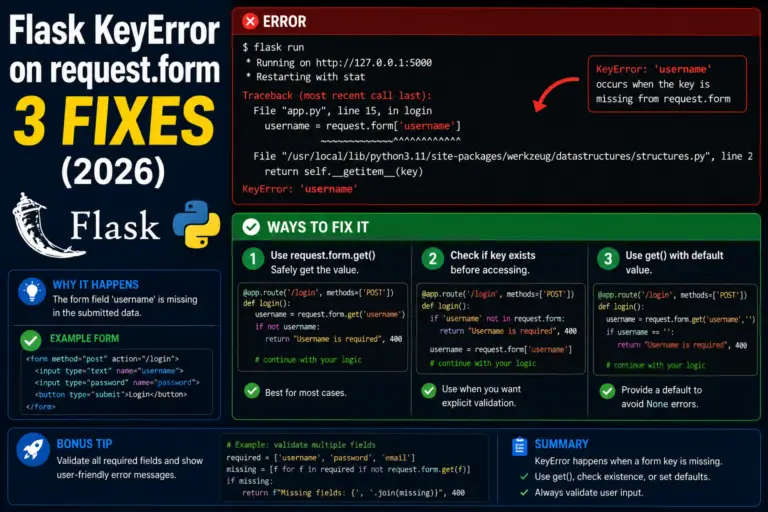
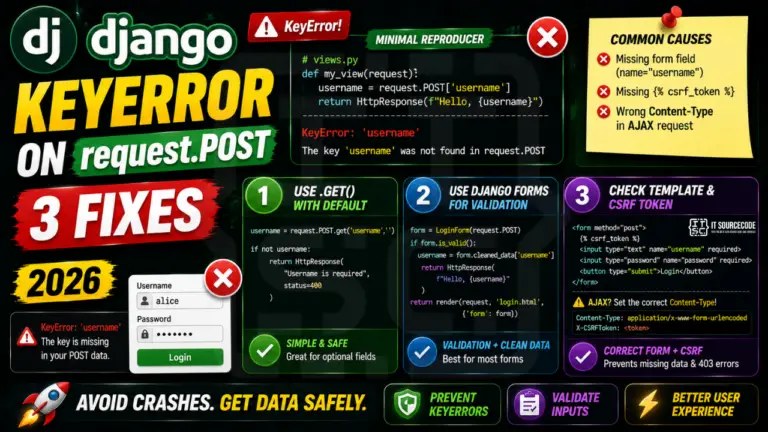
- Django/Flask request data — missing form fields or POST data
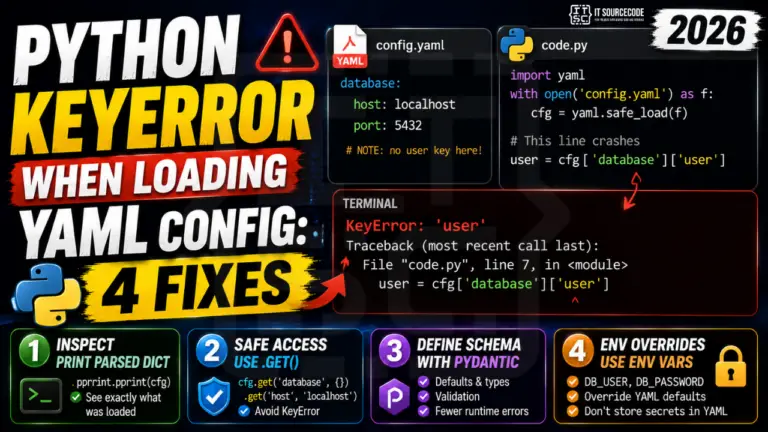
- Nested dict access — chained key lookups failing at any level
Quick prevention checklist
- Use
data.get('key', default) instead of data['key'] when key may be missing - Use
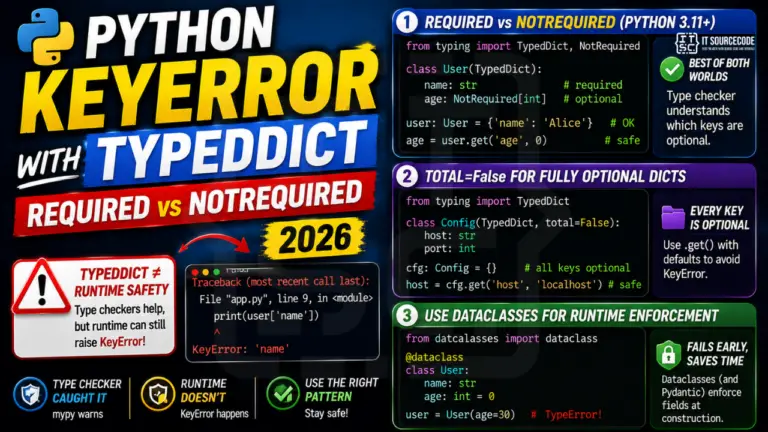
collections.defaultdict for auto-creating missing keys - Validate dict structure with Pydantic models or jsonschema
- Use
os.getenv('VAR', default) instead of os.environ['VAR']
New KeyError fixes are added regularly — bookmark this page or check the FAQ below for the most common questions.
Frequently Asked Questions
What is the difference between KeyError and IndexError?
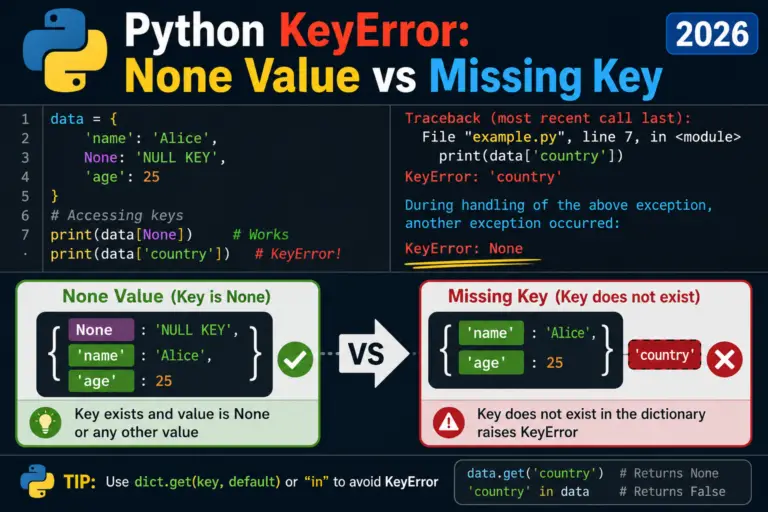
KeyError is raised when you try to access a dictionary key that does not exist (my_dict['username'] when 'username' is not a key). IndexError is raised when you try to access a list/tuple position that does not exist (my_list[5] when the list has 3 items). Both are subclasses of LookupError. KeyError applies to dict, set, OrderedDict, Counter, defaultdict. IndexError applies to list, tuple, str, bytes, array.
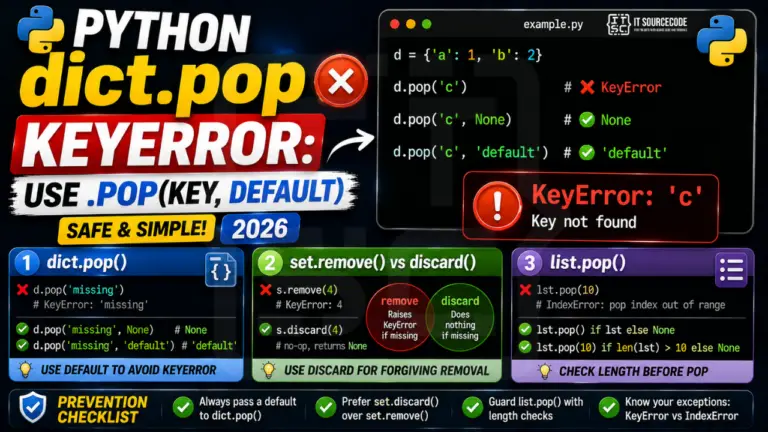
How do I avoid KeyError when accessing a dict?
Three clean patterns: (1) Use my_dict.get('key', default_value) — returns the default instead of raising KeyError. (2) Check membership first: if 'key' in my_dict: my_dict['key']. (3) Use collections.defaultdict if missing keys should auto-create with a default value. Use try/except KeyError ONLY when the missing-key case is truly exceptional, not normal flow control.
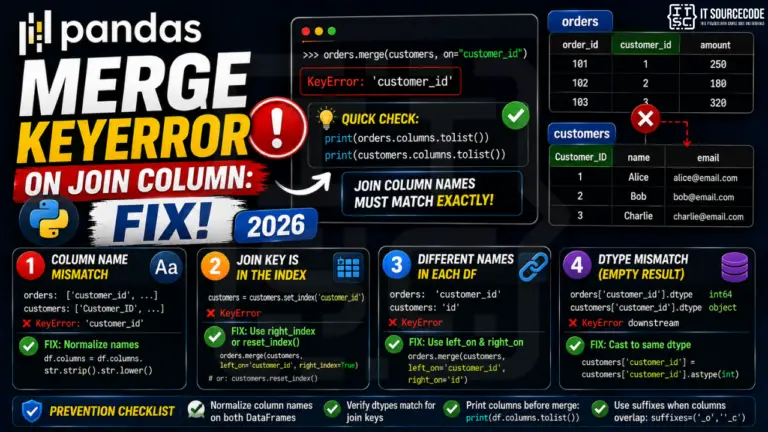
Why does my pandas DataFrame raise KeyError on a column that exists?
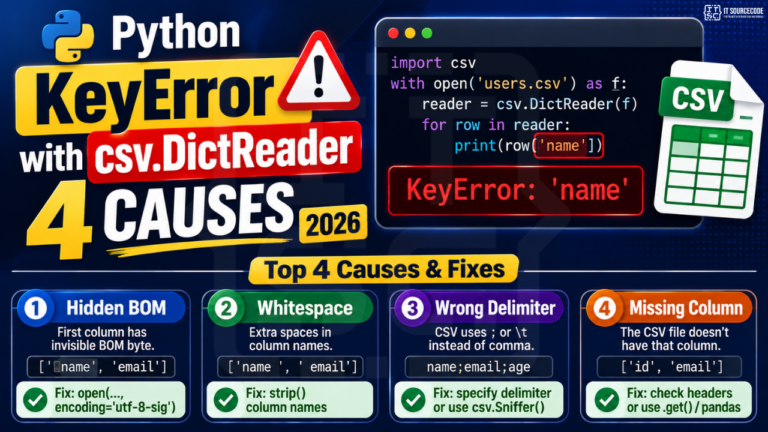
Three common causes: (1) Case-sensitivity — DataFrame columns are case-sensitive. 'Name' != 'name'. Check df.columns.tolist(). (2) Trailing/leading whitespace — column names from CSV/Excel imports often have stray spaces. Fix with df.columns = df.columns.str.strip(). (3) The column was dropped or renamed earlier in your pipeline. Add print(df.columns) right before the failing line.
Why does os.environ raise KeyError but os.getenv() does not?
os.environ behaves like a dict — os.environ['MISSING'] raises KeyError if the variable is not set. os.getenv('MISSING') returns None instead. os.getenv('MISSING', 'default_value') returns the default. Use os.getenv() for optional environment variables; use os.environ['REQUIRED_VAR'] when you WANT the program to crash early if a required variable is missing.
How do I parse JSON safely without KeyError?
JSON parsing returns a regular Python dict, so missing fields raise KeyError. Three options: (1) Use data.get('field', default) for each optional field. (2) Use Pydantic models (FastAPI default) — they validate the structure and raise a clear error before your code touches the missing field. (3) Use jsonschema validation for strict API contracts. Avoid try/except wrapping every dict access — that hides bugs.
Should I catch KeyError with try/except?
Sometimes yes, but it depends. (1) Yes — when parsing untrusted external data (user input, third-party API responses, CSV files with messy columns). (2) No — when the missing key indicates a bug in your own code. Catching internal KeyError hides the bug. (3) Better than try/except — use dict.get() with a default, which avoids the exception entirely.
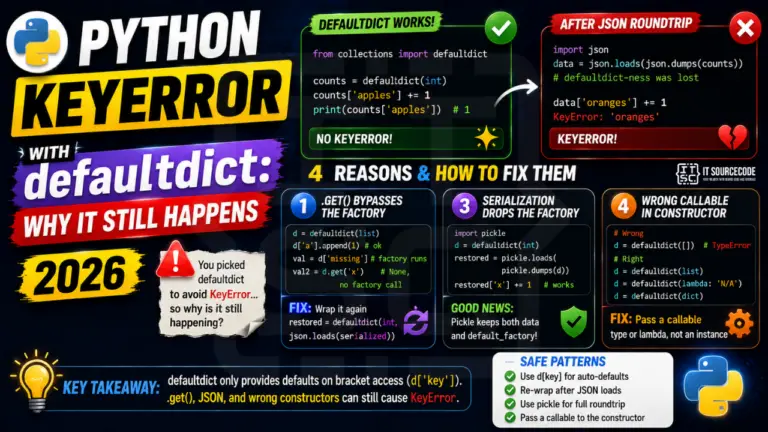
What is defaultdict and when should I use it instead of dict?
collections.defaultdict(factory) is a dict that auto-creates missing keys with a default value from the factory function. Examples: defaultdict(int) — missing keys default to 0 (great for counters). defaultdict(list) — missing keys default to [] (great for grouping). defaultdict(dict) — missing keys default to {} (great for nested dicts). Use defaultdict when you want missing-key access to silently work; use regular dict + .get() when you want explicit control.
How often is this KeyError reference updated?
This reference is being actively built throughout 2026 — new KeyError fix posts are added weekly. Existing posts are revised when major library versions ship changes (pandas 2.x, Django 5.x, Python 3.13). This page was last refreshed in May 2026.