
A Django KeyError on request.POST['field_name'] means the form data dictionary does not contain the key you tried to read. The most common causes in 2026 are missing form fields in the template, missing CSRF token, and AJAX requests sent with the wrong content type.
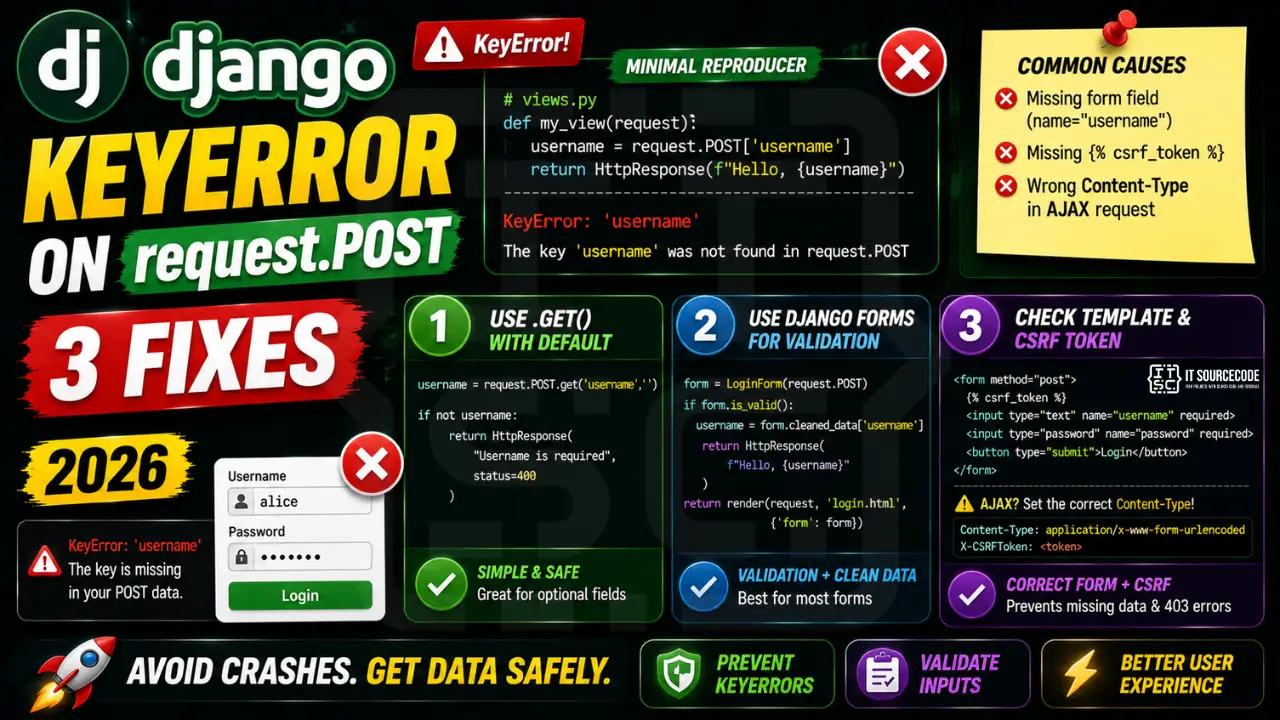
The minimal reproducer
# views.py
def my_view(request):
    username = request.POST['username']  # KeyError: 'username'
    return HttpResponse(f"Hello, {username}")
The view crashes if the submitted form did not include a name="username" input field. Django raises KeyError at the bracket access, not a friendly form validation error.
Fix 1: Use .get() with a default value
# Safe access
username = request.POST.get('username', '')
if not username:
    return HttpResponse("Username is required", status=400)
This is the simplest fix and works for any optional form field. The .get() method returns the default value (or None if no default) when the key is missing, instead of raising KeyError.
Fix 2: Use Django Forms for proper validation
# forms.py
from django import forms
class LoginForm(forms.Form):
    username = forms.CharField(max_length=150)
    password = forms.CharField(widget=forms.PasswordInput)

# views.py
def my_view(request):
    if request.method == 'POST':
        form = LoginForm(request.POST)
        if form.is_valid():
            username = form.cleaned_data['username']
            return HttpResponse(f"Hello, {username}")
        return render(request, 'login.html', {'form': form})
Django Forms validate the entire form, return user-friendly error messages, and protect against missing or invalid fields automatically. Use this for any form with more than 2-3 fields.
Fix 3: Check your template for missing inputs and CSRF
<!-- template.html -->
<form method="post">
  {% csrf_token %}  <!-- REQUIRED for Django POST -->
  <input type="text" name="username" required>
  <input type="password" name="password" required>
  <button type="submit">Login</button>
</form>
If your template is missing the name="username" attribute, the input never reaches request.POST. The {% csrf_token %} tag is also required, without it Django rejects the POST entirely with a 403 before your view runs.
When the request is AJAX
If you submit a form via JavaScript fetch() or jQuery.ajax(), you must set the correct Content-Type. Django parses JSON bodies differently from form-encoded bodies:
# JavaScript front-end
fetch('/api/login/', {
  method: 'POST',
  headers: {
    'Content-Type': 'application/x-www-form-urlencoded',
    'X-CSRFToken': getCsrfToken()
  },
  body: 'username=alice&password=secret'
})

# OR for JSON requests, parse in the view:
import json
def my_view(request):
    if request.content_type == 'application/json':
        data = json.loads(request.body)
        username = data.get('username', '')
Quick reference
| Scenario | Use |
|---|---|
| Single optional field | request.POST.get(‘field’, ”) |
| Multi-field form, validation | forms.Form + form.is_valid() |
| Model-bound form | forms.ModelForm |
| JSON API endpoint | json.loads(request.body) |
| REST framework | DRF Serializer.is_valid() |
Python KeyError debugging checklist
- Print the actual keys.
print(list(my_dict.keys()))shows what is available. - Check for case and whitespace. “name” vs “Name” vs ” name ” — all different keys.
- Use dict.get with default. Returns None or a fallback instead of raising.
- Guard with “key in dict”. Explicit check before access.
- Consider defaultdict or Counter. Automatic default values for missing keys.
Safe dict access patterns
# BAD — raises KeyError on missing
d = {"name": "Alice"}
age = d["age"]  # KeyError

# GOOD — several safe alternatives
age = d.get("age")                    # None if missing
age = d.get("age", 0)                 # 0 if missing
age = d.setdefault("age", 0)          # sets AND returns 0

# For nested access with fallback
from collections import defaultdict
counts = defaultdict(int)
counts["apples"] += 1                 # no KeyError, auto-init to 0

# For counting
from collections import Counter
words = Counter(["a", "b", "a", "c"])
print(words["z"])                     # 0, no KeyError
Modern tooling to prevent KeyError
- pydantic v2. Runtime validation with clear error messages.
- TypedDict + mypy. Static checking of dict shape.
- dataclasses. Attribute access is safer than dict lookup.
- pydantic-settings. For environment variables specifically.
Official documentation
Common Django KeyError patterns to avoid
The KeyError: csrfmiddlewaretoken on request.POST is a common Django trap. It shows up in several situations, and the fix depends on which one you are hitting. Here are the four patterns I see most often.
- Forgetting
{% csrf_token %}in the form template. Every Django form that submits via POST needs the CSRF token tag inside the<form>element. Without it, the token never reaches the view. - Testing an AJAX form without setting the header. If you submit via fetch or axios, you must pass the CSRF token in the
X-CSRFTokenheader. Django reads it from cookies if you set the middleware right. - Using
request.POST[key]directly. This raises KeyError if the field is missing. Userequest.POST.get(key)orrequest.POST.get(key, default)instead. This returns None or your default instead of crashing. - Wrong request method. If your view expects POST but the form submits GET,
request.POSTwill be empty and every access raises KeyError. Checkrequest.methodat the top of your view.
Safe request.POST access patterns
Direct dictionary access with request.POST[key] is fragile because any missing field crashes the whole view. Here are the Django patterns I use in production to handle POST data safely.
from django.shortcuts import render, redirect
from django.contrib import messages

def submit_view(request):
    if request.method != "POST":
        return redirect("form_page")

    # Pattern 1: Use .get() with a default
    name = request.POST.get("name", "").strip()
    email = request.POST.get("email", "").strip()

    # Pattern 2: Validate required fields explicitly
    required = ["name", "email", "message"]
    missing = [f for f in required if not request.POST.get(f, "").strip()]
    if missing:
        messages.error(request, f"Missing fields: {', '.join(missing)}")
        return redirect("form_page")

    # Pattern 3: Use Django Forms for real validation
    # form = ContactForm(request.POST)
    # if form.is_valid():
    #     name = form.cleaned_data["name"]

    # Now use the data safely
    return render(request, "success.html", {"name": name})