
A Python KeyError when reading YAML config means the parsed dict does not have the key you expected. The 4 most common 2026 causes: case mismatch (YAML is case-sensitive), nested keys not where you think, missing environment overrides, and schema drift between dev and production config files.
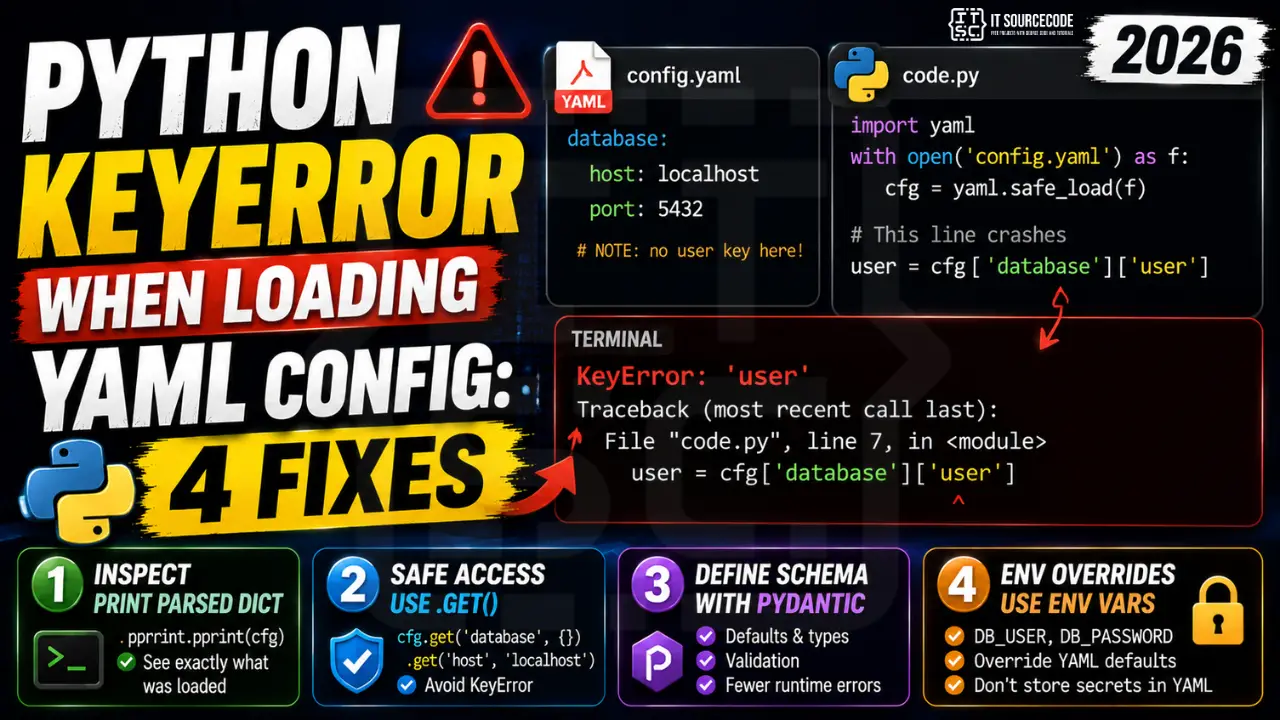
Minimal reproducer
# config.yaml
database:
  host: localhost
  port: 5432

# code.py
import yaml
with open('config.yaml') as f:
    cfg = yaml.safe_load(f)

user = cfg['database']['user']  # KeyError: 'user'
Fix 1: Print the parsed dict during development
import pprint
pprint.pprint(cfg)  # see exactly what got parsed

# common surprise: leading whitespace, BOM, or wrong indent
# YAML is whitespace-sensitive, 2 spaces vs 4 spaces matters
Fix 2: Safe access with chained .get()
host = cfg.get('database', {}).get('host', 'localhost')
port = cfg.get('database', {}).get('port', 5432)
Fix 3: Define a schema with Pydantic
from pydantic import BaseModel

class DatabaseConfig(BaseModel):
    host: str = 'localhost'
    port: int = 5432
    user: str = 'root'
    password: str = ''

class AppConfig(BaseModel):
    database: DatabaseConfig = DatabaseConfig()

cfg = AppConfig(**yaml.safe_load(open('config.yaml')))
# Now cfg.database.user works, with defaults if missing
Fix 4: Use environment variables as override
import os
# Merge YAML defaults with environment overrides
db_user = os.environ.get('DB_USER') or cfg.get('database', {}).get('user', 'root')
db_pass = os.environ.get('DB_PASSWORD') or cfg.get('database', {}).get('password', '')
Secrets in YAML are a bad practice. Read them from environment or a secrets manager (AWS Secrets Manager, GCP Secret Manager) and merge after.
YAML gotchas to know
- Case sensitive:
Hostandhostare different keys. - Booleans:
yes,no,on,off,true,falseare all booleans, not strings. Quote them if you mean strings. - Leading zeros:
port: 022is octal (=18), not 22. Always quote port numbers in YAML 1.1. - Multiline strings: use
|for literal newlines or>for folded. - Anchors and aliases:
&nameand*namelet you reuse blocks. PyYAML supports them.
Official documentation
Common YAML config KeyError patterns
YAML config files look simple but have specific patterns that cause KeyError in Python. Here are the four most common patterns I see in 2026 production code.
- Missing top-level key. Your Python code assumes config[“database”] exists, but the YAML file omits the database section entirely. Use config.get(“database”, {}) instead of config[“database”].
- Wrong indentation in YAML file. YAML is whitespace-sensitive. A single wrong indentation converts a nested key into a sibling key. Validate your YAML with a linter like yamllint before loading.
- Case sensitivity mismatch. YAML keys are case-sensitive. If your file has “Database” but your code uses “database”, the KeyError fires. Match case exactly or normalize with .lower() on lookup.
- Environment-specific keys missing in production YAML. Your dev config has “debug_endpoint” but the production config does not. Use defaultdict or config.get() with sensible defaults for optional keys.
Safe patterns for loading YAML config in 2026
Instead of accessing YAML config keys directly, use pydantic BaseSettings or dataclasses that validate the config shape at load time. This catches missing or wrong-typed keys immediately with a clear error message, instead of KeyError firing 5 function calls deep in your business logic.
pydantic BaseSettings automatically loads from YAML files, environment variables, and .env files with a consistent API. Define your config as a Python class with type hints, and pydantic validates every field on startup. Missing keys, wrong types, and validation errors all surface immediately with helpful messages.
For simple configs, chained .get() calls work well too: config.get(“database”, {}).get(“credentials”, {}).get(“password”). Each level returns an empty dict on missing keys, and the final result is either your value or None. Verbose but safe, works without any extra libraries.
Whatever pattern you pick, add a startup check that validates all required config keys are present before your application starts serving traffic. Failing fast at startup with a clear error is much better than crashing an hour later when a specific code path tries to access a missing config value.
Quick step-by-step summary (click to expand)
- Use config.get() with a default. Replace config[“database”] with config.get(“database”, {}) to handle missing keys gracefully.
- Validate YAML syntax with yamllint. Install yamllint and run it against your YAML file. Catches indentation errors and typos before your code runs.
- Use pydantic BaseSettings for typed config. Define a pydantic BaseSettings class matching your config shape. Get validation on load with clear error messages.
- Add startup validation for required keys. At application startup, verify all required config keys are present. Fail fast with a clear error message rather than KeyError deep in your business logic.
Comparing YAML with other config formats in 2026
YAML remains popular for configuration files, but Python teams increasingly use TOML for new projects. TOML has stricter syntax that eliminates the whitespace-sensitivity issues that cause many YAML KeyError bugs. The Python 3.11+ standard library includes tomllib for reading TOML natively, so there is no extra dependency.
For existing projects on YAML, migrating to TOML requires updating both the config files and the loading code. Small projects can migrate in a single afternoon. Large projects with many config files should migrate incrementally, one config domain at a time (database configs first, then feature flags, then integrations). Test each domain thoroughly before moving to the next.
For new Python projects in 2026, my recommendation is TOML for configuration with pydantic BaseSettings for typed loading. This combination gives you syntax validation at load time from tomllib, type validation from pydantic, and clear error messages when something is wrong. The KeyError trap effectively disappears from your codebase with this setup.
For teams still on YAML, adopting yamllint as a pre-commit hook catches indentation and syntax errors before they reach production. Combined with pydantic BaseSettings for typed loading, this two-layer defense eliminates the vast majority of YAML-related KeyError bugs in Python codebases. Setup takes 15 minutes and pays back on the first prevented production incident. Every professional Python project handling YAML config in 2026 should have both tools configured and enforced.
Frequently Asked Questions
Should I use yaml.load or yaml.safe_load?
Always yaml.safe_load. The plain yaml.load() can execute arbitrary Python code from the YAML file (remote code execution vulnerability). PyYAML emits a warning on yaml.load() since v5.1 to discourage this.
What is the difference between PyYAML and ruamel.yaml?
PyYAML is older, faster, well-known. ruamel.yaml preserves comments and original formatting on round-trip (good for tools that read AND write the same config). For read-only loads, PyYAML is fine.
How do I check if a YAML file has all required keys before using it?
Use Pydantic BaseModel (best, validates types too) or schema libraries like jsonschema, cerberus. For simple cases, list required keys and check: missing = [k for k in REQUIRED if k not in cfg]; raise ValueError if missing.
Can I have environment variable substitution in YAML?
Not natively in PyYAML. Use jinja2 to pre-process: rendered = Template(open(‘config.yaml’).read()).render(env=os.environ); cfg = yaml.safe_load(rendered). Or use a config library that supports it (Dynaconf, OmegaConf, Hydra).
Why does PyYAML convert my version number 1.0 into a float?
YAML implicitly types unquoted values. Quote the version: version: “1.0” forces it to a string. Same for port numbers, IP addresses, dates, all are best quoted in config files.

Angel Jude Suarez
Full-Stack Developer at PIES IT Solution
Angel Jude Suarez is a full-stack developer at PIES IT Solution. Focuses on Python development, machine learning, and AI integration.
Expertise: Python, PHP, Java, Machine Learning, AI Integration, Django