
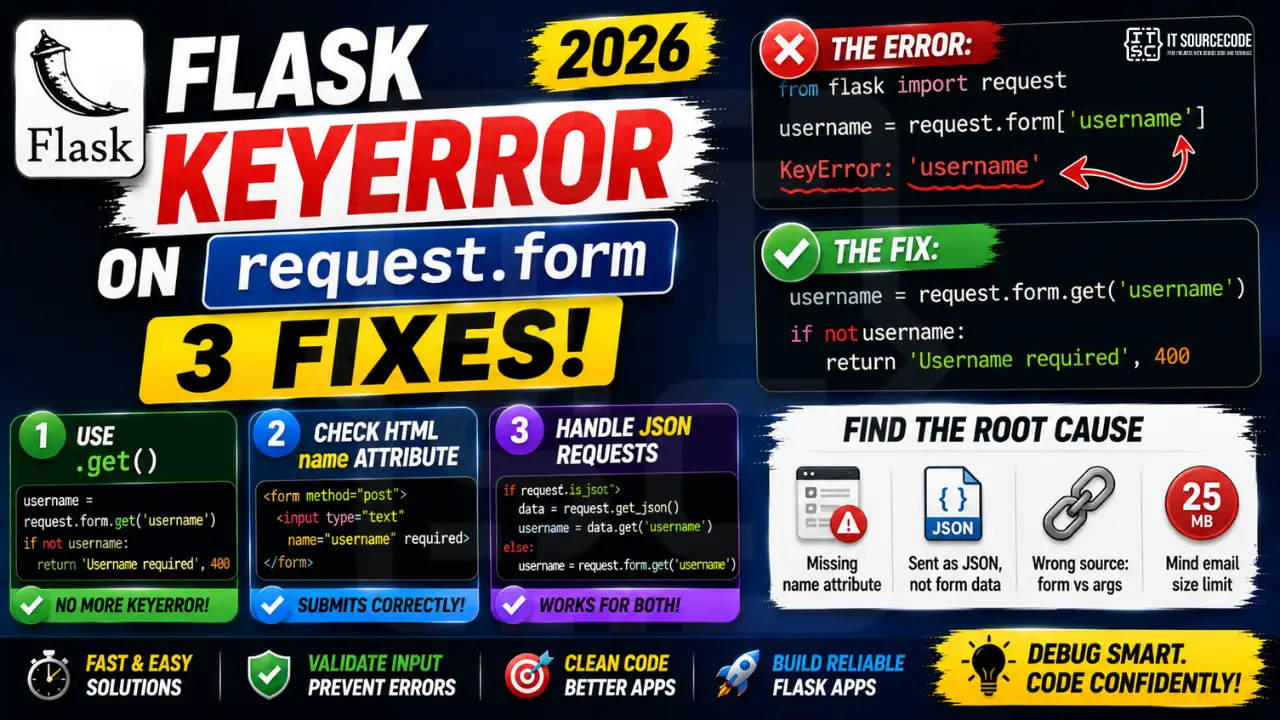
A Flask KeyError on request.form['field_name'] means the submitted form does not include the key you tried to access. Three common 2026 causes: the HTML input is missing its name attribute, the request was sent as JSON not form-encoded, or you confused request.form with request.args (query parameters).
Minimal reproducer
from flask import Flask, request
app = Flask(__name__)

@app.route('/login', methods=['POST'])
def login():
    username = request.form['username']  # KeyError: 'username'
    return f"Hello {username}"
Fix 1: Use request.form.get()
username = request.form.get('username')
if not username:
    return "Username required", 400
This returns None instead of raising on missing keys. Pair with explicit validation when the field is required.
Fix 2: Verify the HTML form has the name attribute
<!-- WRONG: input has no name -->
<input type="text" id="username">

<!-- CORRECT -->
<form action="/login" method="post">
  <input type="text" name="username" required>
  <input type="password" name="password" required>
  <button type="submit">Login</button>
</form>
Inputs without a name attribute do not get submitted, even though they appear in the form. The id attribute is for JavaScript only and does not affect submission.
Fix 3: Handle JSON requests separately
@app.route('/login', methods=['POST'])
def login():
    if request.is_json:
        data = request.get_json()
        username = data.get('username')
    else:
        username = request.form.get('username')

    if not username:
        return jsonify(error='Username required'), 400
    return jsonify(message=f"Hello {username}")
Flask only fills request.form when the Content-Type is form-encoded. AJAX requests sending JSON go through request.get_json() instead.
Use Flask-WTF for proper validation
from flask_wtf import FlaskForm
from wtforms import StringField, PasswordField
from wtforms.validators import DataRequired

class LoginForm(FlaskForm):
    username = StringField('Username', validators=[DataRequired()])
    password = PasswordField('Password', validators=[DataRequired()])

@app.route('/login', methods=['GET','POST'])
def login():
    form = LoginForm()
    if form.validate_on_submit():
        return f"Hello {form.username.data}"
    return render_template('login.html', form=form)
Debugging Flask KeyError systematically
KeyError on Flask’s request.form almost always traces back to one of three root causes. Before making guesses, work this checklist in order.
- Print request.form immediately at the start of your view. A single
print(dict(request.form))tells you exactly what fields were submitted. If your expected key is missing, the form did not send it. - Check the request method.
request.formonly populates for POST requests. GET requests populaterequest.argsinstead. Route decorators must includemethods=['POST']. - Verify the HTML form has
method="post"and matchingnameattributes. Fields without anameattribute do not submit at all. This is the most common oversight. - Check Content-Type headers for AJAX requests. JavaScript fetch() calls with wrong Content-Type send data to
request.dataorrequest.json, notrequest.form. - Look at the WSGI middleware chain. Some middleware consumes the request body before Flask parses it. If a proxy or logging middleware reads first, request.form may be empty.
Common Flask request handling mistakes
- Using request.form[key] instead of request.form.get(key). Bracket access raises KeyError on missing keys. .get() returns None and you can validate explicitly.
- Ignoring form validation. Flask-WTF or WTForms let you define expected fields and validation rules once. Errors become user-friendly messages, not stack traces.
- Trusting user input without sanitization. Missing keys are one problem. Malicious input is another. Always validate types, lengths, and content patterns before use.
- Confusing form data with JSON payloads. An API endpoint receiving
Content-Type: application/jsonneedsrequest.get_json(), notrequest.form. - Not testing edge cases. Empty submissions, missing fields, extra fields, and malformed data all deserve tests. A KeyError in production is a preventable regression.
Production Flask best practices
Beyond the immediate KeyError, harden your Flask app to prevent this class of errors from recurring:
- Use Flask-WTF for form handling. Turns manual key access into declarative form classes with automatic validation.
- Add global error handlers. A 400 handler for KeyError converts stack traces into user-friendly JSON responses.
- Log with request context. Include the endpoint, method, and form keys in your logs so post-mortem debugging is fast.
- Write integration tests for every route. Send both valid and invalid payloads. Every test that trips the KeyError code path proves the handler is defensive.
- Use type hints and Pydantic. Pydantic models validate incoming data against a schema and give clean error messages. Combines well with Flask.
Flask vs FastAPI request handling comparison
If you find yourself repeatedly hitting form-parsing errors in Flask, it may be worth comparing to FastAPI’s approach. Different frameworks handle form data with different philosophies:
- Flask uses request.form as a dict-like object. Flexible but requires manual validation. KeyError is a real risk on production.
- FastAPI uses type-hinted parameters. Missing fields return a 422 Validation Error automatically. No KeyError possible in your view function.
- Flask + Pydantic hybrid. You can use Pydantic in Flask too. Define a schema, parse request.form into it, and get validation for free.
- Migration effort. Moving a Flask project to FastAPI is doable but non-trivial. Weigh the benefits (better DX, automatic docs) against migration cost.
Testing Flask forms with pytest
Every KeyError in production is a test that was not written. Prevent regressions with pytest fixtures that exercise every code path:
# tests/test_login.py
def test_login_missing_username(client):
    response = client.post('/login', data={})
    assert response.status_code == 400
    assert b'Username required' in response.data

def test_login_valid(client):
    response = client.post('/login', data={'username': 'alice', 'password': 'secret'})
    assert response.status_code == 200

def test_login_wrong_content_type(client):
    response = client.post('/login',
                            data='{"username": "alice"}',
                            content_type='application/json')
    assert response.status_code == 400
Tests like these catch KeyError, wrong content type, and missing fields BEFORE they reach production. A one-time investment of an hour saves multiple hours of production debugging over the year.
Related Flask patterns
If Flask form handling is a recurring theme in your codebase, level up with these related patterns:
- Flask blueprints for organizing large apps. Split routes by domain (auth, users, api) into separate blueprint files.
- Flask-Login for auth. Handles session management, login required decorators, and remember-me cookies out of the box.
- Flask-Migrate for database schema. Alembic-based migrations track schema changes over time.
- Flask-CORS for API endpoints. Handle cross-origin requests without manual header management.
- Flask-Caching for performance. Redis-backed caching for expensive queries.
When to switch frameworks
Persistent form-handling errors are sometimes a signal that a different framework fits your project better. Flask excels at flexibility and simplicity. FastAPI shines when you build APIs with typed validation. Django provides batteries-included form validation, admin panels, and ORM out of the box. If you find yourself constantly wrestling with request parsing in Flask, evaluate whether FastAPI or Django would eliminate a class of bugs. Migrations are non-trivial but sometimes worth the effort for long-lived projects that keep encountering the same category of issues over months and years.
Quick step-by-step summary (click to expand)
- Verify the request method is POST. Flask KeyError often means the form was sent as GET. Confirm your route accepts POST and the form uses method=”post”.
- Confirm the field name matches. The KeyError message shows the missing key. Match it exactly against your HTML input name attribute (case-sensitive).
- Switch to request.form.get(). Replace request.form[“field”] with request.form.get(“field”) to return None instead of raising KeyError.
- Add default values or validation. Use request.form.get(“field”, “default”) for optional fields, or validate presence before accessing.
Official documentation
Frequently Asked Questions
What is the difference between request.form and request.args in Flask?
request.form contains data from POST request bodies (form-encoded). request.args contains URL query parameters (after the ? in the URL). Mixing them is a common cause of KeyError, always check your form method and how you read the value.
Why is request.form empty when I send a fetch() request with JSON?
Flask only parses request.form when Content-Type is application/x-www-form-urlencoded or multipart/form-data. For JSON, use request.get_json() or request.json. Check Content-Type with request.is_json before deciding which parser to use.
Can I use request.values to access both form and args?
Yes. request.values is a CombinedMultiDict that merges request.form and request.args. Use it when you accept the same key from either source. Still raises KeyError on missing key, so prefer request.values.get(‘key’, default).
Should I use Flask-WTF or raw request.form for form handling?
Flask-WTF for any form with validation rules. It handles CSRF tokens, field validation, error rendering, and re-population on validation failure. Use raw request.form only for single-field webhooks or one-off endpoints with minimal logic.
How do I debug what is actually in request.form?
Add print(dict(request.form)) at the top of your view, or use Flask debug mode (app.config[‘DEBUG’]=True). You can also enable DebugToolbar (pip install flask-debugtoolbar) which shows all request data in an in-browser panel.

Caren Bautista
Technical Writer at PIES IT Solution
Responsible for crafting clear, well-structured, and beginner-friendly content across the platform. Handles the writing, proofreading, and editorial review of tutorials, guides, and documentation to ensure every article is accurate, readable, and easy to follow.
Expertise: Technical Writing · Content Creation · Documentation · Editorial Writing · JavaScript · TypeScript · View all posts by Caren Bautista →