
A Python KeyError on nested dict access like data['user']['profile']['name'] happens when any one of the chained keys is missing. Bracket access raises KeyError at the first missing key. Here are 4 safe patterns ranked from simplest to most robust.
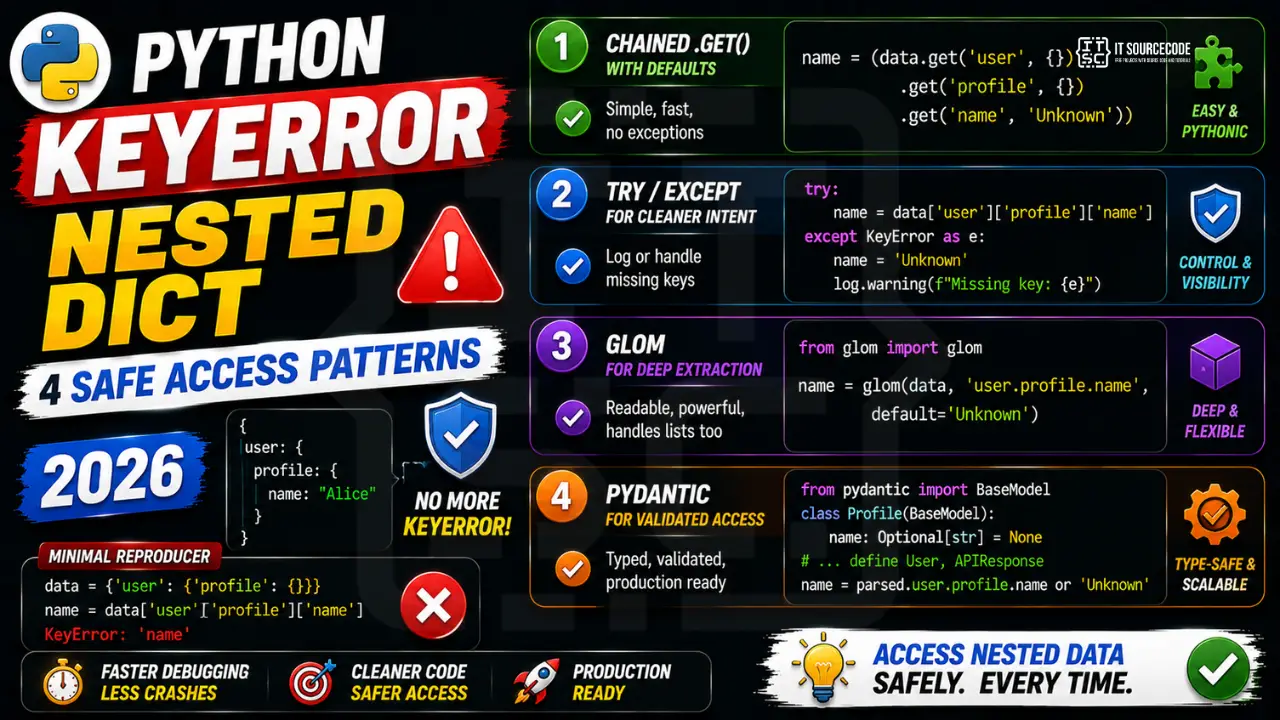
The minimal reproducer
data = {'user': {'profile': {}}}  # no 'name' key in profile
name = data['user']['profile']['name']  # KeyError: 'name'
Pattern 1: Chained .get() with defaults
name = data.get('user', {}).get('profile', {}).get('name', 'Unknown')
Each .get(key, {}) returns an empty dict when the key is missing, so the next .get() still works. The final .get('name', 'Unknown') returns the actual value or your default. No KeyError ever.
Pattern 2: try/except for cleaner intent
try:
    name = data['user']['profile']['name']
except KeyError as e:
    name = 'Unknown'
    log.warning(f"Missing key in user data: {e}")
Better when you want to log or react to the specific missing key. Worse for performance when missing keys are common (Python exceptions are slower than checks).
Pattern 3: glom for deep extraction
# pip install glom
from glom import glom

name = glom(data, 'user.profile.name', default='Unknown')
The glom library makes nested extraction readable, supports list indexing, transformations, and merging in one expression. Best for API client code that reads many deeply-nested response shapes.
Pattern 4: Pydantic for validated typed access
from pydantic import BaseModel
from typing import Optional

class Profile(BaseModel):
    name: Optional[str] = None

class User(BaseModel):
    profile: Profile = Profile()

class APIResponse(BaseModel):
    user: User

parsed = APIResponse(**data)
name = parsed.user.profile.name or 'Unknown'
Pydantic validates the entire response and gives you typed attribute access (with IDE autocomplete). Best for production code that parses many API responses with known schemas.
Quick decision table
| Use case | Best pattern |
|---|---|
| Quick script, 2-3 levels deep | Chained .get() |
| Logging missing keys | try/except |
| Multiple deep paths in one response | glom |
| Production API client, typed | Pydantic |
Official documentation
Common nested dict KeyError patterns
Nested dictionaries are everywhere in Python code that consumes JSON APIs, config files, and database results. They also cause more KeyErrors than any other pattern. Here are the four most common causes.
- Direct chain access.
config["database"]["credentials"]["password"]crashes if any level in the chain is missing. Use.get()chains or a safer helper function. - Assuming API response shape. External APIs sometimes return partial data. Fields you expect may be missing or nested differently. Always defensively access nested response fields.
- Case sensitivity in JSON keys. API returns “userName” but your code accesses “username” or “user_name.” Match the exact key case from the source data.
- Nested list vs nested dict confusion.
data["items"][0]["price"]only works ifdata["items"]is a list. If it is a dict or None, this raises TypeError not KeyError. Check the type first.
Safe nested access with dataclasses and pydantic
For code that parses external data (API responses, config files, database rows), moving from raw dict access to typed models eliminates most nested KeyErrors before they happen. Here is the modern Python pattern in 2026.
from pydantic import BaseModel
from typing import Optional

class Credentials(BaseModel):
    username: str
    password: str

class Database(BaseModel):
    host: str
    port: int = 5432
    credentials: Optional[Credentials] = None

class Config(BaseModel):
    database: Database

# Instead of dict access that raises KeyError:
raw_config = {"database": {"host": "localhost"}}
config = Config.model_validate(raw_config)

# Now access is type-safe:
print(config.database.host)  # "localhost"
if config.database.credentials:
    print(config.database.credentials.password)
pydantic validates the shape of your data on load, giving you clear error messages when fields are missing instead of runtime KeyErrors deep inside your business logic. Combined with Python type hints, this pattern is my default for any 2026 project that consumes external JSON data.
For simple internal data, plain dataclasses with sensible defaults also work well. Pick pydantic when validation matters (API endpoints, config files) and dataclasses when you just want structured data (internal state, function returns). Both eliminate the nested KeyError trap by making the shape of your data explicit and enforced at construction time.
Quick summary
Python KeyError on nested dictionaries is a solved problem in 2026 if you pick the right tool for your case. Use chained .get() for simple optional access. Use collections.defaultdict when you are building the dict and want automatic key creation. Use pydantic models when you are parsing external JSON and want validation. Use try/except only when the missing key case is genuinely exceptional and rare. Each pattern has a specific niche and mixing them appropriately eliminates nested KeyError bugs from your code entirely.
The habit that separates production-grade Python code from prototype code: never let a KeyError reach your business logic. Validate your data at the boundary (API response parsing, config loading, database row conversion) and use typed models internally. When bugs slip past that boundary, they are much easier to catch and fix because the failure happens at load time with a clear error message, not deep inside your feature code three function calls later.
Also worth noting: modern Python code review tools like ruff and pyright now flag unsafe dict access patterns automatically. Adding these to your CI pipeline catches nested KeyError bugs before they hit production. Combined with typed models via pydantic, you can build Python codebases where KeyError is virtually impossible to trigger from your own code. This is the standard pattern for professional Python teams in 2026, and it is worth the initial setup cost.
Finally, when refactoring existing Python code that has KeyError bugs, do it incrementally. Convert one dict access pattern at a time to safer alternatives. Test after each change. Do not try to rewrite everything at once because the risk of introducing regressions is too high. A gradual refactor over several sprints produces a more reliable codebase than a big-bang rewrite that ships in one sprint.
Quick step-by-step summary (click to expand)
- Use chained .get() for optional keys. Replace direct chained bracket access with .get() calls that supply an empty dict default at each level.
- Use collections.defaultdict for auto-creation. Import defaultdict when building nested structures so missing keys create empty dicts on access.
- Use pydantic models for external JSON. Define pydantic BaseModel classes matching the expected shape. Call Model.model_validate(data) to validate on load.
- Reserve try/except for rare exceptions. Wrap dict access in try/except only when the missing-key case is genuinely rare and exceptional.
Frequently Asked Questions
Why does data.get(‘a’, {}).get(‘b’) still raise an error sometimes?
If data[‘a’] exists but is None (not missing, but explicitly null), then None.get(‘b’) raises AttributeError, not KeyError. Use data.get(‘a’) or {} to guard against both: (data.get(‘a’) or {}).get(‘b’, ‘default’).
Is glom worth the extra dependency?
For projects that parse 5+ different API response shapes, yes. glom has no dependencies of its own, is fast, and turns 10-line defensive parsing into one readable line. For projects with 1-2 endpoints, chained .get() is enough.
Can I use the walrus operator for safer nested access?
Walrus (:=) helps when you want to use a value AND assign it: if (user := data.get(‘user’)) and (profile := user.get(‘profile’)): name = profile.get(‘name’). Works but reads as cluttered. Pattern 1 (chained .get) is usually cleaner.
How does Pydantic handle missing keys differently?
Pydantic raises a ValidationError if a required field is missing, or uses the default value for Optional fields. You catch ValidationError once at the parsing boundary, then use clean typed attribute access in the rest of your code. Much better than scattered KeyError handling.
What about nested lists, like data[‘users’][0][‘name’]?
Lists raise IndexError on out-of-range access, not KeyError. Mix patterns: name = (data.get(‘users’) or [None])[0].get(‘name’, ‘Unknown’) is safe but ugly. glom handles this cleanly: glom(data, ‘users.0.name’, default=’Unknown’).

Adrian Mercurio
Full-Stack Developer at PIES IT Solution
Adrian Mercurio is a full-stack developer at PIES IT Solution. Specializes in building complete capstone projects with full documentation. Strong background in PHP/MySQL development and database design. Has personally built and tested over 30 capstone-ready projects with ER diagrams, DFDs, and chapter-by-chapter thesis documentation.
Expertise: PHP, Laravel, Database Design, Capstone Projects, C#, C, C++, Python, AI Projects · View all posts by Adrian Mercurio →