
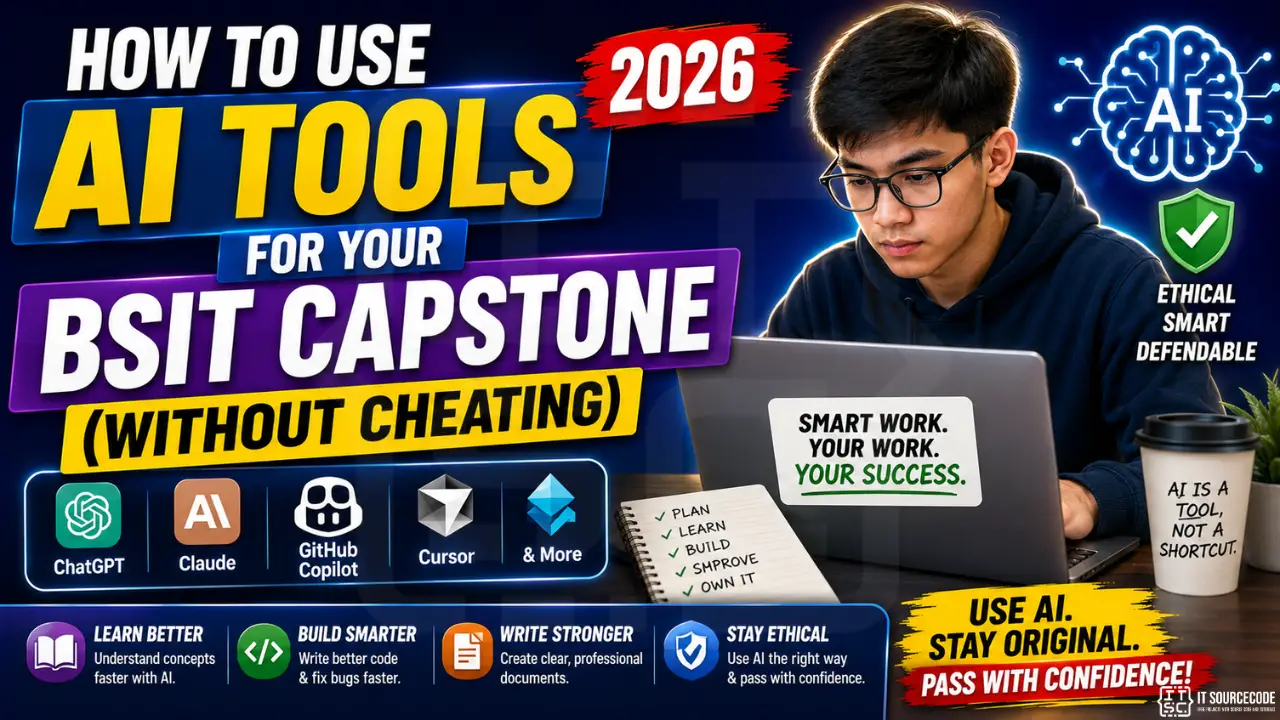
AI coding tools (ChatGPT, Claude, GitHub Copilot, Cursor) are everywhere in 2026, and BSIT students are caught in the middle. Universities haven’t standardized AI policies. Advisers’ opinions vary wildly. Detection tools exist but are unreliable. Where’s the line between “using a tool” and “cheating”?
This guide gives you a clear ethical framework + practical workflow for using AI in your capstone, staying productive while staying defendable. Based on observed AI policies at 30+ Philippine BSIT/BSCS departments in 2026.
📌 Bottom line first: Using AI for capstone is OK if you can defend every line of code/text as if you wrote it. Using AI to generate work you can’t explain = cheating, and panels in 2026 are increasingly skilled at detecting this.
The Ethical Line: What Counts as Cheating?
✅ ETHICAL: Using AI as a tutor/assistant
- Asking AI to explain a concept you don’t understand (Stack Overflow with patience)
- Using AI to debug error messages
- Generating boilerplate code (CRUD scaffolding, form validation) that you then modify and own
- Asking AI to suggest alternative approaches to compare
- Using AI to format/proofread your own writing
- Generating test cases from your specifications
- Using AI as a code reviewer (paste your code, ask for improvement suggestions)
⚠️ GRAY ZONE: Depends on Your School’s Policy
- Letting AI generate entire functions/files you minimally edit
- Using AI to write your Chapter 1-5 documentation
- Generating UML diagrams via AI (depends if school requires manual drawings)
- AI-generated user testing data (instead of real interviews)
❌ CHEATING: Will fail you if caught
- AI writes your entire capstone documentation, you submit verbatim
- AI generates code you don’t understand, you can’t defend it
- Using AI to bypass plagiarism checkers (paraphrase copied work)
- Fabricating user interviews/research with AI
- Using AI to write your defense answers in real-time during panel Q&A
The Defense Test: Your Ultimate Filter
Before submitting ANY AI-generated content (code or text), ask:
“If a panelist asked me to explain this line-by-line, could I do it confidently in my own words?”
- YES → Submit. You’ve used AI as a learning tool. You own the work.
- NO → Don’t submit yet. Refactor until you understand it. Or ask AI to explain it to you first.
This test is consistent with academic integrity AND career success. Code/writing you can’t defend is worthless, at school AND in your future job.
Smart AI Workflows for Capstone Work
Workflow #1: AI as Code Tutor (Beginners)
When you don’t know how to implement something:
- Write what you’re trying to achieve in plain English (in your own words).
- Ask AI: “Explain how I’d implement [X] in [language]. Don’t give me the code yet, explain the approach.”
- Read the explanation. If you don’t understand, ask follow-up questions.
- Now write the code yourself based on the explanation.
- If stuck, ask AI: “Here’s my attempt: [code]. Where am I going wrong?”
This workflow uses AI for LEARNING, not for SHORTCUT. Result: you understand the code AND finish it faster than struggling alone.
Workflow #2: AI as Code Reviewer (Intermediate)
After writing code yourself:
- Paste your code into ChatGPT/Claude.
- Ask: “Review this for: (1) bugs, (2) security issues, (3) cleaner alternatives. Explain your reasoning.”
- Implement suggestions you understand and agree with. Skip those you don’t.
- Verify each change actually works by testing.
This is how SENIOR developers use AI in 2026, as a second pair of eyes, not a replacement for thinking.
Workflow #3: AI for Chapter Drafting (Advanced + RISKY)
For documentation chapters:
- Write a detailed OUTLINE yourself based on your actual project decisions.
- Ask AI to expand each bullet into 1-2 paragraphs using your specific project details.
- EDIT HEAVILY. Rewrite at least 30-50% in your own voice.
- Verify all facts: AI hallucinates. Citations, dates, technical specs need manual checking.
- Run through Grammarly + 1 human read for tone consistency.
⚠️ Risk: AI-generated text has detectable patterns (long sentences, repetitive structures, generic phrases). AI detectors are unreliable BUT some advisers in 2026 are skilled at spotting AI prose. Heavy editing is mandatory.
Best AI Tools for BSIT Capstone (2026 Comparison)
For coding
- GitHub Copilot: FREE for students via GitHub Student Pack. Best autocomplete. Integrates into VS Code.
- Cursor: $20/mo Pro. Best AI-first editor experience. See our editor comparison.
- Claude (Anthropic): claude.ai, free tier sufficient for capstones. Best for explanations + code reviews.
- ChatGPT (OpenAI): chatgpt.com, free tier OK. Mainstream choice with the broadest knowledge.
- Codeium: Free Copilot alternative if you don’t qualify for Student Pack.
For documentation
- Claude: best for long-form writing that sounds human
- ChatGPT: wider plugin ecosystem (Scholar AI for citations, etc.)
- Grammarly: for grammar/clarity polish AFTER your draft
- Quillbot: paraphrase tool. CAUTION: heavy paraphrasing without understanding = plagiarism risk
For specific tasks
- UML diagrams: Mermaid Live Editor (mermaid.live), generate from text descriptions, then refine
- Test case generation: ChatGPT with your specs → “generate 20 test cases covering edge cases”
- Database schema design: Ask Claude to generate ER diagrams in Mermaid syntax from your requirements
- Defense Q&A practice: Paste your Chapter 1 into Claude → “you are a defense panelist, ask me 10 hard questions”
School Policy: Know YOUR Rules
As of 2026, Philippine universities have wildly different AI policies. Check YOURS before assuming anything:
- Some schools: AI use allowed if disclosed (cite which AI you used, what for).
- Some schools: AI banned for documentation but allowed for coding.
- Some schools: AI banned entirely (especially for thesis writing).
- Most schools: No formal policy yet, depends on adviser’s personal stance.
What to do:
- Check your school handbook (search “artificial intelligence” or “AI”).
- Ask your department chair in writing: “What’s our official AI usage policy for capstones?”
- Ask your adviser their personal stance: “What’s your view on AI use for my capstone code/writing?”
- If policy is unclear, default to: “I’ll use AI for learning/debugging but write/edit everything myself.”
Avoiding AI Detection (When You’re Doing Nothing Wrong)
Even ethical AI use can trigger false-positive detection. Protect yourself:
For code
- Add your own comments: AI-generated code often lacks comments; yours should explain WHY (not WHAT).
- Use consistent personal naming conventions: pick variable naming patterns (camelCase vs snake_case) and stick to them across the project.
- Vary structure: AI tends to produce uniformly-formatted code. Add your own style.
- Commit incrementally: many small Git commits with clear messages signal real iterative work. AI-generated codebases often appear as one massive commit.
For documentation
- Add personal observations: “During our user interview with Aling Marie, she emphasized…” Specific real details that no AI could fabricate.
- Use Filipino context naturally: references to your school, barangay, local business names ground the work in reality.
- Vary sentence length: AI prose tends toward uniform medium-length sentences. Mix short. Long ones with multiple clauses. And occasional fragments.
- Include version-history evidence: Google Docs or Word track-changes show real revision history that AI-pasted text lacks.
When AI Goes WRONG: Common Pitfalls
- Hallucinated APIs/libraries: AI confidently cites functions/packages that don’t exist. Always verify in official docs.
- Outdated patterns: AI training data may be from 2023; some advice is outdated for 2026 frameworks.
- Security vulnerabilities: AI-generated SQL queries often miss prepared statement protection. Verify before deploying.
- Generic answers: when your problem is novel, AI returns plausible-sounding but wrong solutions.
- Wrong context: AI doesn’t know your project’s specific architecture. Generic solutions often clash with your existing code.
Defense rule: If something works, you should understand WHY. If it doesn’t work, you should understand WHY NOT. Without that understanding, AI-generated code is a time-bomb.
FAQ
Will my school detect if I used ChatGPT for my capstone?
Can I use AI to write my Chapter 1 Introduction?
Is GitHub Copilot allowed for capstone coding?
What happens if I’m caught using AI inappropriately?
How do I cite AI use in my capstone documentation?
Can AI tools help during the defense itself?
Final Thoughts
AI is a tool, like a calculator, IDE, or Stack Overflow. Tools used well make you faster AND smarter. Tools used poorly let you appear competent without actually being competent. Defense day reveals the difference: students who learned WITH AI defend confidently; students who let AI substitute for learning struggle visibly.
Use AI generously for understanding, debugging, and accelerating routine work. NEVER use it as a substitute for understanding. Your career depends on the skills you actually develop during your capstone, not just on whether you graduate.
🎯 Your AI-safe capstone checklist:
- Confirm your school’s AI policy in writing
- Set up GitHub Copilot via Student Pack (free), see our editor guide
- Use AI for learning + debugging, never for shortcuts you can’t defend
- Personalize EVERYTHING, add real interview quotes, your team’s voice
- For each AI-assisted section, ask: “Can I defend this line-by-line?”
- Practice defense Q&A using AI as a panel simulator (paste your work, ask hard questions)
- Review our 15 Common Defense Mistakes guide before your panel

Angel Jude Suarez
Full-Stack Developer at PIES IT Solution
Focuses on Python development, machine learning, and AI integration. Has built production AI systems including OpenAI Whisper integration for medical transcription and GPT-4o-powered diagnosis assistance. Strong background in pandas, scikit-learn, and TensorFlow.
Expertise: Python · PHP · Java · VB.NET · ASP.NET · Machine Learning · AI Integration · OpenCV · Django · CodeIgniter · View all posts by Angel Jude Suarez →