
If your BSIT capstone runs locally on your laptop but breaks when you copy it to the panel’s machine, you need Docker.
This guide gets you from “never used Docker” to “my capstone runs anywhere in one command” in 30 minutes. Specifically tailored for BSIT students with PHP/Python/Node capstone backends.
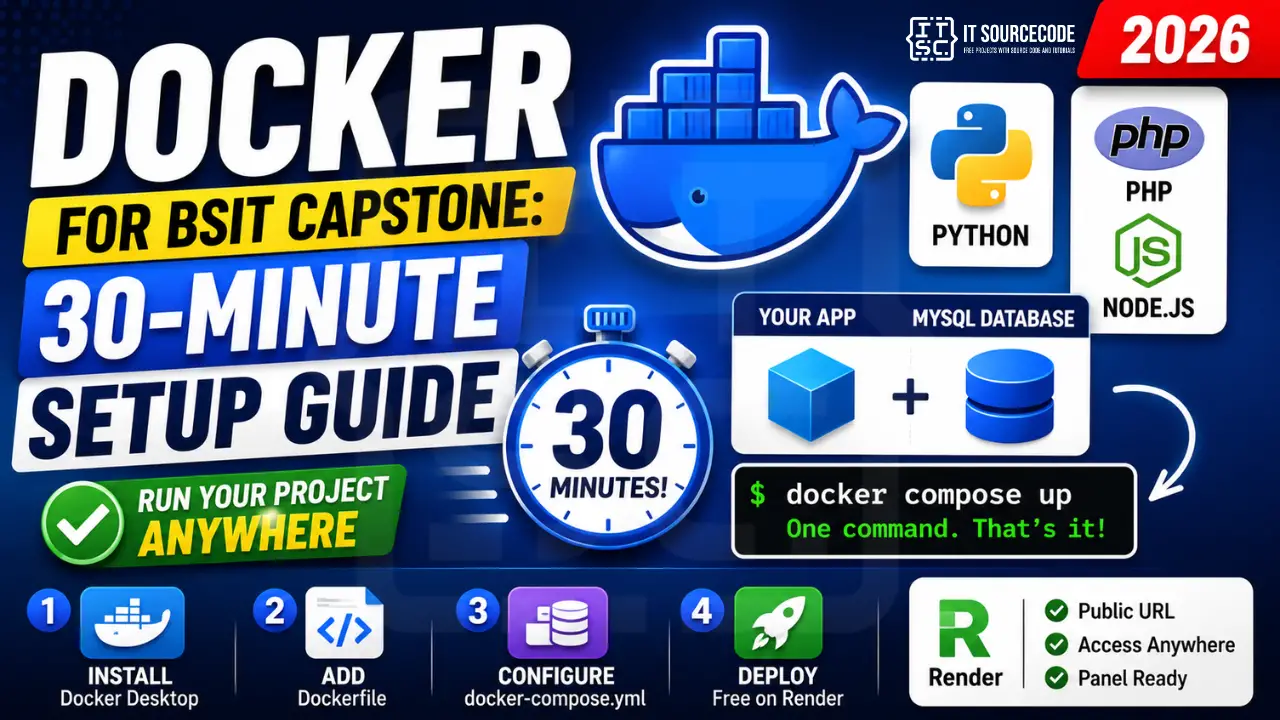
📌 What you’ll have at the end: A Dockerfile + docker-compose.yml that lets anyone run your capstone with one command: docker compose up. Plus deploy-to-Render-free-tier in 5 extra minutes. No more “doesn’t work on my machine” excuses at defense.
Minute 0-5: Install Docker Desktop
Download Docker Desktop from docker.com/products/docker-desktop. Available for Windows, Mac, Linux. ~500MB install. Sign in with a free Docker Hub account.
Verify install:
docker --version
docker run hello-world
Minute 5-15: Write a Dockerfile for Your Capstone
The Dockerfile is a recipe: “start from base image, copy my code, install dependencies, run my app.” Examples for the 3 most common BSIT stacks:
Laravel / PHP:
FROM php:8.2-apache
RUN docker-php-ext-install pdo_mysql
COPY . /var/www/html/
WORKDIR /var/www/html
RUN composer install
EXPOSE 80
Django / Python:
FROM python:3.11-slim
WORKDIR /app
COPY requirements.txt .
RUN pip install -r requirements.txt
COPY . .
EXPOSE 8000
CMD ["python", "manage.py", "runserver", "0.0.0.0:8000"]
Node.js / Express:
FROM node:20-alpine
WORKDIR /app
COPY package*.json ./
RUN npm ci
COPY . .
EXPOSE 3000
CMD ["node", "server.js"]
Minute 15-25: Add MySQL with docker-compose.yml
Most capstones need a database. docker-compose runs your app AND a database together with one command.
version: '3.8'
services:
  app:
    build: .
    ports:
      - "8000:8000"
    environment:
      DB_HOST: db
      DB_NAME: capstone
      DB_USER: capstone_user
      DB_PASS: secretpass
    depends_on:
      - db
  db:
    image: mysql:8.0
    environment:
      MYSQL_DATABASE: capstone
      MYSQL_USER: capstone_user
      MYSQL_PASSWORD: secretpass
      MYSQL_ROOT_PASSWORD: rootpass
    volumes:
      - dbdata:/var/lib/mysql
    ports:
      - "3306:3306"
volumes:
  dbdata:
Run everything:
docker compose up --buildOpen http://localhost:8000. Your app + MySQL are running. To stop: Ctrl+C, then docker compose down.
Minute 25-30: Deploy to Render (Free Tier)
Render.com offers free Docker hosting (with auto-sleep after 15 min idle). Perfect for capstone demos.
- Sign up at render.com (free, no credit card)
- Push your code + Dockerfile to a GitHub repo
- In Render: New + Web Service + Connect Repo
- Render auto-detects your Dockerfile
- Add environment variables (DB_HOST, etc.)
- Add a free PostgreSQL database (Render provides; switch your code from MySQL to PostgreSQL OR pay $7/mo for Render MySQL)
- Deploy. Get a public URL like https://my-capstone.onrender.com
Now your defense panel can access your app from anywhere. No “let me set up XAMPP first.”
Common Capstone Docker Issues
- “Cannot connect to MySQL”, in your app config, set DB_HOST to “db” (the service name in docker-compose), not “localhost” or “127.0.0.1”
- “Permission denied” on Laravel storage, add
RUN chown -R www-data:www-data storagein Dockerfile - “Module not found” on Django, run
docker compose build --no-cacheto rebuild after adding to requirements.txt - Database empty on first run, normal; run migrations inside the container:
docker compose exec app python manage.py migrate(Django) ordocker compose exec app php artisan migrate(Laravel)
Related Guides
- Best Free Hosting for Capstone Projects
- DevOps Engineer Salary + Roadmap PH
- Laravel Projects (with Docker examples)
- Django Projects (with Docker examples)
Frequently Asked Questions
Do I need to learn Docker for my BSIT capstone defense?
Not strictly required, but strongly recommended. Docker lets your capstone run identically on your laptop, your panel’s laptop, and any web host. Eliminates the most common defense-day disaster: ‘it works on mine but not yours.’
Is Docker free for student capstone use?
Yes. Docker Desktop is free for personal use and education. Docker Hub free tier gives unlimited public repos. Only commercial use at large companies (250+ employees) requires a paid subscription.
Should I use Docker or just XAMPP/WAMP for my capstone?
Use both during development. XAMPP/WAMP for quick local iterations, Docker for deployment + ensuring ‘works anywhere.’ For the defense itself, having a Dockerized version available as backup is gold.
Where can I deploy a Dockerized capstone for free?
Render.com (free Web Service, sleeps after 15 min idle), Railway.app (limited free credits), Fly.io (free for small apps), Google Cloud Run (generous free tier, requires GCP account). For database, use Supabase free Postgres (500MB) or Render free Postgres (1GB, expires after 30 days).
How big should my Docker image be?
Aim for under 500MB for typical capstone backends. Tips: use ‘slim’ or ‘alpine’ base images (python:3.11-slim is 50MB vs python:3.11 at 1GB), use .dockerignore to skip node_modules and __pycache__, multi-stage builds for compiled languages.

Caren Bautista
Technical Writer at PIES IT Solution
Responsible for crafting clear, well-structured, and beginner-friendly content across the platform. Handles the writing, proofreading, and editorial review of tutorials, guides, and documentation to ensure every article is accurate, readable, and easy to follow.
Expertise: Technical Writing · Content Creation · Documentation · Editorial Writing · JavaScript · TypeScript · Python · Python Errors · HTTP Errors · MS Excel · View all posts by Caren Bautista →