
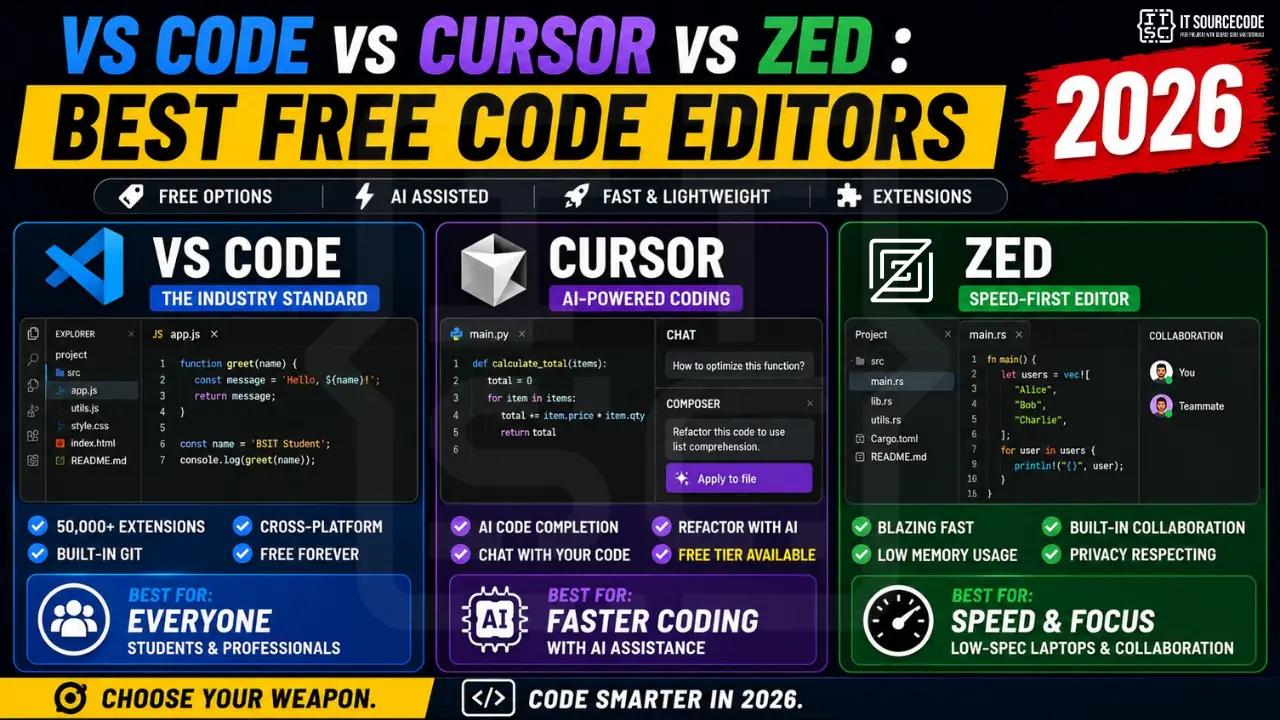
The code editor wars heated up dramatically in 2024-2026. VS Code’s 10-year dominance is being challenged by Cursor (AI-first) and Zed (speed-first). Which one should you actually use in 2026 as a BSIT student or self-taught developer? This honest comparison covers what works, what doesn’t, and which to pick for your specific needs.
Quick Answer
For most BSIT students in 2026: Use VS Code as your daily driver, it’s free, has the largest ecosystem, and works for any language.
If you can afford $20/month: Add Cursor for AI-assisted coding, it genuinely 2x your productivity for boilerplate and refactoring.
If you have a slow laptop: Try Zed: it’s blazing fast and lightweight (but smaller ecosystem).
VS Code (Visual Studio Code): The Industry Standard
What it is
Microsoft’s free, open-source code editor. Released 2015, dominant in developer surveys since 2018. Used by 75%+ of professional developers worldwide as of 2026.
Pros
- FREE forever: no premium tier, no time limits
- Massive extension ecosystem: 50,000+ extensions for every language and framework
- Built-in Git integration: visual diff, branch management, commit from sidebar
- GitHub Copilot integration: Microsoft’s AI assistant ($10/mo for students free)
- Cross-platform: Windows, Mac, Linux all identical
- Active development: updates monthly with new features
- Largest community: answers to any question are 1 Google search away
Cons
- Slow startup on older laptops (5-8 seconds on Ryzen 3 / i3)
- Memory hungry: uses 500MB-2GB depending on extensions
- Microsoft telemetry by default (can be disabled but requires research)
- AI is paid add-on: Copilot $10-20/month after free trials
Essential VS Code extensions for BSIT students
- GitLens: git history in editor (free)
- Prettier: auto-format code on save (free)
- ESLint: JavaScript/TypeScript linting (free)
- Python (Microsoft): IntelliSense, debugging, Jupyter support (free)
- PHP Intelephense: best PHP support (free; premium $15 one-time for extras)
- Live Server: instant browser preview for HTML/CSS/JS (free)
- Material Icon Theme: better file icons (free)
- Error Lens: show errors inline next to code (free)
Cursor: The AI-First Editor
What it is
A fork of VS Code with deeply integrated AI features (Cursor’s own model + access to Claude, GPT-4). Launched 2023, raised $100M+ in 2024. Used by many top tech companies for AI-augmented development.
Pros
- Tab-to-complete entire functions: AI predicts what you’re about to write
- Composer mode: describe what you want, AI edits multiple files
- Chat with your codebase: ask questions, AI knows your entire project
- Free tier exists: 200 slow requests/month, sufficient for learning
- Inherits VS Code’s UX: zero learning curve if you know VS Code
- VS Code extensions work: same marketplace as VS Code
Cons
- Pro tier is $20/month: significant for Filipino students
- AI creates dependency: easy to lose ability to code without AI help
- Sometimes wrong: AI suggestions are often plausibly-wrong, requires verification
- Slower than VS Code: adds AI overhead
- Less stable than VS Code, occasional crashes
When Cursor wins
If you’re learning a new language or framework, Cursor’s AI explanations and inline suggestions accelerate learning dramatically. Also excellent for refactoring large legacy codebases, describe what you want, AI makes coordinated changes across files.
When Cursor loses
For capstone defense prep, over-reliance on AI means you might not be able to explain your own code to your panel. If you can’t defend it, you can’t ship it.
Zed: The Speed-First Editor
What it is
An open-source, GPU-accelerated code editor written in Rust. Created by Atom’s original team after Atom was discontinued. Launched 2024, growing rapidly through 2026.
Pros
- Blazing fast: opens 5x faster than VS Code, scrolls smoothly on any hardware
- Lightweight: uses 100-300MB RAM vs VS Code’s 500MB-2GB
- Built-in collaboration: real-time pair programming like Google Docs
- Native AI: built-in support for Anthropic Claude, OpenAI GPT, free local models via Ollama
- Free for solo use; collaboration tier paid for teams
- Privacy-respecting: minimal telemetry
Cons
- Smaller extension ecosystem: ~500 extensions vs VS Code’s 50,000+
- Missing some language support: PHP support is limited, .NET nonexistent
- Less documentation: fewer Stack Overflow answers when you hit issues
- Linux/Mac focus: Windows version added in 2025 but less polished
When Zed wins
If you have a low-spec laptop (Ryzen 3 or older), Zed will feel revelatory after VS Code lag. Also superb for collaborative work, built-in pair programming actually works.
When Zed loses
PHP-heavy capstones suffer in Zed (Intelephense extension doesn’t exist). Stick to VS Code for traditional PHP + MySQL workflows.
Head-to-Head Comparison Table
| Feature | VS Code | Cursor | Zed |
|---|---|---|---|
| Price | FREE | Free / $20mo Pro | FREE |
| Speed | Average | Slow | Fast 🏆 |
| RAM usage | 500MB-2GB | 700MB-2.5GB | 100-300MB 🏆 |
| Extensions | 50,000+ 🏆 | VS Code marketplace | ~500 |
| AI quality | Copilot ($) | Best 🏆 | Good |
| PHP support | Excellent 🏆 | Excellent 🏆 | Limited |
| Python support | Excellent 🏆 | Excellent 🏆 | Good |
| Collaboration | Live Share extension | Limited | Native 🏆 |
| Best for | General use | AI-heavy dev | Speed/collab |
Our Recommendation for BSIT Students in 2026
🎯 If you’re just starting out
Use VS Code. It’s free, has the most tutorials, and prepares you for industry work where 75% of teams use it. Add the essential extensions list above. You won’t outgrow it for years.
🤖 If you’re embracing AI-assisted development
Add Cursor for $20/month. The free tier (200 slow requests/month) is enough to evaluate before committing. CAUTION: don’t use Cursor for capstone work where you must defend every line to a panel. Use it for personal projects and learning; switch to VS Code for capstone code.
🚀 If you have a slow laptop or do collaborative work
Try Zed. It’s revelatory on Ryzen 3 / i3 hardware. Use VS Code as backup for PHP-heavy work, but daily-drive Zed for Python, Go, Rust, JavaScript.
FAQ
Is VS Code really free with no catches?
Should I learn VS Code or jump straight to Cursor?
Can I use AI in VS Code without paying for Copilot?
Is Zed actually faster than VS Code in practice?
Will using AI editors like Cursor make me a worse programmer?
Which editor do top tech companies use?
Final Verdict
In 2026, you can’t go wrong with VS Code as your daily driver. It’s free, ubiquitous, well-documented, and powerful enough for any BSIT project. Add Cursor or GitHub Copilot when you want AI assistance. Try Zed if speed is your bottleneck. Don’t agonize over the choice, they’re all good. The most important thing is to actually start coding consistently.
🎯 Get started today:
- Download VS Code from code.visualstudio.com (free, 200MB)
- Install 5 essential extensions: GitLens, Prettier, Python, PHP Intelephense, Live Server
- Sign up for GitHub Student Pack for free Copilot at github.com/education
- Start your first project, see our free programming tutorials
- For your hardware setup: Best Laptops + Best Monitors + Best Keyboards

Angel Jude Suarez
Full-Stack Developer at PIES IT Solution
Focuses on Python development, machine learning, and AI integration. Has built production AI systems including OpenAI Whisper integration for medical transcription and GPT-4o-powered diagnosis assistance. Strong background in pandas, scikit-learn, and TensorFlow.
Expertise: Python · PHP · Java · VB.NET · ASP.NET · Machine Learning · AI Integration · OpenCV · Django · CodeIgniter · View all posts by Angel Jude Suarez →