
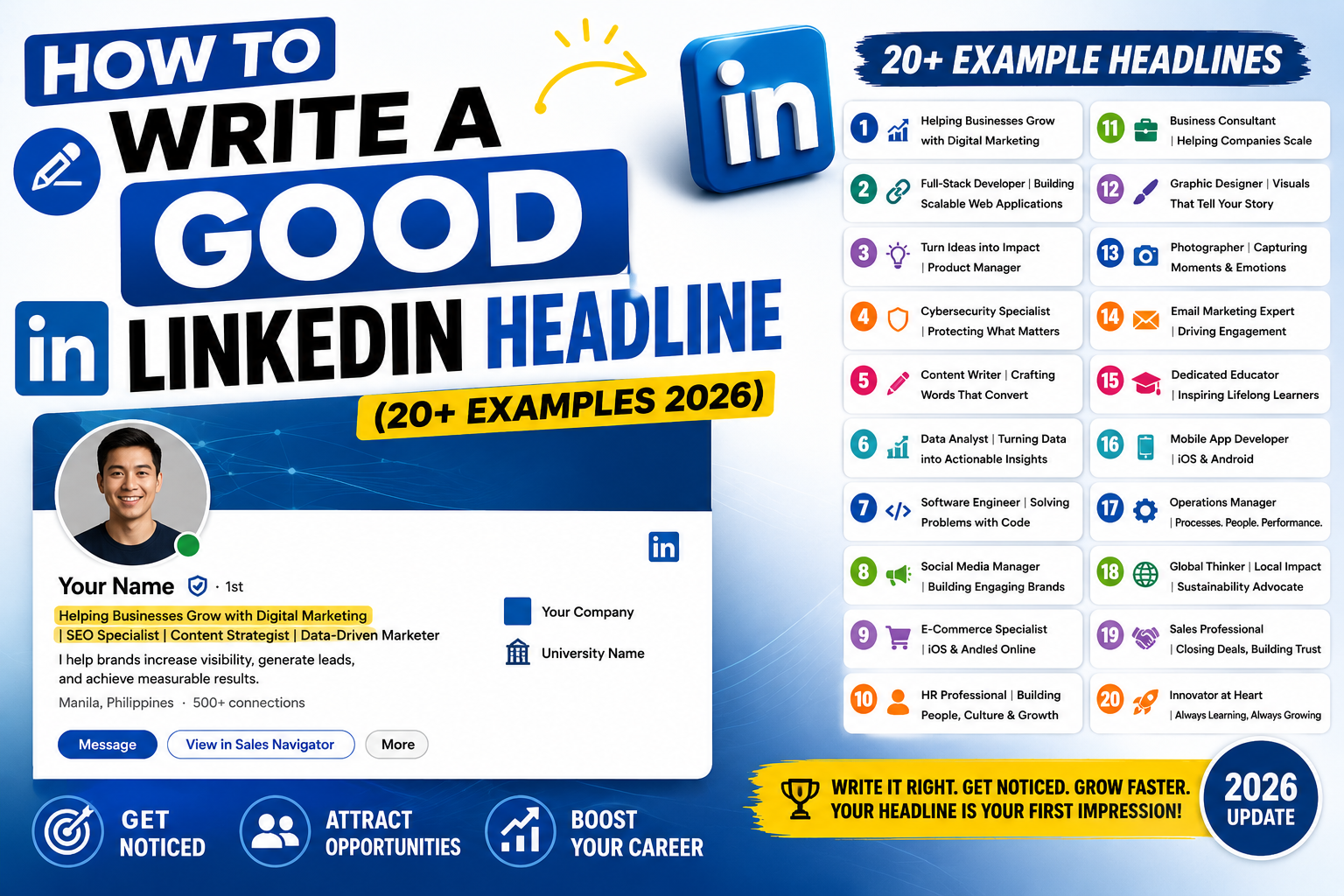
Your LinkedIn headline is the 220 characters that determine whether recruiters click, dismiss, or scroll past your profile. It’s the second thing anyone sees (after your name). A great headline pulls in 3-5x more profile views and recruiter messages. This 2026 tutorial gives you 3 proven headline formulas, 20+ examples, and keyword tricks that actually work.
Why your headline matters
- Shows up on search results (recruiters filter by keyword).
- Displays next to every comment and post you make.
- First impression when someone visits your profile.
- Impacts recruiter search matches.
- Determines if profile views convert to messages.
The default LinkedIn headline (and why it’s weak)
Default: "Software Engineer at Google"

Problems:
- Just says what you do, nothing about your value.
- Missing keywords recruiters actually search.
- No differentiation (thousands share this).
- No hint about your specialty or scope.
Formula 1: Role + Specialty + Impact
Template:
[Role] | Specialty in [X] | I help [audience] [outcome]

Examples:
Backend Engineer | Python + AWS | I help startups scale to 10M requests
Product Manager | Fintech | I help teams ship customer-loved features
Data Scientist | Machine Learning + LLMs | I help enterprises turn data into revenue
UX Designer | B2B SaaS | I help complex tools feel simple
DevOps Engineer | Kubernetes + Terraform | I help teams deploy 10x faster
Formula 2: Job Seeker + Skills + Availability
Template:
[Role] Actively Looking | [Skills] | [Availability/Location]

Examples:
Junior Software Engineer Actively Looking | Python + JavaScript + React | Available Immediately
Data Analyst | Excel + SQL + Power BI | Open to Remote or Manila
Cybersecurity Analyst | SOC + SIEM + Incident Response | 2+ years experience
Full-Stack Developer | MERN Stack | 30 completed projects | Open to work
DevOps Engineer | AWS + Kubernetes + CI/CD | 5+ years | US Remote
Formula 3: Personality + Expertise + Purpose
Template:
[Personality] [Role] | [Signature Expertise] | [Passion/Mission]

Examples:
Curious Software Engineer | Python + AI Integration | Building smarter systems
Practical Data Scientist | ML + Business Impact | Data that drives revenue
Empathetic UX Designer | Research + Prototyping | Human-first products
Straightforward Marketer | SEO + Content Strategy | B2B growth for SaaS
Detail-oriented Accountant | Tax + Payroll | Small business specialist
Headline for job seekers (Open to Work)
- Include “Actively Looking” or “Open to Work” clearly.
- List 3-4 core skills recruiters search.
- Mention availability (Immediately, 2-week notice, Remote OK).
- Add certifications if relevant (CISA, PMP, AWS Certified).
- Turn on LinkedIn’s “Open to Work” green frame for max visibility.
Headline keyword strategy
- Include job title(s) recruiters search for.
- List technical skills (Python, AWS, Salesforce) or tools.
- Add certifications with acronyms (PMP, CPA, CFA, AWS Solutions Architect).
- Use industry terms your target audience uses.
- Location keywords (Remote, Manila, US-based, EU) if relevant.
Common LinkedIn headline mistakes
- Just your job title: “Manager” doesn’t stand out.
- Vague buzzwords: “Passionate professional” is generic filler.
- All caps: reads as shouting.
- No skills: recruiters need keyword matches.
- Too long: aim for 100-180 characters (out of 220 max).
- Emojis overload: 1-2 max, or none for corporate roles.
- Personal drama: no “recovering from layoff”, keeps it professional.
How to change your headline
- Go to your LinkedIn profile page.
- Click the pencil icon (edit) next to your intro section.
- Update the Headline field.
- Character limit: 220 characters.
- Click Save.
Test your headline
- After updating, wait 24 hours.
- Check your Weekly Profile Views (LinkedIn Analytics tab).
- Look for uptick in “views by unknown persons” (typical recruiter behavior).
- Iterate every 4-6 weeks based on results.
- A/B test: try two versions across two consecutive months.
Real-world headline transformations
Before: "Marketing Manager at Company"
After: "B2B Marketing Manager | Content + SEO + Demand Gen | Growing SaaS from $1M to $10M ARR"

Before: "Junior Developer"
After: "Junior Full-Stack Developer | React + Node.js + Postgres | Open to Junior/Mid roles, US Remote"

Before: "Freelance Writer"
After: "Freelance B2B SaaS Writer | Long-form Content + SEO | I turn technical topics into readable stories"
Official documentation
Recommended career and LinkedIn resources
The links below are affiliate links. We may earn a commission at no extra cost to you when you buy or sign up. See our affiliate disclosure.
Headline formulas by industry
The three universal formulas work for most people. But different industries expect different signals. A recruiter scanning software engineer profiles looks for different keywords than one scanning marketing profiles. Here are industry-specific patterns that consistently perform well in 2026.
Software developer or engineer
Lead with your stack and your specialty. Recruiters search for exact technology names, so include your primary language and framework. Example: Senior Backend Engineer | Python, Django, AWS | Building fintech APIs at scale. If you are a job seeker, add availability: Full-Stack Developer (React, Node.js) | Open to Remote Roles | Ex-Amazon.
Digital marketer or content creator
Lead with your channel expertise and results you deliver. Example: SEO Manager | I help SaaS brands grow organic traffic 3x in 12 months. For content creators: LinkedIn Ghostwriter for Founders | 10M+ impressions written | Building in public.
Sales or business development
Lead with your quota, your industry vertical, and your closing style. Example: Enterprise SaaS AE | $2M+ quota | Helping CTOs cut cloud costs by 40%. Sales headlines convert best when they include a specific dollar figure or percentage.
Teacher, trainer, or educator
Lead with your subject and the transformation you deliver. Example: High School Math Teacher | Turning ‘I hate math’ into ‘I get it’ since 2018. Educators do well with a warm, human tone rather than corporate language.
Recent graduate or career changer
Lead with your target role and your transferable skills. Do not hide that you are new. Example: Aspiring Data Analyst | Python, SQL, Tableau | Ex-Accountant transitioning to data. Recruiters respect clarity about your journey more than they respect fluff.
How to A/B test your LinkedIn headline
A good headline is not one you write once and forget. It is one you test, measure, and refine. LinkedIn does not give you built-in A/B testing tools, so you have to build a simple manual test yourself. Here is the process I recommend for anyone serious about their profile performance.
Step 1: Set your baseline
Before you change anything, note your current metrics for 7 days. Track these three numbers from your LinkedIn dashboard:
- Profile views per week
- Search appearances per week
- InMail or connection requests received
Step 2: Change one thing at a time
Do not rewrite your entire headline in one go. Change one element and observe. For example, swap only your job title from “Marketing Manager” to “SEO Manager” and leave the rest untouched. Wait 7 days. Track the same three numbers. Compare.
Step 3: Keep what works, discard what does not
If profile views jump 20% or more after the change, keep it. If they drop or stay flat, revert and try a different variable next week. Common variables to test one at a time: your job title, your keyword, your value phrase, or your call-to-action (like “Open to Work” or “Available for Consulting”).
Most people find their best-performing headline within 4 to 6 weeks of methodical testing. That is a small time investment for a piece of copy that appears next to your name on every message, comment, and search result you generate on LinkedIn.
Frequently Asked Questions
How long can a LinkedIn headline be?
220 characters max. Aim for 100-180 characters for optimal readability. Use full 220 only if you have compelling extra keywords for recruiters.
Should I use emojis in my LinkedIn headline?
1-2 subtle emojis (like ⭐ or ✅) can help stand out. Zero or heavy emojis both work depending on your industry. Creative fields tolerate more; corporate/legal much less.
How often should I update my headline?
Every 4-8 weeks. Track results (profile views, inbound messages). If a headline works, keep it. If flat, iterate. Definitely update when changing roles or adding certifications.
Do I need to include my company name in the headline?
No. LinkedIn auto-shows your current company below the headline. Save the headline space for skills, specialties, and your value proposition.
Can I use my headline to say “Open to Work”?
Yes and highly recommended for job seekers. Also enable the green “Open to Work” frame on your photo. Both signals help recruiters spot you.

Leah Whynett Dela Pena
Technology Writer at PIES IT Solution
Leah Whynett Dela Pena is a technology writer at PIES IT Solution, author of 93 career and IT education guides at itsourcecode.com. Specializes in tech career paths (software engineering, web development, cybersecurity, IT analyst roles), degree and certification guidance, and IT industry how-to content for students and career changers.
Expertise: Tech Careers, IT Education, Web Development Careers, Software Engineering Careers, Cybersecurity Careers, IT Certifications, Career Guidance · View all posts by Leah Whynett Dela Pena →