
Async video messaging tools let you record a screen + camera + voice message and share as a link, replacing meetings that could have been an email. For Filipino remote teams working across time zones with US and Australian clients, async video is a superpower: send a 5-minute walkthrough at 10 PM PH, client watches it at 9 AM their time, decision arrives by end of their day. This comparison covers 3 async video tools that Filipino remote teams actually use in 2026.
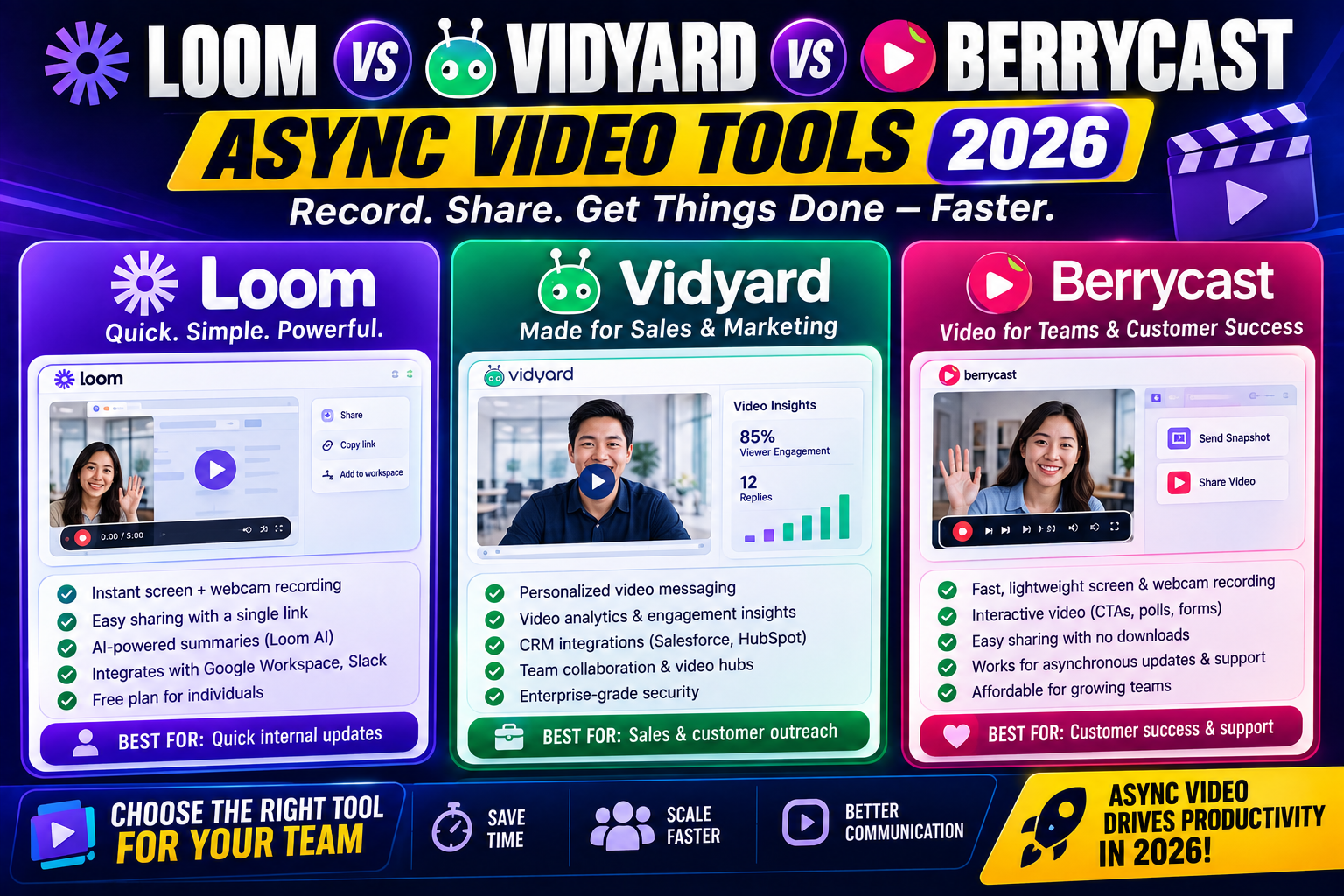
Quick verdict
- Loom: Best UX, most polished. Ideal for internal team communication and light client-facing use. Free tier is generous.
- Vidyard: Best for sales teams doing outbound prospecting. Free tier is stronger than Loom’s for external-facing use.
- Berrycast: Lightweight, privacy-focused alternative. Best if you want a Loom-lite experience without Loom’s data collection.
Pricing head-to-head
| Tool | Free tier | Paid tier |
|---|---|---|
| Loom | 25 videos per person, 5 min max per video, watermarked | Business USD 15/user/month (unlimited, no watermark, HD, editing) |
| Vidyard | Unlimited videos up to 1 hour each, HD, no watermark | Pro USD 19/user/month (analytics, CRM integration, custom branding) |
| Berrycast | Unlimited videos, HD, no watermark, up to 30 min each | Premium USD 5/user/month (no time limit, cloud storage, custom domain) |
1. Loom at The category leader
Strengths:
- Best-in-class recording UX (start/stop is one click, editing is intuitive)
- Chrome extension + desktop app + mobile app all polished
- AI features: auto-transcription, chapter markers, summary generation, silence removal (paid tier)
- Deep Slack, Notion, Google Docs, GitHub integrations (Loom videos embed natively)
- Reactions and comments on videos (like async YouTube for internal team)
- Team libraries with search across all recordings
Weaknesses:
- Free tier watermark and 5-min limit push you to upgrade quickly
- Business tier at USD 15/user is not cheap for a 20-person Filipino agency (USD 300/mo = PHP 17,100/mo)
- Owned by Atlassian since 2023, which some users worry will slow innovation
- Data collection is significant (Loom knows exactly who watches, how long, when they pause)
Best for: Internal team communication in Filipino agencies. The Slack + Notion integrations make it a natural fit for remote-first teams. Free tier works for occasional users.
2. Vidyard at Sales-focused alternative
Strengths:
- Free tier is genuinely usable (unlimited videos, up to 1 hour, no watermark)
- Strong sales-focused features: CRM integrations (HubSpot, Salesforce, Pipedrive), video analytics tied to leads, custom landing pages
- GoVideo Chrome extension is excellent for outbound prospecting videos
- Better for external-facing use than Loom’s free tier
- Video hub feature lets you create branded video pages
Weaknesses:
- UX is slightly less polished than Loom (feels more corporate)
- Editing features are basic on free and Pro tiers (Loom is better for post-recording edits)
- Fewer team collaboration features than Loom
- Pro tier at USD 19/user is highest of the three
Best for: Filipino sales teams doing outbound to US and Australian prospects. Vidyard’s video-in-email tracking helps you know when a prospect watched your pitch video.
3. Berrycast at Privacy-focused lightweight
Strengths:
- Genuinely free tier without watermark or aggressive limits
- Made by a small independent team (not big tech)
- Privacy-first: minimal data collection compared to Loom
- Lightweight desktop app (does not eat memory when idle)
- Premium tier at USD 5/user is cheapest of the three
Weaknesses:
- Smaller integration ecosystem (Slack yes, but not the wide range Loom offers)
- No AI features (transcription, summary, chapters)
- No CRM integrations for sales use case
- Company is smaller so long-term viability is less certain than Loom or Vidyard
- Team library and collaboration features are basic
Best for: Individual freelancers, privacy-conscious Filipino developers, and small teams that want Loom-like functionality without paying Loom prices or feeding Loom’s data collection.
Cost comparison for 10-person Filipino agency
| Tool + Tier | USD/month | PHP/month |
|---|---|---|
| Berrycast Premium | USD 50 | PHP 2,850 |
| Loom Business | USD 150 | PHP 8,550 |
| Vidyard Pro | USD 190 | PHP 10,830 |
Recommendation by scenario
Solo Filipino freelancer: Loom Free (25 videos/month) or Vidyard Free (unlimited but no editing). Do not pay until you consistently exceed free tier limits.
Filipino agency, 5-15 people, internal comms + client walkthroughs: Loom Business. The polish, integrations, and AI features justify the premium.
Filipino sales team doing outbound US prospecting: Vidyard Pro. The CRM integrations and video analytics tied to lead activity are the differentiator.
Filipino small team on tight budget: Berrycast Free or Berrycast Premium. 80% of Loom’s value at 30% of the cost.
Privacy-conscious solo developer: Berrycast. Minimal data collection versus Loom.
Async video use cases that actually work
Client project updates: Weekly 5-minute Loom walkthroughs of what changed. Clients watch when convenient, comment inline. Replaces the “quick sync call” that used to eat 30 minutes.
Design feedback: Record yourself narrating a design mockup and pointing at specific elements. Way clearer than written comments.
Bug reproduction: Screen-record the bug happening + narrate what you did. Dev can watch and reproduce faster than reading a written bug report.
Onboarding new team members: Record a walkthrough of your project management setup or Google Drive folder structure once. New hires watch on their first day.
Sales prospecting (Vidyard use case): Send a personalized 60-second video to a prospect via email. Higher open and reply rates than plain-text pitch emails.
Bottom line
For most Filipino remote teams in 2026, Loom Business (USD 15/user/month) is the correct pick. Best UX, best integrations, best AI features. Cost is worth it for daily usage.
If your primary use case is sales outreach, Vidyard Pro at USD 19/user beats Loom because of CRM integration and video-in-email tracking.
If budget is tight or privacy is a priority, Berrycast Premium at USD 5/user covers 80% of the use case at 30% of Loom’s cost.
We hope this comparison helps you pick the right async video tool. Feel free to comment below with your specific setup.
Official documentation
Try Loom, Vidyard, or Berrycast (affiliate)
Some links below are affiliate links. See our affiliate disclosure.
Frequently asked questions
Can I use these tools on mobile?
Loom has excellent iOS and Android apps (record from phone, share instantly). Vidyard mobile is functional but focused on playback rather than recording. Berrycast mobile is limited (best on desktop). For phone-first users, Loom wins.
Do these work well with slow Philippine internet?
Yes. All 3 tools record locally first then upload in the background. You can close the app immediately after recording; upload happens when your connection stabilizes. Loom and Vidyard both support upload-resume if connection drops mid-upload. Videos play back at adaptive bitrate so viewers on slower connections still see them (just at lower resolution).
Can I record longer than 5 minutes on the free tier?
Loom free tier caps individual videos at 5 minutes. Vidyard free allows up to 1 hour per video. Berrycast free allows up to 30 minutes per video. If you need long-form recording for training or documentation, Vidyard Free is the strongest free option.
Do viewers need an account to watch?
No. All 3 tools generate shareable public URLs that anyone can watch without signup. You can also make videos password-protected or restrict to specific email addresses if privacy matters. This is why async video works for external client-facing use, not just internal teams.
Is Loom safe to use for confidential client work?
Yes on the Business tier with proper settings. Enable “Videos are private by default” in workspace settings. Set individual videos to “Anyone with the link” or password-protect them. Never share videos publicly. Business tier is SOC 2 Type II certified, which most enterprise clients accept as evidence of data-handling practices.
Can I edit my recordings after the fact?
Loom offers the best in-tool editing on Business tier (trim, cut, remove silence, add captions). Vidyard has basic trim/cut on Pro. Berrycast has minimal editing. If polished video output matters, Loom Business wins. For quick record-and-send, all 3 are equivalent.

Caren Bautista
Technical Writer at PIES IT Solution
Responsible for crafting clear, well-structured, and beginner-friendly content across the platform. Handles the writing, proofreading, and editorial review of tutorials, guides, and documentation to ensure every article is accurate, readable, and easy to follow.
Expertise: Technical Writing · Content Creation · Documentation · Editorial Writing · JavaScript · TypeScript · Python · Python Errors · HTTP Errors · MS Excel · View all posts by Caren Bautista →