
AI meeting recorders turn every Zoom, Google Meet, or Microsoft Teams call into searchable text with automatic summaries, action items, and sentiment analysis. For Filipino remote teams working across time zones with US and Australian clients, they replace the tedious task of writing meeting notes and let you focus on the actual conversation. This guide covers 5 AI meeting recorders tested in 2026 to help Filipino teams pick the right one.
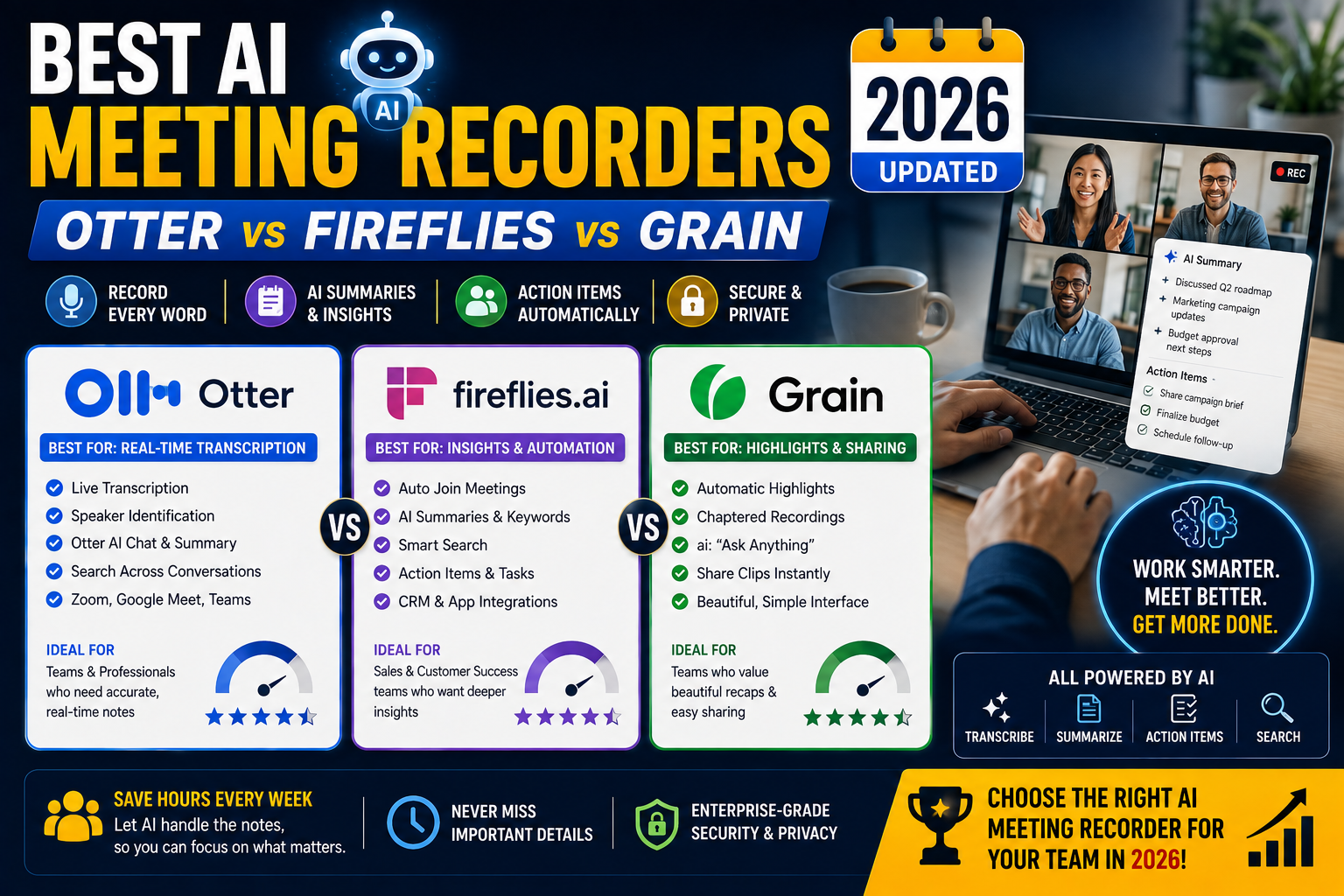
Quick verdict
- Otter.ai: Best all-around, most polished, strongest free tier
- Fireflies.ai: Best value with the most integrations (Slack, CRM, task tools)
- Grain: Best for teams that create short shareable clips from meetings
- Fathom: Best free option, unlimited transcription without paid plan
- tl;dv: Best if you also need timestamped video highlights
Pricing comparison
| Tool | Free tier | Paid tier |
|---|---|---|
| Otter.ai | 300 minutes/month, 30 min per meeting | Pro USD 17/user/month (1200 min, 90 min per meeting) |
| Fireflies.ai | Limited transcription, basic search | Pro USD 10/user/month (unlimited transcription) |
| Grain | Up to 20 meetings/month, 45 min each | Business USD 24/user/month (unlimited) |
| Fathom | Unlimited transcription forever | Team USD 19/user/month (adds CRM integrations) |
| tl;dv | Unlimited recordings, transcripts for 5 meetings | Pro USD 20/user/month (unlimited AI features) |
1. Otter.ai at Best all-around
What you get: Real-time transcription during Zoom, Google Meet, Microsoft Teams. AI-generated summary with key points and action items. Speaker identification. Searchable across all past meetings. Slack integration for automatic meeting summary posting.
Free tier limits: 300 minutes/month total, 30 min max per meeting, 3 file imports per lifetime.
Pro tier (USD 17/user/month): 1200 minutes/month, 90 min per meeting, 10 file imports/month, advanced search, custom vocabulary.
Best for: Freelancers and small teams who want the most polished AI meeting recorder with a genuinely useful free tier. Transcription accuracy is highest in the category for English (95-97 percent).
Weakness: Filipino English accents sometimes cause transcription errors on domain-specific terms. Add custom vocabulary for your industry terms to reduce this.
2. Fireflies.ai at Best value with integrations
What you get: Automatic joining of meetings on all major platforms (Zoom, Meet, Teams, Webex). Transcription + AI summary. 40+ integrations: Slack, HubSpot, Salesforce, Pipedrive, Notion, Asana, ClickUp, monday.com, Trello.
Pro tier (USD 10/user/month annual): Cheapest paid option among the top 5. Unlimited transcription. All 40+ integrations enabled.
Business tier (USD 19/user/month): Adds team dashboards, analytics, custom AI prompts.
Best for: Filipino remote agencies with existing CRM or task management workflows. Fireflies pushes meeting summaries and action items directly into HubSpot deals, Salesforce contacts, Asana tasks. Reduces manual data entry significantly.
Weakness: UI is slightly less polished than Otter. Transcription accuracy is 92-95 percent (slightly below Otter’s 95-97 percent).
3. Grain at Best for shareable clips
What you get: Meeting recording + transcription + AI summary. Unique feature: create short shareable video clips of key moments (great for sharing customer testimonials, user research insights, or sales pitches with your team).
Business tier (USD 24/user/month): Unlimited recordings, clips, and highlights.
Best for: Filipino sales teams doing user research or client demo calls. Grain’s clip creation makes it easy to share specific moments with sales/marketing/product teams without asking them to watch full recordings.
Weakness: Highest-priced of the 5. Non-clip features are equivalent to cheaper alternatives. Only worth the premium if you actively create clips.
4. Fathom at Best free option
What you get: Unlimited meeting recording, transcription, AI summary FREE forever. Chrome extension automatically joins Zoom/Meet/Teams calls.
Team tier (USD 19/user/month annual): Adds CRM integrations (Salesforce, HubSpot), team collaboration, custom AI prompts.
Best for: Solo freelancers and small teams who want a truly free AI meeting recorder. Fathom’s free tier is genuinely unlimited, not a trial. Fantastic for cost-sensitive Filipino freelancers just starting out.
Weakness: Free tier lacks CRM integrations. Some AI features gated behind paid tier. UI simpler than Otter but adequate.
5. tl;dv at Best for video highlights
What you get: Video recording with transcription. Timestamped highlights that you (or AI) can create at key moments. Easy to share highlight reels via link.
Pro tier (USD 20/user/month): Unlimited AI transcription and summaries, custom AI prompts, team library.
Best for: Teams doing user research or design critiques where reviewing specific video moments matters. tl;dv’s timestamped highlights work like YouTube chapter markers for meetings.
Weakness: Free tier limits transcription (only 5 meetings). Feature parity with Otter/Fireflies elsewhere.
Recommendation by scenario
Solo Filipino freelancer just starting: Fathom (free forever). Unlimited AI transcription without paying.
Solo freelancer with occasional client calls: Otter.ai free tier (300 min/month). Enough for 5-10 hour-long meetings per month.
Filipino agency (5-15 people) with mostly internal + client meetings: Fireflies Pro (USD 10/user). Best value plus 40+ integrations to your existing tools.
Filipino sales team doing user research or client demos: Grain Business (USD 24/user). The clip-creation feature justifies the premium.
Filipino developer doing occasional 1-on-1 client meetings: Otter free or Fathom free. Both work.
Filipino agency with HubSpot or Salesforce CRM: Fireflies Pro. CRM integrations save significant manual data entry.
Privacy considerations for client meetings
AI meeting recorders capture and store your meeting content. This creates privacy obligations:
- Always notify participants BEFORE the meeting that you are recording. Get consent. Otter, Fireflies, Grain, Fathom all can announce automatically (“This meeting will be recorded and transcribed for our records”) when they join.
- Philippine Data Privacy Act (RA 10173) applies if you record customer data. Store meeting recordings securely, retain only as long as needed.
- For sensitive client meetings (legal, financial, medical), confirm your client is comfortable with AI transcription. Some clients prefer traditional written notes.
- Meeting recordings are discoverable in legal disputes. If you record a difficult client conversation and it later leads to litigation, the recording can be subpoenaed. Handle sensitive discussions with extra care.
Bottom line
For most Filipino freelancers and small agencies in 2026, Fathom (free forever) is the correct starting point. Unlimited AI transcription without paying anything. Upgrade to Otter Pro or Fireflies Pro when you outgrow the free tier features.
For teams with existing CRM (HubSpot, Salesforce, Pipedrive), Fireflies Pro at USD 10/user/month is the best value. The CRM integrations save real hours per week.
For teams doing user research or client demos where sharing highlights matters, Grain Business at USD 24/user/month is worth the premium.
We hope this comparison helps you pick the right AI meeting recorder. Feel free to comment below with your specific meeting types.
Official documentation
Try any of these AI meeting recorders (affiliate)
Some links below are affiliate links. See our affiliate disclosure.
- Otter.ai, our top pick for polished AI meeting recording
- Fireflies.ai, best value + CRM integrations at USD 10/user/month
- Grain, best for shareable video clips
- Fathom, best free forever option
Frequently asked questions
How accurate is AI transcription for Filipino English?
All 5 tools tested achieve 92-97 percent accuracy for standard business Filipino English. Domain-specific terminology (technical jargon, product names, industry acronyms) is where errors cluster. Add custom vocabulary in the tool settings to reduce these errors. Otter has the best custom vocabulary feature; Fireflies second.
Do these tools work with Zoom recordings?
Yes, all 5 have Zoom integration. They join your Zoom call as a bot participant (visible as “Otter.ai” or “Fireflies Notetaker” in the participant list), record and transcribe in real time. Also work with Google Meet and Microsoft Teams via the same bot approach.
Can I use these for pre-recorded meeting videos?
Yes, all 5 support uploading MP4/MP3 files for transcription. Useful if you record with a separate tool (Loom, OBS) and want to transcribe after the fact. Free tiers limit file imports; paid tiers usually allow generous upload.
Is it legal to record meetings in the Philippines?
Yes, WITH consent from all participants. Philippine Anti-Wiretapping Law (RA 4200) requires consent to record private communications. Best practice: announce the recording at the meeting start and let participants know they can request the AI note-taker be removed if uncomfortable. Otter, Fireflies, and others auto-announce when they join, satisfying the notification requirement.
How do these compare to just using Zoom’s built-in transcription?
Zoom’s built-in transcription (available on paid Zoom tiers) is functional but lacks AI summary, action items, integration with CRM/task tools, and cross-meeting search. If you have Zoom paid tier and only need basic transcript, use Zoom’s built-in. For anything more (summary, action items, integrations, search), a dedicated AI meeting recorder is worth the additional cost.
Do clients find the AI note-taker intrusive?
Reactions vary. Most professional clients accept it as standard business practice in 2026. Some prefer notes over recording (“please just take notes yourself”). Some sensitive discussions (legal, HR, salary negotiation) genuinely should not be AI-transcribed. Read the room and turn off the note-taker for sensitive topics. Most tools let you pause or exclude specific sections.

Leah Whynett Dela Pena
Technology Writer at PIES IT Solution
Leah Whynett Dela Pena is a technology writer at PIES IT Solution, author of 93 career and IT education guides at itsourcecode.com. Specializes in tech career paths (software engineering, web development, cybersecurity, IT analyst roles), degree and certification guidance, and IT industry how-to content for students and career changers.
Expertise: Tech Careers · IT Education · Web Development Careers · Software Engineering Careers · Cybersecurity Careers · IT Certifications · Career Guidance · View all posts by Leah Whynett Dela Pena →