
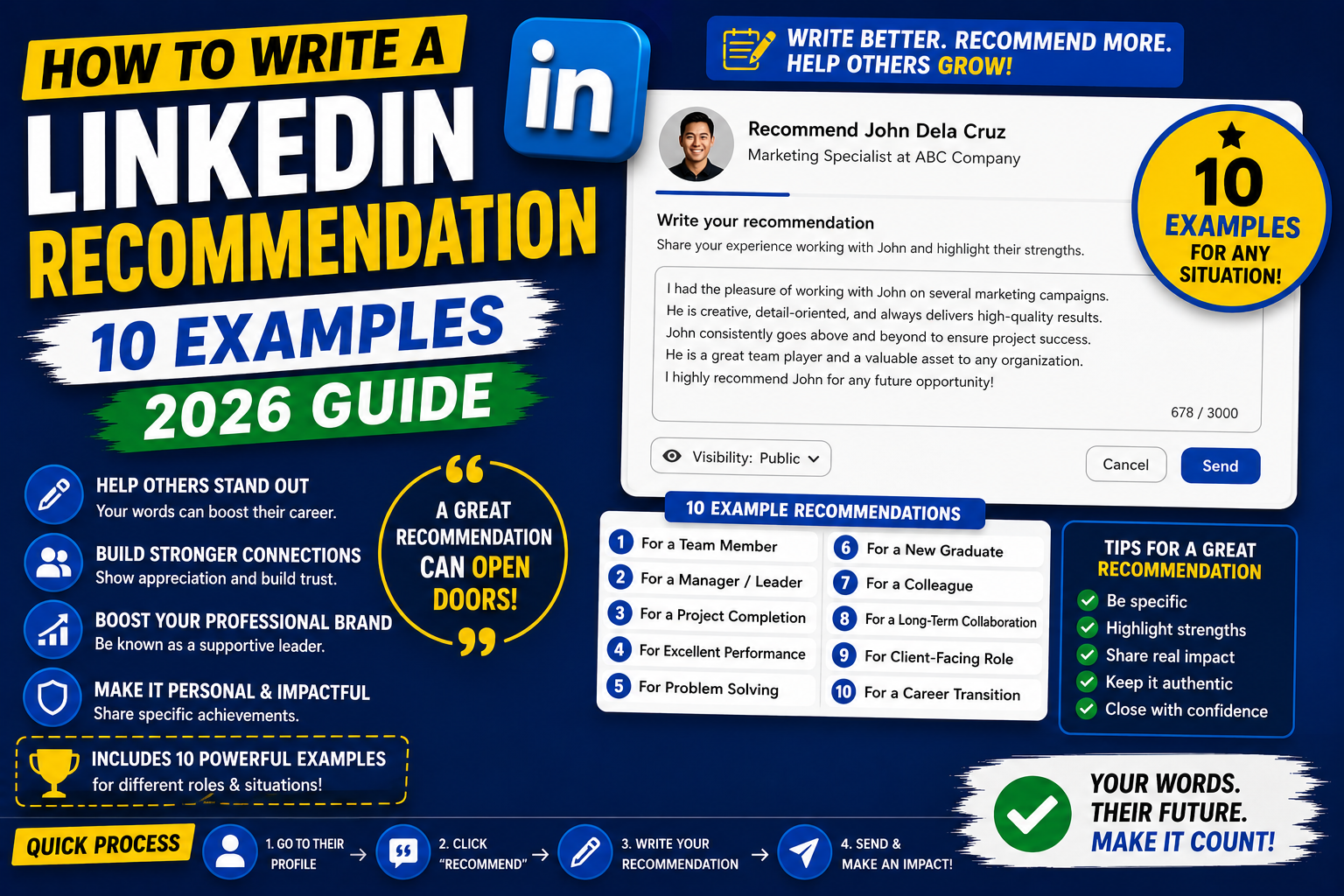
A LinkedIn recommendation is a public statement praising someone’s work. Great recommendations help both parties: the recipient’s profile stands out to recruiters, and the writer establishes themselves as generous and connected. This 2026 tutorial covers writing recommendations for coworkers, managers, and direct reports, with 10 real examples.
Why give recommendations?
- Boosts recipient’s profile visibility.
- Establishes YOUR reputation as generous and connected.
- Reciprocal: many recipients will write back.
- Builds long-term goodwill in your network.
- Shows on your profile too (as “Given” recommendations).
Write a recommendation
- Go to the person’s LinkedIn profile.
- Click More > Recommend.
- Fill in:
- Your relationship (worked together at, managed, taught, etc.).
- Position when you worked together.
- Write the recommendation.
- Click Send.
- Recipient reviews and can accept, revise, or reject.
Formula: Skill + Example + Outcome
Structure:

1. Your relationship (context)
2. Their most impactful skill/quality
3. Specific example of that skill
4. Outcome/result they achieved
5. Wrap up with an emphatic endorsement
Example: For a colleague (peer)
Anna and I worked together at TechCorp for 3 years on the backend platform team.

Her strongest suit is technical problem-solving under pressure. When our payment system started failing during a Black Friday rush in 2023, Anna diagnosed the root cause (Redis connection pool exhaustion) within 45 minutes and shipped the fix before more than 2% of transactions were affected.

Beyond individual work, she brings clarity to team decisions. In every architecture debate, she asks the question others avoid: "What's the actual failure mode?" That saved us weeks of over-engineering.

I would work with Anna again on any project involving distributed systems, mentorship, or scaling teams.
Example: For a former manager
Ben was my manager for 2 years at StartupXYZ.

He runs the kind of team meetings people don't dread. Every 1:1 focused on either advancing my skills or removing a specific obstacle. When I hit a rough patch with a difficult teammate, Ben mediated with clarity and helped me negotiate a working agreement, without taking sides.

His management style creates genuine trust. He shares product decisions before final calls, welcomes disagreement, and consistently gives credit publicly.

Any senior IC or manager looking for a supportive, thoughtful leader should reach out to Ben.
Example: For a direct report
I managed Carol for 18 months at MyCompany.

Carol has one rare skill: she owns problems end-to-end. When we shipped a broken email deliverability change, she volunteered to investigate, not because it was her area, but because it was blocking product decisions. She fixed the underlying DNS issue, wrote up a public postmortem, and prevented similar bugs from happening in three later launches.

I've managed 30+ people. Carol is in the top 5% for taking initiative and turning problems into permanent solutions.

Any team hiring for a senior IC role should talk to Carol.
Example: For a client
I worked with David as a consultant on a 3-month engagement for his fintech startup.

He's the rare client who both provides clear briefs AND welcomes pushback. When I flagged security concerns about a proposed data pipeline, he actually paused the project to redesign, a lot of clients wouldn't.

Result: the redesigned system passed SOC 2 audit on first try, and we shipped 2 weeks late (planned) instead of 8 weeks late (typical).

If you're looking for a founder who thinks long-term, David is worth meeting.
Ask for a recommendation
- Go to your profile > About > click Request a recommendation.
- Pick the person.
- Optional: type a brief context/reminder (“Could you write about our work on Project X?”).
- Send.
- They receive a request notification.
Tips for asking
- Ask people who genuinely know your work (not casual acquaintances).
- Include what you’d like them to highlight (“collaboration skills” or “technical work”).
- Ask people 2-3 months after working together (fresh memory).
- Reciprocity: offer to write one for them.
- Be specific: “Could you mention the checkout redesign we did together?”
Common recommendation mistakes to avoid
- Too generic (“She’s great to work with!”).
- Just listing job responsibilities.
- Buzzword salad (“driven, passionate, results-oriented”).
- Too short (under 3 sentences).
- Making it about you (the writer) instead of the person.
- Overusing exclamation marks.
- Bringing up conflicts or problems.
Length sweet spot
- Ideal: 100-200 words.
- Too short: doesn’t build credibility.
- Too long: nobody reads past 3 paragraphs.
- 3-5 sentences is often enough if each sentence adds value.
Manage recommendations you’ve received
- Profile > Recommendations section.
- Edit visibility: show all, or hide specific ones.
- Show the strongest recommendations first (reorder).
- Delete outdated ones (from 5+ years ago) if they don’t reflect current work.
Common recommendation issues
- Person didn’t accept my recommendation: LinkedIn requires their approval. Message them to check their notifications.
- Recommendation not showing on my profile: recipient hasn’t accepted yet.
- Can’t remove a recommendation someone wrote me: only they can delete, or you can hide it from your profile.
- My recommendation shows on their profile but not mine: it should show as “Given” on your Recommendations section. Check the Recommendations tab.
Official documentation
Recommended networking and career resources
The links below are affiliate links. We may earn a commission at no extra cost to you when you buy or sign up. See our affiliate disclosure.
LinkedIn recommendation templates by relationship
A great recommendation is specific about who the person is and what they did well. Generic praise reads as fake and does not help the reader make a decision. Here are proven templates by the kind of working relationship you had. Adapt the wording, but keep the structure.
Recommendation for a former manager
Focus on their leadership style, not just their competence. Example: I reported to Sarah for 3 years as a product manager. She built the psychological safety that let our team ship 12 features in 2025 without a single P0 incident. Her weekly 1-on-1s were the most valuable coaching I have had in my career. Any team lucky enough to hire her gets a leader who develops people alongside product outcomes.
Recommendation for a peer or coworker
Focus on collaboration and specific projects. Example: I worked alongside Marco on our platform migration project in 2025. His grasp of the legacy codebase saved us months of discovery time. He was the one who spotted the auth flaw that would have delayed launch. If you need an engineer who can navigate messy systems and communicate the fix clearly to non-technical stakeholders, hire Marco.
Recommendation for a direct report
Focus on growth and impact. Managers writing recommendations for former reports should name what the person did, how they grew, and what they are ready for next. Example: Jordan joined my team as a junior designer and grew into a mid-level role in 18 months. She owned our design system rewrite and cut engineering handoff time by 40%. She is ready for a senior IC or lead role now. Any design team hiring her gets someone who takes ambiguous problems and ships them.
Recommendation for a client or vendor
Focus on reliability and results. Client-side recommendations carry weight because they are outside the day-to-day working relationship. Example: Our agency hired Elena as our SEO consultant for 18 months. She rebuilt our content strategy from scratch and grew our organic traffic 4x. She was on time to every meeting, honest about what was and was not working, and easy to work with. I would hire her again without hesitation.
How to ask for a LinkedIn recommendation without feeling awkward
Most people avoid asking for recommendations because they think it feels pushy. It does not have to. Here is a script and process that respects the other person’s time while giving you what you need.
Step 1: Ask by DM, not by LinkedIn’s built-in request
The built-in “Request a recommendation” button sends a cold notification with no context. A personal message feels warmer and gets replies faster. Send a direct LinkedIn message or an email to the person first.
Step 2: Give them a specific angle to write about
The hardest part of writing a recommendation is figuring out what to say. Do the work for them. Example message: Hi Sarah, hope you are doing well. I am job hunting for senior PM roles and would really value a LinkedIn recommendation from you. If you have 10 minutes, could you write a few sentences about how we worked together on the checkout redesign in 2025 and what you think I am strong at? Happy to write one back for you too. Thanks so much either way.
Step 3: Offer to write one back
Offering a return recommendation makes the ask feel like a mutual exchange rather than a favor. Most people say yes when they know you value them too. It also strengthens both of your profiles at once.
Do not ask 15 people at once. Ask 2 or 3 per month. Recommendations feel more credible when they arrive one at a time over months rather than all in a single week (which reads as batch-farming). Ideal: 6 to 10 recommendations spread across your career, each from a different context.
Frequently Asked Questions
Do recommendations show automatically?
No. Recipient must accept your recommendation before it appears on their profile. They can also request edits or reject.
Can I edit a recommendation after sending?
Yes. Go to Recommendations tab > find recommendation you wrote > click Edit. Recipient will see the updated version.
How many recommendations should I have?
5-10 quality recommendations from different types of relationships (managers, peers, direct reports, clients). More is diminishing returns.
Can I ask for revisions?
Yes politely. Message the writer with “This is great, could you also mention X?” Or reject with a note. Only ask if changes will improve credibility.
Are recommendations still relevant in 2026?
Yes. Recruiters and hiring managers read recommendations for social proof. Especially valuable for career changes or when your work is hard to demonstrate on paper.

Leah Whynett Dela Pena
Technology Writer at PIES IT Solution
Leah Whynett Dela Pena is a technology writer at PIES IT Solution, author of 93 career and IT education guides at itsourcecode.com. Specializes in tech career paths (software engineering, web development, cybersecurity, IT analyst roles), degree and certification guidance, and IT industry how-to content for students and career changers.
Expertise: Tech Careers, IT Education, Web Development Careers, Software Engineering Careers, Cybersecurity Careers, IT Certifications, Career Guidance · View all posts by Leah Whynett Dela Pena →