
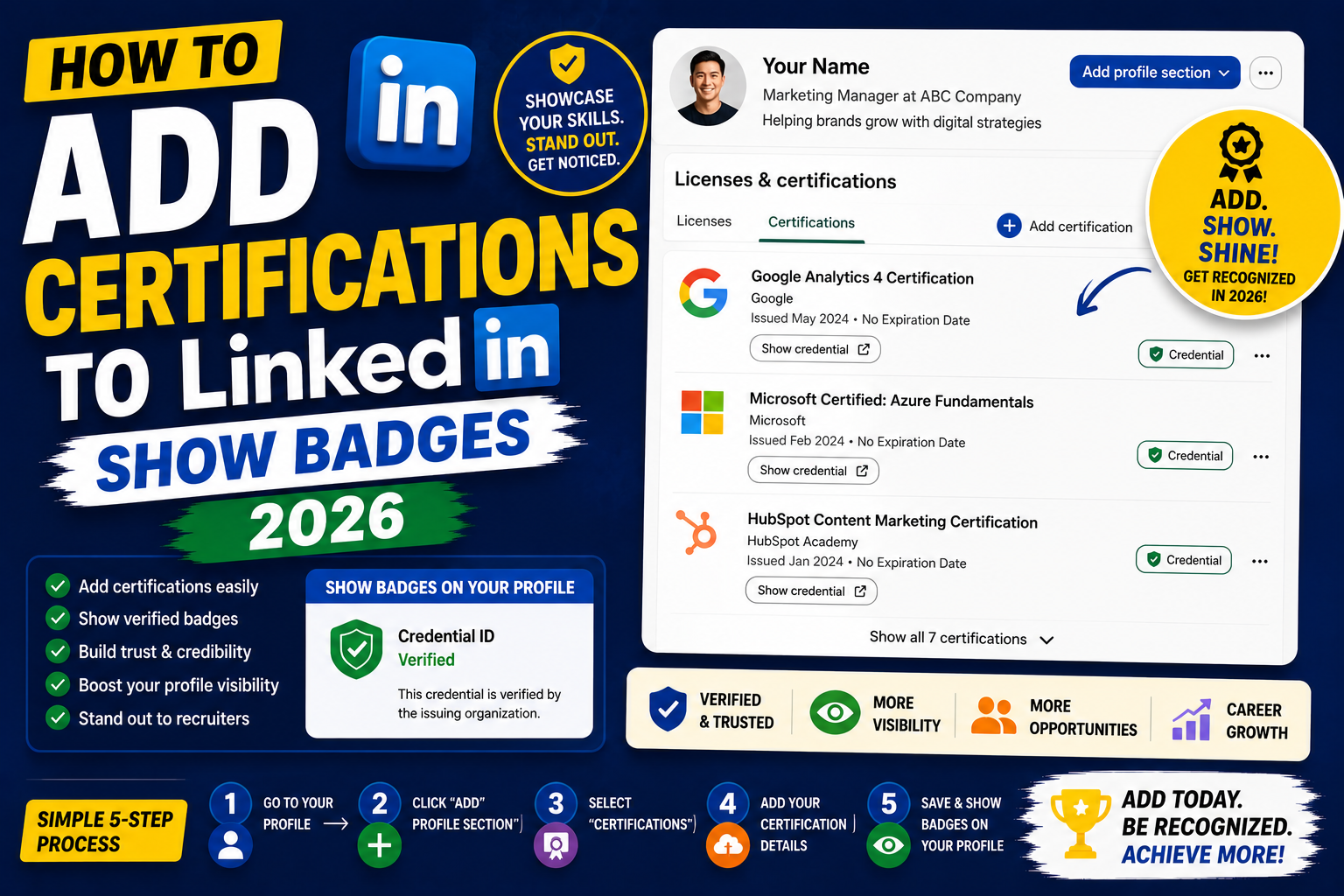
Adding certifications to LinkedIn showcases your verified skills and helps you rank higher in recruiter searches. Certifications like AWS Cloud Practitioner, Google Cloud Associate, PMP, CompTIA Security+, Scrum Master, and CPA all boost your profile visibility. This 2026 tutorial covers adding certifications, uploading badges, and tracking expiration.
Add a certification
- Go to your LinkedIn profile.
- Click Add profile section.
- Under “Additional”, pick Add licenses & certifications.
- Fill in the fields (details below).
- Save.
Certification fields explained
- Name: exact certification name (e.g., “AWS Certified Cloud Practitioner”).
- Issuing organization: pick from LinkedIn’s list (matches known orgs).
- Issue date: month/year you earned it.
- Expiration date: month/year, if applicable (many certs expire 2-3 years).
- Credential ID: unique ID from your certificate.
- Credential URL: link to verify the credential (many issuers provide).
- Skills: LinkedIn auto-suggests skills related to the cert.
Popular tech certifications
- AWS: Cloud Practitioner, Solutions Architect, Developer, SysOps Admin.
- Google Cloud: Associate Cloud Engineer, Professional Cloud Architect.
- Microsoft Azure: AZ-900 (Fundamentals), AZ-104 (Administrator).
- Cybersecurity: CompTIA Security+, CISSP, CISM, CEH.
- Project Management: PMP, CSM (Scrum Master), PMI-ACP.
- Programming: Oracle Certified Java, Python Institute PCEP.
- Data: Google Data Analytics, Microsoft PL-300, IBM Data Science.
Popular business certifications
- Finance: CPA, CFA, CFP, ACCA.
- Marketing: Google Ads, HubSpot, Salesforce Certified.
- HR: SHRM-CP, PHR.
- Sales: Salesforce Certified Sales Cloud Consultant.
Upload your credential badge
- After adding certification, some issuers allow media upload.
- Scroll down to media section.
- Upload PDF certificate OR image of the badge.
- Credly and other digital badge platforms let you link directly.
Credly integration (digital badges)
Many certs are issued via Credly (from AWS, Google, Microsoft, IBM). Integrate:
- Go to credly.com and sign in.
- Find your badge.
- Click Share > LinkedIn.
- Credly automatically posts as a LinkedIn certificate + a share post.
LinkedIn Learning certifications
LinkedIn Learning courses come with certificates:
- Complete a LinkedIn Learning course.
- At end, click Add to LinkedIn.
- Certification automatically adds to your profile.
Certifications that boost specific job searches
| Target role | Top certifications |
|---|---|
| Cloud Engineer | AWS SA-A, GCP ACE, Azure AZ-104 |
| Data Analyst | Google Data Analytics, PL-300, Tableau |
| Cybersecurity Analyst | Security+, CEH, CISSP |
| Project Manager | PMP, CSM, PMI-ACP |
| DevOps Engineer | Terraform Certified, Kubernetes CKA, AWS DevOps Pro |
| Software Developer | Oracle Java, GCP Professional Developer |
Track certification expirations
- Set expiration dates when adding certs.
- LinkedIn automatically flags expiring certs.
- Set calendar reminders 6 months before expiration to plan renewal.
- Continuing education units (CEUs) needed for many renewals.
Should you include expired certifications?
- Yes if recent and relevant.
- Delete if 5+ years expired and not relevant.
- Recruiters may filter by “current certifications”, expired ones may not surface you.
Reorder certifications
- Certifications section > Edit.
- Drag to reorder.
- Put most relevant/most recent at top.
- Order matters, first 3 show without expanding.
Common certification issues
- Issuing organization not found: type custom name if not in LinkedIn’s list.
- Certification not showing in recruiter searches: check that “Show on profile” is enabled.
- Credential URL not clickable: LinkedIn adds “https://” if not present. Verify link opens correctly.
- Badge image not displaying: media upload may have failed. Retry with smaller file.
- Expired notification appearing: set expiration date correctly. Or if renewed, update the issue date.
Official documentation
Recommended certification study resources
The links below are affiliate links. We may earn a commission at no extra cost to you when you buy or sign up. See our affiliate disclosure.
Which LinkedIn certifications actually boost profile visibility
Not all certifications move the needle on LinkedIn. Some carry serious weight with recruiters. Others take up space without helping you rank. If you are picking which certifications to earn or feature, this is what actually works in 2026.
Cloud certifications
AWS, Azure, and Google Cloud certifications are among the highest-signal credentials on LinkedIn. Even entry-level ones (AWS Certified Cloud Practitioner, Azure Fundamentals AZ-900, Google Associate Cloud Engineer) show up in recruiter searches for cloud roles. If you work in engineering, DevOps, or data, at least one cloud cert on your profile is essentially expected.
Security certifications
Security+ (CompTIA), CISSP (ISC2), and CEH (EC-Council) rank highly in recruiter search filters. If you are targeting cybersecurity roles, one of these is required table stakes. Security+ is the best starting point because it validates general knowledge without requiring years of experience.
Data and analytics certifications
Google Data Analytics Certificate, Tableau Desktop Specialist, and Microsoft Power BI Data Analyst all carry weight for data roles. If you are transitioning careers into data, complete one of these first. They show recruiters you have hands-on tool experience, not just theoretical knowledge.
Project management certifications
PMP (PMI), CSM (Scrum Alliance), and Google Project Management Professional Certificate all show up frequently in PM job filters. PMP is the gold standard for senior PM roles. CSM is faster to earn and works well for agile teams. Google’s certificate is a good starting point for career changers.
Certifications vs skills: when to use each
Both certifications and skills appear on your LinkedIn profile in different sections. Recruiters use both. But they serve different purposes and you should treat them as separate optimization tracks. Here is when each one matters most.
Use certifications for verified proof
Certifications prove you passed an exam or completed a structured program. They are third-party validated. Recruiters filter for them when the role requires specific compliance knowledge (HIPAA for healthcare, PCI-DSS for payment processing) or vendor-specific expertise (Salesforce Administrator, HubSpot Marketing Software). Anywhere trust needs to be pre-verified, certifications win.
Use skills for keyword discoverability
Skills are how recruiters find you in search. LinkedIn’s search algorithm matches recruiter queries against your skills list first. Add every relevant skill you have (up to 50), then endorse and rank them strategically. Skills without certifications still surface your profile. Certifications without skills rarely do.
The combined strategy
Feature 2 to 4 certifications on your profile (any more and it looks like padding). Feature all 50 skill slots. Pin your 3 top skills to appear in your headline snippet. Add certifications only when they add credibility for the roles you actually want. A random certification you took 5 years ago just adds clutter and can even signal outdated learning if it is not renewed.
Also make sure to link your certifications to the issuing organization’s LinkedIn page when possible. When AWS or Microsoft is tagged in your certification entry, LinkedIn treats it as a stronger signal than a plain-text entry.
Frequently Asked Questions
Do certifications actually help me get hired?
Yes for entry-level and career changers. Recruiters filter searches by certifications. For experienced pros, certifications matter less than track record. Best for AWS, Cloud, Cybersecurity, and PM roles.
Should I display badge images?
Yes if available. Visual badges catch attention. Credly integration lets you link directly to verified digital badges, even more credible.
Are LinkedIn Learning courses recognized by employers?
Partially. LinkedIn Learning is more of a self-study record than an industry-recognized certification. Best for showing continuous learning. Combine with vendor-issued certifications (AWS, Google, Microsoft) for maximum impact.
Should I include free online courses?
Yes if they demonstrate learning. Coursera, edX, and Udemy certificates are valid. Recruiters focus more on paid, vendor-issued certifications, but free ones show initiative.
Can I add lots of certifications?
Yes but be selective. 3-7 relevant certifications look focused. 15+ can look scattered. Focus on certs supporting your target roles.

Leah Whynett Dela Pena
Technology Writer at PIES IT Solution
Leah Whynett Dela Pena is a technology writer at PIES IT Solution, author of 93 career and IT education guides at itsourcecode.com. Specializes in tech career paths (software engineering, web development, cybersecurity, IT analyst roles), degree and certification guidance, and IT industry how-to content for students and career changers.
Expertise: Tech Careers, IT Education, Web Development Careers, Software Engineering Careers, Cybersecurity Careers, IT Certifications, Career Guidance · View all posts by Leah Whynett Dela Pena →