
Time tracking software solves two problems: billing clients accurately for freelance and agency work, and understanding where your team’s hours actually go. For Filipino remote teams and freelancers working with US and Australian clients, the right tool means invoices that get paid without dispute and a productivity picture your team accepts. This guide ranks 6 time tracking tools tested in 2026 for real Filipino remote work scenarios.
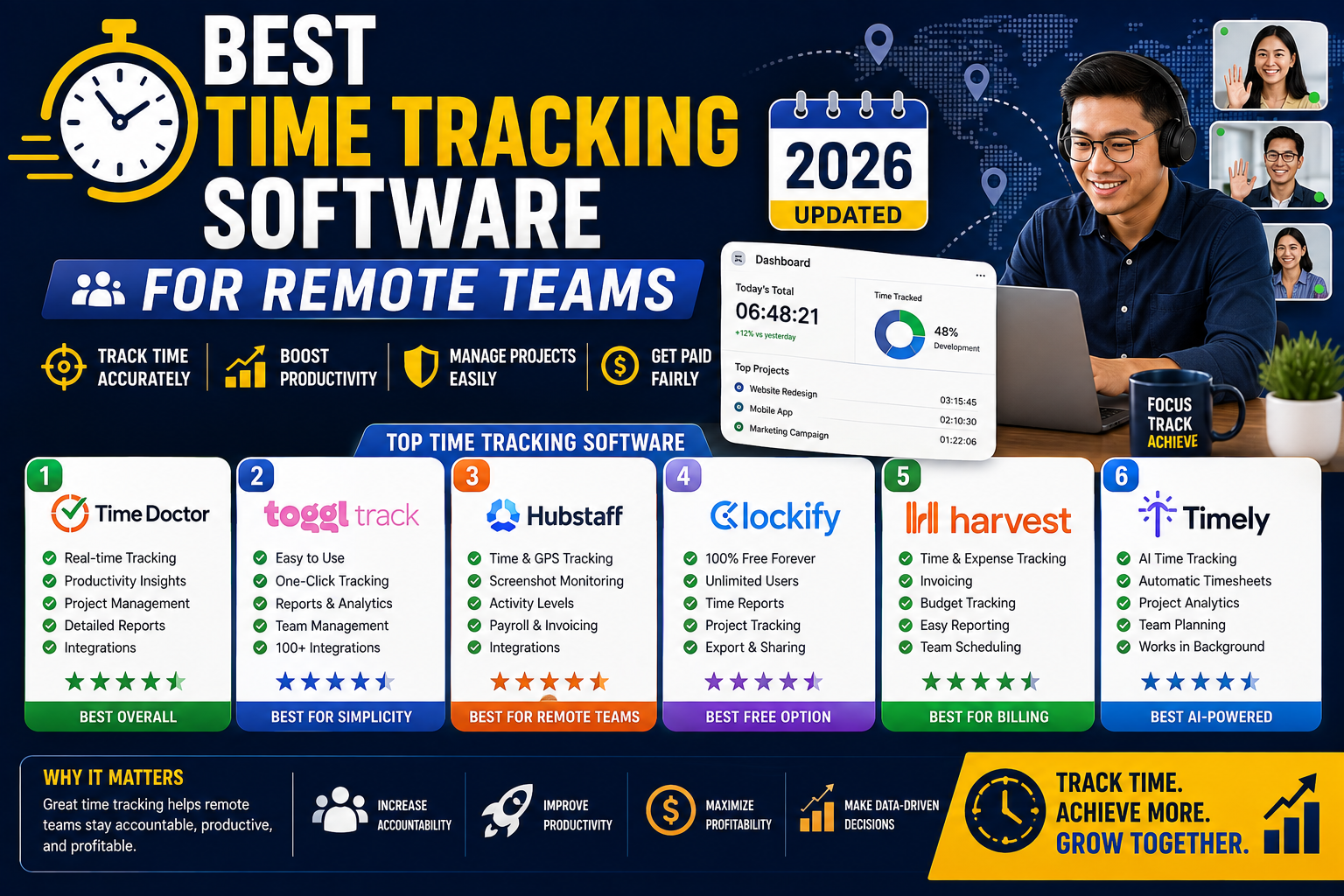
The ranking
- Toggl Track (free tier + Starter USD 9/user/month), best all-around for freelancers and small teams
- Clockify (free tier is unlimited), best forever-free option
- Harvest (free tier + Pro USD 12/user/month), best if you invoice clients regularly
- Hubstaff (Starter USD 4.99/user/month), best for teams needing screenshots + activity monitoring
- RescueTime (Lite free + Premium USD 12/month), best for personal productivity insights (not team billing)
- Time Doctor (Basic USD 5.90/user/month), alternative to Hubstaff for monitored teams
1. Toggl Track at Free tier + Starter USD 9/user/month
Free tier: Unlimited time tracking, unlimited projects, up to 5 users, basic reporting, mobile + desktop + browser extension.
Starter tier (USD 9/user/month annual): Billable rates, project time estimates, project templates, Excel/CSV export.
Best for: Freelancers and small teams (1-5 people) who need simple time tracking without monitoring or screenshots. Toggl’s UX is the cleanest in the category. Starting/stopping timers is one click. The Pomodoro timer built in is a nice bonus.
Weakness: No screenshot capture (which is a good thing for autonomy-focused teams but bad if a client demands proof). Higher tiers get expensive quickly.
2. Clockify at Unlimited free tier
Free tier: Unlimited users, unlimited projects, unlimited time entries, mobile + desktop + browser extension. Time tracking, timesheets, reports.
Paid tiers: Basic (USD 4.99/user), Standard (USD 6.99/user), Pro (USD 9.99/user), Enterprise. Add invoicing, project profitability, custom fields, screenshots at higher tiers.
Best for: Any Filipino freelancer or team on tightest possible budget. The free tier is genuinely unlimited (not a trial). Cover a team of 10 for zero cost.
Weakness: UI is functional but less polished than Toggl. Reporting features on free tier are basic. Support is community-driven on free tier.
3. Harvest at Free tier + Pro USD 12/user/month
Free tier: 1 user, 2 projects. Very limited, essentially a trial.
Pro tier (USD 12/user/month annual): Unlimited users, unlimited projects, time tracking, expense tracking, invoicing with online payments (Stripe, PayPal), team reporting.
Best for: Freelancers and agencies who invoice clients regularly and want time tracking + invoicing in ONE tool. Harvest’s invoice generator is best in the category. Clients can pay directly via Stripe or PayPal from the invoice link.
Weakness: Most expensive of the popular options. No screenshot capture. Free tier is too limited to be useful.
4. Hubstaff at Starter USD 4.99/user/month
Starter tier (USD 4.99/user/month annual): Time tracking, activity levels (based on keyboard + mouse), screenshots at configurable interval, timesheet approvals, payroll integration.
Grow tier (USD 7.50/user/month): Adds project cost tracking, budgets, expense management, invoicing.
Best for: Filipino remote teams whose US clients demand proof-of-work (screenshots + activity monitoring). Common for BPO-style engagements, Upwork hourly contracts, and staff augmentation via agencies.
Weakness: Screenshot monitoring is controversial. Some team members feel surveilled. Autonomy-focused teams should skip. Also, activity level tracking (based on keyboard/mouse frequency) is a poor proxy for actual productivity (reading, thinking, planning all register as low activity).
5. RescueTime at Lite free + Premium USD 12/month per user
Lite (free): Automatic time tracking (categorizes apps and websites as productive/distracting), weekly productivity reports.
Premium (USD 12/month, 1 user): Detailed history, focus session mode, daily goals, custom categorization.
Best for: Individual freelancers who want to understand their OWN productivity patterns (not for billing clients or tracking team members). RescueTime runs in the background and tracks app/website usage automatically.
Weakness: Not designed for team billing or client invoicing. Individual productivity insights only. Not a competitor to Toggl or Harvest for time-billing use cases.
6. Time Doctor at Basic USD 5.90/user/month
Basic tier (USD 5.90/user/month annual): Time tracking, screenshots (configurable), activity monitoring, project management, task-level tracking.
Standard tier (USD 8.40/user/month): Adds payroll integration, integrations with 60+ tools, custom exports.
Best for: Direct alternative to Hubstaff. Some Filipino teams prefer Time Doctor’s UI or specific integration set. Same use case: monitored remote work for clients demanding proof-of-hours.
Weakness: Same monitoring downsides as Hubstaff. Some users find the Time Doctor client app more resource-heavy than Hubstaff.
Comparison table for 5-person Filipino agency
| Tool + Tier | USD/month | PHP/month | Includes |
|---|---|---|---|
| Clockify Free | USD 0 | PHP 0 | Time + reports (basic) |
| Hubstaff Starter | USD 25 | PHP 1,425 | Time + screenshots + activity |
| Toggl Track Starter | USD 45 | PHP 2,565 | Time + billable rates + reports |
| Harvest Pro | USD 60 | PHP 3,420 | Time + invoicing + expense |
Recommendation by scenario
Solo Filipino freelancer just starting: Clockify Free. Zero cost, adequate for tracking personal billable hours.
Filipino freelancer with 3-5 recurring US clients: Toggl Track Starter (USD 9/mo) for time tracking + Harvest Pro (USD 12/mo) for invoicing. Total USD 21/mo. Or combine into Harvest Pro alone (USD 12/mo) since it does both, slightly clunkier time tracking but same total function.
Filipino agency (5-15 people, autonomy-based culture): Toggl Track Starter across the team. USD 9 per user per month. No monitoring, high team trust.
Filipino BPO or staff augmentation team (screenshots required by client): Hubstaff Starter or Time Doctor Basic. USD 4.99-5.90 per user per month.
Solo freelancer who wants to understand personal focus patterns: RescueTime (Lite free or Premium USD 12/mo).
The screenshot monitoring debate
Screenshot-based monitoring (Hubstaff, Time Doctor) is common in Philippine BPO and Upwork hourly contracts. It exists because some US clients demand it as protection against inflated hours.
Team autonomy perspective: Screenshot monitoring feels intrusive. Studies show it can decrease morale and productivity in autonomy-oriented teams. Talented developers actively avoid roles with screenshot requirements.
Client protection perspective: Clients paying by the hour want proof they are getting hours. Historical abuse (freelancers billing while watching Netflix) created demand for verification.
Middle ground: Use screenshot tools only when client contractually requires them. Communicate transparently with team members that monitoring exists per client requirement. Do not use it for internal team management by default.
Integration with invoicing and payroll
Time tracking becomes 10x more valuable when it connects to invoicing (bill clients accurately) and payroll (pay team members correctly).
Best invoicing integration: Harvest (built-in invoicing to Stripe/PayPal).
Best payroll integration: Hubstaff (integrates with Deel, Payoneer, Wise, Gusto for automated payroll runs based on tracked hours).
Manual export path: All 6 tools export CSV or Excel. Manually calculate and invoice/pay based on the export. Works for small teams but time-consuming.
Bottom line
For most Filipino remote teams and freelancers in 2026, the correct pick is Toggl Track Starter at USD 9/user/month. Best UX, no monitoring overhead, clean billing rates and reports.
If budget is critical, Clockify Free covers 80 percent of needs at zero cost.
If US client demands screenshot monitoring, use Hubstaff Starter. Communicate transparently with your team that monitoring is client-required, not internally driven.
We hope this comparison helps you pick the right tool for your situation. Feel free to comment below with your specific setup and we can offer a more targeted recommendation.
Official documentation
Try any of these time tracking tools (affiliate)
Some links below are affiliate links. See our affiliate disclosure.
- Toggl Track, our top pick for freelancers and small teams
- Clockify, best forever-free tier
- Harvest, best if you invoice clients regularly
- Hubstaff, for monitored client engagements
Frequently asked questions
Do I really need time tracking software as a solo freelancer?
If you bill hourly, yes. Manual time logs in Google Sheets underestimate actual time by 20-30 percent on average (studies from Rescue Time and others). A dedicated time tracker captures short interruptions and context switches you would otherwise forget. Bill accurately = get paid what your work is actually worth.
Which tool integrates best with Upwork?
Upwork’s own desktop app is the required tracker for Upwork hourly contracts. You cannot substitute Toggl or Hubstaff for the Upwork built-in tracker on their platform. Use Upwork tracker for Upwork clients and Toggl or Hubstaff for direct clients outside Upwork.
Can my team edit their tracked time after the fact?
All 6 tools allow manual time entry and editing of tracked entries by default. Admin can restrict editing on paid tiers if needed (Hubstaff and Time Doctor lock entries after screenshot approval, for example). For autonomy-based teams, allow editing. For strict client-required tracking, lock entries after weekly approval.
Do these tools work offline?
Desktop apps for Toggl, Harvest, Clockify, and Hubstaff work offline. Time entries queue locally and sync when you reconnect. Mobile apps have varying offline support. Test with your own workflow before relying on offline mode for a critical client project.
Which tool is best for Filipino agencies working with US clients?
Depends on client requirements. If the US client wants proof-of-work screenshots, Hubstaff or Time Doctor. If the client trusts you and just wants a monthly hours report, Toggl Track. If you want integrated invoicing to eliminate a separate invoicing tool, Harvest. Most Filipino agencies end up using 2 tools: Toggl for internal team tracking and Hubstaff for specific client accounts that require monitoring.
Are screenshots from these tools legal in the Philippines?
Yes, when the employee or contractor consents (typically via employment contract or tool onboarding). Philippine Data Privacy Act (RA 10173) requires transparency about data collection. Best practice: put the screenshot monitoring policy in writing in your employment or contractor agreement, and let team members review sample screenshots to understand what is captured before they consent.

Caren Bautista
Technical Writer at PIES IT Solution
Responsible for crafting clear, well-structured, and beginner-friendly content across the platform. Handles the writing, proofreading, and editorial review of tutorials, guides, and documentation to ensure every article is accurate, readable, and easy to follow.
Expertise: Technical Writing · Content Creation · Documentation · Editorial Writing · JavaScript · TypeScript · Python · Python Errors · HTTP Errors · MS Excel · View all posts by Caren Bautista →