
Serverless Framework is the infrastructure-as-code tool that turns “click 47 things in the AWS Console” into “one YAML file plus serverless deploy.” Write a Node.js or Python function, describe its triggers and permissions in serverless.yml, and one command provisions the Lambda, the API Gateway, the IAM role, the CloudWatch log group, and links them together. This 2026 guide walks you through installing the CLI, writing your first serverless.yml, deploying an HTTP API, adding environment stages (dev/prod), managing secrets, and the plugin ecosystem that extends everything.
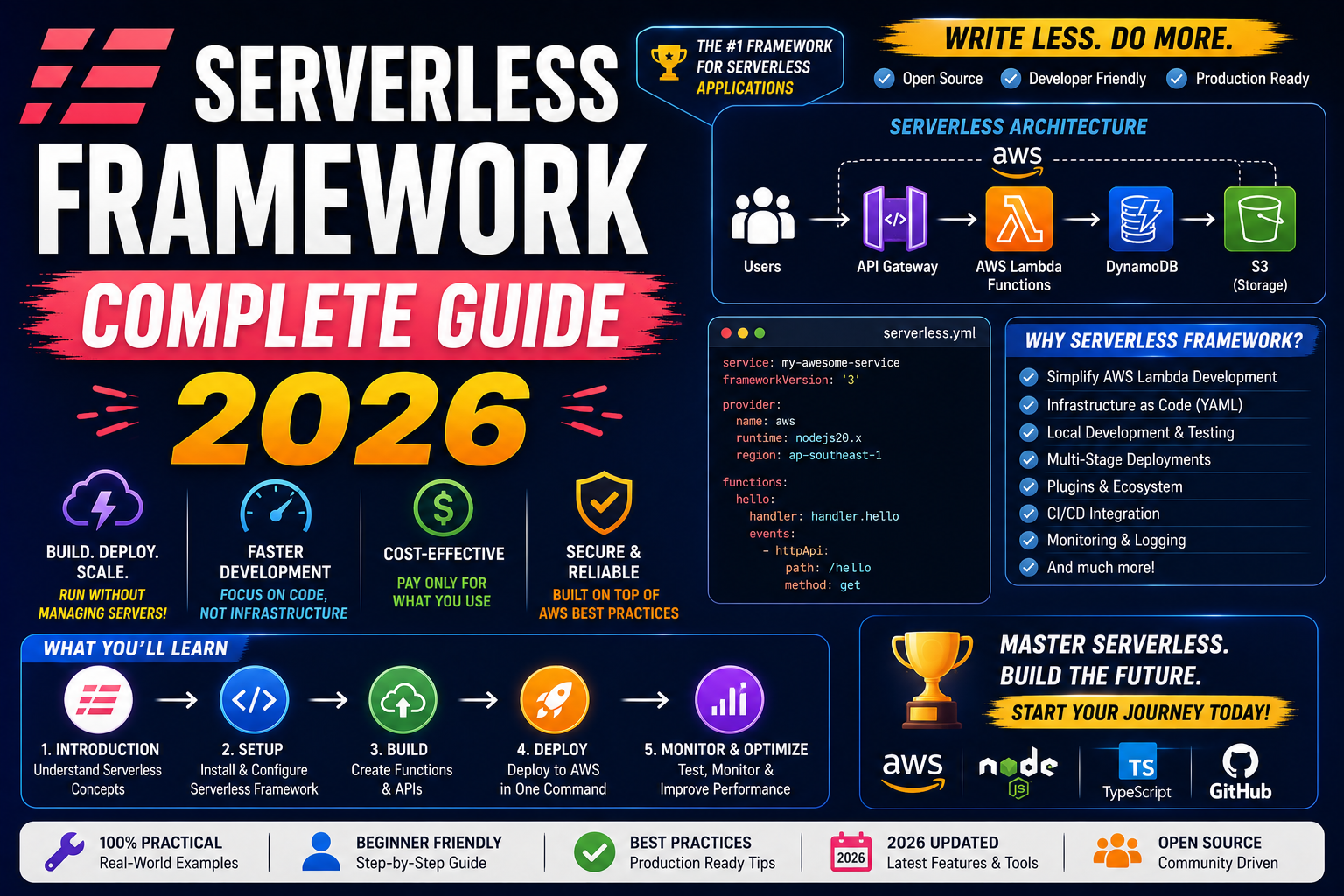
Quick 2026 verdict
Install with npm install -g serverless. Create a project with serverless create --template aws-python3. Edit serverless.yml to add your function and events. Run serverless deploy. Done. The tool handles zipping, uploading, IAM, CloudFormation, rollback on failure, and outputs your deployed API URL. Use it for every non-trivial Lambda project in 2026, unless you have a strong reason to write raw CloudFormation.
Why Serverless Framework (over raw SAM or CloudFormation)
You have three main choices to deploy serverless infrastructure on AWS in 2026: raw CloudFormation, AWS SAM (a thin CloudFormation wrapper), or Serverless Framework. All three provision the same underlying AWS resources. What differs is developer ergonomics.
- Raw CloudFormation: most verbose, most control, worst learning curve. 200 lines of YAML for a single Lambda + API Gateway.
- AWS SAM: AWS-official, works fine, tightly coupled to AWS. About 80 lines for the same setup.
- Serverless Framework: third-party (Serverless Inc.), works across AWS + Azure + GCP + Cloudflare + Kubernetes, biggest plugin ecosystem, most active community. About 40 lines for the same setup.
For a single-cloud AWS project, SAM and Serverless Framework are both fine. For multi-cloud or if you value the plugin ecosystem (offline local dev, custom domains, split stacks, warmup), Serverless Framework wins.
Install and first deploy in 2 minutes
Prerequisite: Node.js 18+ and AWS credentials configured (aws configure).
npm install -g serverless
serverless --version   # verify install
serverless create --template aws-python3 --path my-service
cd my-service
serverless deploy
The CLI creates a starter project with serverless.yml and handler.py. The deploy command packages, uploads, creates a CloudFormation stack, and prints your deployed function ARN. First deploy takes 60-90 seconds; subsequent deploys (code-only) are 10-15 seconds.
Anatomy of serverless.yml
Here is a working serverless.yml that deploys a Python Lambda behind an HTTP API endpoint:
service: my-service

provider:
  name: aws
  runtime: python3.12
  region: us-east-1
  memorySize: 128
  timeout: 10
  environment:
    STAGE: ${sls:stage}
    LOG_LEVEL: INFO

functions:
  hello:
    handler: handler.hello
    events:
      - httpApi:
          path: /hello
          method: get
Deploy: serverless deploy. Serverless Framework generates a CloudFormation template, uploads your code to S3, provisions the Lambda, creates an HTTP API Gateway, wires the trigger, sets up the IAM role with basic CloudWatch permissions, creates the log group, and outputs the deployed URL. Every line of the YAML maps to a CloudFormation resource you can audit later.
Environment stages (dev, staging, prod)
Deploy the same code to different environments with a single flag:
serverless deploy --stage dev
serverless deploy --stage staging
serverless deploy --stage prod
Each stage creates a separate CloudFormation stack, separate Lambda, separate API Gateway, separate log group. Stage-specific variables via ${sls:stage} substitution let you point dev at a dev database and prod at a prod database without touching your handler code.
Secrets and configuration (never commit them)
Three good places to store secrets, ordered by security:
- AWS Systems Manager Parameter Store (free tier available). Reference in
serverless.yml:${ssm:/my-service/dev/DB_PASSWORD}. Serverless Framework resolves at deploy time. - AWS Secrets Manager (small monthly cost, auto-rotation support). Reference:
${aws:secretsmanager:my-service/dev/db-password}. - Environment variables via .env file + serverless-dotenv-plugin. Simplest but least secure. Fine for a solo project, not for a team production deploy.
Never hardcode secrets in serverless.yml and never commit them. Add .env, .env.local, and any *-secrets.yml to your .gitignore.
The plugin ecosystem (10+ essentials)
Plugins extend the framework. Install with npm install --save-dev <plugin-name>, then add to plugins: in serverless.yml. Most-used in 2026:
- serverless-offline: run your Lambda + API Gateway locally on port 3000. Standard for local dev.
- serverless-python-requirements: package Python dependencies from
requirements.txtautomatically. Essential for anything beyond pure standard library. - serverless-webpack or serverless-esbuild: bundle Node.js/TypeScript with tree-shaking. Cuts package size 60-80 percent.
- serverless-plugin-warmup: keep your functions warm via scheduled invokes, mitigating cold starts.
- serverless-domain-manager: attach custom domains (e.g.
api.yoursite.com) with automatic Route 53 + ACM cert setup. - serverless-plugin-canary-deployments: gradual rollout for API Gateway (shift 5 percent of traffic, wait, monitor, promote).
Common Serverless Framework pitfalls in 2026
- Slow first deploy. Creating the CloudFormation stack takes 60-90 seconds. Subsequent deploys are fast, but each new stage means another slow first deploy.
- CloudFormation drift. If you edit resources in the AWS Console after deploying, Serverless does not know. Next deploy may overwrite or refuse. Rule: never edit stack resources in the console for a Serverless-managed service.
- Package size blowout. Node.js projects with
node_modulescan hit 250 MB fast. Useexcludepatterns or a bundler. - Serverless Dashboard subscription. Serverless Inc. now pushes their paid dashboard. You do NOT need it. Framework core is open source and free. Just do not authenticate against their dashboard on setup.
- Version pinning. Serverless Framework v4 (2024) changed licensing terms (paid for large orgs). Pin to a version in
package.jsonso your team stays on the same behavior.
Where Serverless Framework fits in the 2026 stack
Ideal for: any Lambda project past a single function. Any project that needs multiple environments. Any team that wants infrastructure diffs in git. Not needed for: quick one-off Lambdas you edit in the console (throwaway prototypes), or projects on non-AWS clouds where the native tooling is stronger (Vercel for Vercel Functions, Cloudflare Wrangler for Workers).
Alternatives worth knowing: AWS SAM (AWS-official, simpler for pure AWS), AWS CDK (programmatic infrastructure in TypeScript/Python instead of YAML), Pulumi (multi-cloud programmatic IaC), SST (Serverless Stack, opinionated framework built on CDK, popular for full-stack apps).
Try these hosting + tool partners for your serverless projects
The links below are affiliate links. We may earn a commission at no extra cost to you when you sign up through them. See our affiliate disclosure for details.
- Cloudways, managed hosting for the frontend or traditional API that pairs with your serverless backend.
- Kamatera, per-hour VMs for the long-running services and databases that your Lambda functions call into.
- Network Solutions, domain registration for the custom domain you attach via serverless-domain-manager.
Official documentation
Quick step-by-step summary (click to expand)
- Install prerequisites. Install Node.js 18+ and configure AWS credentials via aws configure. Verify with aws sts get-caller-identity.
- Install Serverless Framework globally. Run npm install -g serverless. Verify install with serverless –version.
- Create a starter project. Run serverless create –template aws-python3 –path my-service. The CLI drops serverless.yml + handler.py starter files.
- Deploy the project. cd my-service and run serverless deploy. First deploy takes 60-90 seconds while CloudFormation provisions Lambda + API Gateway + IAM role.
- Test the deployed function. The deploy output prints the API Gateway URL. Curl it to see your Lambda handler respond. To invoke directly: serverless invoke –function hello.
Frequently Asked Questions
Is Serverless Framework still free in 2026?
Framework CLI is open source (MIT license) and free forever for individuals and small teams. Serverless Framework v4 introduced a paid tier for organizations with revenue over 2 million USD/year. Below that revenue threshold, it stays free. The optional Serverless Dashboard has always been a paid product; you can use the CLI without ever creating a Dashboard account.
Serverless Framework vs AWS SAM: which is better?
SAM is AWS-official and simpler for pure AWS shops. Serverless Framework is third-party, works on multi-cloud, and has a much larger plugin ecosystem. If you are 100 percent AWS and want AWS-supported tooling, use SAM. If you use plugins heavily, need custom domain management, or plan multi-cloud, use Serverless Framework. Both deploy CloudFormation under the hood; switching between them later is possible but tedious.
Can Serverless Framework deploy to Azure or GCP?
Yes, in theory. Set provider.name: azure or provider.name: google. In practice the Azure and GCP providers are less mature than the AWS provider. Only 30-40 percent of plugins support non-AWS. For serious Azure work, use Azure Functions Core Tools + Bicep instead. For serious GCP, use gcloud CLI + Terraform.
How do I roll back a bad deploy?
CloudFormation auto-rolls-back if the deploy fails mid-flight. For a successful deploy that broke production: serverless rollback --timestamp <timestamp>. Get the timestamp with serverless deploy list. The rollback reverts the CloudFormation stack to the previous version. For code-only rollback without redeploying, use Lambda’s built-in versioning + aliases and shift the alias.
How do I run my Lambda locally?
Install serverless-offline plugin. Run serverless offline. Your API Gateway + Lambda run on http://localhost:3000. Faster iteration than deploying to AWS every save. Serverless Offline emulates most of the AWS Lambda runtime behavior but is not perfect. Test against real AWS at least once before merging.
Can I use TypeScript with Serverless Framework?
Yes. Use serverless-esbuild plugin (fast, modern) or serverless-webpack (older, more configurable). Either compiles TypeScript to JavaScript at package time. Set runtime: nodejs22.x and write your handler in .ts. Type definitions for the AWS Lambda event/context objects come from @types/aws-lambda.
Related Cloud + DevOps tutorials
- AWS Lambda Complete Beginner Guide 2026 (First Function + Deploy)
- Azure Functions vs AWS Lambda 2026 (Which to Pick)
- GitHub Actions Complete CI/CD Guide 2026 (Real Examples)
- Terraform vs Pulumi 2026 (Which IaC Tool to Learn)
Official documentation
- Serverless Framework: official documentation
- Serverless Framework plugins directory
- AWS Lambda: official documentation

Adrian Mercurio
Full-Stack Developer at PIES IT Solution
Specializes in building complete capstone projects with full documentation. Strong background in PHP/MySQL development and database design. Has personally built and tested over 30 capstone-ready projects with ER diagrams, DFDs, and chapter-by-chapter thesis documentation.
Expertise: PHP · Laravel · Database Design · Capstone Projects · C# · C · C++ · Python · AI Projects · View all posts by Adrian Mercurio →