
AWS Lambda lets you run backend code without provisioning or managing servers. You write a function, upload it, and AWS runs it on demand. No EC2 instances to patch, no auto-scaling groups to configure, no idle costs when nothing calls your code. This 2026 beginner guide walks you through creating your first Lambda function, setting up an IAM execution role, connecting a trigger, and deploying updates from the terminal with the AWS CLI.
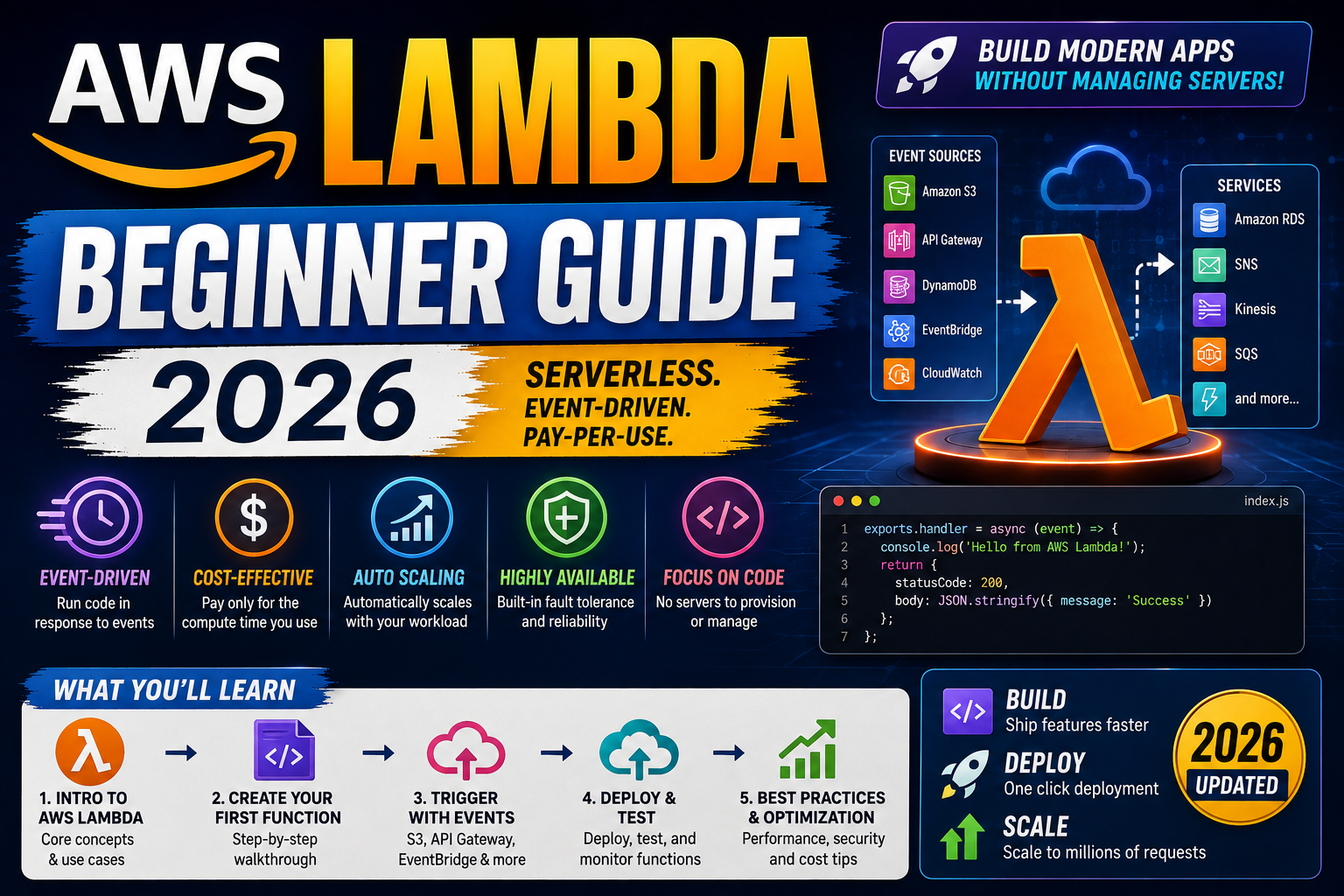
Quick 2026 verdict for beginners
Start in the AWS Console. Create a function with the “Author from scratch” template, pick Python 3.12 or Node.js 22, and let AWS auto-create the IAM role. Test it with the built-in test event. Then move to the AWS CLI for real workflows (deploy updates in one command, no console clicks). First million requests per month are free forever, so learning Lambda costs zero.
What is AWS Lambda (and why serverless matters in 2026)
AWS Lambda is the original serverless compute service, launched in 2014. You give AWS a function, AWS runs it whenever something triggers it (HTTP request, file upload, database event, scheduled cron), and you pay per invocation and per 100 milliseconds of runtime. No servers to manage. No fixed hourly costs.
The 2026 shift: serverless is now the default for event-driven backends, webhooks, chat bots, ETL jobs, image processing, and any workload with unpredictable traffic. Netflix, Coca-Cola, Nordstrom, and thousands of smaller shops run production Lambda at scale. If you build backends without learning Lambda in 2026, you are working two years behind.
Prerequisites (5 minutes of setup)
You need three things before your first function:
- An AWS account (sign up at aws.amazon.com, credit card required but Lambda free tier covers learning use easily)
- The AWS CLI installed (Mac:
brew install awscli, Windows: MSI installer from aws.amazon.com/cli, Linux:pip install awscli) - AWS credentials configured (run
aws configureand paste your Access Key ID + Secret from IAM → Users → Security credentials)
Verify the CLI works: aws sts get-caller-identity. You should see your account ID + user ARN. If yes, you are ready.
Create your first Lambda in the AWS Console
Open the Lambda console (console.aws.amazon.com/lambda), click Create function, and pick Author from scratch. Fill in:
- Function name:
my-first-function - Runtime: Python 3.12 (or Node.js 22 if you prefer JavaScript)
- Architecture: arm64 (cheaper, faster, use unless you need x86-specific libraries)
- Execution role: Create a new role with basic Lambda permissions (AWS handles this automatically)
Click Create function. AWS provisions the function, creates the IAM role, and drops you in the code editor with a starter handler:
import json

def lambda_handler(event, context):
    return {
        'statusCode': 200,
        'body': json.dumps('Hello from Lambda!')
    }
Click Deploy, then Test, name the test event test1, keep the default JSON payload, click Save, and click Test. You should see a green success box with "body": "\"Hello from Lambda!\"". That is your function executing on real AWS infrastructure.
Understand IAM roles (the concept that trips up everyone)
Every Lambda function needs an execution role. The role grants the function permissions to interact with other AWS services (S3, DynamoDB, SNS, CloudWatch Logs). Without a role, Lambda cannot even write its own log output.
The auto-created basic role gives your function only CloudWatchLogs permissions (write log lines). To read from an S3 bucket, you attach an AmazonS3ReadOnlyAccess policy. To write to DynamoDB, you attach AmazonDynamoDBFullAccess (or a narrower custom policy in production). This principle-of-least-privilege model catches nearly every “Access Denied” error you will hit.
To edit the role: Configuration tab → Permissions → click the role name → Attach policies. Then re-invoke the function.
Add a trigger (API Gateway = HTTP endpoint in 2 clicks)
Console → your function → Add trigger → select API Gateway → API type HTTP API → security Open (fine for learning, add auth later) → click Add. AWS creates an HTTP API Gateway, links it to your Lambda, and gives you a public URL like https://abc123.execute-api.us-east-1.amazonaws.com/default/my-first-function.
Curl it: curl https://abc123.execute-api.us-east-1.amazonaws.com/default/my-first-function. You get back "Hello from Lambda!". You just deployed a serverless HTTP endpoint in under 5 minutes. Zero servers to manage.
Deploy updates from the terminal (AWS CLI workflow)
The console is fine for learning. Real work happens from the terminal. Zip your code, upload the zip:
zip function.zip lambda_function.py
aws lambda update-function-code \
    --function-name my-first-function \
    --zip-file fileb://function.zip
Invoke it directly from the CLI without going through API Gateway:
aws lambda invoke \
    --function-name my-first-function \
    --payload '{"key1":"value1"}' \
    response.json
cat response.json
Add this to your CI/CD pipeline and every git push deploys a new function version automatically.
Common AWS Lambda pitfalls in 2026
- Cold starts. First invocation after idle takes 200-1000 ms as AWS spins up a container. Warm invocations are 5-50 ms. For latency-critical APIs, use Provisioned Concurrency or SnapStart (Java).
- 15-minute execution limit. Lambda kills any invocation running over 15 minutes. For longer jobs (video encoding, large ETL), use Step Functions or AWS Batch instead.
- 250 MB unzipped package size. Big ML libraries (torch, tensorflow) blow this out. Use Lambda Layers to share dependencies, or use container image deployment (up to 10 GB).
- No local disk. Only
/tmpis writable (512 MB default, up to 10 GB configurable). Nothing persists between invocations. Use S3 or DynamoDB for state. - CloudWatch cost surprise. Log lines add up fast. Set log retention to 7 or 14 days on your log group (default is Never Expire, which bills forever).
Where AWS Lambda fits in the 2026 stack
Lambda is the right pick when: your workload is event-driven, traffic is spiky or unpredictable, you want zero infrastructure work, and you can fit the job in 15 minutes and 10 GB of memory. Lambda is the wrong pick when: you have steady sustained traffic (EC2 or Fargate is cheaper), you need long-running WebSockets (API Gateway WebSockets are usable but awkward), or your job needs specialized hardware (GPU inference).
Learning path: master Lambda → learn API Gateway (REST + HTTP APIs) → learn SAM or Serverless Framework for infrastructure-as-code → learn Step Functions for orchestrating multiple Lambdas → learn AWS SAM Accelerate for hot-reload local development. Each layer builds on the previous. Do not skip to Step Functions before you understand a single Lambda well.
Try these hosting + tool partners for your serverless projects
The links below are affiliate links. We may earn a commission at no extra cost to you when you sign up through them. See our affiliate disclosure for details.
- Cloudways, managed cloud hosting with pre-configured Node.js, Python, PHP stacks. Great for the traditional API + database that your Lambda functions call into.
- Kamatera, per-hour cloud VMs with instant scaling. Ideal for the always-on services (databases, background workers) that pair with your event-driven Lambdas.
- Network Solutions, domain + hosting combo for putting your Lambda-backed API on a custom domain.
Official documentation
Quick step-by-step summary (click to expand)
- Sign up for AWS + install the AWS CLI. Create an AWS account at aws.amazon.com. Install the CLI: brew install awscli on Mac, MSI installer on Windows, pip install awscli on Linux.
- Configure your credentials. Run aws configure and paste your Access Key ID + Secret from IAM > Users > Security credentials. Test with aws sts get-caller-identity.
- Create a function in the AWS Console. Open Lambda console > Create function > Author from scratch > name my-first-function > runtime Python 3.12 > architecture arm64 > create.
- Test the default handler. Click Test, name the event test1, keep default payload, click Save then Test. You should see 200 status with body Hello from Lambda!
- Deploy updates from your terminal. Zip your code: zip function.zip lambda_function.py. Upload: aws lambda update-function-code –function-name my-first-function –zip-file fileb://function.zip.
Frequently Asked Questions
Is AWS Lambda free in 2026?
Yes for learning. The free tier gives you 1 million requests per month and 400,000 GB-seconds of compute per month, forever (not just the first year). A small side-project rarely exceeds this. Beyond free tier, pricing is 0.20 USD per million requests plus 0.0000166 USD per GB-second of compute.
What languages does Lambda support?
Officially: Python (3.9-3.13), Node.js (18-22), Java (8-21), .NET (6-8), Go, Ruby (3.2-3.3), plus custom runtimes via Lambda Layers or container images. For custom runtimes you can run Rust, PHP, Bash, or anything that runs on Linux.
How do I add dependencies (like pandas or requests)?
Package your code plus dependencies into the zip you upload. For Python: pip install -r requirements.txt -t ./package, then zip both your code and the package folder together. Alternatively use Lambda Layers (share deps across functions) or container images (full Dockerfile control, up to 10 GB).
Can Lambda connect to a database?
Yes. Standard pattern: put Lambda in a VPC, put your RDS or Aurora database in the same VPC. Use RDS Proxy to pool connections (Lambda’s default per-invocation connection model can exhaust the DB connection pool). For serverless databases pair Lambda with Aurora Serverless v2 or DynamoDB, both of which handle the pooling for you.
Lambda vs EC2 vs Fargate: which do I pick?
Lambda for event-driven and spiky workloads (webhooks, cron, image processing) where you want zero management. Fargate for containerized microservices with steady traffic where you want managed containers but not full serverless. EC2 for full VM control, GPU workloads, or when you need long-lived processes. In practice: start Lambda, migrate to Fargate when you hit Lambda’s limits, use EC2 only when you need low-level control.
How do I debug a Lambda function?
CloudWatch Logs captures every print or console.log statement plus any unhandled errors. For local development use AWS SAM CLI: sam local invoke runs your Lambda in a local Docker container that matches the AWS runtime exactly. For production observability, AWS X-Ray traces every invocation and shows you exactly where time is spent.
Related Cloud + DevOps tutorials
- Docker Complete Beginner Guide 2026 (First Container)
- Kubernetes for Beginners 2026 (Complete Practical Tutorial)
- Azure Functions vs AWS Lambda 2026 (coming this week)
- Serverless Framework Complete Guide 2026 (coming this week)
Official documentation

Adones Evangelista
Programmer & Technical Writer at PIES IT Solution
Adones Evangelista is a programmer and writer at PIES IT Solution, author of over 900 tutorials and error-fix guides at itsourcecode.com. Specializes in JavaScript, Django, Laravel, and Python error debugging covering ValueError, TypeError, AttributeError, ModuleNotFoundError, and RuntimeError, plus C/C++ and PHP capstone projects for BSIT students.
Expertise: JavaScript · Python · Django · Laravel · Error Debugging · C/C++ · View all posts by Adones Evangelista →