
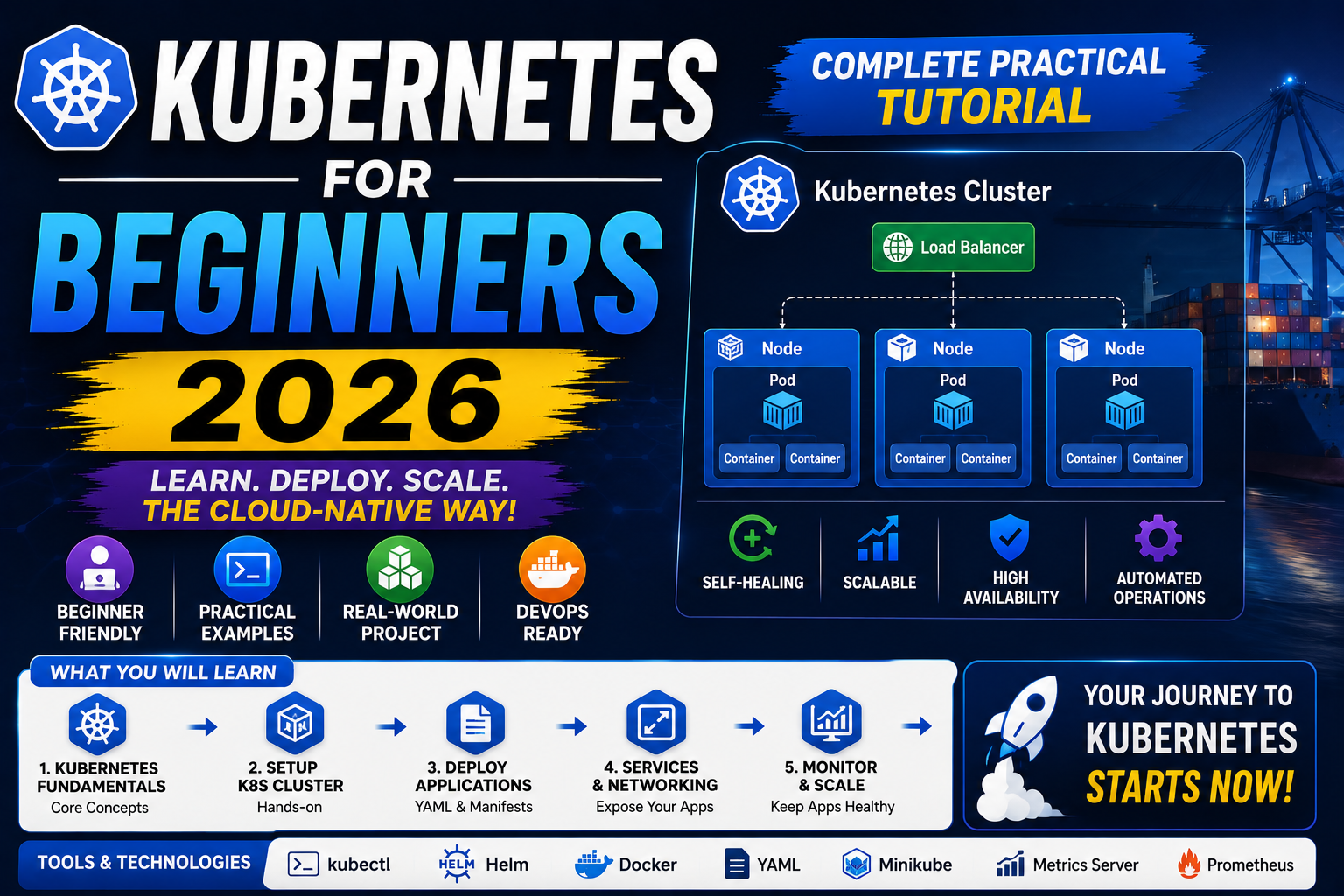
Kubernetes (K8s for short) is the industry-standard container orchestrator. Once you outgrow running Docker on a single machine, Kubernetes coordinates hundreds or thousands of containers across a cluster of servers, handles rollouts and rollbacks, restarts crashed containers automatically, and scales workloads based on demand. This 2026 beginner tutorial gets you from zero to your first working deployment in under 30 minutes.
Quick 2026 verdict for beginners
Install kubectl + kind (or minikube) for local Kubernetes. Learn 3 core concepts: Pod (smallest deployable unit), Deployment (manages replicas + rollouts), Service (network endpoint). Deploy your first app with 2 YAML files. Everything else in K8s builds on those foundations.
What Kubernetes actually does (and why it exists)
Imagine you have 50 Docker containers running your app across 10 servers. Manually managing which container runs where, restarting failed ones, load-balancing traffic, and rolling out new versions without downtime is a full-time job. Kubernetes automates all of it. You tell K8s “I want 5 copies of my web service running, split across available nodes, load-balanced behind one endpoint” and it handles the rest.
In 2026, Kubernetes is table-stakes for anything larger than a hobby project going to production. AWS, Google Cloud, Azure, DigitalOcean, and Linode all offer managed Kubernetes clusters. Startups run on it. Enterprises run on it. Learning K8s is one of the highest-leverage skills a developer or DevOps engineer can build this decade.
Install kubectl + local Kubernetes in 2026
You need two tools: kubectl (the K8s command-line client) and a local Kubernetes cluster to practice on (kind is the fastest to install in 2026).
Mac (via Homebrew):
brew install kubectl kind
kind create cluster --name mycluster
kubectl cluster-info
Linux (Ubuntu / Debian):
curl -LO "https://dl.k8s.io/release/$(curl -L -s https://dl.k8s.io/release/stable.txt)/bin/linux/amd64/kubectl"
sudo install -o root -g root -m 0755 kubectl /usr/local/bin/kubectl
curl -Lo ./kind https://kind.sigs.k8s.io/dl/v0.24.0/kind-linux-amd64
sudo install -o root -g root -m 0755 kind /usr/local/bin/kind
kind create cluster --name mycluster
Windows: use WSL 2 + the Linux steps above (recommended), or install both via Chocolatey (choco install kubernetes-cli kind).
Verify with kubectl get nodes. You should see one node named mycluster-control-plane in Ready status. That is your one-node Kubernetes cluster running locally.
The 3 concepts every beginner must understand
1. Pod: smallest deployable unit in K8s. Wraps one or more tightly-coupled containers (usually one). Pods are ephemeral, they get created, killed, recreated. You almost never create pods directly; you create a Deployment that manages pods for you.
2. Deployment: declares “I want N replica pods running this container image with these settings.” K8s ensures that state is maintained. If a pod crashes, Deployment creates a new one. If you push a new image, Deployment does a rolling update replacing old pods with new ones.
3. Service: stable network endpoint that load-balances traffic across the pods matching a label selector. Because pods are ephemeral (their IPs change), you talk to a Service, and the Service handles routing to whichever pods are currently alive.
Deploy your first app: nginx in 3 pods
Create a file nginx-deployment.yaml:
apiVersion: apps/v1
kind: Deployment
metadata:
  name: nginx-deployment
spec:
  replicas: 3
  selector:
    matchLabels:
      app: nginx
  template:
    metadata:
      labels:
        app: nginx
    spec:
      containers:
      - name: nginx
        image: nginx:1.27
        ports:
        - containerPort: 80
Apply it:
kubectl apply -f nginx-deployment.yaml
kubectl get pods
kubectl get deployments
You should see 3 nginx pods running. Try killing one with kubectl delete pod POD_NAME. K8s immediately creates a new one to maintain the desired 3 replicas. Self-healing in action.
Expose your app with a Service
The 3 pods are running but nothing outside the cluster can reach them yet. Create nginx-service.yaml:
apiVersion: v1
kind: Service
metadata:
  name: nginx-service
spec:
  type: NodePort
  selector:
    app: nginx
  ports:
  - port: 80
    targetPort: 80
    nodePort: 30080
kubectl apply -f nginx-service.yaml kubectl port-forward svc/nginx-service 8080:80
Open http://localhost:8080 in your browser. You will see the nginx welcome page served by one of the 3 pods (the Service load-balances between them). Congrats, you shipped your first Kubernetes deployment.
Essential kubectl commands you’ll use daily
kubectl get pods, list pods in current namespacekubectl get deployments, list deploymentskubectl get services, list serviceskubectl describe pod POD, detailed pod info (events, container status, IP)kubectl logs POD, view pod logs (add-fto follow live)kubectl exec -it POD -- /bin/sh, shell into a running podkubectl apply -f FILE.yaml, apply YAML config (create or update resources)kubectl delete -f FILE.yaml, delete resources defined in filekubectl scale deployment NAME --replicas=5, scale a deployment up or down
Common Kubernetes pitfalls in 2026
- ImagePullBackOff error. K8s cannot pull the container image. Check the image name spelling and tag. For private registries, create a Secret and reference it in your Deployment’s
imagePullSecrets. - CrashLoopBackOff error. Container starts and immediately exits repeatedly. Check
kubectl logs PODfor the error. Usually a missing environment variable, misconfigured command, or the app crashing on startup. - Pending pods. Pod cannot be scheduled. Usually not enough CPU/memory on any node, or a nodeSelector that no node matches. Run
kubectl describe pod PODand look at the Events section for the scheduler’s message. - Service unreachable. Check the selector labels match the pod labels EXACTLY. A common bug is Service selector
app: nginxbut pod labelsapp: Nginx(case sensitive). - Local kind cluster runs out of disk. kind creates a Docker container that IS the cluster. Docker containers max out at ~100GB by default. Run
docker system prune -ato free up space.
Managed Kubernetes for production (2026)
Running your own K8s cluster on bare servers is a full-time job. For production, use a managed Kubernetes offering:
- DigitalOcean Kubernetes (DOKS), simplest managed K8s. Starting at ~$12/mo for a 1-node cluster.
- AWS EKS, most mature, biggest ecosystem. Control plane costs $73/mo + worker node compute.
- Google GKE, pioneered managed K8s (Google invented Kubernetes). Autopilot mode charges per-pod, not per-node.
- Azure AKS, best if you already use Microsoft ecosystem (Entra ID, Azure DevOps).
- Linode LKE, cheapest starter option, free control plane, from $12/mo for worker nodes.
Try these hosting + tool partners for your K8s workloads
The links below are affiliate links. We may earn a commission at no extra cost to you when you sign up through them. See our affiliate disclosure for details.
- Cloudways, managed cloud hosting on DigitalOcean, Linode, Vultr underlying infrastructure. Good starter path before Kubernetes if you want managed simplicity.
- Kamatera, flexible cloud VMs perfect for building your own K8s cluster with kubeadm on 3-5 nodes.
- Network Solutions, domain registration + DNS for your K8s ingress endpoints.
Quick step-by-step summary (click to expand)
- Install kubectl and a local cluster tool. Install kubectl (the Kubernetes CLI) plus either kind or minikube. On Mac: brew install kubectl kind. On Windows: use the official installers from kubernetes.io.
- Create a local cluster. Run kind create cluster or minikube start. This spins up a single-node Kubernetes cluster on your machine in about 60 seconds.
- Verify the cluster is running. Run kubectl get nodes. You should see one node in Ready status. Also run kubectl cluster-info to confirm the control plane is up.
- Deploy your first pod. Run kubectl create deployment nginx –image=nginx. Then kubectl get pods to see the pod being created and starting.
- Expose the deployment as a service. Run kubectl expose deployment nginx –port=80 –type=NodePort. Then kubectl get svc to see the assigned port.
- Port-forward and test locally. Run kubectl port-forward svc/nginx 8080:80 and open http://localhost:8080 in your browser. You should see the nginx welcome page.
Frequently Asked Questions
Do I need Docker before learning Kubernetes?
Yes. Kubernetes orchestrates containers, and Docker is the most common way to build those containers. Learn Docker basics first (build an image, run a container, understand Dockerfiles) then Kubernetes will make much more sense.
kind vs minikube vs k3d: which local Kubernetes should I use?
kind is fastest to install and most similar to production K8s (uses containerd runtime). minikube supports more addons (dashboard, ingress, load balancer). k3d wraps k3s (a lightweight K8s distribution). For pure learning + development, kind is the 2026 default choice.
How long does it take to learn Kubernetes?
Basic proficiency (deploy an app, scale it, expose it): 2-4 weeks of daily practice. Intermediate (Helm charts, Ingress, StatefulSets, Secrets management): 2-3 months. Certified Kubernetes Administrator (CKA) level: 4-6 months of focused study.
Is Kubernetes overkill for a small project?
Yes for a single-server app. Docker or Docker Compose is enough. Kubernetes adds real value when you need multiple containers, auto-scaling, self-healing, or multi-server deployments. Rule of thumb: if your app runs comfortably on one server without downtime concerns, skip K8s.
What is the difference between kubectl apply and kubectl create?
kubectl create fails if the resource already exists. kubectl apply creates the resource if new, or updates it in place if it exists. Always use apply for YAML-based workflows so re-running is safe.
Should I learn Helm alongside Kubernetes basics?
Not initially. Master raw K8s YAML first so you understand what Helm generates. Then learn Helm (a package manager for K8s) once you find yourself managing 10+ YAML files across environments.
Related Docker + DevOps tutorials
- Docker Complete Beginner Guide 2026 (Mon this week)
- Terraform vs Pulumi 2026 IaC comparison (Tue this week)
- GitHub Actions Complete CI/CD Guide 2026 (Tue this week)
Official documentation

Angel Jude Suarez
Full-Stack Developer at PIES IT Solution
Focuses on Python development, machine learning, and AI integration. Has built production AI systems including OpenAI Whisper integration for medical transcription and GPT-4o-powered diagnosis assistance. Strong background in pandas, scikit-learn, and TensorFlow.
Expertise: Python · PHP · Java · VB.NET · ASP.NET · Machine Learning · AI Integration · OpenCV · Django · CodeIgniter · View all posts by Angel Jude Suarez →