
Every solo developer eventually asks the same question: is it worth learning a full CI/CD pipeline for a one-person project? The 2026 answer is a clear yes. Free tiers on GitHub Actions and GitLab CI have gotten generous enough that you no longer pay to automate testing, linting, and deployment. This 2026 comparison ranks the five CI/CD tools I actually use across client projects, with honest tradeoffs on setup time, free-tier limits, config format, and speed. I have shipped production code with every one on this list, most of it while running PIES IT Solutions solo for the first three years.
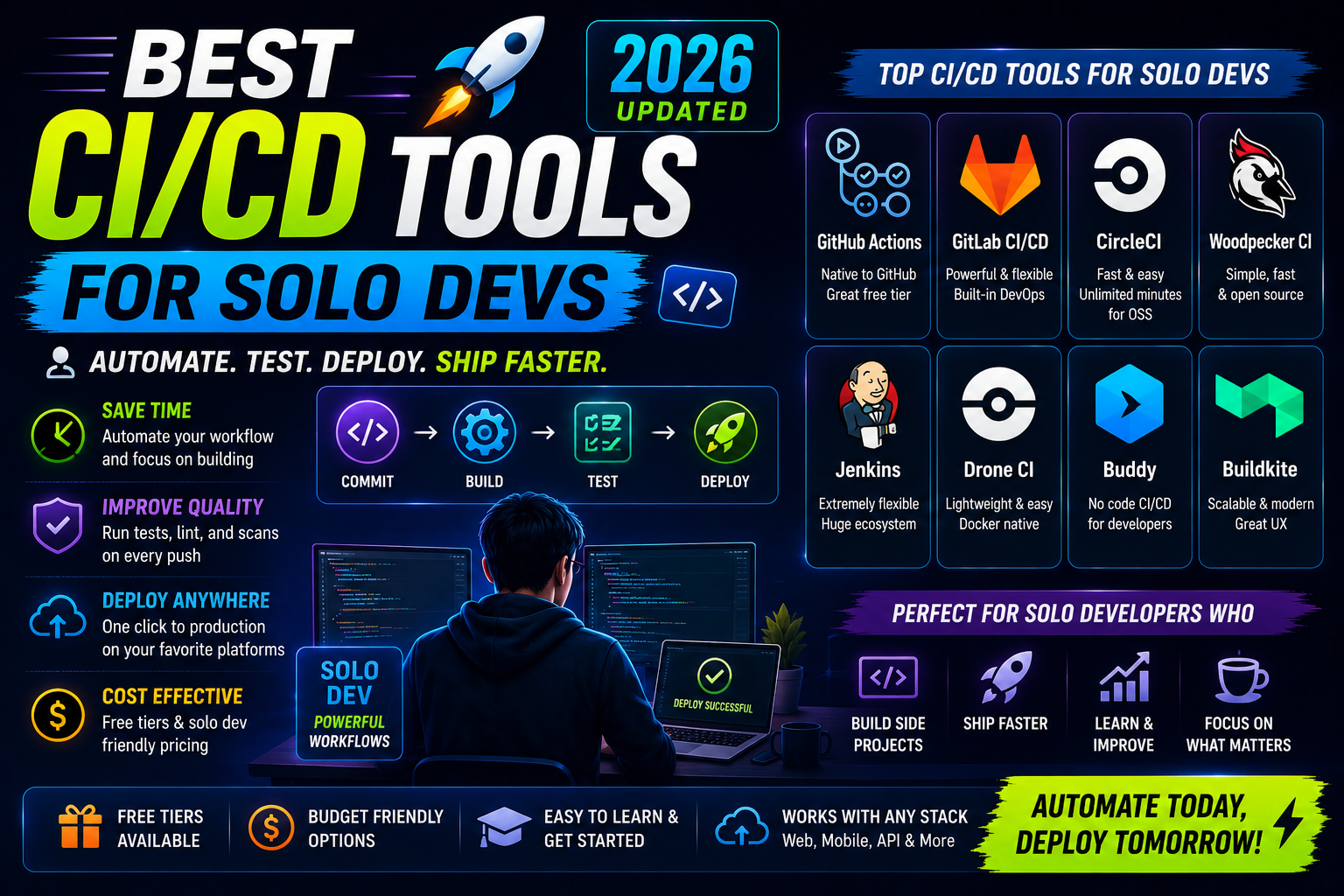
Quick 2026 verdict for solo devs
Use GitHub Actions if your code lives on GitHub (95 percent of solo devs). Use GitLab CI if you self-host GitLab or need integrated container registry + issues + wiki. Skip Jenkins unless you inherit it. CircleCI and Buildkite remain great but are overkill for solo work. Free tier ceiling is 2,000 minutes/month on GitHub Actions and 400 minutes on GitLab.com; both cover typical hobby + freelance work.
The 5 tools I actually use in 2026
I built ClinicAI, the itsourcecode.com WordPress infrastructure, and 15+ client projects across these five tools. Ranked by how often I reach for each one:
| Tool | Free tier | Config file | Best for |
|---|---|---|---|
| GitHub Actions | 2,000 min/mo (public: unlimited) | .github/workflows/*.yml | Solo devs, open source, GitHub-hosted |
| GitLab CI/CD | 400 min/mo (public: unlimited) | .gitlab-ci.yml | Self-hosted teams, monorepos |
| CircleCI | 6,000 min/mo (30 min max/build) | .circleci/config.yml | Startups with complex parallel builds |
| Jenkins | Free (self-host only) | Jenkinsfile (Groovy) | Enterprise, air-gapped envs |
| Buildkite | 1 concurrent job free | .buildkite/pipeline.yml | Teams needing on-prem runners |
1. GitHub Actions (my default for 90 percent of projects)
If your repo lives on GitHub, this is the obvious pick. Zero setup beyond dropping a YAML file in .github/workflows/. Runs on GitHub-managed Ubuntu, macOS, or Windows runners for free (2,000 minutes/month on private repos, unlimited on public). Native integration with GitHub PR status checks, releases, and secrets.
Minimal working example that runs pytest on every push:
name: CI
on: [push, pull_request]
jobs:
  test:
    runs-on: ubuntu-latest
    steps:
      - uses: actions/checkout@v4
      - uses: actions/setup-python@v5
        with: {python-version: '3.12'}
      - run: pip install -r requirements.txt
      - run: pytest
What I love: the reusable Actions marketplace (10,000+ pre-built steps for AWS deploy, Slack notify, Docker build, etc). What annoys me: the free-tier minute math on private repos means a heavy monorepo can burn through 2,000 minutes in one weekend if you are not careful.
2. GitLab CI/CD (best for self-hosted teams)
GitLab.com hosted or self-hosted GitLab both run the same .gitlab-ci.yml. Free tier on GitLab.com is 400 minutes/month, less than GitHub. But if you self-host GitLab Community Edition on your own VPS, CI/CD is unlimited (you pay for the server, not per-minute).
Best-in-class for monorepos with independent pipelines (frontend, backend, docs, mobile all in one repo, each with its own build/test/deploy pipeline). Integrated container registry, package registry, wiki, and issues means you can drop paying for GitHub + Slack + Docker Hub + Confluence and consolidate on GitLab.
I used GitLab CI for the ClinicAI monorepo (Django backend + Next.js frontend + Flutter mobile) because I wanted independent pipeline stages per subdirectory. GitHub Actions can do this via path filters but it feels bolted on. GitLab was designed for it.
3. CircleCI (still good but rarely worth the switch)
CircleCI pioneered the current YAML-config CI model in 2011. Still excellent for parallel test splitting (run 1,000 tests across 20 parallel executors, aggregate results in minutes not hours). Best-in-class Docker layer caching that saves 60-80 percent of build time on subsequent runs.
Free tier: 6,000 minutes/month, but each build capped at 30 minutes on the free plan. For a solo dev this is generous. Downside: config file is more verbose than GitHub Actions, and the vendor-lock is real (CircleCI orbs are not portable).
Pick CircleCI if you have complex parallel test suites or need aggressive Docker caching that GitHub Actions cannot match. Otherwise the extra learning curve is not worth it for solo work.
4. Jenkins (only if forced)
Jenkins is the grandfather of CI, still runs half the Fortune 500. Self-hosted, plugin-heavy, config is Groovy DSL (Jenkinsfile). Total cost is you-paying-for-a-server-plus-you-being-the-admin.
For a solo developer, do not start with Jenkins in 2026. Every solo problem it solves, GitHub Actions solves faster with less setup. The only reasons to touch Jenkins: you inherit a legacy Jenkinsfile from a client project, or you work in an air-gapped environment where no SaaS CI is allowed (defense contractors, some banks, some healthcare systems).
5. Buildkite (for on-prem control freaks)
Buildkite’s hybrid model: the control plane runs on Buildkite’s SaaS, but the actual build runners run on your own machines. Best combination of “hosted UI, my hardware.” Free tier: 1 concurrent job, unlimited pipelines.
Popular with teams that need to build against physical hardware (embedded/iOS/game dev with real device farms) or need GPU runners for ML training. Overkill for a solo web developer, ideal for a solo game or mobile developer with a Mac Mini as a build server.
The decision matrix (which do I pick as a solo dev)
- Web app, GitHub repo, small team or solo: GitHub Actions. Done deciding.
- Open source project (public repo): GitHub Actions (unlimited free minutes on public repos).
- Monorepo with independent frontend/backend/mobile pipelines: GitLab CI.
- Self-hosted, own your infrastructure: GitLab CE or Jenkins.
- Complex parallel test suites (1000+ tests): CircleCI.
- iOS/Android/game dev, need real device runners: Buildkite (or GitHub Actions macOS runners for iOS if you can absorb the 10x cost).
- Enterprise with air-gapped requirement: Jenkins (no choice).
What I stopped using in 2026 (and why)
I dropped Travis CI after their 2021 pricing model change made hobby projects unaffordable. GitHub Actions replaced it in a weekend. I dropped Bitrise for a client mobile project when GitHub Actions matrix builds got good enough for the iOS + Android + web triple-build we needed. I never used Bamboo because it was Atlassian and I did not want the Jira/Confluence gravity well pulling everything into one vendor.
Watch for: Dagger.io is interesting for defining CI as portable code (BuildKit under the hood, runs same job locally and in CI). Too early to make it a default recommendation, but worth watching if you switch CI vendors often.
Try these hosting + tool partners for your CI/CD deploys
The links below are affiliate links. We may earn a commission at no extra cost to you when you sign up through them. See our affiliate disclosure for details.
- Cloudways, managed cloud hosting with SSH access for your CI/CD deploy targets. I use it for WordPress deploys triggered from GitHub Actions.
- Kamatera, per-hour VMs perfect for self-hosted GitLab, Jenkins, or your own Buildkite runners.
- Ultahost, VPS hosting with predictable monthly pricing for self-hosted CI infrastructure.
Official documentation
Frequently Asked Questions
Is 2,000 minutes/month on GitHub Actions enough for a solo dev?
For most solo projects yes. A typical Django or Next.js repo uses 3-8 minutes per push (checkout + install + test + build + deploy). At 20 pushes/day that is 60-160 minutes/day = 1,800-4,800/month. Heavy pushers or those with slow test suites exceed 2,000. First move: split your workflow into a fast “lint + unit tests” job that runs on every push, and a slow “integration + e2e” job that runs only on PRs.
Should I self-host GitLab or use GitLab.com?
GitLab.com Free is enough for solo work. Self-host GitLab CE only if you need unlimited CI/CD minutes, control the runner hardware, or have strict data residency rules. Self-hosted requires a 4 GB RAM VPS minimum (30-40 USD/month) plus admin time for backups + upgrades. Break-even vs GitLab.com paid tier is around 4,000 CI minutes/month.
How do I deploy to production from CI/CD?
Three common patterns. (1) SSH deploy: rsync or scp to your VPS via CI (works for WordPress, static sites). (2) Platform CLI: vercel deploy, netlify deploy, aws lambda update-function-code called from CI. (3) Container registry push + orchestrator pull: CI pushes Docker image to registry, production pulls the new tag. Pattern 3 is the modern standard for any serious project.
Can I test on multiple OSes with GitHub Actions?
Yes, via matrix builds. Add strategy.matrix.os: [ubuntu-latest, macos-latest, windows-latest] to your job. GitHub spins up parallel jobs, one per OS. Costs 3x the minutes (each OS billed separately), but macOS costs 10x per minute so watch the budget on private repos.
How do I store secrets safely in CI/CD?
GitHub Actions: Settings → Secrets and variables → Actions. Reference as ${{ secrets.API_KEY }}. GitLab CI: Settings → CI/CD → Variables, mark as “Protected” and “Masked”. Never commit secrets. Never echo a secret to stdout in a build step (masked but still leaks in edge cases). For teams: use HashiCorp Vault, AWS Secrets Manager, or Doppler with CI integration.
What does a good solo-dev CI pipeline actually look like?
Four stages: (1) lint and typecheck (ruff, eslint, mypy, tsc), fast and blocks the push. (2) unit tests, fast and blocks the push. (3) build the release artifact (Docker image, static bundle, Lambda zip), only on main branch. (4) deploy to production, only on main branch and only after (3) succeeds. Add branch protection so PRs cannot merge without stage 1 + 2 green. That is 80 percent of the value with 20 percent of the config.
Related Cloud + DevOps tutorials
- GitHub Actions Complete CI/CD Guide 2026 (Real Examples)
- Docker Complete Beginner Guide 2026 (First Container)
- Kubernetes for Beginners 2026 (Complete Practical Tutorial)
- Serverless Framework Complete Guide 2026 (First Deploy)
Official documentation
- GitHub Actions: official documentation
- GitLab CI/CD: official documentation
- CircleCI: official documentation

Joken E. Villanueva
Founder & Lead Developer at PIES IT Solution
Founder of PIES Information Technology Solutions, a software company building production-grade applications for institutions across the Philippines. Over 8 years of hands-on full-stack development experience, currently leading the development of ClinicAI, an AI-powered clinic management platform.
Expertise: PHP · MySQL · JavaScript · AI Integration · SaaS Architecture · VB.NET · Database Design · Capstone Documentation · Java · View all posts by Joken E. Villanueva →