
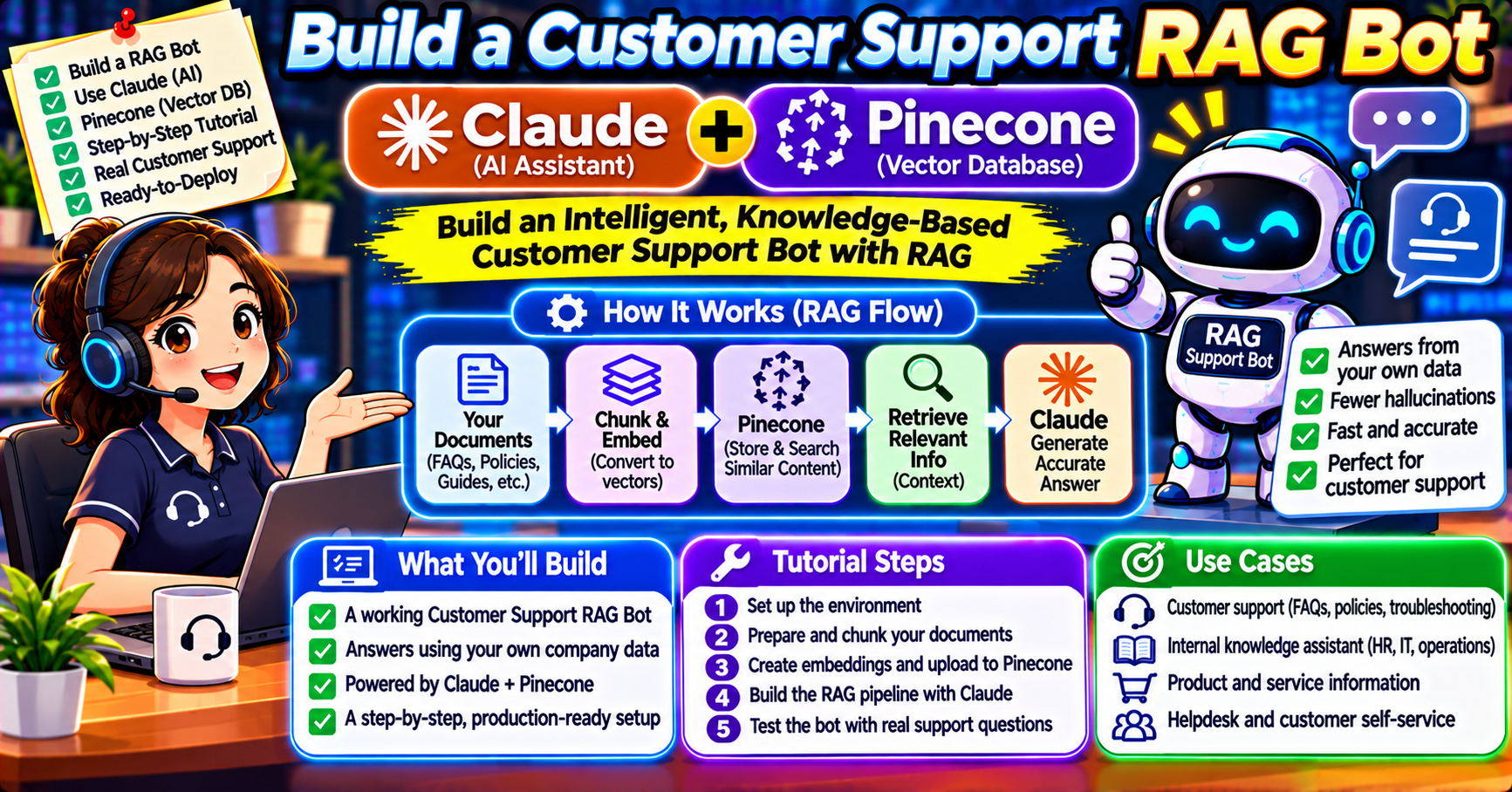
Build a Customer Support RAG Bot: Full Tutorial (Claude + Pinecone, 2026)
The short answer
A production customer support RAG bot needs five layers: a knowledge base ingestion pipeline, intent routing to pick the right index, retrieval with reranking, Claude Sonnet for grounded answer generation, and citation enforcement so support agents can verify every claim. This tutorial builds all five layers using Pinecone for storage and Claude for both routing and generation. Cost at 10,000 queries per day lands around $8 to $12.
Customer support is the easiest-to-justify RAG use case. The documents already exist (help center articles, policy pages, past support tickets), the question volume is predictable, and the win per deflected ticket is measurable in dollars. A support RAG bot that answers 30% of inbound questions with a trustworthy citation pays for itself inside a quarter at most teams.
This tutorial builds a complete support bot in Python using Claude for generation, Pinecone for retrieval, Cohere Rerank for ranking, and FastAPI as the serving layer. It covers ingestion, multi-tenant isolation, escalation to humans, citation enforcement, and the small set of guardrails that keep the bot from embarrassing you.
What a support RAG bot actually needs
Beyond basic retrieval and generation, a production support bot needs six things:
- Multi-tenant isolation if you serve multiple customers.
- Freshness: when the help article changes, the bot answers from the new version within minutes, not days.
- Citation enforcement: every answer links to the source article.
- Confidence scoring: the bot knows when it does not know and escalates.
- Conversation memory: follow-up questions work (“what about on mobile?”).
- Human handoff: when confidence drops, the ticket routes to a human with the retrieved context attached.
Everything else (multilingual, voice input, sentiment detection) layers on top of these six.
Project setup
Install the libraries:
python3 -m venv .venv
source .venv/bin/activate
pip install anthropic pinecone cohere fastapi uvicorn openai pydantic
Environment variables:
export ANTHROPIC_API_KEY=sk-ant-...
export PINECONE_API_KEY=...
export COHERE_API_KEY=...
export OPENAI_API_KEY=sk-...
Expected directory layout:
support_bot/
  __init__.py
  ingest.py
  retrieve.py
  generate.py
  api.py
  prompts.py
  escalate.py
  help_articles/
    acme/
      refund_policy.md
      cancellation_howto.md
Ingest help articles into Pinecone
The ingest script reads Markdown articles, extracts metadata, chunks them, and uploads with tenant isolation using Pinecone namespaces.
from pathlib import Path
from openai import OpenAI
from pinecone import Pinecone, ServerlessSpec

openai = OpenAI()
pc = Pinecone()

INDEX_NAME = "support-bot"

if INDEX_NAME not in pc.list_indexes().names():
    pc.create_index(
        name=INDEX_NAME,
        dimension=1536,
        metric="cosine",
        spec=ServerlessSpec(cloud="aws", region="us-east-1"),
    )

index = pc.Index(INDEX_NAME)

def chunk(text, size=500, overlap=50):
    words = text.split()
    for start in range(0, len(words), size - overlap):
        yield " ".join(words[start:start + size])

def ingest(tenant_id, article_path):
    text = article_path.read_text()
    article_id = article_path.stem
    chunks = list(chunk(text))
    vectors = []
    for i, c in enumerate(chunks):
        emb = openai.embeddings.create(
            input=c, model="text-embedding-3-small"
        ).data[0].embedding
        vectors.append({
            "id": f"{article_id}_c{i}",
            "values": emb,
            "metadata": {
                "tenant_id": tenant_id,
                "article_id": article_id,
                "article_title": article_id.replace("_", " ").title(),
                "chunk_index": i,
                "text": c,
                "url": f"https://help.example.com/{article_id}",
            },
        })
    index.upsert(vectors=vectors, namespace=tenant_id)
    print(f"Ingested {len(vectors)} chunks for {article_id}")

for article in Path("help_articles/acme").glob("*.md"):
    ingest("acme", article)
Namespaces are the right isolation primitive for support bots serving multiple customers. One index, one namespace per tenant, zero cross-contamination.
Retrieve and rerank
Retrieval runs in two stages: Pinecone pulls 20 candidates, Cohere Rerank keeps the top 5. The reranker lift is 10-20% on realistic support queries.
import cohere

co = cohere.Client()

def retrieve(query, tenant_id, k=5):
    emb = openai.embeddings.create(
        input=query, model="text-embedding-3-small"
    ).data[0].embedding
    results = index.query(
        vector=emb,
        top_k=20,
        namespace=tenant_id,
        include_metadata=True,
    )
    if not results["matches"]:
        return []
    docs = [m["metadata"]["text"] for m in results["matches"]]
    rerank = co.rerank(
        model="rerank-english-v3.0",
        query=query,
        documents=docs,
        top_n=k,
    )
    return [
        {
            "text": results["matches"][r.index]["metadata"]["text"],
            "article_title": results["matches"][r.index]["metadata"]["article_title"],
            "url": results["matches"][r.index]["metadata"]["url"],
            "score": r.relevance_score,
        }
        for r in rerank.results
    ]
Scoring note: Cohere Rerank returns relevance scores between 0 and 1 with real semantic meaning. A score below 0.3 means the chunk is barely related to the query. We use that as the escalation threshold below.
Generate the response with citations
Pass retrieved chunks to Claude with a strict system prompt. Citations are mandatory; made-up answers are rejected.
from anthropic import Anthropic

claude = Anthropic()

SYSTEM_PROMPT = """You are a support agent for Acme Co. Answer customer
questions using ONLY the help articles provided in the context.

Rules:
1. If the context does not answer the question, respond exactly:
   "I don't have information on that. Let me connect you with a human agent."
2. Every factual claim must cite the article title.
3. If multiple articles cover the question, use the most specific one.
4. Keep answers short, friendly, and action-oriented.
5. Never invent policy, prices, dates, or features.
"""

def generate(query, retrieved):
    if not retrieved or retrieved[0]["score"] < 0.3:
        return {
            "answer": "I don't have information on that. Let me connect you with a human agent.",
            "escalate": True,
            "sources": [],
        }
    context = "\n\n".join(
        f"[{r['article_title']}]\n{r['text']}"
        for r in retrieved
    )
    response = claude.messages.create(
        model="claude-opus-5-5",
        max_tokens=800,
        system=SYSTEM_PROMPT,
        messages=[{
            "role": "user",
            "content": f"<help_articles>\n{context}\n</help_articles>\n\nCustomer question: {query}",
        }],
    )
    return {
        "answer": response.content[0].text,
        "escalate": False,
        "sources": [{"title": r["article_title"], "url": r["url"]} for r in retrieved],
    }
Three defenses against hallucination in one function: strict system prompt, “I don’t know” fallback template, and the 0.3 score threshold for automatic escalation.
Handle follow-up questions with conversation memory
Support conversations are multi-turn. The user asks something, gets an answer, then asks a follow-up that only makes sense in context. The bot needs to rewrite the follow-up into a standalone question before retrieval.
def contextualize_query(history, current):
    if not history:
        return current
    history_text = "\n".join(
        f"{m['role']}: {m['content']}" for m in history[-6:]
    )
    response = claude.messages.create(
        model="claude-haiku-5-5",
        max_tokens=200,
        system="Rewrite the follow-up into a standalone question that captures all relevant context. If it is already standalone, return it unchanged.",
        messages=[{
            "role": "user",
            "content": f"History:\n{history_text}\n\nFollow-up: {current}\n\nStandalone question:",
        }],
    )
    return response.content[0].text.strip()
Use Claude Haiku here (fast, cheap). The rewrite is a 50-token task and does not need the big model.
Serve the bot as an API
FastAPI endpoint that ties everything together:
from fastapi import FastAPI
from pydantic import BaseModel
from typing import List

app = FastAPI()

class Message(BaseModel):
    role: str
    content: str

class ChatRequest(BaseModel):
    tenant_id: str
    history: List[Message] = []
    question: str

@app.post("/chat")
async def chat(req: ChatRequest):
    standalone = contextualize_query(
        [m.model_dump() for m in req.history],
        req.question,
    )
    retrieved = retrieve(standalone, req.tenant_id, k=5)
    result = generate(standalone, retrieved)
    return {
        "answer": result["answer"],
        "escalate": result["escalate"],
        "sources": result["sources"],
        "rewritten_query": standalone,
    }
Run with uvicorn api:app and the bot is live.
Escalate to human with retrieved context attached
When escalate=true comes back, the application layer creates a ticket in the human queue and attaches the retrieved chunks so the agent has context immediately.
def create_ticket(tenant_id, question, history, retrieved):
    ticket = {
        "tenant_id": tenant_id,
        "subject": question[:80],
        "body": question,
        "metadata": {
            "bot_history": history,
            "retrieved_sources": [r["article_title"] for r in retrieved],
            "best_retrieval_score": retrieved[0]["score"] if retrieved else 0,
        },
        "priority": "normal",
    }
    # POST to Zendesk, Intercom, Freshdesk, or your internal queue
    return helpdesk_api.create(ticket)
The agent sees the question plus a short list of articles the bot considered. They can either answer from one of those articles (90% of cases) or write a new help article (which the bot then ingests, closing the loop).
Keep the index fresh on article edits
Help articles change. The bot needs to answer from the latest version within minutes. Two patterns:
Webhook on CMS save. When Notion, Confluence, or your help center fires a save webhook, trigger a re-ingest for that article. Delete the old chunks by article_id, upsert the new chunks.
def reingest_article(tenant_id, article_path):
    article_id = article_path.stem
    index.delete(
        filter={"article_id": article_id},
        namespace=tenant_id,
    )
    ingest(tenant_id, article_path)
Scheduled sweep. Every 10 minutes, a worker checks each article’s last-modified time against a lightweight registry. If a mismatch, re-ingest. Simpler to implement, catches edits even when webhooks fail.
Measurement and ongoing improvement
Log every bot interaction with four fields: question, retrieved articles, bot answer, escalated flag. Weekly, sample 50 escalations and classify:
- Correct escalation (bot didn’t have info, human needed to answer): system working as designed.
- Should have answered (info was in docs but retrieval missed): fix is better chunking or reranking.
- Could have answered (info was in docs but confidence threshold too strict): lower the threshold slightly.
- Missing doc (info not in help center at all): write the article, which trains the bot too.
The last bucket is the compounding win. Every time a human agent writes a new help article, the bot gets smarter. Teams that run this feedback loop typically hit 40-60% deflection within 6 months.
Frequently asked questions
Official documentation
What is a reasonable deflection rate for a support RAG bot?
Starting at launch, 20-30% deflection is realistic. With 3-6 months of help article improvement and confidence tuning, teams typically reach 40-60%. The remaining 40-60% should be edge cases, account-specific issues, or genuinely novel problems that need a human.
How do I prevent the support bot from making up policy?
Three defenses together: tight system prompt (“only answer from the provided articles”), citation requirement (“cite the article title for every claim”), and a confidence threshold (“if best retrieval score below 0.3, escalate”). All three in place drop hallucination under 2% in most domains.
How much does a support RAG bot cost to run?
At 10,000 queries per month on a 1,000-article corpus: embeddings and reindex around $5/mo, Pinecone around $70/mo, Cohere Rerank around $20/mo, Claude Opus 5.5 generation around $300-500/mo depending on average response length. Total $400-600/mo, or roughly $0.04-0.06 per deflected ticket. Human-ticket cost is $5-20, so ROI is 100-500x per deflection.
Do I need to label my help articles with metadata?
Not strictly, but it helps. Tagging articles with product line, feature area, and user role lets you filter at retrieval time. For a bot that serves multiple products, filtering by product line in metadata prevents answers from pulling across contexts.
How do I handle multilingual support with one RAG system?
Two options. Use Cohere embed-multilingual-v3 and store all languages in one index; the model handles cross-lingual matching. Or detect the user’s language, translate the query to the article language before retrieval, translate the response back. The first approach is simpler; the second gives higher quality on niche language pairs.
Can I use GPT-5 or Gemini instead of Claude?
Yes. The pattern is model-agnostic. Swap the Anthropic client for OpenAI or Google. Claude Opus 5.5 is particularly good at following strict system prompts, which matters for support where instructions have to be obeyed. If you benchmark on your actual workload, Claude is usually in the top-2 for support bot quality.
Build the baseline in a day. Spend a week tuning chunking and the confidence threshold against your actual query log. The feedback loop between agents, help articles, and the bot is where the long-term value lives. Start simple, measure, and let the system compound.

Angel Jude Suarez
Full-Stack Developer at PIES IT Solution
Focuses on Python development, machine learning, and AI integration. Has built production AI systems including OpenAI Whisper integration for medical transcription and GPT-4o-powered diagnosis assistance. Strong background in pandas, scikit-learn, and TensorFlow.
Expertise: Python · PHP · Java · VB.NET · ASP.NET · Machine Learning · AI Integration · OpenCV · Django · CodeIgniter · View all posts by Angel Jude Suarez →