
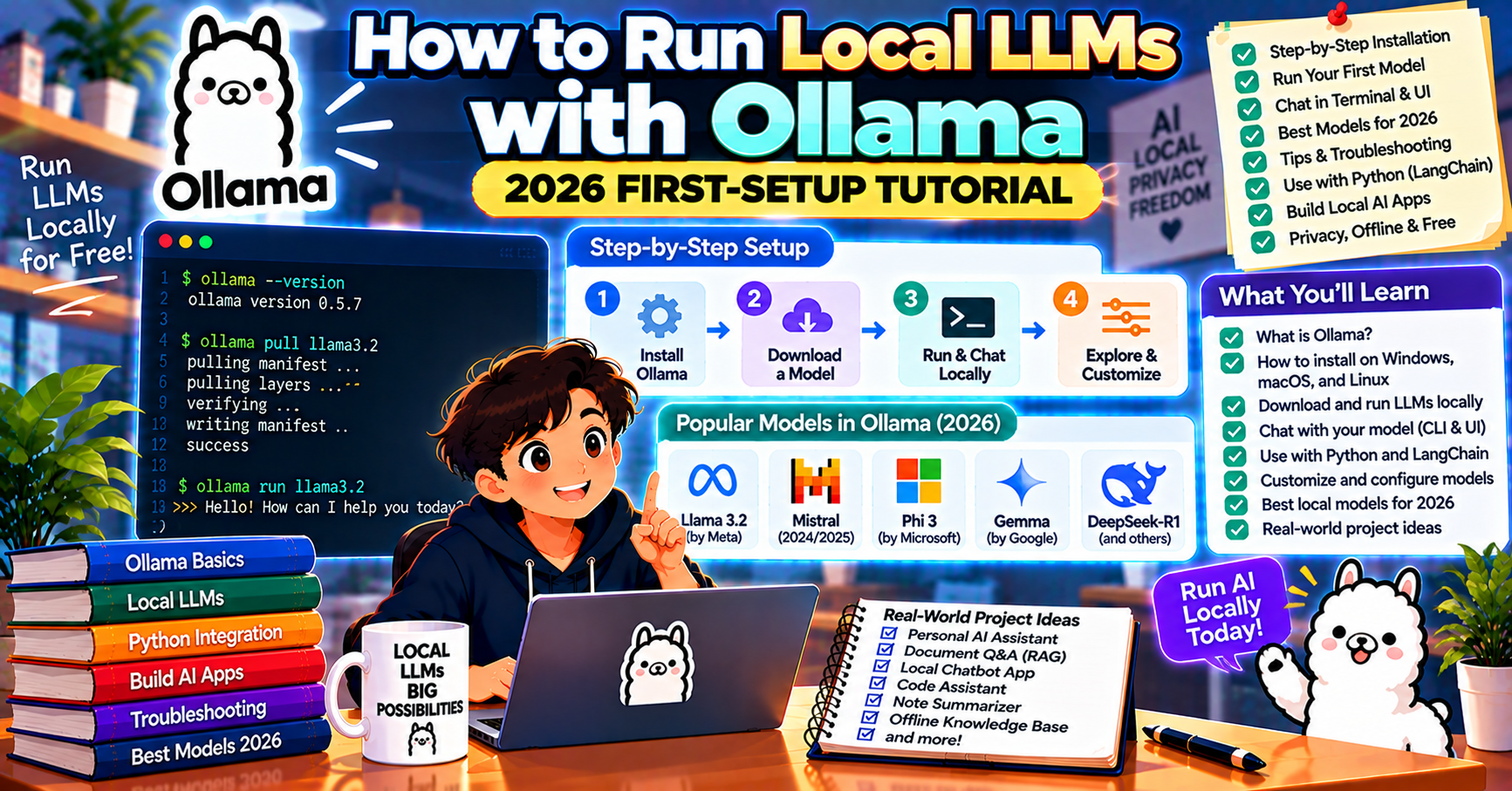
Running an LLM locally used to mean wrangling CUDA, downloading 50GB of weights, and praying your Python environment did not break overnight. In 2026 Ollama has made this a two-command install. This tutorial walks you through installing Ollama, running your first local LLM, chatting with it from Python, and understanding when running locally beats calling a hosted API. Total time: about 20 minutes.
What Ollama does and why it matters
Ollama is a local LLM runtime. It downloads open-source model weights (Llama, Mistral, Qwen, Gemma, and many others), spins up a local inference server on your machine, and exposes a familiar REST API that mirrors OpenAI’s shape. From your application code’s perspective, calling Ollama feels almost identical to calling the OpenAI API.
Three reasons teams reach for Ollama in 2026:
- Zero per-token cost after setup: run as many prompts as your hardware supports for the electricity bill.
- Data privacy: your prompts never leave your machine or your network. Required for medical, legal, and regulated workloads.
- Latency control: no network round trip to a cloud API. 50 to 150 ms time-to-first-token on a decent GPU, often faster than hosted APIs over consumer internet.
Hardware you need
The size of the model you can run depends on your RAM (CPU-only) or VRAM (GPU). Rough guide for 2026:
- 8 GB RAM, no GPU: 3B parameter models (llama3.2:3b, qwen3:3b). Slow but usable for small tasks.
- 16 GB RAM, no GPU: 7B models (mistral:7b, llama3.1:8b). Chat is responsive for short answers.
- 8 GB VRAM (RTX 3060, M2 Mac): 7B to 13B models with GPU acceleration. Fast enough for interactive chat.
- 24 GB VRAM (RTX 4090, M2 Pro 32GB): 30B models (qwen3:30b, mistral-small). Production-quality for most tasks.
- 80 GB VRAM (H100 or 4x RTX 4090): 70B+ models (llama3.3:70b). Approaches hosted GPT-4o quality locally.
For first-time setup on a laptop or desktop with 16 GB RAM and no dedicated GPU, llama3.2:3b or qwen3:3b is where to start.
Install Ollama
One command on macOS or Linux:
curl -fsSL https://ollama.com/install.sh | sh
Windows: download the installer from ollama.com/download and run it. The installer sets up Ollama as a background service that starts on boot.
Verify the install:
ollama --version
# ollama version is 0.4.x
Pull your first model and chat with it
Pull a small model to start. 2 GB download for the 3B version:
ollama pull llama3.2:3b
Chat with it right from the terminal:
ollama run llama3.2:3b
>>> Explain what Ollama is in two sentences.
You should see a response in a few seconds. First response is slower because Ollama loads the model into memory; subsequent prompts in the same session are fast.
Call Ollama from Python
Ollama exposes a REST API on localhost:11434. The official Python client wraps it cleanly:
pip install ollama
from ollama import chat

response = chat(
    model='llama3.2:3b',
    messages=[
        {'role': 'system', 'content': 'You are a helpful Python tutor.'},
        {'role': 'user', 'content': 'What is a list comprehension?'},
    ],
)
print(response['message']['content'])
Streaming works the same way as OpenAI’s SDK:
from ollama import chat

stream = chat(
    model='llama3.2:3b',
    messages=[{'role': 'user', 'content': 'Describe the planet Mars.'}],
    stream=True,
)
for chunk in stream:
    print(chunk['message']['content'], end='', flush=True)
Use Ollama with LangChain
If your stack is already LangChain, swap one import to use Ollama instead of OpenAI:
from langchain_ollama import ChatOllama

llm = ChatOllama(model='llama3.2:3b')
response = llm.invoke('What is retrieval-augmented generation?')
print(response.content)
The LangChain-Ollama integration supports streaming, tool calling (on models that support it), and the standard LangChain message abstractions.
Which model to pick
The Ollama model library has over 100 options. For most 2026 use cases:
- Chat assistant, 8-16 GB RAM: llama3.2:3b (fast, decent quality)
- Chat assistant, 24+ GB VRAM: qwen3:30b (strong reasoning, close to GPT-4o-mini)
- Code generation: qwen2.5-coder:7b (small, surprisingly good) or deepseek-coder-v2:16b (larger, better)
- Embeddings: nomic-embed-text (768 dim) or mxbai-embed-large (1024 dim)
- Vision (image input): llava-llama3 or qwen2-vl
- Lightest possible footprint: tinyllama:1.1b (1.5 GB download, runs on anything)
When to use Ollama vs a hosted API
Local models in 2026 are getting close to hosted frontier models on common tasks but not identical. Rough comparison:
- Ollama llama3.1:70b on an H100 roughly matches GPT-4o-mini for most chat tasks
- Ollama qwen3:30b on a 4090 roughly matches Claude Haiku 4.5 for most tasks
- GPT-5 and Claude Opus 5.5 are still ahead on complex reasoning. Nothing you can run locally in 2026 reliably matches them.
Use Ollama when: data cannot leave your network, you need unlimited inference without per-token cost, latency to a hosted API is unacceptable, or you want full control over the model behavior.
Use a hosted API when: you need frontier reasoning quality, your traffic is bursty and you cannot afford idle GPU time, or you do not want to operate inference infrastructure.
Frequently Asked Questions
Can I run Ollama on a MacBook Air?
Yes, on an M1/M2/M3 Mac with 16 GB unified memory you can run 7B models comfortably. The Apple Silicon chips have unified memory, so VRAM and RAM share the same pool. On an 8 GB MacBook Air, stick to 3B models like llama3.2:3b or qwen3:3b.
Is Ollama free?
Yes, Ollama itself is open source and free. The models you run are also free (open-source weights from Meta, Mistral, Alibaba, Google, and others). The only cost is your hardware and the electricity to run it.
How is Ollama different from llama.cpp or vLLM?
Ollama is the easiest to set up for single-user local use. llama.cpp is the underlying inference engine that Ollama uses on CPU and some GPU paths. vLLM is a production serving framework for multi-user, high-throughput inference on GPUs. For your laptop, pick Ollama. For a production API serving many users, pick vLLM.
Can I expose Ollama to other machines on my network?
Yes. Set the environment variable OLLAMA_HOST=0.0.0.0:11434 before starting Ollama, then other machines can call its REST API over the LAN. For production, put it behind nginx or Caddy with auth; the default Ollama has no authentication.
Does Ollama support function calling or structured output?
Yes for models that have tool-calling trained in (llama3.1, qwen3, mistral-nemo). The syntax matches OpenAI’s tool-calling format. For structured output (JSON mode), use the format='json' parameter which forces the model to produce valid JSON.
How do I know which Ollama models fit my hardware?
Rule of thumb: model size in GB (shown on the Ollama library page) must fit in your VRAM (if using GPU) or RAM (if CPU-only). A 7B model at Q4 quantization is around 4.5 GB. A 70B model at Q4 is around 42 GB. Ollama will warn you at startup if a model does not fit and will fall back to CPU, which works but is much slower.
Can I run multiple Ollama models at the same time?
Yes. Ollama keeps recently used models loaded in memory and swaps them out as new ones are requested. Set the OLLAMA_MAX_LOADED_MODELS environment variable to control how many stay loaded at once. For development with mixed workloads (one chat model, one embedding model, one code model), setting this to 3 gives you fast switching between them without constant reload latency.
Official documentation

John Paul Blauro
Programmer & Technical Writer at PIES IT Solution
John Paul Blauro is a programmer and writer at PIES IT Solution, author of 55 Python error-fix tutorials at itsourcecode.com. Specializes in Python TypeError debugging (str/int type errors, unsupported operand types, iterable-related issues) and AttributeError debugging (NoneType, dict, list, series object attribute errors) for developers and BSIT students.
Expertise: Python, Python TypeError, Python AttributeError, Type Debugging, Error Handling · View all posts by John Paul Blauro →