
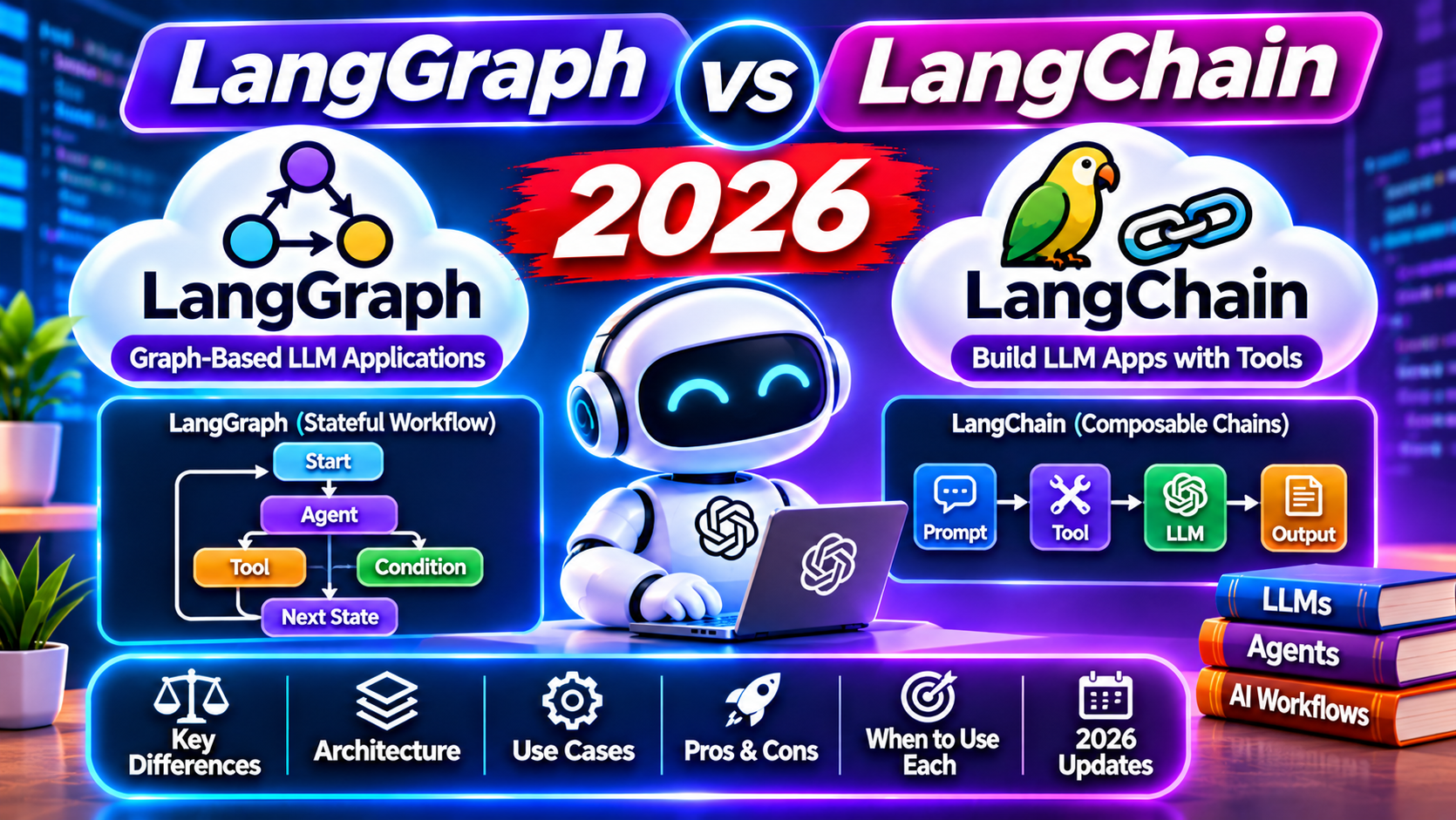
The short answer
LangChain is for linear LLM pipelines: input, prompt, model, parser, output. LangGraph is for agent workflows with branching, loops, and shared state. For production agents in 2026, start with LangGraph. LangChain works for prototyping and simple RAG, but production teams keep hitting its limits as soon as the workflow needs conditional routing or multi-step reasoning.
Both tools come from the same team. LangChain shipped first and became the default framework for LLM apps in 2023 and 2024. LangGraph arrived in 2024 as the answer to production problems LangChain’s linear chains could not solve.
This guide compares when each one is the right pick, with working code for a simple agent in both frameworks, performance and observability trade-offs, and migration guidance for teams already on LangChain.
LangChain’s mental model
LangChain composes callables in sequence. You pipe a prompt into a model, pipe the result into a parser, and get an output. The pattern is powerful for linear flows; it breaks down when you need loops, branches, or state that persists across steps.
from langchain_openai import ChatOpenAI
from langchain_core.prompts import ChatPromptTemplate
from langchain_core.output_parsers import StrOutputParser

prompt = ChatPromptTemplate.from_template("Summarize: {text}")
model = ChatOpenAI(model="gpt-4o-mini")
chain = prompt | model | StrOutputParser()

result = chain.invoke({"text": "Long document here..."})
Clean for what it does. If you then want the summary to trigger a different chain based on topic, or iterate until it fits a word count, you are leaving LangChain’s sweet spot.
LangGraph’s mental model
LangGraph represents an agent as a graph of nodes with a shared state object. Each node is a function that reads from state, does something, and writes back. Edges can be conditional: route to node B if the output satisfies a condition, else node C.
You get explicit control over branching, loops, and checkpointing. The graph compiles to a runtime that handles state persistence, interruption, and resumption.
Same agent, both frameworks
A research agent that fetches, summarizes, and critiques. In LangChain, you glue chains together imperatively:
fetched = fetch_chain.invoke({"query": "..."})
summary = summarize_chain.invoke({"text": fetched})
critique = critique_chain.invoke({"summary": summary})
if critique["needs_revision"]:
    summary = revise_chain.invoke({"summary": summary, "notes": critique["notes"]})
In LangGraph, you describe the agent as a graph:
from langgraph.graph import StateGraph, END
from typing import TypedDict

class State(TypedDict):
    query: str
    fetched: str
    summary: str
    critique: dict

def fetch_node(state):
    return {"fetched": fetch_chain.invoke({"query": state["query"]})}

def summarize_node(state):
    return {"summary": summarize_chain.invoke({"text": state["fetched"]})}

def critique_node(state):
    return {"critique": critique_chain.invoke({"summary": state["summary"]})}

def route(state):
    return "revise" if state["critique"]["needs_revision"] else END

graph = StateGraph(State)
graph.add_node("fetch", fetch_node)
graph.add_node("summarize", summarize_node)
graph.add_node("critique", critique_node)
graph.add_node("revise", revise_node)
graph.set_entry_point("fetch")
graph.add_edge("fetch", "summarize")
graph.add_edge("summarize", "critique")
graph.add_conditional_edges("critique", route)
graph.add_edge("revise", "critique")
app = graph.compile()
result = app.invoke({"query": "latest AI frameworks 2026"})
More setup, more explicit control. The critique-revise loop in LangGraph is one conditional edge; in LangChain it is a while loop you own.
State persistence
LangGraph ships checkpointing out of the box. You attach a SqliteSaver or PostgresSaver and every node run is persisted. You can pause an agent, come back a day later, and resume from the exact state. LangChain has no equivalent; you build your own state store.
This matters for human-in-the-loop workflows, long-running analyses, and any agent that may crash and need to restart.
Observability
Both integrate with LangSmith for tracing. LangSmith shows the full execution tree: every LLM call, every tool call, latency, token use, cost. LangGraph traces are especially readable because the graph structure maps cleanly to the trace view.
LangChain traces work but get noisy in production agents with many chained calls. LangGraph’s explicit nodes make it easier to see where time and tokens are being spent.
Performance
Raw throughput is about the same since both call the same LLM providers. LangGraph has slightly higher overhead per node transition (state serialization, conditional routing), typically 10 to 30 ms. For latency-sensitive apps, LangChain’s simpler model wins.
For throughput, LangGraph’s graph structure lets you parallelize independent nodes with less effort. LangChain requires explicit asyncio orchestration for the same effect.
When LangChain is still the right pick
Simple RAG pipelines, prompt playgrounds, one-shot chains, prototyping. If the workflow is linear and has no conditional logic or loops, LangChain’s composition is cleaner.
Also pick LangChain if your team is new to LLM orchestration. The learning curve is shallower and the ecosystem of ready-made integrations (vector stores, document loaders, output parsers) is denser.
When LangGraph is the right pick
Production agents with branching, loops, or shared state. Multi-agent systems where several agents cooperate. Human-in-the-loop workflows that need checkpointing. Any workflow where you need to inspect or modify intermediate state.
Pick LangGraph if you expect your workflow to grow in complexity. Starting on LangChain and migrating later is possible but painful; starting on LangGraph scales without rewrites.
Migration path
You can mix both. Keep existing LangChain chains as node implementations inside a LangGraph graph. The graph wraps the chains with state management and routing; the chains stay unchanged. Most migrations we have done convert the top-level orchestration to a graph and keep the leaf chains in LangChain.
Common pitfalls to avoid
- Trying to force a conditional branch into a LangChain chain with a RunnableBranch. It works for one or two cases but turns unreadable fast.
- Putting mutable state inside a LangChain chain. Chains are meant to be stateless; mutable closures lead to race conditions in concurrent requests.
- Skipping state typing in LangGraph. TypedDict catches mistakes early and makes the graph self-documenting.
- Over-nesting subgraphs. Flat graphs with explicit edges are easier to debug than deeply nested compositions.
- Forgetting to configure a checkpointer when you need durability. LangGraph defaults to in-memory state; the SqliteSaver takes three lines to wire in.
Observability is the single biggest difference between a LangGraph demo and a LangGraph production app. Enable LangSmith from day one and read the traces regularly; the optimization opportunities jump out.
Frequently asked questions
Is LangGraph a replacement for LangChain?
Partial replacement. LangGraph handles orchestration and state; LangChain handles the pipeline primitives (prompts, chains, retrievers). Most LangGraph projects use LangChain inside nodes. Think of LangGraph as the control plane and LangChain as the data plane.
Can LangGraph handle multi-agent workflows?
Yes. Each agent is a subgraph with its own state. A supervisor graph routes between agents based on the conversation state. This is the standard pattern for research agents, customer support agents with specialist routing, and code-generation pipelines.
What about LangChain’s agent executor?
LangChain’s AgentExecutor is their original agent abstraction. It works for simple ReAct-style agents but has limited control over the loop. LangGraph is the recommended path for new agent code in 2026; AgentExecutor is maintenance-mode.
Does LangGraph require LangChain?
Technically no. LangGraph is a general orchestration library. You can run any Python function as a node and call any LLM provider’s SDK directly. Most teams use LangChain inside nodes because it is convenient, but you can build a LangGraph app with no LangChain at all.
How does LangGraph compare to CrewAI?
CrewAI is higher-level, modeling agents as role-playing crew members. Easier to start, less control. LangGraph is lower-level with explicit graphs. For simple multi-agent demos, CrewAI is faster. For production agents with real state management, LangGraph is more reliable.
Is LangGraph stable for production?
Yes. Stable release reached in 2024. Production users include companies running thousands of agent runs daily. Breaking API changes are rare and documented well in the migration notes.