
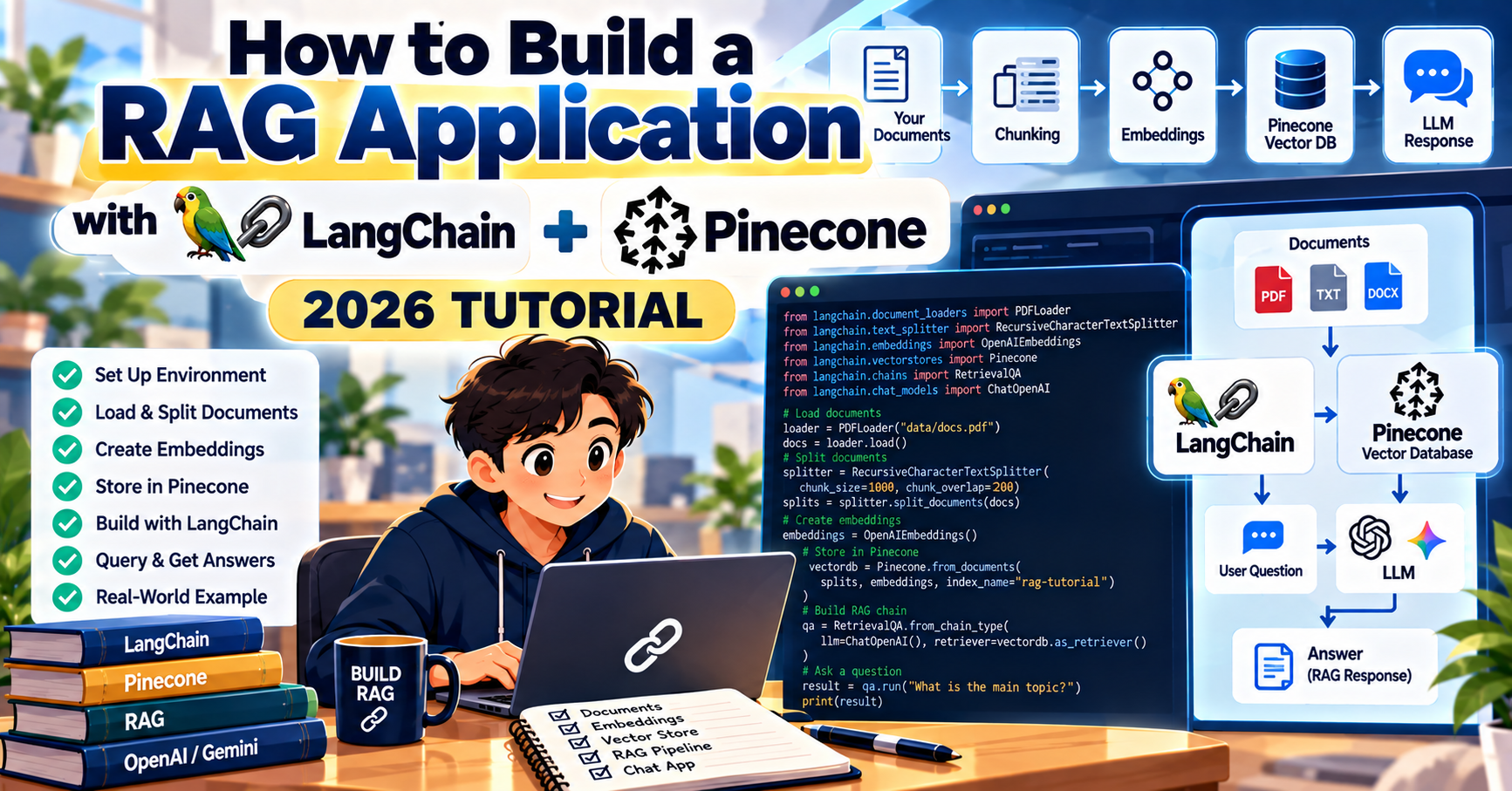
This is a hands-on tutorial for building a working retrieval-augmented generation application with LangChain and Pinecone. By the end, you will have a Python script that loads a folder of documents, embeds them, stores the vectors in Pinecone, and answers questions grounded in your own content. The whole thing takes under 100 lines of code and about 20 minutes.
What you will build
A command-line Q&A tool that reads a folder of PDFs or Markdown files, builds a searchable vector index on Pinecone, and answers questions with citations back to the source documents. The same pattern underpins most “chat with your docs” products shipping in 2026, including internal support bots, documentation assistants, and legal research tools.
Stack:
- Python 3.10 or newer
- LangChain 0.3 with the langchain-openai and langchain-pinecone packages
- Pinecone Serverless (free tier is enough for this tutorial)
- OpenAI API for embeddings (text-embedding-3-small) and generation (gpt-4o)
Prerequisites and setup
You need API keys for OpenAI and Pinecone. Both have free sign-up and both free tiers cover this tutorial comfortably.
Create a new project folder and set up a virtual environment:
mkdir rag-tutorial && cd rag-tutorial
python -m venv .venv
source .venv/bin/activate  # Windows: .venv\Scripts\activate
pip install langchain langchain-openai langchain-pinecone langchain-community pypdf python-dotenv
Create a .env file in the project folder with your keys:
OPENAI_API_KEY=sk-...
PINECONE_API_KEY=pcsk_...
Make a docs/ folder next to your script and drop a few PDFs or Markdown files in it. For the first run, three or four files of under 20 pages each is plenty to see the system work.
Step 1: Load documents
LangChain’s community loaders handle most file formats. For PDFs plus Markdown, the DirectoryLoader with glob patterns is the simplest way:
from langchain_community.document_loaders import DirectoryLoader, PyPDFLoader, TextLoader

pdf_loader = DirectoryLoader("./docs", glob="**/*.pdf", loader_cls=PyPDFLoader)
md_loader = DirectoryLoader("./docs", glob="**/*.md", loader_cls=TextLoader)
documents = pdf_loader.load() + md_loader.load()
print(f"Loaded {len(documents)} document pages")
Each PDF page becomes its own document in LangChain. A 50-page handbook turns into 50 documents, each with metadata including the source file path and page number.
Step 2: Split into chunks
LLMs cannot read a whole 50-page document per query, and embedding a whole page produces a vector that averages too many topics together. Split documents into chunks of 500 to 1000 characters with some overlap so you do not lose context across chunk boundaries.
from langchain_text_splitters import RecursiveCharacterTextSplitter

splitter = RecursiveCharacterTextSplitter(
    chunk_size=800,
    chunk_overlap=100,
    separators=["\n\n", "\n", ". ", " ", ""],
)
chunks = splitter.split_documents(documents)
print(f"Split into {len(chunks)} chunks")
The RecursiveCharacterTextSplitter tries each separator in order, so it prefers to break on paragraph boundaries before sentence boundaries before raw character counts. For most content this produces clean, semantically coherent chunks.
Step 3: Create the Pinecone index
You create the index once, then upsert vectors into it. In 2026 the dimension for OpenAI’s text-embedding-3-small is 1536:
from pinecone import Pinecone, ServerlessSpec
import os
from dotenv import load_dotenv

load_dotenv()
pc = Pinecone(api_key=os.environ["PINECONE_API_KEY"])

INDEX_NAME = "rag-tutorial"
if INDEX_NAME not in [i["name"] for i in pc.list_indexes()]:
    pc.create_index(
        name=INDEX_NAME,
        dimension=1536,
        metric="cosine",
        spec=ServerlessSpec(cloud="aws", region="us-east-1"),
    )
    print(f"Created index: {INDEX_NAME}")
Serverless indexes bill per read, per write, and per GB stored, which keeps the free tier free until you have hundreds of thousands of chunks. For this tutorial you will spend $0.
Step 4: Embed and upsert the chunks
LangChain’s PineconeVectorStore wraps the embedding and upsert work into one call:
from langchain_openai import OpenAIEmbeddings
from langchain_pinecone import PineconeVectorStore

embeddings = OpenAIEmbeddings(model="text-embedding-3-small")
vector_store = PineconeVectorStore.from_documents(
    documents=chunks,
    embedding=embeddings,
    index_name=INDEX_NAME,
)
print("Embeddings uploaded to Pinecone")
This single call sends each chunk to OpenAI for embedding, then uploads the resulting vectors to Pinecone with metadata (source file, page number, chunk index). For 500 chunks on a decent internet connection, expect under a minute.
Step 5: Build the query chain
Now you connect the vector store to an LLM through a retrieval chain:
from langchain_openai import ChatOpenAI
from langchain.chains import RetrievalQA

retriever = vector_store.as_retriever(search_kwargs={"k": 4})
llm = ChatOpenAI(model="gpt-4o", temperature=0)
qa = RetrievalQA.from_chain_type(
    llm=llm,
    retriever=retriever,
    return_source_documents=True,
)

while True:
    question = input("\nAsk a question (or 'quit'): ").strip()
    if question.lower() in ("quit", "exit", ""):
        break
    result = qa.invoke({"query": question})
    print(f"\nAnswer: {result['result']}")
    print("\nSources:")
    for doc in result["source_documents"]:
        source = doc.metadata.get("source", "unknown")
        page = doc.metadata.get("page", "?")
        print(f"  {source} (page {page})")
Save this all as rag.py and run python rag.py. Ask it questions grounded in your documents. The system retrieves the top four most similar chunks, feeds them to GPT-4o as context, and returns an answer with the source file and page number for each chunk used.
What to tune first when results are off
Your first run will not be perfect. Here is the order of knobs to try:
- Chunk size: if answers feel incomplete, increase chunk_size to 1200. If they wander, decrease to 500.
- Top-k retrieval: raise k from 4 to 8 if the model is missing context. Lower k to 2 if it is adding irrelevant filler.
- Embedding model: text-embedding-3-small is cheap but limited. text-embedding-3-large (3072 dim) catches more subtle semantic matches but needs a new Pinecone index with the matching dimension.
- Metadata filters: restrict retrieval to a subset of your corpus by filtering on metadata (for example, only match chunks from the 2024 handbook).
- LLM temperature: already at 0 above, which minimizes hallucination. Leave it there.
Shipping to production
The tutorial script runs locally. For a real app:
- Separate indexing (slow, batch) from querying (fast, user-facing). Run indexing on a schedule or on upload events, not on every query.
- Wrap the query chain in a FastAPI or Next.js API route and stream the answer with LangChain’s streaming support.
- Add observability with LangSmith or OpenTelemetry. You want to see what chunks are being retrieved for every question.
- Set up evaluation. A small test set of 20 to 50 real questions with known-good answers lets you measure drift when you change prompts or models.
Frequently Asked Questions
Can I use this tutorial with Claude or Gemini instead of OpenAI?
Yes. Swap langchain-openai for langchain-anthropic or langchain-google-genai in the LLM call. Embeddings also work with Cohere, Voyage, or self-hosted models; just change the embedding client and the Pinecone index dimension to match the new model’s output size.
How much does this cost to run?
Under $1 for 500 chunks and a few hundred queries. OpenAI embeddings run $0.02 per million tokens, GPT-4o answers run $2.50 per million input tokens, and Pinecone’s free tier covers 2 GB storage and 2 million read units per month. For a tutorial-scale project the whole stack is effectively free.
Why Pinecone and not Chroma or FAISS?
Chroma and FAISS are great for projects that fit in one process on one machine. Pinecone shines when you need multiple servers to query the same index, when you need durability without running your own backups, or when your dataset grows past a few GB. For the tutorial itself any of them works; Pinecone was picked because it is managed and the free tier is generous.
What if my PDFs have scanned pages (images, not text)?
PyPDFLoader will return empty content for image-only pages. Add an OCR step: run the PDF through pytesseract or an OCR API first, write the extracted text to a text file, then feed that to TextLoader. For legal and historical scans this is usually necessary.
How do I update the index when documents change?
In production, store a hash of each source file. When a file changes, delete the old chunks for that source from Pinecone (filter by metadata source=file_path) and re-upsert the new chunks. For simple cases a nightly full rebuild also works and is easier to reason about.
Can I use this pattern for structured data like CSV or database tables?
Yes, but embeddings are not the best tool for structured search. For CSV data, build a text summary of each row and embed that for semantic retrieval, then use SQL for exact filters. Many production systems combine vector search for discovery with SQL for verification.
Official documentation

Caren Bautista
Technical Writer at PIES IT Solution
Responsible for crafting clear, well-structured, and beginner-friendly content across the platform. Handles the writing, proofreading, and editorial review of tutorials, guides, and documentation to ensure every article is accurate, readable, and easy to follow.
Expertise: Technical Writing, Content Creation, Documentation, Editorial Writing, JavaScript, TypeScript, Python, Python Errors, HTTP Errors, MS Excel · View all posts by Caren Bautista →