
This tutorial walks you through building your first AI chatbot with the Anthropic Claude SDK. By the end you will have a command-line chatbot that uses Claude Sonnet 5.5, remembers the conversation, streams responses token by token, and handles common errors cleanly. The whole thing runs in about 60 lines of code and takes 20 minutes.
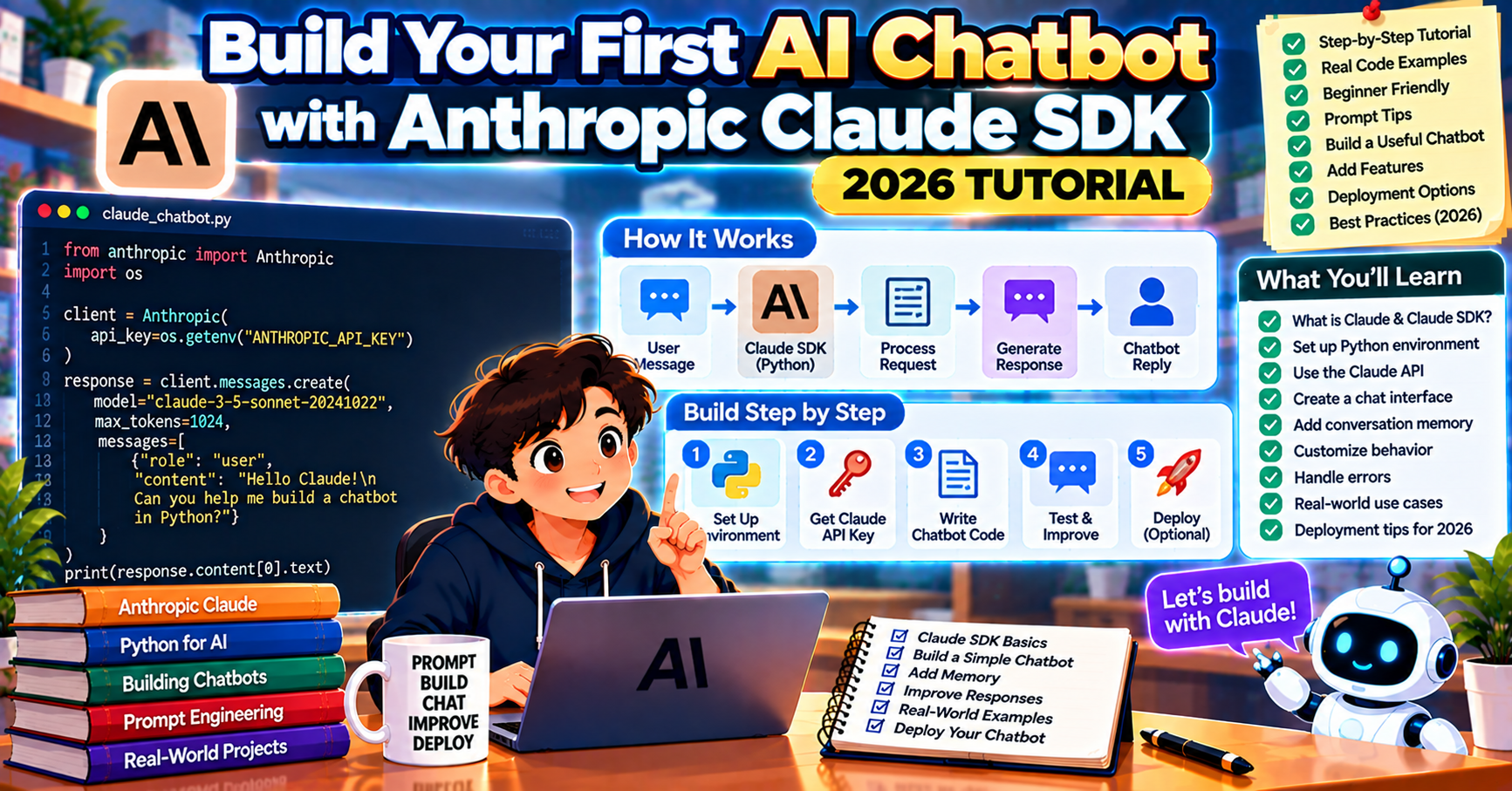
What is the Anthropic Claude SDK
The Anthropic Python SDK is the official library for calling Claude models from your code. In 2026 the SDK supports every Claude model (Opus 5.5, Sonnet 5.5, Haiku 4.5), streaming, tool use, prompt caching, and the Messages API’s full feature set. The SDK installs in one command and the API shape is clean and consistent across the model family.
Why Claude for a first chatbot: Claude’s instruction-following is excellent out of the box, especially on long or nuanced system prompts. For first projects where you want the model to stay on-persona and follow your rules, Claude is forgiving.
Prerequisites
- Python 3.10 or newer
- An Anthropic account (sign up at console.anthropic.com)
- API credit on your account ($5 minimum to activate; you will spend under $1 for this tutorial)
- Your API key, which starts with
sk-ant-
Step 1: Install and set up
mkdir claude-chatbot && cd claude-chatbot
python -m venv .venv
source .venv/bin/activate
pip install anthropic python-dotenv
Create a .env file:
ANTHROPIC_API_KEY=sk-ant-...
Step 2: Your first Claude call
Create hello.py:
from anthropic import Anthropic
from dotenv import load_dotenv

load_dotenv()
client = Anthropic()

response = client.messages.create(
    model="claude-sonnet-5-5",
    max_tokens=512,
    messages=[{"role": "user", "content": "Explain in two sentences what Claude is."}],
)
print(response.content[0].text)
Run python hello.py. You should see a two-sentence explanation.
Three things to note:
max_tokensis required on every call (unlike OpenAI where it is optional)- The response’s
contentis a list of blocks, not a single string. For text responses, grabcontent[0].text. - Model names use the hyphenated format (
claude-sonnet-5-5,claude-opus-5-5,claude-haiku-4-5-20251001)
Step 3: Add a system prompt
Unlike OpenAI, Anthropic takes the system prompt as a top-level parameter, not a message in the list:
response = client.messages.create(
    model="claude-sonnet-5-5",
    max_tokens=512,
    system="You are a helpful Python tutor. Keep answers under 100 words and always include a code example when relevant.",
    messages=[{"role": "user", "content": "What is a dictionary?"}],
)
print(response.content[0].text)
The system field is where Claude’s instruction-following shines. Detailed system prompts (multi-paragraph persona, rules, examples) consistently shape output quality.
Step 4: Keep the conversation going
For a multi-turn chat, append each turn to the messages list. The system prompt stays separate.
messages = []
system = "You are a helpful Python tutor. Keep answers under 100 words."

for user_input in ["What is a dictionary?", "Can you show me how to iterate over one?"]:
    messages.append({"role": "user", "content": user_input})
    response = client.messages.create(
        model="claude-sonnet-5-5",
        max_tokens=512,
        system=system,
        messages=messages,
    )
    reply = response.content[0].text
    print(f"\nYou: {user_input}\nClaude: {reply}")
    messages.append({"role": "assistant", "content": reply})
The second question (“Can you show me how to iterate over one?”) makes sense because the full history is in the list. Claude knows “one” refers to a dictionary.
Step 5: Stream the response
Streaming makes the chat feel responsive even on longer answers. Claude’s streaming API uses a context manager:
with client.messages.stream(
    model="claude-sonnet-5-5",
    max_tokens=512,
    system="You are a helpful assistant.",
    messages=[{"role": "user", "content": "Describe the game of chess in a short paragraph."}],
) as stream:
    for text in stream.text_stream:
        print(text, end="", flush=True)
    print()
The stream.text_stream iterator yields string chunks as they arrive. For more granular control (events, token counts, errors), iterate over the raw stream events instead.
Step 6: Build the full chatbot
Put it together as a conversation loop with streaming and basic error handling:
from anthropic import Anthropic, APIError
from dotenv import load_dotenv

load_dotenv()
client = Anthropic()

system = (
    "You are a friendly assistant. Keep answers under 150 words. "
    "If you do not know the answer, say so instead of guessing."
)
messages = []

print("Chat with Claude. Type 'quit' to exit.")
while True:
    user = input("\nYou: ").strip()
    if user.lower() in ("quit", "exit", ""):
        print("Bye!")
        break

    messages.append({"role": "user", "content": user})
    try:
        print("\nClaude: ", end="", flush=True)
        full = ""
        with client.messages.stream(
            model="claude-sonnet-5-5",
            max_tokens=512,
            system=system,
            messages=messages,
        ) as stream:
            for text in stream.text_stream:
                print(text, end="", flush=True)
                full += text
        print()
        messages.append({"role": "assistant", "content": full})
    except APIError as e:
        print(f"\n(API error: {e}. Try again.)")
        messages.pop()  # remove the user message so we can retry cleanly
Costs and model picks
Claude pricing in September 2026 (per million tokens):
- Claude Haiku 4.5: $1 input / $5 output (fastest, cheapest)
- Claude Sonnet 5.5: $3 input / $15 output (production default)
- Claude Opus 5.5: $15 input / $75 output (top-tier reasoning)
For a learning chatbot, Haiku 4.5 handles everything you will throw at it for cents. For most production chat applications, Sonnet 5.5 is the right default.
Frequently Asked Questions
Which Claude model is best for a chatbot?
Claude Sonnet 5.5 is the production default in 2026. It balances cost, latency, and quality. Switch to Haiku 4.5 for high-volume chat where latency and cost matter most. Reserve Opus 5.5 for chatbots that handle complex reasoning, legal work, or research tasks.
How is the Claude SDK different from OpenAI’s?
Three main differences: Claude requires max_tokens on every call, the system prompt is a top-level parameter not a message, and the response content is a list of blocks instead of a single message. Otherwise the mental model is the same: pass messages, get a response, append to history for multi-turn chat.
Does Claude support function calling?
Yes, Claude calls it “tool use” and the shape is similar to OpenAI’s function calling. Define tools with a name, description, and input schema; Claude returns tool_use blocks in the response when it decides to call one. See the Anthropic docs for a complete tool-use tutorial.
How do I handle rate limits?
The SDK raises RateLimitError when you hit a limit. Add exponential backoff and retry. New Anthropic accounts start on Tier 1 (50 requests per minute on Sonnet). Limits increase automatically with usage history.
Can I use Claude in a web app?
Yes. The pattern is the same as any other LLM: wrap the Claude call in a FastAPI route or Next.js API handler, stream the response to the browser. For Next.js, the Vercel AI SDK has a first-class Anthropic adapter that handles the data-stream protocol.
What is prompt caching and should I use it?
Prompt caching is a feature where you mark part of a prompt (the system message, few-shot examples) as cacheable. On repeat calls with the same prefix, cached tokens cost 10% of fresh tokens. For a chatbot with a long system prompt, enabling caching cuts costs by 50% or more on repeat conversations.
How long should my system prompt be for a chatbot?
For a learning chatbot, 2 to 5 sentences is plenty. For production, system prompts of 500 to 2000 tokens are common and often improve output quality. The length pays off when the prompt covers persona, allowed topics, format rules, tone guidance, and a few in-context examples. Claude follows long system prompts noticeably better than most competing models in 2026, which is why many teams build Claude-first chatbots and port to other providers later.
Official documentation

Angel Jude Suarez
Full-Stack Developer at PIES IT Solution
Focuses on Python development, machine learning, and AI integration. Has built production AI systems including OpenAI Whisper integration for medical transcription and GPT-4o-powered diagnosis assistance. Strong background in pandas, scikit-learn, and TensorFlow.
Expertise: Python, PHP, Java, VB.NET, ASP.NET, Machine Learning, AI Integration, OpenCV, Django, CodeIgniter · View all posts by Angel Jude Suarez →