
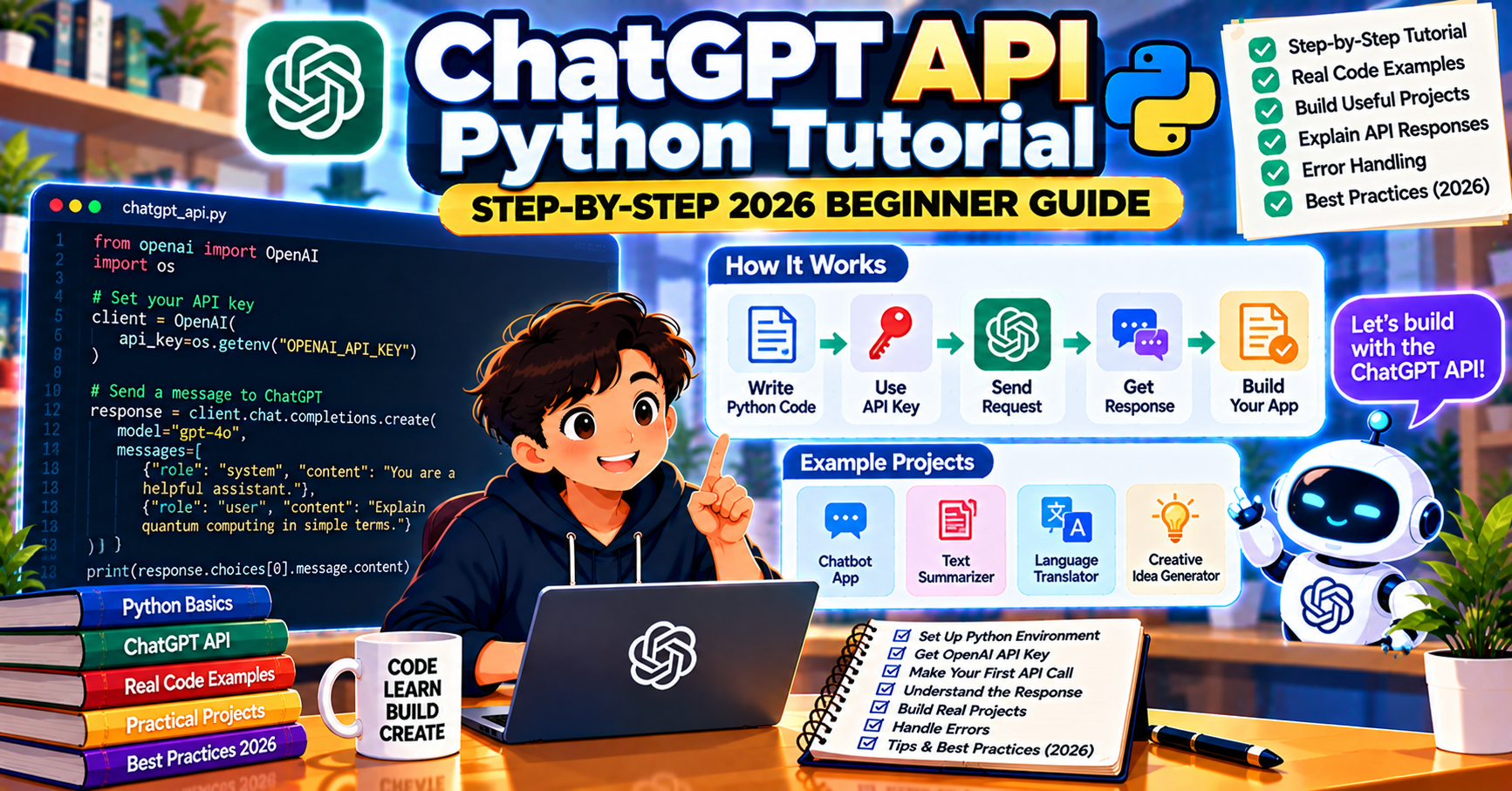
This tutorial walks you through using the ChatGPT API in Python from scratch. By the end you will know how to send prompts, stream responses, handle conversation history, control the model’s behavior with temperature and system prompts, and estimate costs. The whole thing takes about 25 minutes and under 60 lines of code.
What the ChatGPT API actually is
The ChatGPT API is OpenAI’s hosted service for sending prompts to GPT models from your code. You send a request with a list of messages and a model name; OpenAI runs the inference on their servers and returns the response. Behind “ChatGPT API” in casual usage are two separate APIs: the Chat Completions API (the stable, mature endpoint used in production everywhere) and the Responses API (introduced in 2025 for more complex workflows). This tutorial focuses on Chat Completions because it is simpler and still the right default in 2026.
What you need before starting
- Python 3.10 or newer
- An OpenAI account with API access (free to sign up at platform.openai.com)
- A funded API account (minimum $5 to activate the API; expect to spend well under $1 for this tutorial)
- Your API key, which starts with
sk-
Step 1: Install and configure
pip install openai python-dotenv
Create a .env file in your project folder:
OPENAI_API_KEY=sk-your-key-here
Never hardcode your API key in source files. Loading from .env or environment variables is the standard pattern.
Step 2: Your first API call
Create hello.py:
from openai import OpenAI
from dotenv import load_dotenv

load_dotenv()
client = OpenAI()

response = client.chat.completions.create(
    model="gpt-4o-mini",
    messages=[{"role": "user", "content": "Explain what the ChatGPT API is in one paragraph."}],
)
print(response.choices[0].message.content)
Run python hello.py. You should see a paragraph explaining the ChatGPT API. If this works, your key and install are fine.
Note: starting with gpt-4o-mini (the cheapest frontier model from OpenAI in 2026) keeps your learning cost under a few cents.
Step 3: Understand the message format
Every ChatGPT API request takes a list of messages. Each message has a role (system, user, or assistant) and content:
- system: sets the model’s persona, constraints, and instructions. Comes first in the list.
- user: what the human says. Carries the actual question or request.
- assistant: previous responses from the model. Used to build multi-turn conversations.
messages = [
    {"role": "system", "content": "You are a helpful cooking assistant. Keep answers under 80 words."},
    {"role": "user", "content": "How long should I bake chicken thighs?"},
    {"role": "assistant", "content": "Bake bone-in thighs at 425F for 35 to 40 minutes until the internal temperature hits 175F."},
    {"role": "user", "content": "What about boneless?"},
]
In this example, the system message establishes the persona, the first user message asks a question, the assistant’s prior answer is included, and the follow-up user message asks a related question. Because the full history is in the list, the model knows “What about boneless?” refers to chicken thighs.
Step 4: Control the model with parameters
The three parameters you will tune most often:
- model: pick
gpt-4o-minifor cost,gpt-4ofor the standard quality/price sweet spot, orgpt-5for the hardest reasoning tasks - temperature: 0 to 2. Lower is more deterministic (0 for coding, extraction, classification). Higher is more creative (0.7 to 1.0 for creative writing).
- max_tokens or max_completion_tokens: caps the output length. Useful for keeping costs predictable.
response = client.chat.completions.create(
    model="gpt-4o",
    messages=[{"role": "user", "content": "Write a two-sentence product tagline for a notebook app."}],
    temperature=0.8,
    max_tokens=100,
)
Step 5: Stream the response
For a chat-style user interface, streaming makes the response feel faster:
stream = client.chat.completions.create(
    model="gpt-4o",
    messages=[{"role": "user", "content": "Tell me about the planet Mars."}],
    stream=True,
)
for chunk in stream:
    content = chunk.choices[0].delta.content
    if content:
        print(content, end="", flush=True)
print()
Each chunk carries a small piece of the response. Print as it arrives. The total time is the same but perceived latency drops noticeably.
Step 6: Build a conversation loop
Pull it all together in a command-line chatbot:
from openai import OpenAI
from dotenv import load_dotenv

load_dotenv()
client = OpenAI()

history = [
    {"role": "system", "content": "You are a helpful assistant. Keep answers brief."},
]

print("Chat with GPT. Type 'quit' to exit.")
while True:
    user = input("\nYou: ").strip()
    if user.lower() in ("quit", "exit", ""):
        break
    history.append({"role": "user", "content": user})

    stream = client.chat.completions.create(
        model="gpt-4o",
        messages=history,
        stream=True,
    )

    print("\nGPT: ", end="", flush=True)
    full = ""
    for chunk in stream:
        content = chunk.choices[0].delta.content
        if content:
            print(content, end="", flush=True)
            full += content
    print()
    history.append({"role": "assistant", "content": full})
Costs in 2026
Pricing per million tokens (September 2026):
- GPT-4o-mini: $0.15 input / $0.60 output
- GPT-4o: $2.50 input / $10 output
- GPT-5: $15 input / $75 output
A typical chat exchange (300 tokens in, 400 tokens out) costs roughly $0.004 on GPT-4o. For most learning projects you will spend under $1 total.
Frequently Asked Questions
How much does the ChatGPT API cost per request?
A typical chat exchange on GPT-4o costs around $0.004. On GPT-4o-mini it is closer to $0.0003. A learning project with a few hundred exchanges rarely exceeds $1. Monitor your usage in the OpenAI dashboard; you can set a hard spending cap under Settings.
Can I use the ChatGPT API without a paid account?
No. API access requires a funded account (minimum $5 top-up). The free ChatGPT.com interface and the ChatGPT API are separate billing paths. If you want free LLM access for learning, Google Gemini still offers a free tier.
What is the difference between gpt-4o and gpt-4o-mini?
gpt-4o is the full-size model with better reasoning on complex tasks. gpt-4o-mini is a smaller, cheaper variant that handles the majority of chat, extraction, and classification tasks just as well at about 1/15 the cost. Default to gpt-4o-mini for learning and prototypes; promote to gpt-4o when a specific task actually needs it.
How long can my messages be?
The context window for gpt-4o is 128K tokens (about 100 pages of text) and for GPT-5 it is 256K. Each message counts against this limit. For most chat use cases you will never approach it. For document analysis, chunk large documents into pieces first.
Does the API have rate limits?
Yes, based on your usage tier. New accounts start at Tier 1 (3 requests per minute on expensive models, 500 on cheap ones). Limits increase automatically as your usage history grows. Hit a limit and the SDK raises a RateLimitError; add a short backoff and retry.
Can I switch to Claude or Gemini later?
Yes. The core concepts (messages with roles, system prompt, temperature, streaming) are the same across providers. The SDK and some parameter names change. For a project that may need provider portability, use LangChain or a thin wrapper of your own so swapping providers is a one-file change.
How do I handle API errors gracefully in production?
Wrap every API call in a try/except for openai.APIError and its specific subclasses (RateLimitError, APIConnectionError, APITimeoutError). On transient errors (rate limit, timeout), retry with exponential backoff: wait 1 second, then 2, then 4, up to a cap. On persistent errors (invalid key, insufficient quota), surface a clear message to the user instead of a stack trace. The tenacity library handles the retry pattern cleanly in about 10 lines of code.
Official documentation

Mary Grace G. Patulada
Programmer & Technical Writer at PIES IT Solution
Mary Grace G. Patulada (pen name ‘Nym’) is a programmer and writer at PIES IT Solution with a BSIT background from Carlos Hilado Memorial State College, Binalbagan Campus. Authored 370+ UML diagram tutorials and capstone documentation guides at itsourcecode.com. Specializes in UML (class, use case, activity, sequence, component, deployment), DFD, and ER diagrams for BSIT capstone projects.
Expertise: UML Diagrams, DFD, ER Diagrams, Use Case Diagrams, Activity Diagrams, Capstone Documentation, PHP · View all posts by Mary Grace G. Patulada →