
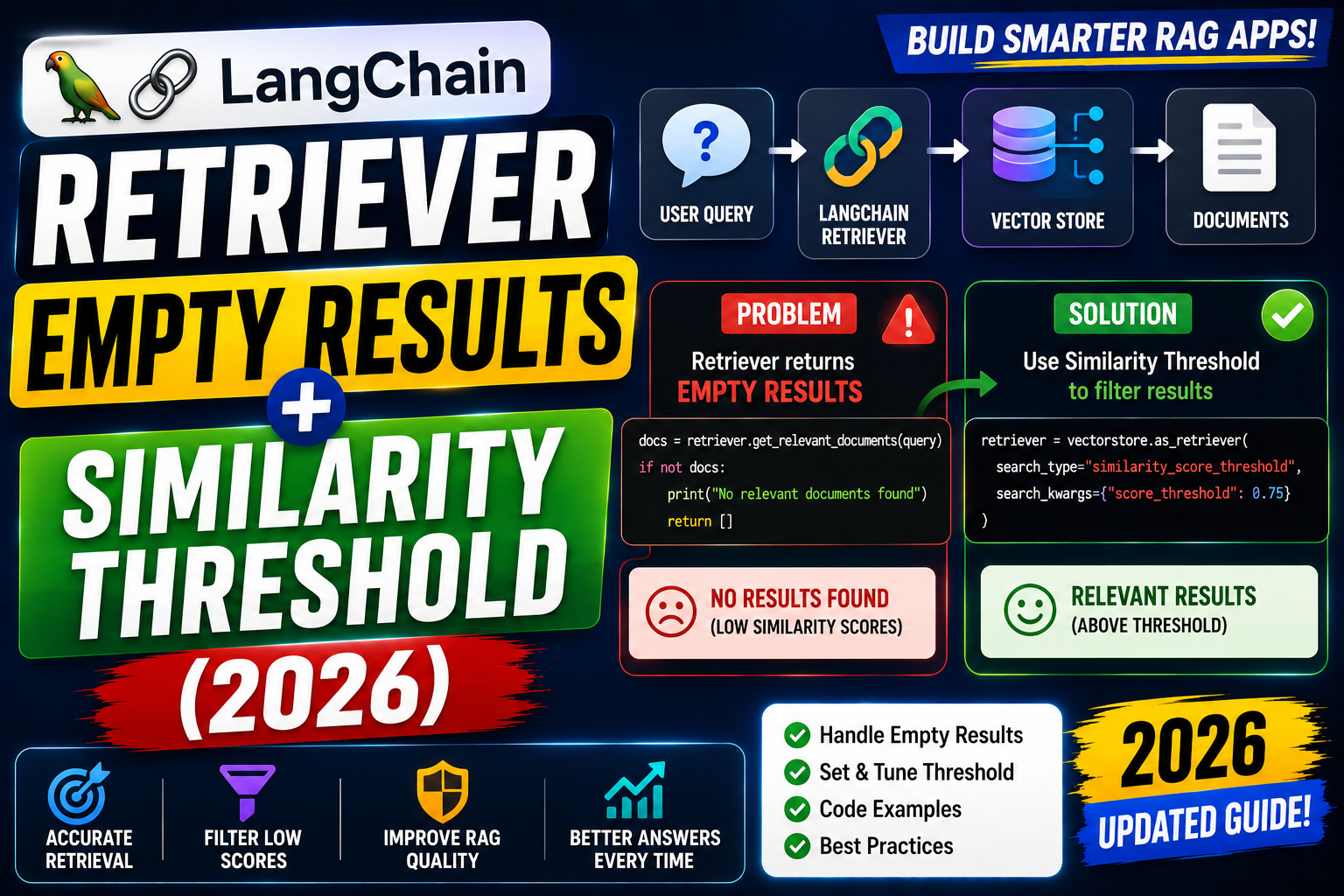
Empty retriever results is the top production RAG bug. Symptoms: your RAG chatbot returns “I do not know” even though the answer is in the source docs. Root cause is usually one of five: similarity threshold too strict, embedding function mismatch, missing metadata filter, wrong collection name, or query preprocessing swallowed the actual query. Here is the complete 2026 debug guide.
Cause 1: similarity threshold too high
from langchain_chroma import Chroma
from langchain_openai import OpenAIEmbeddings

vs = Chroma(collection_name="docs", embedding_function=OpenAIEmbeddings())

# WRONG: threshold too strict for OpenAI embeddings
retriever = vs.as_retriever(
    search_type="similarity_score_threshold",
    search_kwargs={"score_threshold": 0.9, "k": 4},
)
docs = retriever.invoke("what is RAG?")
# empty list even though docs exist

# FIX: lower threshold. Typical OpenAI cosine scores are 0.4-0.7 for related docs
retriever = vs.as_retriever(
    search_type="similarity_score_threshold",
    search_kwargs={"score_threshold": 0.5, "k": 4},
)
docs = retriever.invoke("what is RAG?")

# ALTERNATIVE: skip threshold, use top-k only
retriever = vs.as_retriever(search_kwargs={"k": 4})
Cause 2: embedding function mismatch
from langchain_chroma import Chroma
from langchain_openai import OpenAIEmbeddings
from langchain_community.embeddings import HuggingFaceEmbeddings

# WRONG: ingest with OpenAI, query with HuggingFace
# vs1 = Chroma(collection_name="docs", embedding_function=OpenAIEmbeddings())
# vs1.add_texts(["source text here"])
# vs2 = Chroma(collection_name="docs", embedding_function=HuggingFaceEmbeddings())
# vs2.similarity_search("query")   # returns empty or garbage

# FIX: define embedding function in ONE place
EMBED = OpenAIEmbeddings(model="text-embedding-3-small")

def get_vectorstore():
    return Chroma(
        collection_name="docs",
        embedding_function=EMBED,
        persist_directory="./chroma_data",
    )

# All ingest + query paths use the same instance
vs = get_vectorstore()
vs.add_texts(["source text here"])
results = vs.similarity_search("query")   # works
Cause 3: metadata filter too strict
# WRONG: filter matches no documents
retriever = vs.as_retriever(
    search_kwargs={
        "k": 4,
        "filter": {"tenant_id": "acme", "language": "en"},
    }
)
docs = retriever.invoke("query")
# empty because ingested docs have tenant_id but not language

# FIX 1: use only fields that exist on your ingested docs
retriever = vs.as_retriever(
    search_kwargs={"k": 4, "filter": {"tenant_id": "acme"}}
)

# FIX 2: verify metadata exists first
sample = vs.similarity_search("query", k=1)
print(sample[0].metadata)   # inspect real fields
Cause 4: query preprocessing swallowed the query
# WRONG: naive query normalization removes key terms
def bad_normalize(q: str) -> str:
    return " ".join(w for w in q.split() if len(w) > 3)

query = "What is IAM?"
normalized = bad_normalize(query)   # "What"
# retriever finds nothing about IAM

# FIX: log before/after normalization
def normalize(q: str) -> str:
    original = q
    result = q.strip().lower()
    print(f"query normalize: '{original}' -> '{result}'")
    return result
Debugging checklist
- First: dump raw
vs.similarity_search(query, k=10)without any threshold or filter. If empty here, the store or ingest is broken. - If raw search returns docs, add filters one at a time to find which one drops results to zero.
- Check the collection count:
vs._collection.count(). If 0, ingest never ran or ran on a different path. - Verify embedding model consistency between ingest and query. This is the top cause of “vector DB is empty but I added docs”.
Real-world example: production RAG with fallback
from langchain_chroma import Chroma
from langchain_openai import OpenAIEmbeddings

EMBED = OpenAIEmbeddings(model="text-embedding-3-small")
vs = Chroma(
    collection_name="docs",
    embedding_function=EMBED,
    persist_directory="./chroma_data",
)

def retrieve_with_fallback(query: str, k: int = 4):
    # Try strict first
    docs = vs.similarity_search_with_relevance_scores(query, k=k)
    strong = [d for d, s in docs if s >= 0.7]
    if strong:
        return strong

    # Fall back to top-k without threshold
    weak = [d for d, s in docs if s >= 0.4]
    if weak:
        return weak

    # No relevant docs
    return []

for doc in retrieve_with_fallback("what is RAG?"):
    print(doc.page_content[:120])
Common mistakes with retrievers
- Copy-pasting threshold=0.9 from a tutorial. Thresholds are embedding-model-specific. Test with real data first.
- Debugging in production without logging. Log the query, filter, retrieved count, and top score every request. Empty result loops become obvious.
- Not sanity-checking after ingest. Add a smoke query right after ingest that fetches something you know is in the corpus.
- Ignoring MMR retrieval. Maximum Marginal Relevance retrieval improves diversity. Try
search_type="mmr"when top-k returns near-duplicates.
Debugging checklist for the SDK/library error
Before diving into fixes, run through this diagnostic checklist. Nine times out of ten the answer surfaces here.
- Read the full traceback, not just the error message. The stack trace shows exactly which line and which call chain triggered the error. The last line names the immediate cause; earlier lines show how you got there.
- Add print or debug statements just before the failing line. Print the variable, its type, and its value. Nine out of ten error surprises come from the value being different from what you assumed.
- Check Python version compatibility. Errors sometimes result from APIs that changed between versions. Run your interpreter version check and compare against the library documentation for that version.
- Isolate the failing call in a minimal reproducer. Copy the failing line into a small standalone script with hardcoded inputs. If it fails there too, the bug is in your code. If not, something in your surrounding context is contributing.
- Search the exact error message. Include the class name and the specific text in your search. Chances are someone else hit the same issue and the fix is documented on Stack Overflow or the library’s GitHub issues.
Common causes for the SDK/library error
Most instances of this error trace back to one of these root causes:
- Uninitialized or missing input. A variable was not populated before use, or the input source (file, API response, database row) did not contain the expected key or value.
- Type mismatch. The code expected a specific type (dict, list, string) but received something different. Python’s dynamic typing means this often surfaces at runtime, not at compile time.
- Version drift. The library API changed and your code assumes the old signature. Check the library’s changelog for breaking changes since the version you last used.
- Race condition or ordering issue. Async or concurrent code sometimes tries to access data before it is ready. Add awaits, locks, or explicit ordering to fix.
- Copy-paste from stale tutorial. Older tutorials may use APIs that no longer exist. Always check the official docs for the current version.
Testing and prevention
Preventing this class of error from recurring is more valuable than fixing it once. Build these habits into your workflow:
- Write tests that trigger the error path. If your test suite hits the error scenario, catch and assert it. A well-written test prevents the same bug from returning.
- Validate inputs at API boundaries. When data enters your code from external sources (HTTP requests, file uploads, database queries), validate structure and types immediately.
- Use type hints and static analysis. Tools like mypy for Python or TypeScript for JavaScript catch many type mismatches before you run the code.
- Log important state. Structured logging with context helps you debug production issues faster. Include enough context to reconstruct what happened.
- Read the library changelog. Before upgrading a dependency, skim the changelog for breaking changes. Two minutes of reading saves an hour of debugging.
When to ask for help
Some errors are worth solving yourself for the learning. Others are worth asking about early. Ask for help when: the error blocks a customer-facing feature, you have spent an hour without progress, the error involves security or data integrity, or you are unsure whether your fix will introduce new bugs. Post to Stack Overflow with a minimal reproducer, or ask a senior developer on your team. Time boxes are your friend.
Official documentation
Frequently Asked Questions
What is a reasonable similarity threshold?
Depends on the embedding model. OpenAI text-embedding-3-small: 0.4-0.6 is typical for related content. Sentence-transformer all-MiniLM: 0.5-0.7 typical. Always calibrate against your own data.
Should I use MMR instead of similarity?
If top-k has duplicates, yes. MMR balances relevance with diversity. Costs slightly more per query but improves final answer quality.
Why does raw text search work but vector fails?
Vector search compares semantic meaning. Keyword search compares tokens. When the query language differs from the doc language (verbatim keyword only appears in docs), keyword hits but vector may not. Consider hybrid search.
Does re-ranking help?
Yes especially for high-recall setups. Retrieve top-20 then re-rank with a cross-encoder (Cohere, Voyage, or BGE reranker). Improves precision without dropping recall.
Should I use hybrid search?
For technical docs with specific terminology yes. Vector search alone can miss specific error codes, product names, or version numbers. Hybrid (vector + BM25) recovers these.

Adrian Mercurio
Full-Stack Developer at PIES IT Solution
Specializes in building complete capstone projects with full documentation. Strong background in PHP/MySQL development and database design.
Expertise: PHP · Laravel · Database Design · Capstone Projects · C# · C · View all posts by Adrian Mercurio →