
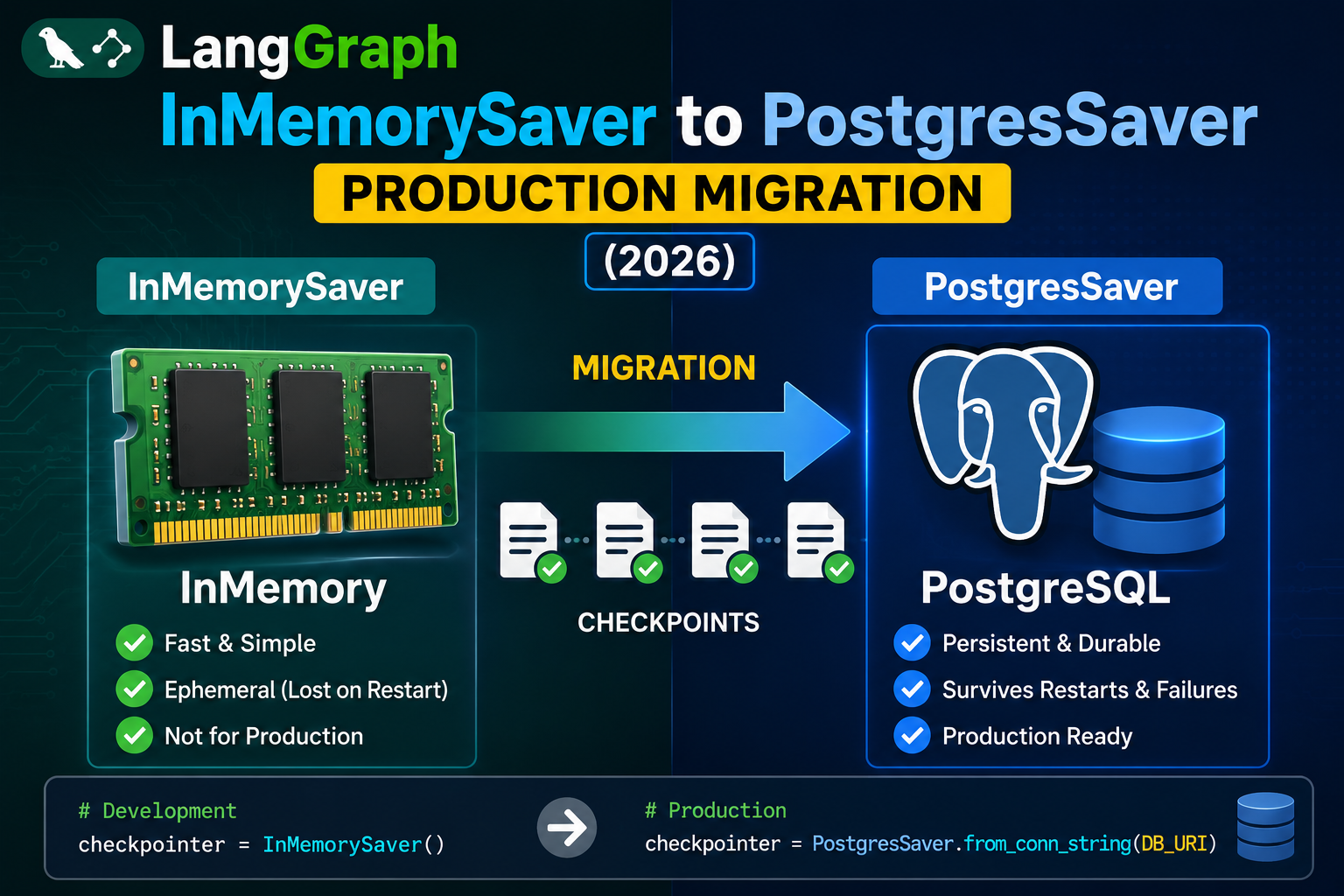
If your LangGraph agent works locally but interrupts restart from scratch when deployed across multiple server instances, the root cause is InMemorySaver. It stores checkpoints in the process memory of whichever server handled the first request, so a subsequent request routed to a different pod loses the entire session. Fix: swap to PostgresSaver. Here is the exact production migration.
Why InMemorySaver breaks in production
- Ephemeral: checkpoints live only in RAM. Pod restart or scaling kills state.
- Per-instance: pod A cannot see checkpoints written by pod B. Any load balancer with round-robin routing breaks conversation state.
- No cross-request continuity: even on a single pod, uvicorn workers do not share memory. State disappears between workers.
PostgresSaver stores checkpoints in a shared database. Every pod and every worker reads and writes the same rows, so interrupts, human-in-the-loop pauses, and long-running agent sessions resume cleanly no matter which replica handles the next request.
Install and setup
# Install the Postgres checkpointer
uv add langgraph-checkpoint-postgres
# or: pip install langgraph-checkpoint-postgres

# Set connection string
export POSTGRES_URL="postgres://user:pass@db.corp:5432/langgraph"
Sync PostgresSaver
import os
from langgraph.checkpoint.postgres import PostgresSaver
from langgraph.graph import StateGraph, END
from langchain_anthropic import ChatAnthropic
from langchain_core.messages import HumanMessage
from typing import TypedDict, Annotated
from langgraph.graph.message import add_messages

DB_URL = os.environ["POSTGRES_URL"]

# One-time table setup (idempotent)
with PostgresSaver.from_conn_string(DB_URL) as checkpointer:
    checkpointer.setup()

llm = ChatAnthropic(model="claude-opus-4-8")

class State(TypedDict):
    messages: Annotated[list, add_messages]

def chat(state: State):
    return {"messages": [llm.invoke(state["messages"])]}

builder = StateGraph(State)
builder.add_node("chat", chat)
builder.set_entry_point("chat")
builder.add_edge("chat", END)

# Compile with the persistent checkpointer
with PostgresSaver.from_conn_string(DB_URL) as checkpointer:
    app = builder.compile(checkpointer=checkpointer)

    config = {"configurable": {"thread_id": "user_42"}}
    result = app.invoke(
        {"messages": [HumanMessage(content="Hi, remember my name is Ada")]},
        config=config,
    )
    print(result["messages"][-1].content)

    # Second call on same thread_id resumes the conversation
    result2 = app.invoke(
        {"messages": [HumanMessage(content="What is my name?")]},
        config=config,
    )
    print(result2["messages"][-1].content)
Async AsyncPostgresSaver
import os
from langgraph.checkpoint.postgres.aio import AsyncPostgresSaver
from langgraph.graph import StateGraph, END
from langchain_core.messages import HumanMessage
from langchain_anthropic import ChatAnthropic
from typing import TypedDict, Annotated
from langgraph.graph.message import add_messages

DB_URL = os.environ["POSTGRES_URL"]

async def main():
    async with AsyncPostgresSaver.from_conn_string(DB_URL) as checkpointer:
        await checkpointer.setup()

        llm = ChatAnthropic(model="claude-opus-4-8")

        class State(TypedDict):
            messages: Annotated[list, add_messages]

        async def chat(state: State):
            reply = await llm.ainvoke(state["messages"])
            return {"messages": [reply]}

        builder = StateGraph(State)
        builder.add_node("chat", chat)
        builder.set_entry_point("chat")
        builder.add_edge("chat", END)
        app = builder.compile(checkpointer=checkpointer)

        config = {"configurable": {"thread_id": "user_42"}}
        result = await app.ainvoke(
            {"messages": [HumanMessage(content="Hello")]},
            config=config,
        )
        print(result["messages"][-1].content)

import asyncio
asyncio.run(main())
Debugging checklist
- Confirm the Postgres user has CREATE TABLE, INSERT, UPDATE, SELECT permissions.
setup()creates the checkpoint tables on first run. - Test the connection string outside LangGraph first:
psql "$POSTGRES_URL"orpython -c "import psycopg; psycopg.connect(os.environ['POSTGRES_URL'])". - If interrupts still restart, verify every call passes the same
thread_idin config. Different thread_ids create separate conversation state. - Monitor checkpoint table size. For long-running agents, add a background job that prunes old checkpoints or archives them to cold storage.
Alternative: SqliteSaver for single-server deploys
If you deploy to a single VM or single-container setup with a persistent disk, SqliteSaver is simpler than PostgresSaver. It stores checkpoints in a SQLite file on disk. Do not use SqliteSaver in multi-instance deploys because the file is not shared across pods.
from langgraph.checkpoint.sqlite import SqliteSaver

with SqliteSaver.from_conn_string("checkpoints.db") as saver:
    saver.setup()
    app = builder.compile(checkpointer=saver)
    ...
Common mistakes in production
- Keeping InMemorySaver in production “just for testing.” One production deploy without a proper checkpointer wipes user conversations on any restart.
- Not calling setup(). First-time deploys need
checkpointer.setup()to create tables. Run once on migration, not on every request. - Sharing thread_ids across users. If you use “session1” for everyone, users see each other’s chats. Use per-user or per-session unique IDs.
- Ignoring connection pool tuning. Default psycopg pool is small. For high-QPS agents, tune the pool size to match your worker count.
Debugging checklist for the SDK/library error
Before diving into fixes, run through this diagnostic checklist. Nine times out of ten the answer surfaces here.
- Read the full traceback, not just the error message. The stack trace shows exactly which line and which call chain triggered the error. The last line names the immediate cause; earlier lines show how you got there.
- Add print or debug statements just before the failing line. Print the variable, its type, and its value. Nine out of ten error surprises come from the value being different from what you assumed.
- Check Python version compatibility. Errors sometimes result from APIs that changed between versions. Run your interpreter version check and compare against the library documentation for that version.
- Isolate the failing call in a minimal reproducer. Copy the failing line into a small standalone script with hardcoded inputs. If it fails there too, the bug is in your code. If not, something in your surrounding context is contributing.
- Search the exact error message. Include the class name and the specific text in your search. Chances are someone else hit the same issue and the fix is documented on Stack Overflow or the library’s GitHub issues.
Common causes for the SDK/library error
Most instances of this error trace back to one of these root causes:
- Uninitialized or missing input. A variable was not populated before use, or the input source (file, API response, database row) did not contain the expected key or value.
- Type mismatch. The code expected a specific type (dict, list, string) but received something different. Python’s dynamic typing means this often surfaces at runtime, not at compile time.
- Version drift. The library API changed and your code assumes the old signature. Check the library’s changelog for breaking changes since the version you last used.
- Race condition or ordering issue. Async or concurrent code sometimes tries to access data before it is ready. Add awaits, locks, or explicit ordering to fix.
- Copy-paste from stale tutorial. Older tutorials may use APIs that no longer exist. Always check the official docs for the current version.
Testing and prevention
Preventing this class of error from recurring is more valuable than fixing it once. Build these habits into your workflow:
- Write tests that trigger the error path. If your test suite hits the error scenario, catch and assert it. A well-written test prevents the same bug from returning.
- Validate inputs at API boundaries. When data enters your code from external sources (HTTP requests, file uploads, database queries), validate structure and types immediately.
- Use type hints and static analysis. Tools like mypy for Python or TypeScript for JavaScript catch many type mismatches before you run the code.
- Log important state. Structured logging with context helps you debug production issues faster. Include enough context to reconstruct what happened.
- Read the library changelog. Before upgrading a dependency, skim the changelog for breaking changes. Two minutes of reading saves an hour of debugging.
When to ask for help
Some errors are worth solving yourself for the learning. Others are worth asking about early. Ask for help when: the error blocks a customer-facing feature, you have spent an hour without progress, the error involves security or data integrity, or you are unsure whether your fix will introduce new bugs. Post to Stack Overflow with a minimal reproducer, or ask a senior developer on your team. Time boxes are your friend.
Official documentation
Frequently Asked Questions
Do I need Postgres for solo-dev projects?
No. SqliteSaver on disk is enough for single-server or single-container setups. Reach for PostgresSaver only when scaling horizontally.
Does setup() need to run every deploy?
Run setup() as a one-time migration when you deploy the first time or when the schema changes. It is idempotent (safe to re-run) but running on every request wastes cycles.
Can I use MySQL or SQL Server?
LangGraph ships official Postgres and SQLite checkpointers. Community MySQL adapters exist. For 2026 production, prefer official adapters for continued support.
How to prune old checkpoints?
Run a nightly job that deletes rows from the checkpoints table older than N days. Confirm you do not need those thread_ids for audit or resume before deleting.
Redis instead of Postgres?
Community RedisSaver exists. Redis is faster for high-throughput agents but harder to back up. Postgres is the safer default for durability + point-in-time recovery.