
ChatGPT capstone project ideas are the most rejected category in 2026. That’s not because LLMs are bad, but because most students bring the lazy version.
The lazy version looks like this: a Bootstrap form, a textarea, a button. User types a question, the button hits openai.chat.completions.create(), the response comes back, the form prints it.
The team calls it “AI-Powered [Something] Assistant.” The panel asks “what’s the AI part of this?” The team says “we used the OpenAI API.” The defense ends in tears.
This list exists to prevent that.
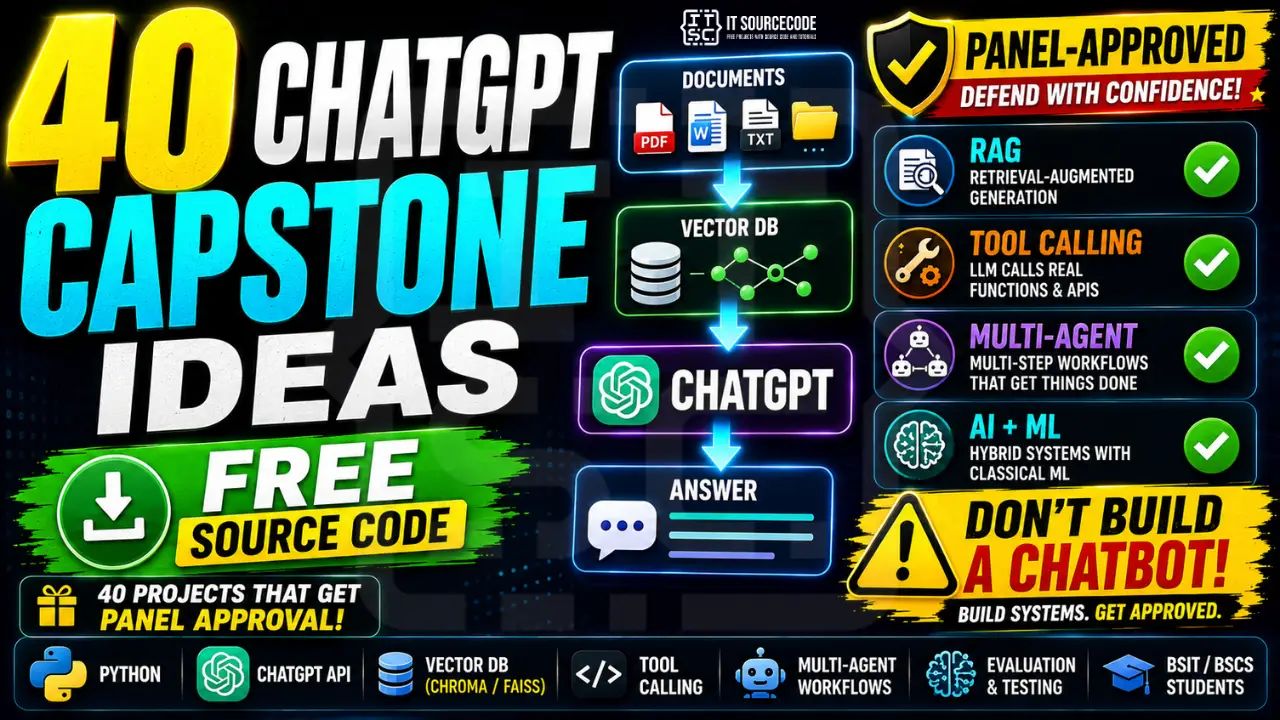
Below are 40 ChatGPT capstone ideas where the LLM is the engine, not the entire car. Each one is grouped by what kind of engineering makes it defensible: RAG, multi-agent workflows, tool calling, prompt engineering with real evaluation, or hybrid LLM+ML systems. Pick from this list and you’ll have something to actually defend.
Why most ChatGPT capstones get rejected
Panels in 2026 have seen the same broken pattern 40 times by November. They know what to look for. Here’s what gets a project killed in title defense:
- The “AI-powered” label with no real AI behind it
- Zero engineering around the LLM. No retrieval, no tools, no evaluation
- Cannot answer “what would happen if I changed the model from GPT-4 to Gemini?” (correct answer: not much, if the engineering is real)
- Could have been built by a Grade 10 student in an afternoon
If the panel can replicate your demo by going to chat.openai.com and typing the same prompt, you don’t have a capstone. You have a wrapper.
What makes a ChatGPT capstone defensible
Five patterns. Memorize these. Pick from one when you choose your idea.
1. RAG (Retrieval-Augmented Generation). The LLM answers questions using your data: documents, databases, knowledge bases you collected or built. The engineering is in the retrieval pipeline (chunking, embedding, vector search), not the LLM. Your data is the differentiator.
2. Multi-Agent or Multi-Step Workflows. Multiple LLM calls chained together with logic between them. One agent searches, another summarizes, a third writes. The orchestration code is the contribution. The panel sees a system, not a wrapper.
3. Tool-Augmented (Function Calling). The LLM calls actual functions in your codebase: SQL queries, database lookups, calendar APIs, sending emails. The integration code (defining the tools, validating inputs, routing outputs) is the work. The LLM is the natural-language layer on top of a real backend.
4. Domain-Specialized Prompting + Evaluation. You built a prompt template specific to your domain (Tagalog tutoring, medical pre-screening, capstone critique) and you have a real evaluation framework: a test set with expected outputs, accuracy metrics, error analysis. Most students skip the evaluation part. That’s why they fail.
5. Hybrid LLM + Classical ML. You trained something and used an LLM. A classifier routes inputs to different prompts. An OCR pipeline feeds documents into a RAG system. A sentiment model decides when to escalate to a human. The classical ML is your “I built it” and the LLM is your “and it’s smart.”
Every defensible ChatGPT capstone falls into one of these five categories. If your idea doesn’t, redesign it before you propose it.
Before you start: the API basics
You’ll need an OpenAI API key. Sign up at platform.openai.com, add a payment method, and put in a usage cap. Set the cap at 1000 pesos (about $18) and you won’t get a surprise bill.
Realistic cost estimate for capstone development:
- Building and testing: 100 to 300 pesos
- Multiple defense rehearsals: 50 to 100 pesos
- Live demo with panel: 20 to 50 pesos
- Total: 200 to 500 pesos across the whole project
If your school doesn’t allow paid APIs, the “Free alternatives to OpenAI” section near the end covers local LLM options (Llama, Mistral, Phi) that run without an API key.
RAG-Based ChatGPT Capstone Ideas (10 ideas)
RAG means the LLM answers using your documents, not just what it learned during training. You embed your docs, store them in a vector database (Chroma, FAISS, or Pinecone free tier), retrieve the relevant chunks at query time, and feed them to the LLM as context. The engineering is in the retrieval. The data is the differentiator.
- University Archives Q&A System: Index your school’s handbook, faculty manual, and academic policies. Students ask questions in natural language. Defensibility: your school’s documents are the dataset, you control the index quality.
- School Handbook Chatbot for New Students: Same RAG approach focused on freshman orientation. Enrollment, grading, scholarships, lost ID procedures. Defensibility: domain-specific document set + evaluation against staff-verified answers.
- Barangay Services Q&A Bot: Index barangay clearance procedures, certifications, schedules, complaint processes. Defensibility: partner with an actual barangay, document your data collection.
- Research Paper Recommender + Q&A: Students paste a topic, the bot retrieves and summarizes 5 to 10 relevant papers from your indexed library. Defensibility: paper indexing pipeline + evaluation against ground-truth relevance ratings.
- Codebase Documentation Assistant: Index a real codebase (your own or open-source) and let developers ask questions about it. Defensibility: code-specific chunking and retrieval logic, not just generic RAG.
- Legal Contract Q&A System: Upload contracts, ask questions about clauses, dates, obligations. Heavy disclaimers needed. Defensibility: legal document parsing + clause extraction layer on top of RAG.
- Medical Guideline Q&A Bot: Index DOH guidelines and clinical pathways for non-diagnostic information lookup. Defensibility: source-attribution layer (every answer cites the guideline section it came from).
- Filipino Cookbook + Recipe Assistant: Index a recipe collection, answer questions like “what can I cook with these ingredients?” Defensibility: structured recipe extraction + ingredient parsing pipeline.
- Tourism Guide for Local Destinations: Index detailed information about one province or region. Personalized itineraries. Defensibility: location-aware retrieval, multi-day itinerary planning.
- HR Policy + Benefits Chatbot: Index employee handbooks, leave policies, benefits documents. Defensibility: role-based access control on top of RAG.
Multi-Agent and Multi-Step Workflow Ideas (8 ideas)
These projects chain multiple LLM calls together. One agent does retrieval, another does classification, a third does drafting. The orchestration is your engineering contribution.
- Multi-Agent Research Assistant: One agent searches the web, one summarizes findings, one drafts the report. Defensibility: the routing logic between agents is your code, not the LLM’s.
- Multi-Step Code Review Bot: One agent checks syntax, one checks style, one checks security, one writes the summary. Defensibility: tool-use pattern, per-agent prompt templates, evaluation against known bugs.
- Customer Support Bot with Classification and Handoff: Step 1: classify intent. Step 2: route to RAG, calendar tool, or human. Step 3: format response. Defensibility: the routing tree is real software engineering.
- Meeting Notes to Action Items Pipeline: Transcribe audio, summarize, extract action items, assign owners, draft follow-up emails. Defensibility: full pipeline from audio to email, multiple steps.
- Email Triage and Reply Drafter: Classify incoming emails, draft replies for routine ones, flag complex ones for human review. Defensibility: classifier + LLM hybrid, with measurable triage accuracy.
- Lesson Plan Generator for Teachers: Input grade level + topic. Outputs: lesson outline, activities, assessment rubric, parent letter. Defensibility: multi-step generation with teacher-validated evaluation.
- Marketing Campaign Outline Generator: Brand voice, target audience, channels. Outputs: ad copy, social posts, email sequence. Defensibility: per-channel prompt specialization + voice consistency evaluation.
- Personalized News Digest: Crawl news sources, classify by user interests, summarize, deliver as morning digest. Defensibility: full pipeline from crawl to delivery, with user feedback loop.
Tool-Augmented / Function-Calling Ideas (8 ideas)
The LLM does not just answer. It acts. It queries databases, books appointments, sends notifications. You define the tools. The LLM picks which one to use. Your tool definitions and integration code are the engineering.
- SQL Database Query Chatbot: Users ask questions in English, the LLM writes SQL, executes against your school’s database, formats the answer. Defensibility: schema understanding + safe query validation + result formatting.
- Inventory Query Bot for Small Businesses: “Do we have any more 100ml shampoo bottles?” → LLM calls inventory API → returns stock count. Defensibility: actual database integration, error handling, audit logging.
- Calendar and Appointment Booking Assistant: “Book me a meeting with Dr. Cruz next Tuesday afternoon” → LLM checks availability via Calendar API → confirms. Defensibility: calendar integration, conflict handling, confirmation logic.
- Order Status Chatbot with Live Database Lookup: Customer asks about their order, bot looks it up by phone number, returns status + tracking. Defensibility: live data lookup, privacy controls, security audit.
- Library Catalog Search Bot: Natural language book search, availability check, reservation booking. Defensibility: catalog integration, multi-criteria search, reservation workflow.
- Government Records Search Agent: Search publicly available records (with permission) and explain findings. Defensibility: structured record parsing, source citation, compliance with data laws.
- Student Grade Lookup Assistant: Authenticated students ask about grades, schedules, requirements. Bot pulls from student information system. Defensibility: auth + database integration + privacy controls.
- Real Estate Listing Query Bot: “Show me 2-bedroom condos in Iloilo under 3 million” → LLM filters listing database → returns results with photos. Defensibility: complex filter logic, ranking by user intent.
Domain-Specialized Prompting + Evaluation Ideas (7 ideas)
These projects do not use RAG or tools. They use specialized prompting plus a real evaluation framework. Your contribution is the prompt design and the test set you built to measure performance.
- Tagalog or Bisaya Tutoring Assistant: LLM tutors students in a specific subject in the local language. Defensibility: prompt engineering for code-switching + test set of expected explanations.
- AI Math Tutor with Step-by-Step Reasoning: Student inputs a math problem, LLM explains the solution step-by-step at the requested grade level. Defensibility: chain-of-thought prompting + correctness evaluation against textbook answers.
- Programming Concept Explainer for Beginners: Explains programming concepts at multiple difficulty levels with code examples. Defensibility: difficulty-calibrated prompts + accuracy evaluation by professors.
- Capstone Proposal Critique Bot: Students submit a draft proposal, the bot critiques it against a rubric. Defensibility: rubric-based prompt + comparison against actual panel feedback on past proposals.
- Resume Reviewer for Fresh Graduates: Upload resume, get feedback on format, content, and ATS-readability. Defensibility: structured feedback prompt + benchmark against HR-verified ratings.
- Cover Letter Writer: Job description in, tailored cover letter out, in the candidate’s voice. Defensibility: voice-preservation prompting + readability/personalization evaluation.
- Mock Job Interview Partner: Voice or text-based interview practice with feedback after each answer. Defensibility: interviewer persona prompt + answer quality evaluation rubric.
Hybrid LLM + Classical ML Ideas (7 ideas)
These projects use both. You trained something with classical ML, and you use an LLM for what classical ML cannot do well. The classical ML is your “I built a model” defense. The LLM is your “and it’s smart.”
- Spam Detector + Auto-Reply Generator: Classifier filters spam, LLM drafts replies to legitimate messages. Defensibility: trained spam classifier (your model) + LLM reply generation.
- Sentiment Analysis + Summarization Dashboard: Sentiment model classifies reviews, LLM summarizes per-class themes. Defensibility: you trained the sentiment model, LLM adds the storytelling layer.
- OCR + Q&A on Scanned Documents: Tesseract or PaddleOCR extracts text, LLM answers questions about it. Defensibility: OCR pipeline + RAG over extracted text.
- Image Captioning + LLM Elaboration: A small image-to-text model captions photos, LLM expands the caption into a full description. Defensibility: hybrid CV + LLM workflow, end-to-end.
- Voice Input + LLM Action Agent: Whisper transcribes voice, LLM routes to actions (calendar, queries, messages). Defensibility: full speech-to-action pipeline.
- Classifier-Routed Support Bot: A classifier (your model) decides if the question is FAQ, complaint, or escalation. Each route uses a different prompt. Defensibility: classifier you trained + multi-route LLM responses.
- Bug Triage with Classifier + LLM Analysis: Classifier predicts bug severity, LLM analyzes the bug report and suggests fixes. Defensibility: trained severity classifier + structured LLM diagnosis.
How to defend a ChatGPT capstone
Four questions you’ll definitely hear.
“Is this just an API call?” No. The LLM is one component of a larger system. Show the architecture diagram. Point at the retrieval layer, the tool integrations, the classifier, the evaluation framework, whichever pattern you used. The LLM did the natural-language part. You did everything else.
“What’s your evaluation method?” This is the question that filters out the wrappers from the real projects. Have a test set. Have metrics: accuracy, F1, response quality scores, user satisfaction ratings. Show before-and-after comparisons. If you can’t answer this, your project isn’t ready.
“What about hallucinations?” For RAG projects: the LLM only answers from retrieved context, and you have source citations. For tool projects: the LLM does not make up data, it queries real systems. For prompting projects: you have a fallback prompt that asks the LLM to say “I do not know” if it is not confident. Don’t claim hallucinations are solved. Claim they’re mitigated, and explain how.
“Why ChatGPT and not local models?” Trade-offs. GPT-4 quality is higher than open-source equivalents for some tasks (complex reasoning, multi-step). Cost and privacy favor local. For this project we chose ChatGPT because [your reason]. We tested with Llama 3.1 as a comparison and the quality difference was [X] for our use case.
If you can answer those four cleanly, you’ll pass.
Privacy, cost, and ethics
Three things to address in Chapter 3 (Methodology):
Don’t send PII to OpenAI. Patient records, student grades, personal addresses: all of these should be either anonymized before the API call, or processed by a local model. Write this in your methodology. Panels appreciate the awareness.
Cost transparency. Document your actual API spend during development. If your demo costs the panel 50 pesos to run for 10 minutes, that’s worth mentioning. Panels respect cost-aware engineering.
Acceptable-use disclosure. Read OpenAI’s usage policies. Some use cases (medical diagnosis, legal advice, autonomous safety systems) need explicit disclaimers and may not be allowed. Document the policy in your Chapter 3.
Free alternatives to OpenAI
If your school doesn’t allow paid APIs, or you want to avoid sending data to OpenAI, these are the practical options in 2026:
- Llama 3.1 via Ollama: Free, runs locally on a decent laptop with 16GB RAM. Quality is around GPT-3.5 level for most tasks. Defensible.
- Mistral 7B / Mixtral: Also free, similar performance, smaller models run on 8GB RAM. Slower than Llama on some tasks.
- Phi-3 (Microsoft): Smallest of the bunch, runs on almost anything. Quality is fine for simple tasks, weak on complex reasoning.
- Google Gemini free tier: Free 50 requests per day. Comparable to GPT-3.5. Reliable for demos but requires API key.
- Hugging Face Inference API: Free tier with rate limits. Many models to choose from.
When to use each: Ollama if you have laptop RAM, Gemini if your school allows free APIs, Hugging Face if you want variety. For most BSIT capstones, Ollama running Llama 3.1 is the sweet spot: free, local, fast enough.
UML diagrams for ChatGPT capstones
LLM projects have specific diagram needs panels look for:
- Use Case Diagram: actors, conversations, escalation paths
- Sequence Diagram: user input → preprocessing → LLM call → postprocessing → output. The external API call needs to be visible.
- Activity Diagram: especially important for multi-step or multi-agent projects
- Data Flow Diagram: including where data goes (local? external API? logged?)
- Class Diagram: service classes, tool definitions, prompt template structures
We have detailed guides on each diagram. Use them as templates and adapt to your project.
Frequently Asked Questions
Is a ChatGPT capstone allowed in IT schools?
How do I make a ChatGPT capstone that won’t get rejected?
How much does OpenAI API cost for a capstone project?
Can I use ChatGPT for free in my capstone?
What is the difference between RAG and prompt engineering?
Official references
Our first complete capstone bundle is live: PHP + MySQL e-commerce with full Chapter 1-5 documentation, 6 UML diagrams, ERD, installation guide, user manual, and defense presentation template. More bundles (Library, POS, Hospital) coming soon. Save 3 to 4 weeks of capstone work.
Sold via Gumroad. See our affiliate disclosure.
Frequently Asked Questions
Is a ChatGPT capstone allowed in IT schools?
Most schools in the Philippines and India now allow ChatGPT-based capstones in 2026, as long as you build defensible engineering around the LLM rather than just wrapping an API call. Schools that previously banned LLM projects have started accepting them because the technology is now widely used in industry. Always check your specific school capstone policy and document the LLM components clearly in your Chapter 3 Methodology.
How do I make a ChatGPT capstone that will not get rejected?
To make a defensible ChatGPT capstone, build real engineering around the LLM using one of five patterns: RAG (retrieval over your own documents), multi-agent or multi-step workflows, tool-augmented function calling, domain-specialized prompting with a real evaluation framework, or hybrid LLM plus classical machine learning. The lazy version of user types a question, app calls the API, shows the answer gets rejected because anyone can build it. The defensible version adds retrieval, classification, tools, evaluation, or a trained model to the mix.
How much does OpenAI API cost for a capstone project?
A typical ChatGPT capstone costs between 200 and 500 pesos in OpenAI API charges across the entire project lifecycle, including development, testing, multiple defense rehearsals, and the actual defense demo. Set a usage cap at 1000 pesos in your OpenAI account to prevent surprise bills. If your school does not allow paid APIs, you can use free local alternatives like Ollama with Llama 3.1, which run on a laptop with 16GB RAM at no cost.
Can I use ChatGPT for free in my capstone?
Yes, you can build a ChatGPT-style capstone for free using open-source local LLMs like Llama 3.1 via Ollama, Mistral 7B, or Microsoft Phi-3. These run on your laptop without an API key or internet connection. Google Gemini also has a free tier of 50 requests per day that works for demos. Quality is slightly lower than GPT-4 but more than sufficient for most BSIT capstones, and using local models is more defensible against the criticism that you just paid OpenAI to do your project.
What is the difference between RAG and prompt engineering?
RAG or Retrieval-Augmented Generation means the LLM answers questions using your own documents that you indexed in a vector database. The engineering is in the retrieval pipeline including chunking, embedding, and search, and your data is the differentiator. Prompt engineering means you carefully designed a prompt template that gets better results from the same LLM. The engineering is in the prompt design and the evaluation framework you built to measure quality. RAG capstones are usually stronger because the data layer is harder to replicate than a single prompt.
Pick one. Build the engineering, not just the call.
The line between a defensible ChatGPT capstone and a rejected one is whether you built something around the LLM or just called it. Everything on this list passes that line, if you do the work.
Pick one of the five defensibility patterns. Pick one of the 40 ideas. Sketch the architecture before you write any code. Decide what your evaluation method is on day one.
For deeper background on what panels approve in 2026, see 100 AI Capstone Project Ideas for IT Students 2026. If you’d rather build something without LLMs at all, our Chatbot Capstone in Python tutorial walks you through a defensible chatbot using classical ML and no API.
If you haven’t picked your capstone topic yet, the full list across all categories is in 150 Best Capstone Project Ideas for IT Students 2026. For source code to study, browse our Python projects library. And for the UML diagrams your documentation will need, our UML guides cover every diagram type.
We are hoping this list gives you a defensible ChatGPT capstone you can actually present in panel defense. If you pick one of the 40 ideas above and get stuck on the engineering, drop your idea and approach in the comments below and we will help you scope it down. Thank you for reading itsourcecoders.
Now stop scrolling. Pick the pattern. Pick the project. Sketch the architecture tonight.
Ready-to-defend LLM capstone projects with source code
If you want a working LLM-based capstone you can clone and adapt today, these tutorials walk you through every step with source code and defense-ready documentation:
- Chatbot capstone project (source code + defense docs)
- LangChain capstone project (source code + defense docs)
- RAG capstone project (source code + defense docs)
- Resume Screening AI capstone project (source code + defense docs)

Caren Bautista
Technical Writer at PIES IT Solution
Responsible for crafting clear, well-structured, and beginner-friendly content across the platform. Handles the writing, proofreading, and editorial review of tutorials, guides, and documentation to ensure every article is accurate, readable, and easy to follow.
Expertise: Technical Writing · Content Creation · Documentation · Editorial Writing · JavaScript · TypeScript · Python · Python Errors · HTTP Errors · MS Excel · View all posts by Caren Bautista →