
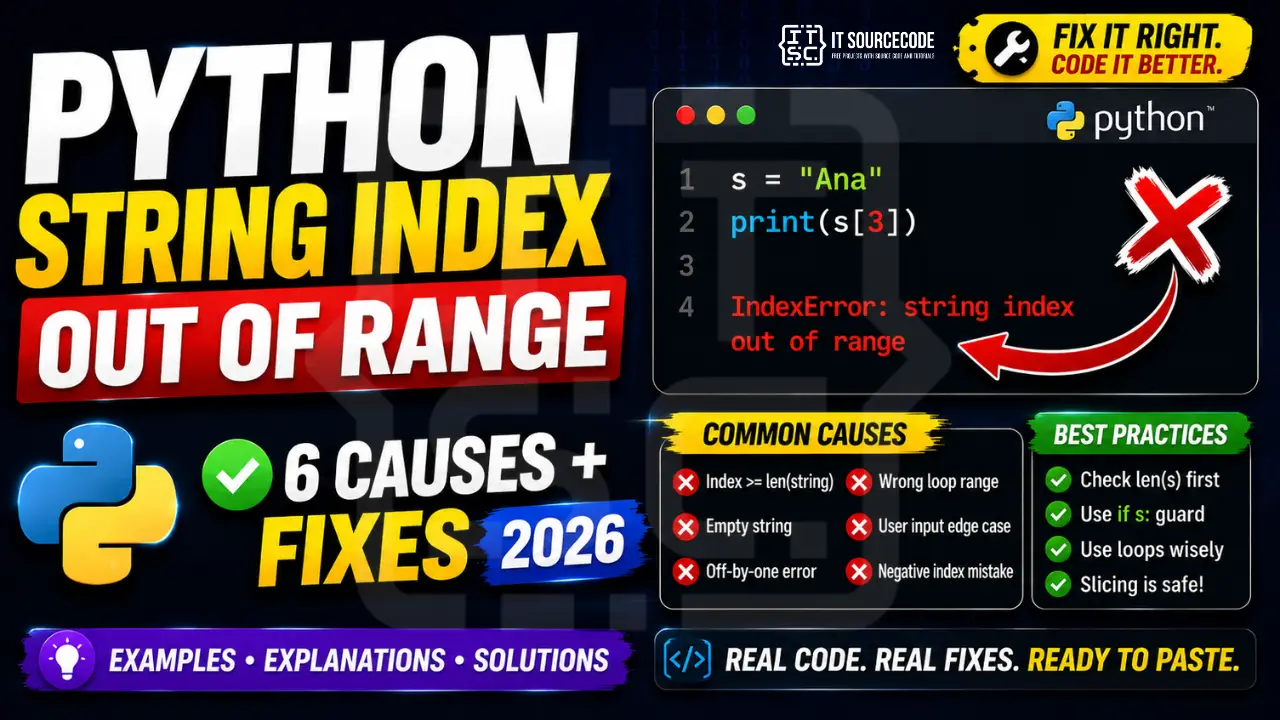
If you’ve written more than 50 lines of Python, you’ve hit it: IndexError: list index out of range. It’s the second-most-Googled Python error after SyntaxError, and almost every BSIT student encounters it in their first week of coding.
The good news: this error has a small number of well-defined causes, and once you know the patterns, you’ll spot and fix it in seconds. This guide covers all 7 common scenarios with working code examples and clear prevention rules.
Last updated: June 2026, written by PIES Information Technology Solutions, drawing from 10+ years of debugging Python with capstone students.
📌 Quick answer: IndexError: list index out of range means you’re trying to access a list element using an index number that doesn’t exist. Python lists start at index 0, so a list with 5 items has valid indexes 0, 1, 2, 3, 4. Accessing index 5 (or higher) raises this error. The fix: always check len(my_list) before accessing, use if my_list: to confirm the list isn’t empty, and prefer for item in my_list over manual index loops.
What “List Index Out of Range” Actually Means
Python lists are zero-indexed: the first item is at position 0, the second at 1, and so on. The last item is at index len(list) - 1. When you try to access an index that’s equal to or greater than the list’s length, Python raises IndexError: list index out of range.
Here’s the simplest example:
fruits = ["apple", "banana", "cherry"]   # length = 3, valid indexes: 0, 1, 2
print(fruits[3])   # ❌ IndexError: list index out of range
The list has 3 items (indexes 0, 1, 2). Asking for fruits[3] looks for the 4th item, which does not exist.
Cause #1: Accessing Index ≥ len(list)
This is the most basic version. It happens when you hardcode an index that the list doesn’t have, or when you compute an index that exceeds the actual length.
scores = [85, 92, 78]
print(scores[3])   # ❌ IndexError (only 3 items, max index is 2)
The fix: always verify the index is valid before accessing:
scores = [85, 92, 78]
i = 3

if i < len(scores):
    print(scores[i])
else:
    print(f"Index {i} is out of range. List has {len(scores)} items.")
Or use a safer access pattern with a default:
def safe_get(lst, i, default=None):
    return lst[i] if 0 <= i < len(lst) else default

print(safe_get(scores, 3, "N/A"))   # prints: N/A
Cause #2: Off-by-One Error in For Loops
This is the classic beginner trap. You loop using range(len(list) + 1) by mistake, or you use range(1, len(list) + 1) thinking it’s safer:
names = ["Ana", "Ben", "Cara"]

# ❌ Wrong: len() + 1 goes one index too far
for i in range(len(names) + 1):
    print(names[i])   # IndexError on the last iteration

# ❌ Also wrong: starts at 1, so misses index 0 AND goes too far
for i in range(1, len(names) + 1):
    print(names[i])   # IndexError on i=3
The fix. Use the Pythonic pattern:
# ✅ Direct iteration: no indexes, no off-by-one possible
for name in names:
    print(name)

# ✅ When you need both index AND value, use enumerate()
for i, name in enumerate(names):
    print(f"{i}: {name}")
enumerate() is your friend. It eliminates almost all manual indexing bugs.
Cause #3: Empty List Access
When you try to access the first element of a list that might be empty:
results = get_search_results(query)   # might return []

first = results[0]   # ❌ IndexError if results is empty
This pattern is extremely common when working with API responses, database queries, file parsing, or user-filtered data.
The fix. Always check before accessing:
# ✅ Truthiness check works because empty list is falsy
if results:
    first = results[0]
else:
    first = None   # or raise a meaningful exception

# ✅ Even cleaner with next() for finding items
first = next(iter(results), None)
Cause #4: Calling list.pop() on Empty List
Less obvious but very common. pop() removes and returns the last item. But if the list is empty, it raises IndexError: pop from empty list:
stack = []

while True:
    item = stack.pop()   # ❌ IndexError: pop from empty list
    process(item)
The fix:
# ✅ Loop until empty
while stack:
    item = stack.pop()
    process(item)

# ✅ Or use try/except for unpredictable cases
try:
    item = stack.pop()
except IndexError:
    item = None
Cause #5: Modifying List While Iterating
If you remove items from a list while looping over it by index, indexes shift, and you will either skip items or hit IndexError:
numbers = [1, 2, 3, 4, 5]

# ❌ Removes items, but indexes shift → IndexError
for i in range(len(numbers)):
    if numbers[i] % 2 == 0:
        numbers.pop(i)   # eventually i exceeds new length
The fix. Never mutate while iterating. Build a new list instead:
# ✅ List comprehension: filters out evens
numbers = [n for n in numbers if n % 2 != 0]

# ✅ Or filter() if you prefer functional style
numbers = list(filter(lambda n: n % 2 != 0, numbers))

# ✅ If you must mutate in place, iterate over a copy
for n in numbers[:]:   # numbers[:] creates a copy
    if n % 2 == 0:
        numbers.remove(n)
Cause #6: pandas .iloc[] Out of Range
Pandas DataFrames raise IndexError when .iloc[] is called with a row position that doesn’t exist:
import pandas as pd

df = pd.DataFrame({"name": ["Ana", "Ben"], "score": [85, 92]})
# df has 2 rows: positions 0 and 1

row = df.iloc[5]   # ❌ IndexError: single positional indexer is out-of-bounds
This often happens after filtering reduces the DataFrame and you forget the new length.
The fix:
# ✅ Always check len(df) first
if len(df) > 5:
    row = df.iloc[5]
else:
    row = None

# ✅ Or use .iloc[-1] for the last row safely (when df isn't empty)
if not df.empty:
    last_row = df.iloc[-1]

# ✅ Use .loc[] for label-based access when possible (safer for ID-based work)
row = df.loc[df["name"] == "Ana"]
If you’re hitting KeyError on pandas column access instead, see our pandas KeyError fix guide.
Cause #7: NumPy Array Index Out of Range
NumPy arrays raise IndexError when an axis index exceeds the array shape:
import numpy as np

arr = np.array([[1, 2, 3], [4, 5, 6]])   # shape (2, 3)

val = arr[2, 0]   # ❌ IndexError: index 2 is out of bounds for axis 0 with size 2
val = arr[0, 5]   # ❌ IndexError: index 5 is out of bounds for axis 1 with size 3
Common in machine learning when batch sizes don’t match expected dimensions, or when slicing reduces an array unexpectedly.
The fix. Check shape before indexing:
print(arr.shape)   # (2, 3)

i, j = 2, 0
if i < arr.shape[0] and j < arr.shape[1]:
    val = arr[i, j]

# ✅ Negative indexing is also bounds-checked
arr[-1, -1]   # works (returns 6, last element)
arr[-3, 0]    # ❌ IndexError (only 2 rows, -3 is out of range)
Quick Prevention Checklist
To stop hitting list index out of range in future code, internalize these habits:
- Use direct iteration:
for item in list:instead offor i in range(len(list)): - Use enumerate() when you need indexes:
for i, item in enumerate(list): - Always truthiness-check empty lists:
if my_list: …beforemy_list[0] - Never mutate lists while iterating by index. Build a new list or iterate over a copy
- Validate user input indexes:
if 0 <= i < len(lst):for any user-supplied number - Print
len()before debugging: when stuck,print(len(my_list))instantly clarifies the issue - Catch IndexError explicitly only at boundaries (file parsers, API handlers). Never bury bugs in
try/exceptinside business logic
When You Should Use try/except IndexError
Beginners often wrap every list access in try/except “to be safe.” Don’t. It hides bugs. Use try/except only when the list comes from outside your control:
# ✅ Good: parsing user-supplied data
def get_first_word(text):
    try:
        return text.split()[0]
    except IndexError:
        return ""   # empty input

# ❌ Bad: hides a logic bug in your own code
def average(scores):
    try:
        return sum(scores) / len(scores)
    except IndexError:    # IndexError isn't even the right exception here
        return 0
Rule of thumb: if you can prevent the error with a check (if list:, if i < len(list):), do that instead of catching the exception.
Quick step-by-step summary (click to expand)
- Check string length before slicing. Use if len(mystring) greater than index before any positional access on strings.
- Use slicing operators safely. mystring[i:i+1] returns empty string on out-of-range instead of raising IndexError.
- Handle empty strings explicitly. Add if not mystring: return default at the top of any function that indexes into strings.
- Use try/except for user input. Wrap access to user-supplied strings in try IndexError except so bad input does not crash your program.
Official documentation
Frequently Asked Questions
What does “list index out of range” mean in Python?
How do I check if an index exists before accessing a list?
if 0 <= i < len(my_list): to check bounds. For empty-list checks specifically, if my_list: is cleaner. It is True only when the list has at least one item. For maximum safety, write a helper: def safe_get(lst, i, default=None): return lst[i] if 0 <= i < len(lst) else default.Why does my for loop give IndexError?
range(len(list) + 1) instead of range(len(list)). The +1 creates an off-by-one error: the loop tries to access one index beyond the list. Solution: use for item in list: directly, or for i, item in enumerate(list): when you need both index and value. Both eliminate manual indexing bugs entirely.Why does list.pop() raise IndexError?
list.pop() removes and returns the last item. If the list is empty, there is nothing to pop, so Python raises IndexError: pop from empty list. Fix: wrap the loop with while my_list: instead of while True:, or catch the exception if pop happens unpredictably (e.g., consumer thread pulling from a shared queue).Does IndexError happen with negative indexes?
list[-1] is the last item, list[-2] the second-to-last. But going beyond the start (list[-N-1] for a list of length N) raises IndexError. Example: in a 3-item list, valid negative indexes are -1, -2, -3. list[-4] raises IndexError.How is IndexError different from KeyError?
What’s the most Pythonic way to avoid IndexError?
for item in list: instead of manual index loops; (2) use enumerate() when you need both index and item; (3) truthiness-check before accessing list[0] with if my_list:. The Pythonic style is to express WHAT you want (iterate, find first item) rather than HOW (manual index counter), and the WHAT versions can’t have off-by-one bugs.📌 Beyond debugging. Level up your Python
Once you’re past list IndexErrors, see our best Python projects with source code, the best Python IDE 2026 comparison, or browse our free Python tutorial series.
Final Recommendation
If you take only one habit from this guide, make it this: stop using range(len(list)) in for loops. Direct iteration (for item in list:) and enumerate() eliminate the single largest source of IndexError in beginner Python code.
For the remaining 5% of cases (empty lists, user-supplied indexes, parsing external data), combine a quick bounds check with a meaningful fallback. try/except IndexError is appropriate only at system boundaries (file I/O, API responses, user input), never as a band-aid for logic bugs in your own code.
🎯 Your next steps:
- Refactor your current code: replace
range(len(list))with direct iteration orenumerate() - Audit any
list[0]access for empty-list checks - If you hit a pandas IndexError, check our pandas KeyError fix too, they often appear together
- Browse more IndexError fixes or Python tutorials
We are hoping this guide helps you fix your IndexError fast. If you keep hitting it in a specific loop or DataFrame, drop the code snippet in the comments below and we will walk through it with you. Thank you for reading itsourcecoders.
Still stuck on a specific IndexError? Drop the exact error message and code snippet in the comments and we will help you debug it.

Caren Bautista
Technical Writer at PIES IT Solution
Responsible for crafting clear, well-structured, and beginner-friendly content across the platform. Handles the writing, proofreading, and editorial review of tutorials, guides, and documentation to ensure every article is accurate, readable, and easy to follow.
Expertise: Technical Writing · Content Creation · Documentation · Editorial Writing · JavaScript · TypeScript · Python · Python Errors · HTTP Errors · MS Excel
· View all posts by Caren Bautista →