
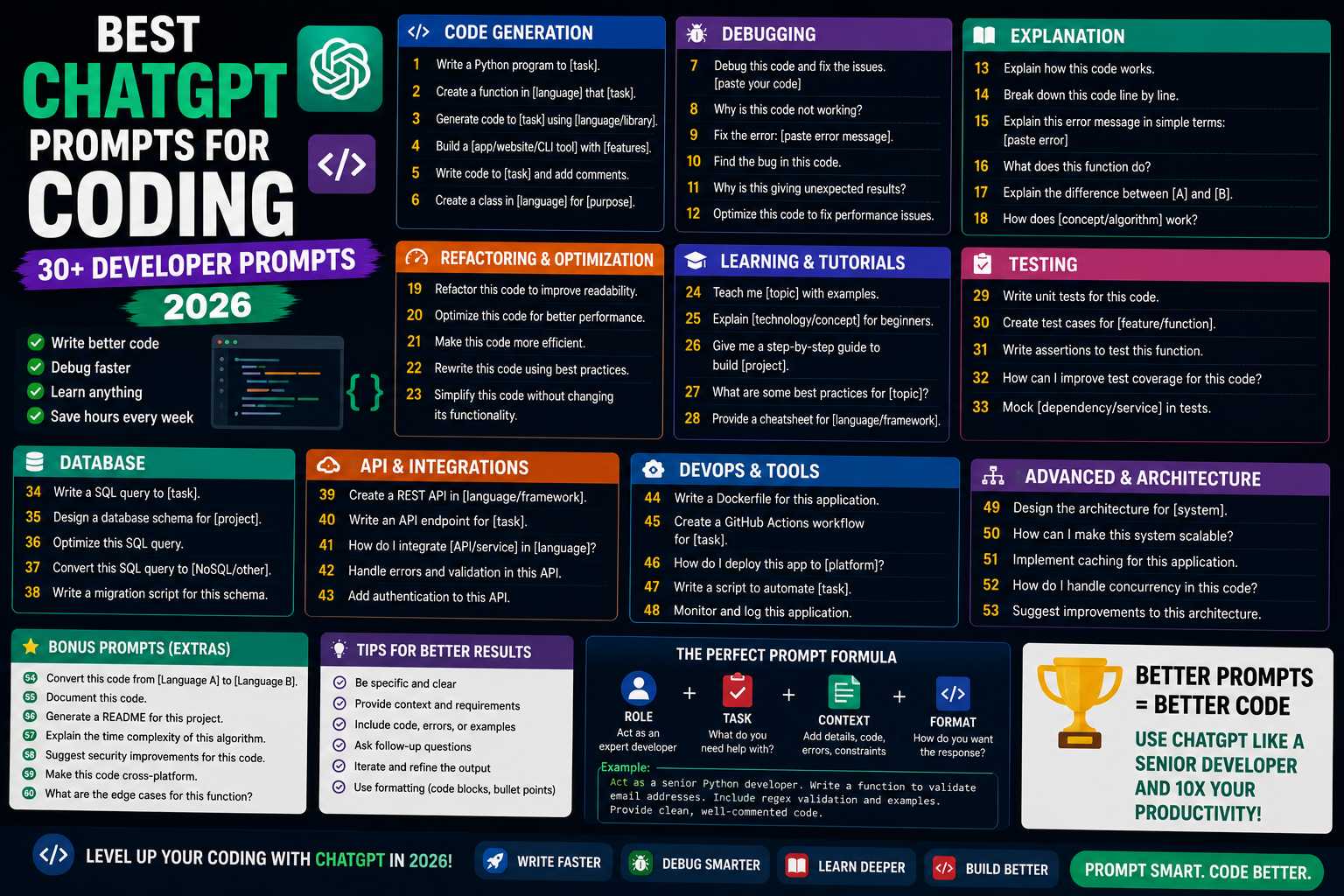
ChatGPT with a well-crafted prompt is 10x more useful than ChatGPT with a vague one. As a developer using ChatGPT daily since 2023, I’ve built up a library of prompts that consistently produce production-quality output. This 2026 guide shares 30+ tested prompts for debugging, code review, learning, refactoring, testing, and documentation.
Prompt structure that works
Template:

Role: "Act as a [senior Python developer / staff engineer / code reviewer]."
Context: "I'm building [what], using [tech stack]."
Task: "Do [specific thing]."
Constraints: "Follow [style guide]. Prioritize [readability/performance/security]."
Output: "Give me [code/explanation/checklist]."

Example filled in:
"Act as a senior Python developer. I'm building a Flask API for a healthcare app using Python 3.11 and SQLAlchemy. Refactor this function to use dependency injection. Follow PEP 8 and prioritize testability. Give me the refactored code + brief explanation."
Debugging prompts
1. "I'm getting this error: [paste error]. My code is: [paste code]. Explain what's wrong step by step and show me the fix."

2. "Explain this stack trace like I'm a junior developer: [paste stack trace]."

3. "This function should [expected behavior] but it's doing [actual behavior]. Here's the code: [paste]. What am I missing?"

4. "I've tried [list of what you tried]. None worked. Explain what I'm probably misunderstanding and suggest 3 new approaches."

5. "Convert this error message into a checklist of things to check: [paste error]."
Code review prompts
6. "Act as a senior code reviewer. Review this [Python/JS/etc] code for: bugs, security issues, performance problems, and readability. Return findings ordered by severity: [paste code]."

7. "Rate this code from 1-10 on: readability, performance, testability, security. Give a brief reason for each score. Then suggest 3 improvements: [paste code]."

8. "Would you approve this pull request? Explain why or why not: [paste diff]."

9. "Find all the edge cases this code doesn't handle: [paste code]."

10. "Suggest what unit tests should be written for this function. Include happy path, edge cases, and error cases: [paste function]."
Learning prompts
11. "Explain [concept] like I'm a BSIT student who's just learned basic Python."

12. "What's the difference between [X] and [Y]? Give real examples where I'd use each."

13. "I understand [concept A] but I'm confused about [concept B]. Bridge my understanding."

14. "Give me the '80/20' of [technology], the 20% I need to learn that covers 80% of real-world use."

15. "Show me a real-world code example of [design pattern] in Python. Then explain when NOT to use it."
Refactoring prompts
16. "Refactor this to be more Pythonic. Don't change behavior: [paste code]."

17. "This function is 150 lines. Refactor into smaller functions with clear names: [paste]."

18. "Extract magic numbers into named constants. Extract repeated code into helpers: [paste]."

19. "Migrate this synchronous code to async/await: [paste]."

20. "Replace this if/else chain with a strategy pattern: [paste]."
Testing prompts
21. "Write pytest tests for this function. Include: happy path, 3 edge cases, 2 error cases. Use fixtures where helpful: [paste function]."

22. "Convert this manual test into an automated test: [paste manual test steps]."

23. "Generate a table-driven test for these input/output pairs: [paste examples]."

24. "Suggest what to mock in this function. Explain why: [paste function]."

25. "Write property-based tests using Hypothesis for this pure function: [paste]."
Documentation prompts
26. "Write docstrings for this class following Google style: [paste class]."

27. "Generate a README section explaining how to use this module: [paste module]."

28. "Write a CHANGELOG entry for this diff (Keep a Changelog format): [paste diff]."

29. "Explain what this code does in plain English for a non-technical stakeholder: [paste]."

30. "Generate architectural decision records (ADRs) for this design choice: [describe decision]."
Advanced: iterative refinement
Round 1: "Write a Python function to fetch and cache API responses."
Round 2: "Add exponential backoff for retries."
Round 3: "Add rate limiting to respect API quotas."
Round 4: "Make it thread-safe."
Round 5: "Write tests for all above features."

Each iteration adds one concern. Result: production-quality code.
Prompt-engineering tips for coding
- Show, don’t tell: paste actual code, not descriptions.
- Specify style: PEP 8, Airbnb JS style, Google Java style.
- Set constraints: “no external dependencies”, “Python 3.9+”, “must work in browser”.
- Request explanation: “explain your changes in comments”, helps you learn.
- Ask for alternatives: “give me 3 different approaches with trade-offs”.
- Iterate: first answer is rarely optimal. Refine 3-5 times.
- Provide error messages: copy-paste the full stack trace.
When NOT to trust ChatGPT for code
- Cryptography implementation, bugs in crypto = disaster.
- Financial calculations, precision matters, ChatGPT can be off.
- Medical / legal domain code, get expert review.
- Recent library APIs (post-training-cutoff), verify with docs.
- Security-critical code (auth, input sanitization), always review manually.
Official documentation
Recommended AI-for-developers resources
The links below are affiliate links. We may earn a commission at no extra cost to you when you buy or sign up. See our affiliate disclosure.
How to adapt these prompts for your workflow
The prompts above work as starting templates, but the biggest gains come from customizing them for your stack, your team, and your codebase. Here are three ways I recommend adapting them.
Add your stack context
Every prompt benefits from telling ChatGPT what language, framework, and libraries you are using. Instead of “review this code,” write “review this Django 5.0 code using PostgreSQL and Celery.” The more context ChatGPT has, the fewer generic answers you get. Save your stack description as a Custom Instruction so you never retype it.
Include the constraint or success criteria
Do not just ask for a solution. Tell ChatGPT what “good” looks like. Example: “Refactor this function so it runs in O(n log n) instead of O(n squared) and passes the existing test suite.” Constraints steer ChatGPT toward the answer you actually want rather than the first plausible one.
Ask for reasoning, not just code
Add “Explain why you chose this approach” to any code generation prompt. This forces ChatGPT to justify its choices, which reveals when it is guessing versus when it has a real technical reason. It also teaches you patterns you can reuse without ChatGPT next time.
The pattern separating developers who use ChatGPT well from those who do not: the good ones treat it as a pair programmer, not a code generator. They give context, set constraints, ask for reasoning, and verify the output. That workflow scales to any codebase and any language. Copy-paste prompting scales to none.
Frequently Asked Questions
Is ChatGPT code trustworthy?
For learning and prototyping: yes. For production: always review. ChatGPT hallucinates API method names, uses deprecated libraries, and misses edge cases. Treat as a smart junior developer, verify everything.
Should I use ChatGPT or GitHub Copilot for coding?
Both. Copilot for inline suggestions while typing in IDE. ChatGPT for architectural questions, debugging complex issues, and generating chunks of code. They complement each other.
Can employers detect AI-generated code?
Not reliably. Focus on understanding what ChatGPT produces so you can explain it. If you can defend the code choices in code review or interviews, you’re fine.
What language does ChatGPT know best?
Python is strongest (most training data), followed by JavaScript, Java, C++, PHP, Go. All major languages work. Less common languages (Rust, Elixir) have more errors.
Can ChatGPT help with capstone projects?
Yes for learning concepts, debugging, planning architecture, and writing documentation. Do NOT submit ChatGPT-generated code without understanding it, panel questions during defense will expose it.

Angel Jude Suarez
Full-Stack Developer at PIES IT Solution
Angel Jude Suarez is a full-stack developer at PIES IT Solution. Focuses on Python development, machine learning, and AI integration. Has built production AI systems including OpenAI Whisper integration for medical transcription and GPT-4o-powered diagnosis assistance. Strong background in pandas, scikit-learn, and TensorFlow.
Expertise: Python, PHP, Java, VB.NET, ASP.NET, Machine Learning, AI Integration, OpenCV, Django, CodeIgniter · View all posts by Angel Jude Suarez →