
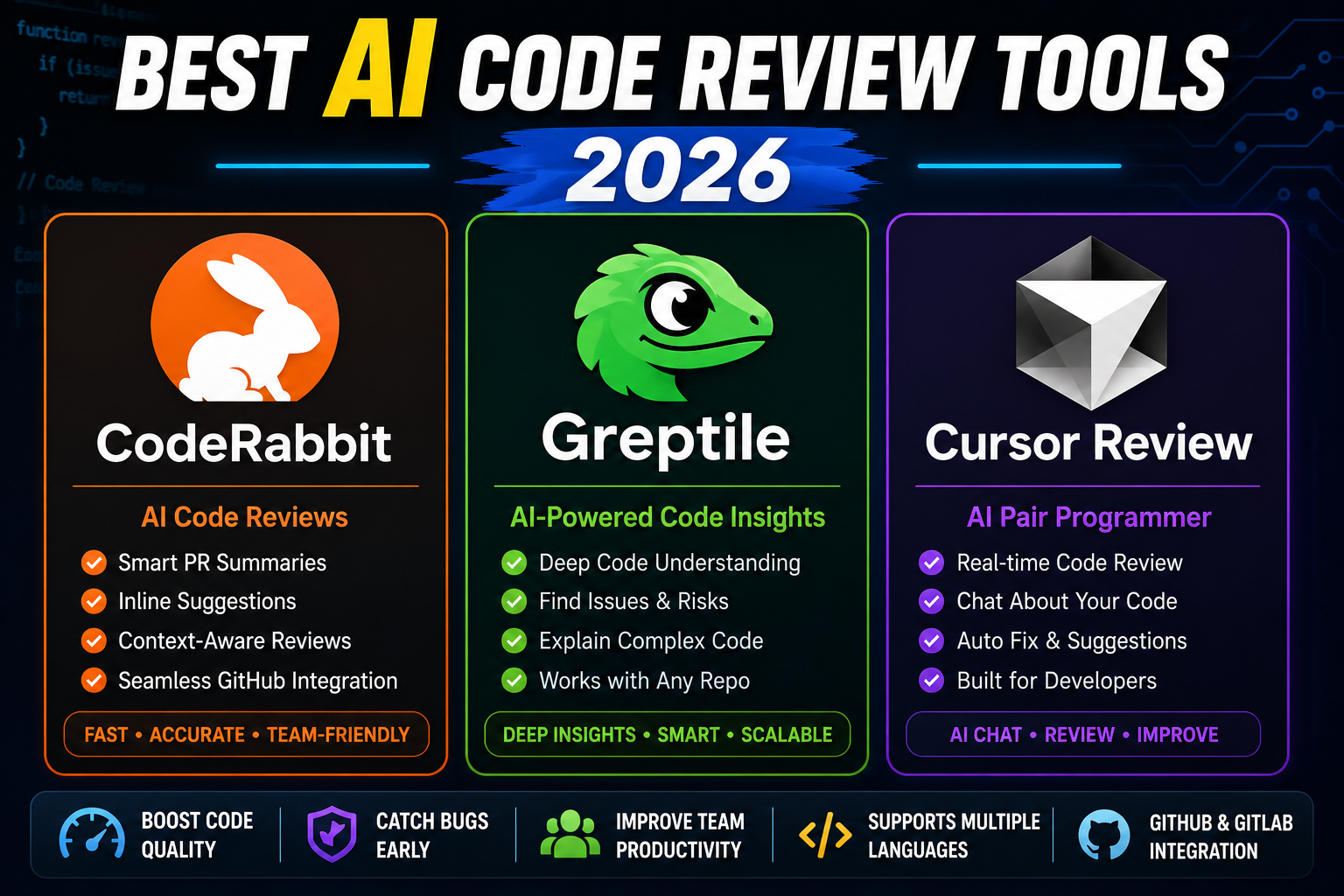
AI code review tools became standard in 2026 for teams that ship 10+ PRs per week. They catch bugs before human reviewers see them, explain complex diffs, and suggest better patterns. Four tools lead the market: CodeRabbit, Greptile, Cursor Review (inside Cursor IDE), and GitHub Copilot Code Review. Here is a head-to-head comparison based on pricing, PR quality, and integration.
Head-to-head comparison (2026)
| Feature | CodeRabbit | Greptile | Cursor Review | Copilot Review |
|---|---|---|---|---|
| Where it runs | GitHub PR / GitLab MR | GitHub PR + IDE | Cursor IDE (pre-PR) | GitHub PR |
| Free tier | Open source only | Limited PRs | In Cursor Pro ($20) | Enterprise-only |
| Starting paid tier (USD) | $15/dev/mo | $20/dev/mo | $20 Pro | $39/dev/mo Enterprise |
| Full-repo context | Yes | Yes (its specialty) | Yes | Partial |
| Best at | Detailed PR comments | Onboarding + repo Q&A | Pre-PR self-review | Enterprise workflow |
Which one to pick (by team size and need)
- Solo dev or freelancer: Cursor Review inside Cursor Pro. Catches issues before you push a PR, no extra subscription needed.
- Small team (2-5 devs) shipping to GitHub: CodeRabbit at $15/dev/mo. Best cost-to-value on GitHub PR comments.
- Onboarding new engineers who need repo context: Greptile. Handles “why does this code exist” questions better than the others.
- Enterprise with strict compliance and SOC 2 needs: Copilot Enterprise. Built-in audit logging and permission scoping.
- Open source projects: CodeRabbit is free for public repos. Big win.
PH pricing reality (2026)
- Cursor Pro (includes Review): $20/mo ≈ ₱1,160
- CodeRabbit Pro: $15/dev/mo ≈ ₱870
- Greptile Pro: $20/dev/mo ≈ ₱1,160
- Copilot Enterprise: $39/dev/mo ≈ ₱2,260 (usually part of larger GitHub Enterprise plan)
For a 5-person Filipino dev shop, CodeRabbit costs ~₱4,350/month total. Rough monthly ROI at 3+ prevented production bugs.
Real-world workflow (proven pattern)
- Dev writes code in Cursor, uses Cursor Review to catch obvious issues before push.
- Dev opens PR on GitHub. CodeRabbit or Copilot Review posts automated feedback within 1-2 minutes.
- Dev addresses AI feedback (60-70% of items) and pushes revisions.
- Human reviewer now spends time on architecture, business logic, and mentorship instead of style nitpicks.
- Onboarding a new hire? Greptile answers “how does auth work in this repo” without pinging senior devs constantly.
Common mistakes with AI code review
- Treating AI review as a green light. AI catches obvious issues, not architectural mistakes. Human review still matters.
- Enabling every rule in the config. Excessive AI comments create alert fatigue. Tune the config to your team’s style.
- Reviewing every AI comment as-if human. AI generates suggestions in bulk. Skim, apply the sensible ones, ignore the rest.
- Skipping the dry-run before rolling out to the team. Run the AI reviewer on last week’s PRs first. Confirm signal-to-noise fits.
Official product pages
Which AI code review tool fits your team
The AI code review market matured fast in 2025 and 2026. Every major tool has strong opinions about what “good code review” means. Pick the one whose opinions match how your team already works.
Choose CodeRabbit for GitHub-native workflow
CodeRabbit integrates directly with GitHub Pull Requests. It comments inline on your PR like a human reviewer would, catches security issues, style problems, and logic bugs. Best for teams already deep in GitHub Actions and code review culture. Free tier available for open source repos.
Choose Greptile for large codebases
Greptile shines on repos with 100k+ lines of code where cross-file context matters. It maintains a semantic index of your entire codebase so its reviews understand how a change ripples through the system. Best for platform teams and senior engineers reviewing complex refactors.
Choose Cursor Review for IDE-first workflow
Cursor added a code review feature to its IDE in 2026. If your team already uses Cursor for coding, adding review is one click. Best for solo developers and small teams who prefer inline IDE review over async PR review.
AI code review vs human review: what to do when
AI code review does not replace human review yet in 2026, but it changes what humans should spend their time on. Here is the split that works best in most teams I have seen.
- AI catches: typos, style violations, obvious bugs, missing null checks, outdated APIs, security anti-patterns, inconsistent naming, and low-hanging refactor opportunities. Fast, cheap, catches 60 to 70 percent of “code smell” issues.
- Humans still needed for: architectural decisions, business logic correctness, whether the code solves the right problem, team knowledge transfer, mentoring junior developers, and reviewing complex algorithms where correctness matters more than speed.
- Best workflow: run AI review as a required check on every PR, human reviewer looks at what AI flagged plus architectural concerns. This gets you 3x faster reviews without losing quality.
My take for Filipino development teams in 2026: adopt AI code review for consistency and speed, but do not fire your senior reviewer. Use the time savings to give more thorough human review to the changes that actually need it, and to mentor junior developers who benefit from live code discussions.
Getting started with AI code review
If your team has never used AI code review, start small. Enable CodeRabbit or Cursor Review on one repository for two weeks. Do not require action on AI feedback yet, just let developers see it. After two weeks, review what AI caught that humans missed, and vice versa. This gives your team a data-driven basis to decide how deeply to integrate AI review going forward. Adopting it too fast without buy-in tends to backfire when developers dismiss AI comments without reading them.
The teams I have seen succeed with AI code review treat it as a force multiplier, not a replacement. It handles the tedious checks so humans can focus on architecture and mentoring. This split works in Filipino remote teams especially well because it reduces reviewer burnout on repetitive style feedback while preserving the human review that senior engineers value.
Frequently Asked Questions
Does AI code review replace human reviewers?
No. AI catches style, obvious bugs, and repetition. Humans catch architecture mistakes, business logic errors, and mentorship opportunities. Both together beat either alone.
Is CodeRabbit free for open source?
Yes. Public GitHub repos get CodeRabbit for free including full review depth. Private repos and organizations need the paid tier.
Which is easiest to try first?
CodeRabbit. Install the GitHub app on any repo, open a PR, see review comments in 1-2 minutes. Zero configuration required for the first look.
Can I use these on capstone projects?
Yes. Public capstone repos get CodeRabbit free. Great for BSIT students to learn code review patterns before their first job. Private capstone repos need paid tier or Cursor Review inside Cursor.
Do these tools see private code?
Yes to run the review. Enterprise tiers offer VPC-private or on-prem deployment for teams with strict compliance needs. Read each vendor’s security page before enabling on regulated codebases.

Angel Jude Suarez
Full-Stack Developer at PIES IT Solution
Angel Jude Suarez is a full-stack developer at PIES IT Solution. Focuses on Python development, machine learning, and AI integration. Has built production AI systems including OpenAI Whisper integration for medical transcription and GPT-4o-powered diagnosis assistance. Strong background in pandas, scikit-learn, and TensorFlow.
Expertise: Python, PHP, Java, VB.NET, ASP.NET, Machine Learning, AI Integration, OpenCV, Django, CodeIgniter · View all posts by Angel Jude Suarez →