
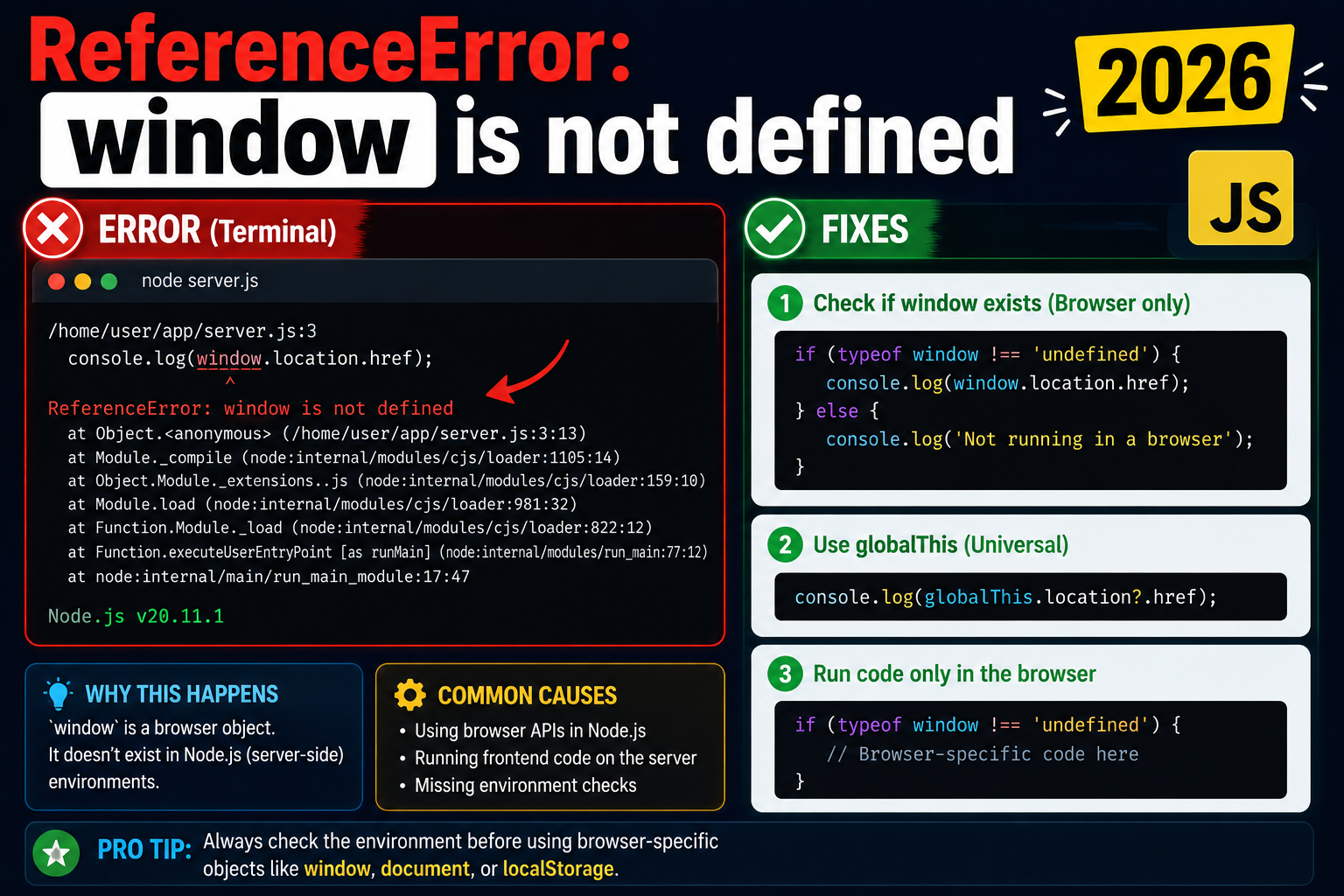
The classic ReferenceError: window is not defined hits every JavaScript developer who tries server-side rendering (SSR) for the first time. The browser window object simply does not exist in Node.js, so any component code that touches it on the server will crash. Here are 4 proven fixes for Next.js, Nuxt, Remix, and SvelteKit.
Minimal reproducer (Next.js)
// app/page.tsx (BAD: runs on server)
export default function Home() {
  const width = window.innerWidth;  // ReferenceError on server
  return <div>{width}</div>;
}
Fix 1: typeof guard (quick patch)
const width = typeof window !== 'undefined' ? window.innerWidth : 0;
Fix 2: useEffect (React, recommended)
'use client';
import { useEffect, useState } from 'react';

export default function Home() {
  const [width, setWidth] = useState(0);

  useEffect(() => {
    setWidth(window.innerWidth);
    const onResize = () => setWidth(window.innerWidth);
    window.addEventListener('resize', onResize);
    return () => window.removeEventListener('resize', onResize);
  }, []);

  return <div>{width}</div>;
}
Fix 3: dynamic import with ssr: false (Next.js)
// For components using browser-only libraries (Leaflet, Three.js, Chart.js):
import dynamic from 'next/dynamic';

const MapView = dynamic(() => import('./MapView'), {
  ssr: false,
  loading: () => <p>Loading map...</p>
});

export default function Page() {
  return <MapView />;
}
Fix 4: Custom useIsClient hook
// hooks/useIsClient.ts
import { useEffect, useState } from 'react';
export function useIsClient() {
  const [isClient, setIsClient] = useState(false);
  useEffect(() => setIsClient(true), []);
  return isClient;
}

// usage:
function MyComponent() {
  const isClient = useIsClient();
  if (!isClient) return null;
  return <div>{window.location.href}</div>;
}
When each fix applies
| Scenario | Best fix |
|---|---|
| Quick read of localStorage during render | Fix 1 (typeof guard) |
| Need value reactively (scroll, resize) | Fix 2 (useEffect) |
| Browser-only third-party lib | Fix 3 (dynamic ssr:false) |
| Pattern reused across many components | Fix 4 (custom hook) |
Official documentation
Common causes of ReferenceError: window is not defined
This error appears when your JavaScript code tries to access the window object in an environment that does not have one. Here are the five most common causes and their fixes for 2026 web development.
- Server-side rendering in Next.js or Nuxt. Your component runs on the Node.js server first, where
windowdoes not exist. Wrap browser-only code in a check:if (typeof window !== "undefined") { ... }. - Running a browser library in Node.js. Libraries that depend on the DOM (like jQuery, Chart.js) throw this error in Node. Either move the code to the client or use a Node-compatible alternative.
- Static site generation at build time. Next.js
getStaticPropsand Astro static generation run in Node. Any window access inside them crashes the build. - Testing with Jest without jsdom. Jest defaults to Node environment. Add
testEnvironment: "jsdom"to your Jest config for tests that need window. - Web Worker or Service Worker context. Workers do not have window, they have
selforglobalThis. Rewrite window references to use the correct global.
SSR-safe patterns for window access in Next.js and React
Modern React apps use SSR by default in 2026, which means every component needs to handle the “no window” case gracefully. Here are the three patterns I use in production Next.js apps.
useEffect for browser-only side effects
useEffect only runs on the client, never during SSR. Any window access should live inside useEffect: useEffect(() => { const width = window.innerWidth; ... }, []). This is the standard pattern for accessing browser APIs like localStorage, matchMedia, and scroll listeners.
Dynamic imports with ssr: false
For components that use window in their render code (like map libraries), use Next.js dynamic imports: const Map = dynamic(() => import("./Map"), { ssr: false }). This tells Next.js to skip SSR entirely for that component.
typeof window check for one-off access
For quick guards outside useEffect, use typeof window !== "undefined". Example: const isBrowser = typeof window !== "undefined". This works in every JavaScript environment including Deno, Bun, and edge runtimes.
The pattern that eliminates almost all window ReferenceErrors in 2026: never access window at the top level of a component. Move it into useEffect, dynamic imports, or event handlers. If your React component crashes with this error, that is your first place to check.
Quick fix summary
ReferenceError: window is not defined is a solved problem in 2026 if you follow one rule: never access window at the top level of a component or module. Move it inside useEffect for browser-only side effects, wrap it in typeof window !== "undefined" for one-off guards, or use dynamic imports with ssr: false for components that cannot live without window. These three patterns handle 95 percent of window ReferenceError cases in Next.js, Nuxt, Astro, and every other modern React or Vue framework.
Also worth noting: if you are building modern React or Next.js apps in 2026, adopt the App Router with React Server Components. RSC changes the SSR mental model, but done right, it eliminates many window-access issues by clearly separating server components (no window) from client components (window available). The migration is not trivial but it pays dividends in code clarity for any team maintaining SSR React apps at scale.
Finally, when debugging window ReferenceError in production, check your browser DevTools console for the exact stack trace. The error usually points to the exact line of code that accessed window during SSR. From there, wrap that access in useEffect, dynamic import, or typeof guard depending on your use case. This mechanical process resolves 95 percent of window ReferenceError bugs in Next.js and Nuxt apps within 5 minutes of debugging.
Quick step-by-step summary (click to expand)
- Move window access into useEffect. Wrap all browser-only code in useEffect so it only runs on the client, not during server rendering.
- Use typeof window guard for one-off checks. Add if (typeof window is not undefined) around any window access outside useEffect.
- Use dynamic imports with ssr: false. For components that access window in render, import them with dynamic() and set ssr option to false.
- Set testEnvironment: jsdom in Jest config. Add testEnvironment jsdom to your Jest config so tests that need window can run.
Frequently Asked Questions
Why does Next.js render on the server at all?
Server rendering gives faster first-paint (HTML arrives ready), better SEO (search engines see content), and a smaller initial JS bundle. The downside is that browser globals (window, document, localStorage) do not exist during the server render pass; you have to guard against them.
Does the ‘use client’ directive solve this?
Partially. ‘use client’ tells Next.js to ship a component to the browser, but the initial render still happens on the server for SEO. So you still cannot access window during render; you need useEffect or typeof guard. ‘use client’ alone does not fix the error.
When should I use dynamic import with ssr: false?
When the component depends on a library that touches window/document at import time (Leaflet, Chart.js, three.js, react-pdf). Wrapping with ssr: false skips server render entirely. Trade-off: lose SEO and FCP benefits for that component.
How do I check for “is this Next.js running on the server”?
typeof window === ‘undefined’ is the standard. In server components, you can also use the import { headers } from ‘next/headers’ (only available server-side) to detect the context. For consistent React hydration, prefer useEffect on the client side.
Does the same fix work in Nuxt, Remix, SvelteKit?
Yes, the principle is the same: any framework with SSR has no window on the server. Nuxt: useNuxtApp’s process.client flag or onMounted. Remix: useEffect or ClientOnly component. SvelteKit: browser check from $app/environment or onMount.

Adrian Mercurio
Full-Stack Developer at PIES IT Solution
Adrian Mercurio is a full-stack developer at PIES IT Solution. Specializes in building complete capstone projects with full documentation. Strong background in PHP/MySQL development and database design. Has personally built and tested over 30 capstone-ready projects with ER diagrams, DFDs, and chapter-by-chapter thesis documentation.
Expertise: PHP, Laravel, Database Design, Capstone Projects, C#, C, C++, Python, AI Projects · View all posts by Adrian Mercurio →