
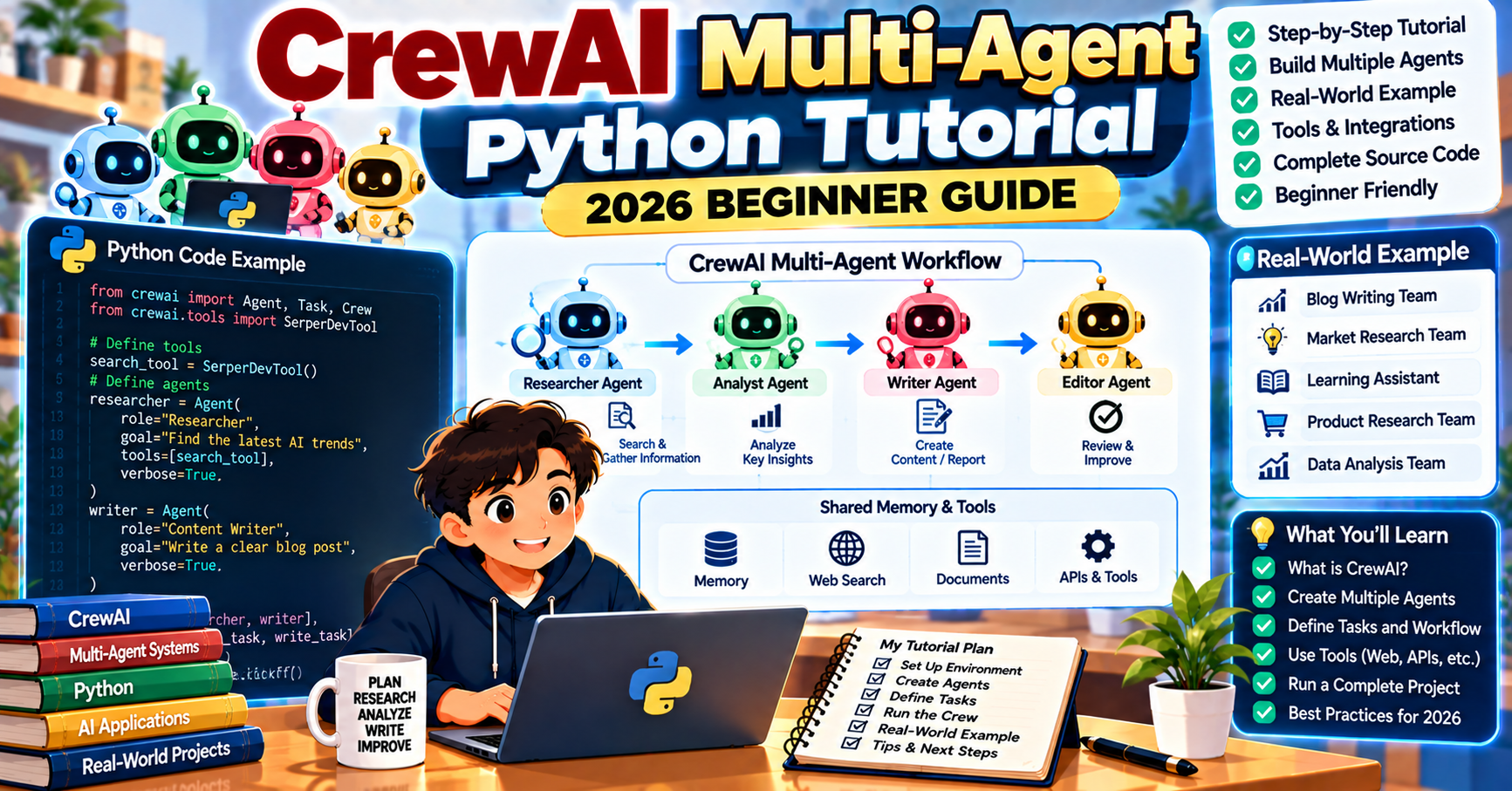
CrewAI is the fastest way to build multi-agent systems in Python in 2026. Instead of orchestrating LLM calls by hand, you define each agent’s role, goal, and tools, then let CrewAI handle the collaboration between them. This tutorial walks through building a working crew of three agents (researcher, writer, editor) that collaborate to produce a 300-word technical brief on a topic you give them. Total time: about 25 minutes.
What makes CrewAI different
CrewAI frames multi-agent systems the way humans frame teamwork. Each agent has a role (researcher, writer, editor), a goal (what they are trying to accomplish), and a backstory (persona that shapes how they communicate). You define tasks that reference specific agents, and the framework runs the agents in sequence or in parallel depending on how you configure the crew.
Compared to LangGraph, which gives you explicit control over every state transition, CrewAI hides the orchestration behind the role abstraction. You trade some control for faster development. For prototypes, content pipelines, research workflows, and anything where “team of specialists” is the natural mental model, CrewAI is usually the fastest route to a working system.
What you will build
A three-agent crew that produces a 300-word technical brief on a topic you specify:
- Researcher: searches the web for recent information on the topic
- Writer: drafts a readable summary from the research
- Editor: polishes the draft and checks it against the brief
Stack:
- Python 3.10 or newer
- CrewAI 0.80 with crewai-tools for the search integration
- OpenAI API (GPT-4o)
- Serper (free tier) for web search, or any search tool CrewAI supports
Step 1: Install and set up
mkdir crewai-brief && cd crewai-brief
python -m venv .venv
source .venv/bin/activate
pip install crewai crewai-tools python-dotenv
Create a .env file with your API keys:
OPENAI_API_KEY=sk-...
SERPER_API_KEY=your-serper-key-here
Serper has a free tier that is enough for this tutorial. Sign up at serper.dev.
Step 2: Define the three agents
Each agent has a role, a goal, a backstory, and optionally some tools. The backstory shapes the writing voice, which matters more than you might expect.
from crewai import Agent
from crewai_tools import SerperDevTool

search_tool = SerperDevTool()

researcher = Agent(
    role="Senior Research Analyst",
    goal="Find the most relevant and recent information on {topic}",
    backstory=(
        "You are a research analyst with 15 years of experience in technology trend analysis. "
        "You know how to find primary sources, verify claims against multiple references, "
        "and distill a mountain of information into the three or four points that actually matter."
    ),
    tools=[search_tool],
    verbose=True,
)

writer = Agent(
    role="Technical Writer",
    goal="Write a clear, 300-word technical brief for a developer audience",
    backstory=(
        "You write for engineers who have ten tabs open and three minutes to spare. "
        "You lead with the specific detail, never the generality. You cite real numbers and real names. "
        "You have never used the word delve."
    ),
    verbose=True,
)

editor = Agent(
    role="Senior Editor",
    goal="Polish the draft, verify accuracy, enforce the 300-word limit",
    backstory=(
        "You have edited technical writing for engineering publications for 20 years. "
        "You cut filler, flag unsupported claims, and make sure the brief ends on a concrete takeaway."
    ),
    verbose=True,
)
The backstories are where you shape voice. “You have never used the word delve” is a real, functional directive to the model: it will avoid that specific tell. Tune backstories for your brand voice and the output quality improves measurably.
Step 3: Define the three tasks
from crewai import Task

research_task = Task(
    description=(
        "Research the topic: {topic}. Find at least five relevant sources from the last 12 months. "
        "Extract the three most important facts, trends, or technical details. "
        "Include URLs for each source."
    ),
    expected_output="A bulleted list of three to five key findings, each with a source URL.",
    agent=researcher,
)

writing_task = Task(
    description=(
        "Using the research notes, write a 300-word technical brief on {topic}. "
        "Lead with the single most important insight. Use short paragraphs. "
        "Include at least one specific number or named example."
    ),
    expected_output="A 300-word technical brief in Markdown format.",
    agent=writer,
    context=[research_task],
)

editing_task = Task(
    description=(
        "Polish the draft. Verify the facts match the research. "
        "Enforce the 300-word limit. End with a concrete takeaway for a developer reader."
    ),
    expected_output="Final 300-word brief, polished and ready to publish.",
    agent=editor,
    context=[writing_task],
)
The context parameter passes the output of one task into another. CrewAI handles the message passing automatically.
Step 4: Build and run the crew
from crewai import Crew, Process
from dotenv import load_dotenv

load_dotenv()

crew = Crew(
    agents=[researcher, writer, editor],
    tasks=[research_task, writing_task, editing_task],
    process=Process.sequential,
    verbose=True,
)

result = crew.kickoff(inputs={"topic": "LangGraph vs CrewAI for production agent systems in 2026"})
print("\n\n=== FINAL BRIEF ===\n")
print(result)
Run python brief.py. Each agent announces its work as it runs. The researcher searches the web and summarizes findings. The writer drafts. The editor polishes. The final 300-word brief lands at the end.
What is happening under the hood
The sequential process runs tasks one after another, passing each task’s output to the next through the context parameter. Each agent gets its own LLM call per turn, with its own role and goal injected into the system prompt. The framework handles memory within a task and message passing between tasks.
You can switch to Process.hierarchical if you want a manager agent that delegates to the specialists dynamically. That is a bigger pattern worth its own tutorial, but the sequential pattern above handles most real-world content pipelines, research workflows, and multi-step analysis jobs.
Cost and timing
A typical run of this crew (3 agents, 3 tasks, GPT-4o) in September 2026:
- Total LLM calls: 6 to 10 (depending on how many Serper searches the researcher runs)
- Total tokens: roughly 15,000 to 25,000 across input and output
- Estimated cost: $0.05 to $0.10 per run
- Wall-clock time: 45 to 90 seconds
For high-volume use, swap the writer and editor to GPT-4o mini and keep the researcher on GPT-4o. The researcher benefits most from the better reasoning when deciding which sources to prioritize.
What to try next
- Add a fact-checker agent that runs between writer and editor, verifying claims against the research sources.
- Switch to Process.hierarchical and add a manager agent that routes work dynamically.
- Add long-term memory using CrewAI’s memory feature so the crew remembers prior briefs.
- Integrate with CrewAI Enterprise for observability, workflow management, and scheduled runs.
- Combine with LangGraph by running CrewAI inside a single LangGraph node for the top-level orchestration.
Frequently Asked Questions
How is CrewAI different from LangGraph?
CrewAI uses the role-based team metaphor and hides most orchestration behind the Crew abstraction. LangGraph models agents as explicit state machines where you control every edge. CrewAI is faster to prototype; LangGraph gives you more control and observability. Many production systems use both: LangGraph at the top level, CrewAI inside a node that needs multi-agent collaboration.
Can I use Claude or Gemini instead of OpenAI with CrewAI?
Yes. CrewAI supports every major LLM provider through LiteLLM under the hood. Set the CREWAI_LLM environment variable or pass the model name as a string (for example "anthropic/claude-sonnet-5-5") when creating the Agent. The rest of the code is unchanged.
How many agents can one crew have?
In practice, three to seven agents works best. Fewer than three and you do not need the multi-agent abstraction (one agent plus a few tools is simpler). More than seven and the orchestrator struggles to pick the right agent for each step, and costs balloon. For larger systems, split into multiple crews that call each other.
Can I run CrewAI agents in production?
Yes. The open-source core is stable in 2026 and CrewAI Enterprise provides managed hosting, workflow scheduling, and observability. For mission-critical production, add OpenTelemetry tracing and a monitoring stack on top. Hundreds of production CrewAI deployments ship in content pipelines, research workflows, and customer support automation.
How do I make the agents collaborate better?
Write detailed backstories and task descriptions. The quality of agent output tracks directly with the quality of the prompts in those fields. Add specific voice guidance (“you have never used the word delve”), name real tools and sources, and include concrete success criteria in the expected_output.
Can CrewAI agents call custom tools I write?
Yes. Define a Python function and decorate it with @tool, or subclass BaseTool for more complex cases. Attach the tool to any agent through its tools parameter. CrewAI handles the tool registration with the LLM automatically.
Official documentation

Adrian Mercurio
Full-Stack Developer at PIES IT Solution
Specializes in building complete capstone projects with full documentation. Strong background in PHP/MySQL development and database design. Has personally built and tested over 30 capstone-ready projects with ER diagrams, DFDs, and chapter-by-chapter thesis documentation.
Expertise: PHP, Laravel, Database Design, Capstone Projects, C#, C, C++, Python, AI Projects · View all posts by Adrian Mercurio →