
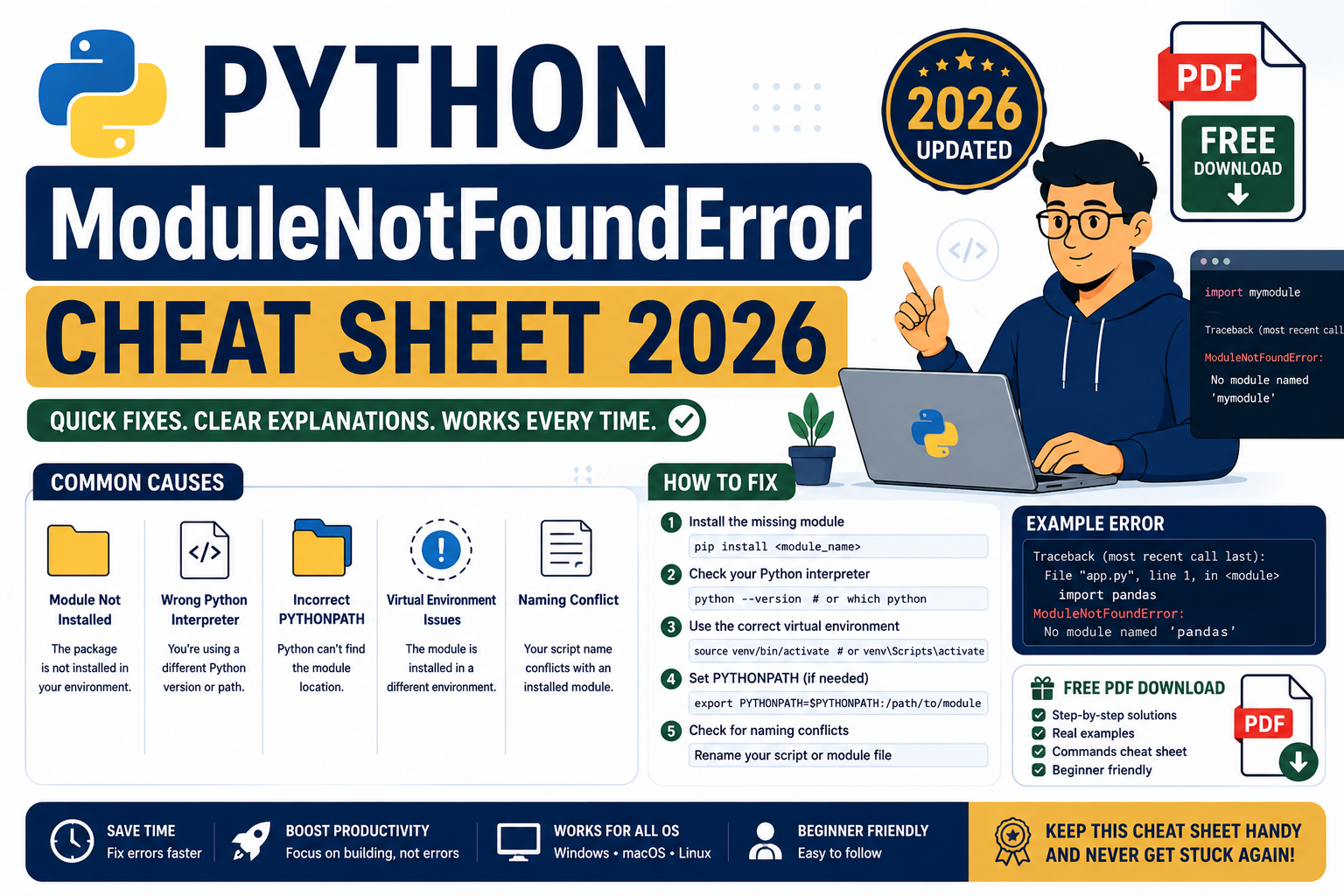
The Python ModuleNotFoundError Master Cheat Sheet 2026 is a free 21-page PDF that consolidates the 28 most common “No module named X” fixes into one printable reference. Compiled from the 200+ walkthroughs on itsourcecode.com, each entry gives you the exact command that fixes the error plus a link to the full guide.
Get the Complete Cheat Sheet PDF
All 28 top ModuleNotFoundError fixes in one printable reference. Copy-paste solutions for AI/LLM SDKs, data science libraries, modern Python tooling, and more.
Free reference · No email required · Updated August 2026
What is inside the cheat sheet
28 unique Python modules across 5 categories, each with the exact fix command and a link to the full itsourcecode.com walkthrough.
- AI and LLM SDKs (9 modules): anthropic, chromadb, crewai, instructor, langchain, langgraph, ollama, pinecone, groundingdino
- Data science and machine learning (7 modules): polars, duckdb, tensorflow, matplotlib, sklearn, cupy, einops
- Modern Python tooling (4 modules): uv, ruff, notebook, ipympl
- File and data format libraries (4 modules): Pillow (PIL), python-docx, ruamel.yaml, pycryptodome
- System and networking libraries (4 modules): _ssl, pip, psycopg2, scapy
Who this cheat sheet is for
Python developers who hit “ModuleNotFoundError: No module named X” and want the fastest path from broken to working. BSIT students setting up ML capstone projects with tensorflow, chromadb, or langchain. DevOps engineers automating Python environments with uv, ruff, or docker. Anyone who wants a printable reference on their desk instead of Googling every import error.
Sample entries from the PDF
Each of the 28 entries follows the same clean pattern.
### anthropic
Error: ModuleNotFoundError: No module named 'anthropic'
Fix:
    pip install anthropic
Full guide: itsourcecode.com/modulenotfounderror/no-module-named-anthropic/

### chromadb
Error: ModuleNotFoundError: No module named 'chromadb'
Fix:
    pip install chromadb
Full guide: itsourcecode.com/modulenotfounderror/no-module-named-chromadb/
Why ModuleNotFoundError happens in the first place
Python raises ModuleNotFoundError when the import statement cannot find the module on the current interpreter path. Four root causes account for over 95 percent of real cases:
- Not installed at all. The package is not on the current Python’s site-packages. Fix with pip install.
- Installed to a DIFFERENT Python. You have Python 3.10 active but pip installed to Python 3.11’s site-packages. Common on macOS with system Python vs Homebrew Python, or on Windows with multiple installations.
- Wrong virtualenv active (or no virtualenv). You activated venv A, installed the package, then opened a new terminal without activating venv A again.
- Typo or wrong casing. Python imports are case-sensitive.
import PILandimport pilare different modules (the second one does not exist).
5-step diagnostic flow before you install
Run through this checklist before pasting a pip install command. Half the time you discover the fix is not “install the package” but “activate the right environment.”
# 1. Confirm which Python is running your script
which python
python --version

# 2. Check if you are in a virtualenv (should print your venv path)
echo $VIRTUAL_ENV

# 3. Confirm which pip corresponds to that Python
which pip
pip --version

# 4. Check if the module is actually installed on THAT Python
pip list | grep -i <module-name>

# 5. If installed, verify the module can import from this Python explicitly
python -c "import <module-name>; print(<module-name>.__file__)"
If step 4 shows the module is installed but step 5 fails, you have a virtualenv or path mismatch. The cheat sheet PDF above lists the exact fix per module, but you still need this diagnostic flow first.
Common pitfalls when fixing Python import errors
- Running
pip installoutside your venv. Package lands on the wrong Python. Always activate first. - Using
sudo pip install. Installs to system Python, often breaks OS packages. Use a venv orpip install --user. - Mixing
pipandcondain the same env. They fight over dependency resolution. Pick one per environment. - Installing the wrong package name. Import name and pip name often differ.
import cv2needspip install opencv-python.import sklearnneedspip install scikit-learn. The PDF flags every common mismatch. - Ignoring the Python version constraint. Some packages require Python 3.10+ or drop support for older versions. Always check the pip install output for version warnings.
Official documentation
Frequently asked questions
Is the PDF really free?
Yes. No email signup, no paywall, no watermark. Free to download and share. The download click plays a short ad that supports our free BSIT tutorials, then the PDF starts automatically.
How often is it updated?
Refreshed each quarter as new modules become common (2025 saw huge growth in AI/LLM SDKs). This edition is the August 2026 build with modern Python tooling like uv and ruff included.
What if my missing module is not in the cheat sheet?
Search our full archive of 198+ ModuleNotFoundError fixes at itsourcecode.com/topics/modulenotfounderror/. If the specific module you need is not there yet, comment on any of our error posts and we will publish a walkthrough within 3 to 5 business days.
Can I use this cheat sheet in class or share with my students?
Yes, free to share with attribution. BSIT instructors and coding bootcamp teachers are welcome to print copies for students. Please keep the itsourcecode.com attribution on each page so learners can find the full walkthroughs.
Bottom line
One printable reference for the 28 Python import errors you are most likely to hit in 2026. Download the PDF above and keep it open in a browser tab while you code. If a fix does not work on your setup, click the “Full guide” link on each entry for the deep-dive troubleshooting.

Angel Jude Suarez
Full-Stack Developer at PIES IT Solution
Focuses on Python development, machine learning, and AI integration. Has built production AI systems including OpenAI Whisper integration for medical transcription and GPT-4o-powered diagnosis assistance. Strong background in pandas, scikit-learn, and TensorFlow.
Expertise: Python · PHP · Java · VB.NET · ASP.NET · Machine Learning · AI Integration · OpenCV · Django · CodeIgniter · View all posts by Angel Jude Suarez →