
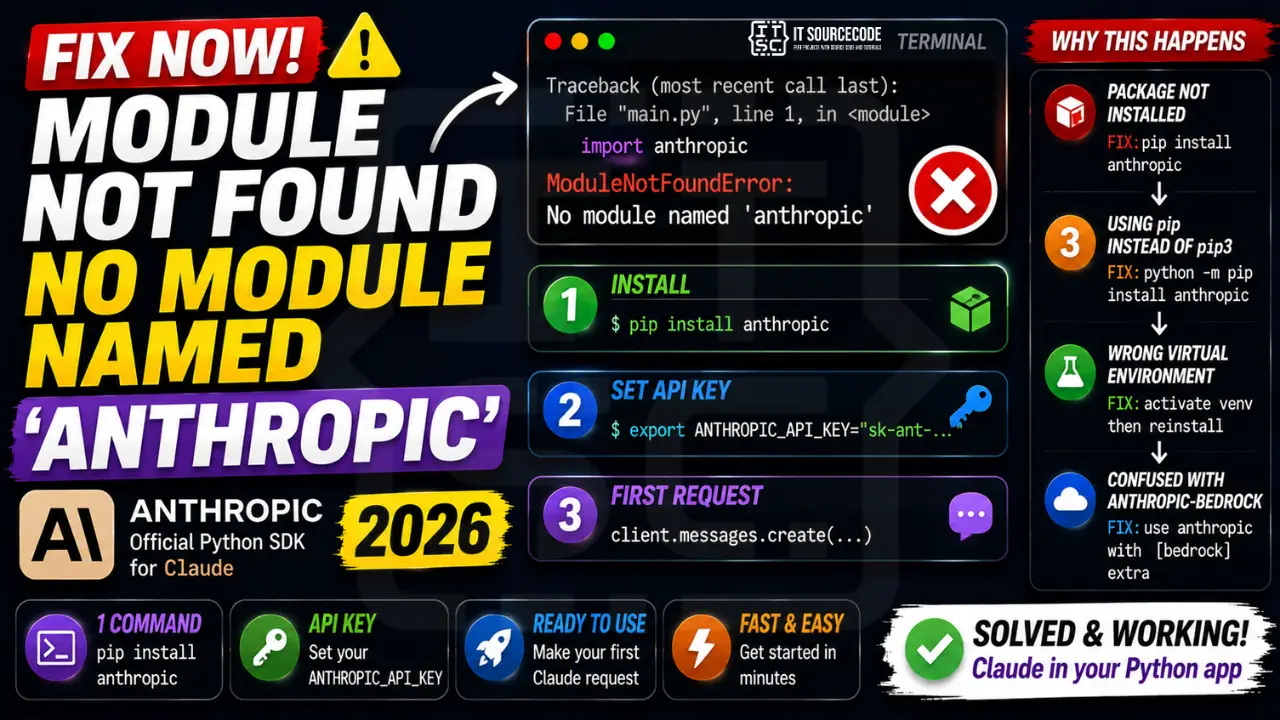
Anthropic is the official Python SDK for Claude. If your script raises ModuleNotFoundError: No module named ‘anthropic’, install it with one pip command. Make sure your environment also has the ANTHROPIC_API_KEY environment variable set.
Step 1: Install the SDK
pip install anthropic

# Or with bedrock support (AWS hosted Claude):
pip install 'anthropic[bedrock]'

# With vertex (Google Cloud hosted Claude):
pip install 'anthropic[vertex]'
Step 2: Set your API key
# Linux / macOS
export ANTHROPIC_API_KEY="sk-ant-..."

# Windows PowerShell
$env:ANTHROPIC_API_KEY = "sk-ant-..."

# Or in Python (less secure, do not commit):
import os
os.environ['ANTHROPIC_API_KEY'] = 'sk-ant-...'
Step 3: First request
from anthropic import Anthropic

client = Anthropic()  # reads ANTHROPIC_API_KEY from env

message = client.messages.create(
    model="claude-opus-4-7",
    max_tokens=1024,
    messages=[{"role": "user", "content": "Hello, Claude!"}]
)
print(message.content[0].text)
Step 4: Streaming response
with client.messages.stream(
    model="claude-opus-4-7",
    max_tokens=1024,
    messages=[{"role": "user", "content": "Write a haiku"}]
) as stream:
    for text in stream.text_stream:
        print(text, end="", flush=True)
Why this error happens
| Cause | Fix |
|---|---|
| Package not installed | pip install anthropic |
| Installed pip but using pip3 | python -m pip install anthropic |
| Wrong virtualenv | Activate target venv then reinstall |
| Confused with anthropic-bedrock (old) | Use main anthropic package with [bedrock] extra |
Debugging checklist for ModuleNotFoundError: anthropic
- Confirm which Python is running:
which pythonandpython --version. - Confirm which pip installed the package:
python -m pip show anthropic. - If you are in a virtual env, confirm it is activated.
(venv)should appear in your shell prompt. - If Jupyter, confirm the kernel matches. Restart the kernel after install.
Correct install commands for common setups
# Standard Python (system or venv)
python -m pip install anthropic

# Poetry
poetry add anthropic

# Conda environment
conda run -n myenv pip install anthropic

# Jupyter Notebook (install into the running kernel)
import sys
!{sys.executable} -m pip install anthropic

# uv (fastest 2026 workflow)
uv add anthropic
Common mistakes with the Anthropic SDK
- Installing to global Python while running in a venv. Use
python -m pip installinstead of rawpip install. - Wrong package name. The Anthropic Python SDK is
anthropic, notanthropic-aiorclaude-sdk. - Corporate proxy blocking PyPI. Set
HTTPS_PROXYor use--index-url. - Old cached wheel. Force a clean install with
pip install --no-cache-dir --upgrade anthropic.
Verify the install and run a smoke test
import anthropic
print(anthropic.__version__)

# Smoke test (needs ANTHROPIC_API_KEY set)
client = anthropic.Anthropic()
msg = client.messages.create(
    model="claude-opus-4-8",
    max_tokens=64,
    messages=[{"role": "user", "content": "Say hi"}]
)
print(msg.content[0].text)
If the import prints a version but the API call fails, the install is fine. Your problem is the API key or network, not the module.
Real-world example: Anthropic SDK in a FastAPI service
Here is a full working example that runs the Anthropic SDK inside a FastAPI service. If your import works but you still hit runtime errors, this is the reference to compare against.
# main.py
from fastapi import FastAPI
from pydantic import BaseModel
import anthropic

app = FastAPI()
client = anthropic.Anthropic()

class ChatRequest(BaseModel):
    message: str

@app.post("/chat")
def chat(req: ChatRequest):
    reply = client.messages.create(
        model="claude-opus-4-8",
        max_tokens=512,
        messages=[{"role": "user", "content": req.message}]
    )
    return {"reply": reply.content[0].text}

# Install:  uv add anthropic fastapi uvicorn
# Run:      uvicorn main:app --reload
# Test:     curl -X POST http://127.0.0.1:8000/chat -H "content-type: application/json" -d '{"message":"Say hi"}'
If the FastAPI process fails with ModuleNotFoundError even after uv add anthropic, the most common cause is running uvicorn from a different Python. Use uv run uvicorn main:app --reload to force the correct interpreter.
Related ModuleNotFoundError patterns
- No module named “openai”: same fix pattern. Install with
uv add openaiorpython -m pip install openai. - No module named “langchain”: the meta package. You often want a specific submodule like
langchain-anthropicorlangchain-openai. - No module named “dotenv”: the package name on PyPI is
python-dotenv, notdotenv. This one bites everyone once.
Quick reference: environment-specific install commands
Use this as a fast lookup when the ModuleNotFoundError comes back weeks or months later. The install command changes based on how the project is bootstrapped, and using the wrong one is why the same error keeps showing up on the same laptop across projects.
- Plain venv or system Python:
python -m pip install anthropic. Always usepython -m pip, never barepip, so you install into the interpreter that is actually running your script. - uv-managed project (recommended in 2026):
uv add anthropicand run scripts withuv run python your_script.py. The runner picks the right virtual env automatically. - Poetry project:
poetry add anthropic, thenpoetry run python your_script.py. - Conda environment: activate the env first with
conda activate myenv, thenpip install anthropic. Do not mix conda install and pip install for the same package. - Jupyter Notebook: install into the running kernel with
%pip install anthropic(the magic auto-picks the correct interpreter). Restart the kernel afterward. - Docker image: add
RUN pip install anthropicto your Dockerfile, then rebuild. Do not install at runtime.
The single most common cause of the module error coming back is running your entry point with a different Python than the one you installed into. Verify with python -c "import anthropic; print(anthropic.__file__)" to see the actual install path.
Official documentation
Quick step-by-step summary (click to expand)
- Verify Python version is 3.8 or newer. Run python –version. The anthropic SDK requires Python 3.8+.
- Install the anthropic SDK. Run uv pip install anthropic (recommended) or pip install anthropic.
- Set your ANTHROPIC_API_KEY environment variable. Get an API key from console.anthropic.com and export ANTHROPIC_API_KEY=your_key or add it to your .env file.
- Verify with a test call. Run python -c “import anthropic; print(anthropic.__version__)” to confirm the module loads.
Frequently Asked Questions
How do I get an Anthropic API key?
Sign up at console.anthropic.com. Add billing details. Create an API key from the API Keys section. Free trial credit is usually included for new accounts. Store the key in a .env file (never commit it).
What is the difference between AsyncAnthropic and Anthropic?
Anthropic is the synchronous client (blocking calls). AsyncAnthropic uses asyncio for concurrent requests, required if you call multiple Claude requests in parallel from FastAPI or AIOHTTP. Same API surface, just add await.
Which Claude model should I use in 2026?
claude-opus-4-7 for the best quality on complex reasoning. claude-sonnet-4-6 for fast everyday tasks. claude-haiku-4-5 for high-volume cheap tasks. Pricing scales accordingly. Newer Opus 4.8 may be available; check console.anthropic.com/models for current list.
Can the anthropic SDK use AWS Bedrock or Google Vertex?
Yes. Install pip install ‘anthropic[bedrock]’ and use AnthropicBedrock client (uses AWS IAM credentials). Or pip install ‘anthropic[vertex]’ for AnthropicVertex (uses GCP creds). Same message API.
Does anthropic SDK support function calling and tool use?
Yes. Pass tools parameter to messages.create. Claude returns tool_use blocks; you execute the tool and send back tool_result. Powers everything from RAG to multi-step agents. See the SDK README for the complete loop.

Adrian Mercurio
Full-Stack Developer at PIES IT Solution
Specializes in building complete capstone projects with full documentation. Strong background in PHP/MySQL development and database design. Has personally built and tested over 30 capstone-ready projects with ER diagrams, DFDs, and chapter-by-chapter thesis documentation.
Expertise: PHP · Laravel · Database Design · Capstone Projects · C# · C · C++ · Python · AI Projects
· View all posts by Adrian Mercurio →