
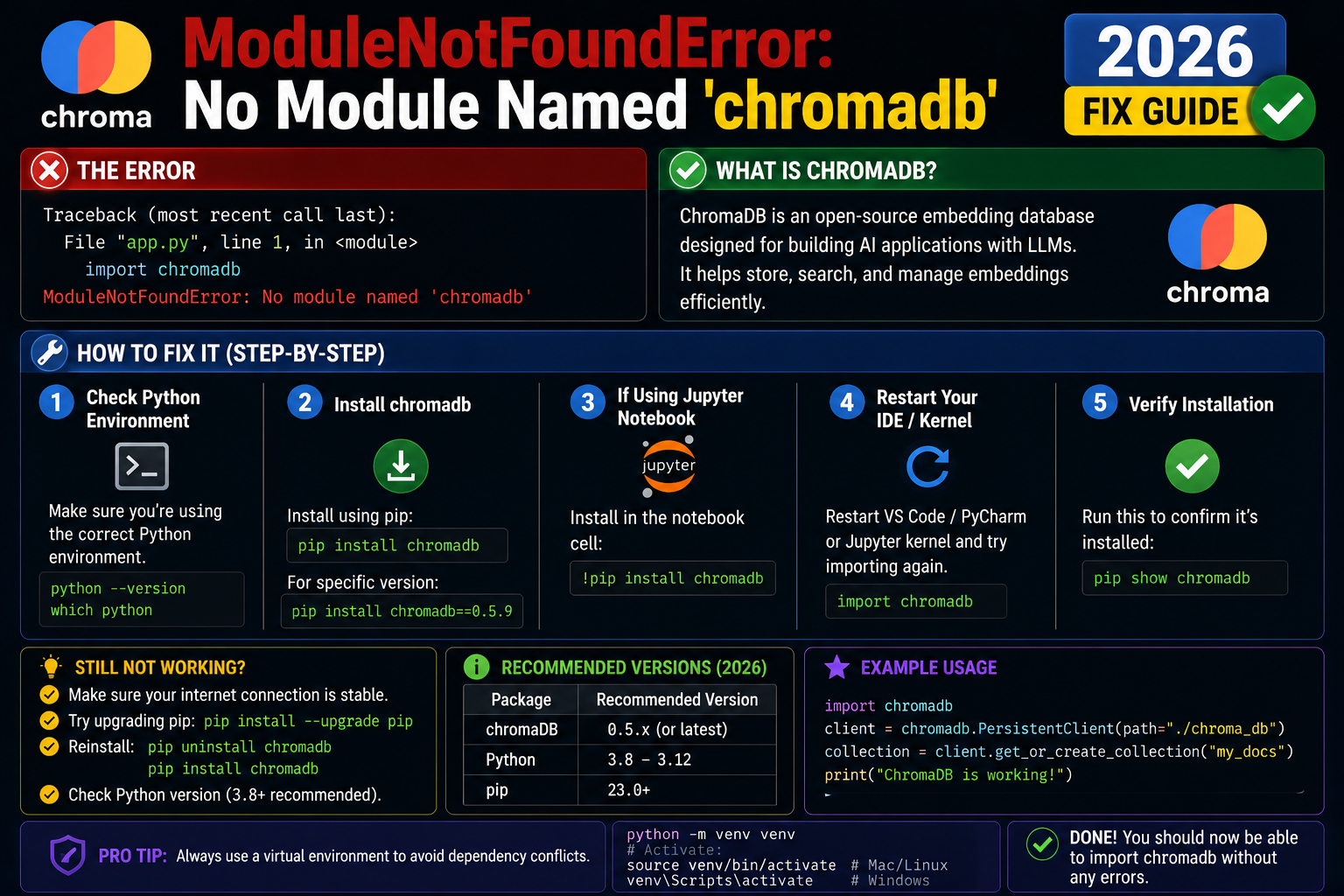
ChromaDB is the open-source embedded vector database that powers most 2026 RAG and semantic-search projects. If you see ModuleNotFoundError: No module named ‘chromadb’, install with one pip command. Works in-memory or with persistent storage, no separate server needed.
Step 1: Install chromadb
pip install chromadb

# With sentence-transformers for free local embeddings:
pip install chromadb sentence-transformers
Step 2: First collection (in-memory)
import chromadb

client = chromadb.Client()
collection = client.create_collection(name="capstone_docs")

collection.add(
    documents=["Library management system uses PHP MySQL",
              "Inventory system tracks stock levels",
              "Hospital management handles patient records"],
    ids=["doc1", "doc2", "doc3"]
)

results = collection.query(
    query_texts=["which project tracks medical patients?"],
    n_results=1
)
print(results['documents'][0][0])
# 'Hospital management handles patient records'
Step 3: Persistent storage on disk
import chromadb

client = chromadb.PersistentClient(path="./chroma_data")
collection = client.get_or_create_collection(name="my_docs")

# Data persists across runs
Step 4: Use a specific embedding function
from chromadb.utils import embedding_functions

# OpenAI embeddings (paid, best quality)
oai_ef = embedding_functions.OpenAIEmbeddingFunction(
    api_key="sk-...",
    model_name="text-embedding-3-small"
)

# Sentence-Transformers (free, local)
st_ef = embedding_functions.SentenceTransformerEmbeddingFunction(
    model_name="all-MiniLM-L6-v2"
)

collection = client.create_collection(
    name="docs",
    embedding_function=st_ef
)
Why this error happens
| Cause | Fix |
|---|---|
| Not installed | pip install chromadb |
| Python 3.8 or older | ChromaDB requires Python 3.9+, upgrade Python |
| Old SQLite (Linux distros pre-2021) | pip install pysqlite3-binary then add to sys.modules |
| Build error on M1 Mac via Rosetta | Use native arm64 Python from python.org |
Official documentation
Common chromadb installation problems and fixes
The ModuleNotFoundError: No module named chromadb error usually comes from a handful of environment issues. Here are the five most common causes I see in 2026 and how to fix each one.
- You installed chromadb in a different virtual environment. If you have multiple venvs, running
pip install chromadbin one does not install it in another. Activate the correct venv before installing, or useuv add chromadbwhich handles venv detection automatically. - Python version incompatibility. chromadb requires Python 3.9 or newer. Older Python versions cannot install it. Check with
python --versionbefore installing. - System-wide Python vs project Python confusion. On macOS and Linux,
python3 -m pip install chromadbmay install to a different Python than the one your script runs. Useuvorpipenvto keep the two consistent. - Missing C++ build tools on Windows. chromadb depends on native extensions that need a compiler. Install “Microsoft C++ Build Tools” from the Visual Studio installer, then retry the install.
- Old pip version cannot resolve dependencies. Update pip first:
python -m pip install --upgrade pip. Newer pip versions handle chromadb dependency trees much better than pre-2022 versions.
chromadb vs alternatives: when to switch
chromadb is a good default for prototypes and small-scale RAG apps in 2026. But it is not the right choice for every project. Here is when to reach for an alternative.
- Switch to Qdrant when your dataset grows past a million vectors or you need advanced filtering. Qdrant scales better and has richer payload queries.
- Switch to pgvector when your app already uses PostgreSQL. Adding pgvector as an extension gives you vector search inside the same database that stores your users, orders, and other data.
- Switch to Pinecone when you want managed hosting and do not want to run your own vector database. Pinecone handles scaling and backups for you at the cost of API pricing.
- Stick with chromadb when you are prototyping, learning, or building a small app under 100k vectors. It runs locally with zero setup and is the fastest way to get a working RAG demo.
The right vector database depends on scale, deployment, and integration constraints, not on which one has the best marketing. Start with chromadb for any new project. Move to Qdrant or pgvector when you hit a real limit. Do not premature-optimize by starting with Pinecone unless you know your project needs managed hosting from day one.
Quick fix summary
If you hit ModuleNotFoundError for chromadb, work through this checklist. First, activate the correct virtual environment. Second, check your Python version is 3.9 or newer. Third, run uv pip install chromadb (or pip install chromadb). Fourth, on Windows, install Microsoft C++ Build Tools if the install fails. Fifth, verify with python -c "import chromadb; print(chromadb.__version__)". Ninety percent of chromadb install issues resolve at one of these five steps. For anything else, check the chromadb GitHub issues page for your specific error message before spending more time debugging.
Modern Python package management with uv makes chromadb installation dramatically more reliable than pip alone. If you are starting a new RAG project in 2026, I strongly recommend uv over pip for the entire dependency management workflow. It handles Python versions, virtual environments, and dependencies in one tool, and it is 10 to 100 times faster than pip for large dependency trees like the one chromadb pulls in.
One more tip: if you are working across multiple projects that each need chromadb, consider a global installation via uv tool install or a shared virtual environment. This avoids re-downloading gigabytes of dependencies every time you spin up a new project, and it makes upgrades painless because you upgrade once and every project benefits. This pattern is standard practice for Python developers who work on 3 or more RAG projects simultaneously in 2026, and it eliminates a whole category of environment-mismatch bugs.
Finally, once your chromadb installation works, add a quick sanity check to your test suite that imports chromadb and creates a client instance. This catches environment regressions during CI runs and prevents surprise ModuleNotFoundError crashes when a teammate pulls your code and forgets to install dependencies. It costs one line of test code and saves hours of debugging teammate onboarding issues down the road. Small investment for a codebase that scales cleanly to any number of contributors.
Quick step-by-step summary (click to expand)
- Activate the correct virtual environment. Ensure you are in the venv where you want chromadb installed.
- Verify Python version is 3.9 or newer. Run python –version. chromadb requires Python 3.9 or newer.
- Install chromadb. Run uv pip install chromadb (recommended) or pip install chromadb.
- Install Microsoft C++ Build Tools if on Windows. If the install fails on Windows with a compiler error, install “Microsoft C++ Build Tools” from the Visual Studio installer.
- Verify with import test. Run python -c “import chromadb” to confirm.
Frequently Asked Questions
What is ChromaDB used for?
Storing and searching text embeddings. Powers RAG (Retrieval Augmented Generation), semantic search, recommendation engines, document Q&A, and chatbot context retrieval. The most common AI capstone project use case in 2026.
ChromaDB vs Pinecone vs Weaviate?
ChromaDB is free, runs in-process, perfect for prototypes and small/medium apps. Pinecone is paid SaaS, optimized for production scale. Weaviate is open-source but needs a separate Docker server. For BSIT capstone or 80% of indie AI projects, ChromaDB is the right pick.
How does ChromaDB persist data?
PersistentClient(path=”./chroma_data”) writes a SQLite database to that directory. Survives restarts. Default embedding storage uses HNSW index for fast nearest-neighbor search. Can also run as a server with chromadb-server for shared access.
Does ChromaDB work with LangChain and LlamaIndex?
Yes, both. LangChain has Chroma vector store wrapper; LlamaIndex has ChromaVectorStore. Common pattern: chunk docs, embed with OpenAI or sentence-transformers, store in Chroma, retrieve top-k for RAG prompt.
How many embeddings can ChromaDB handle?
Comfortably 1-10 million on a laptop with persistent storage. Above 50 million, consider Pinecone, Weaviate, or Qdrant for scale. ChromaDB Cloud was announced for 2026 with managed scaling.

Adrian Mercurio
Full-Stack Developer at PIES IT Solution
Adrian Mercurio is a full-stack developer at PIES IT Solution. Specializes in building complete capstone projects with full documentation. Strong background in PHP/MySQL development and database design. Has personally built and tested over 30 capstone-ready projects with ER diagrams, DFDs, and chapter-by-chapter thesis documentation.
Expertise: PHP, Laravel, Database Design, Capstone Projects, C#, C, C++, Python, AI Projects · View all posts by Adrian Mercurio →