
Ruff is the Rust-built Python linter and formatter from Astral, now standard in 2026 for replacing flake8, isort, pylint, and black. If you see ModuleNotFoundError: No module named ‘ruff’, install with one pip command. Like uv, ruff is mostly used as a CLI command, not via Python import.
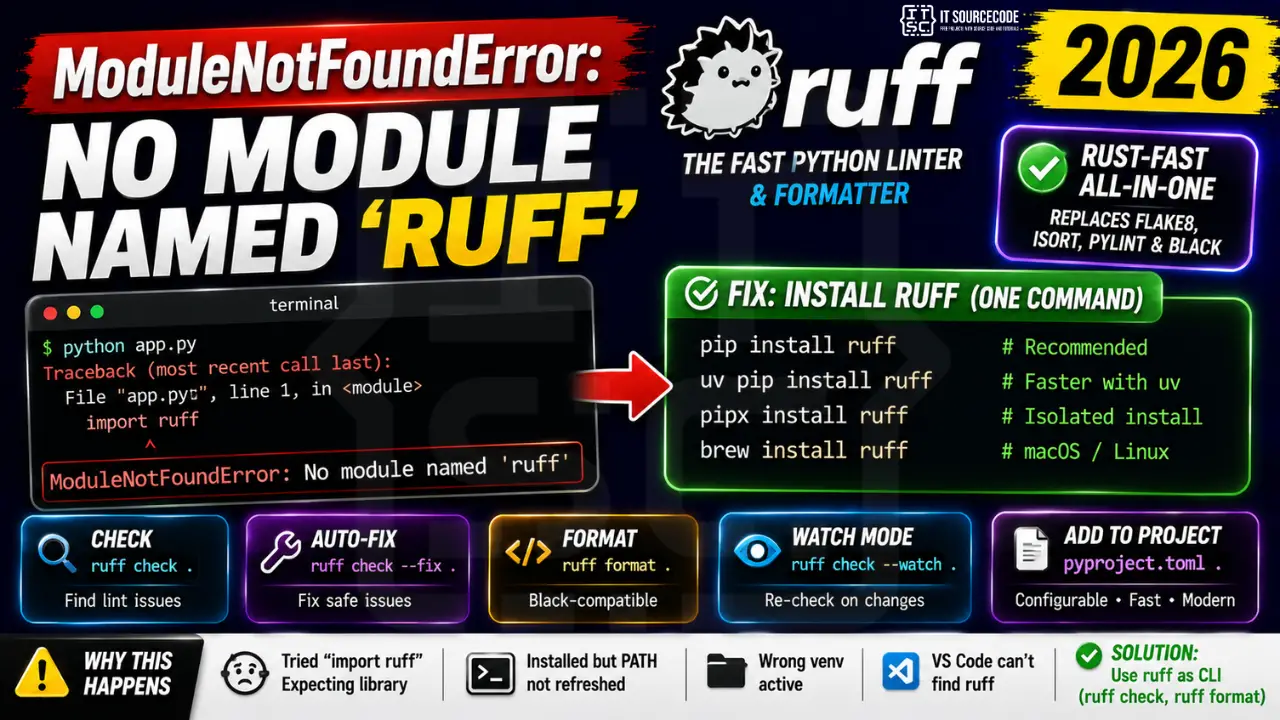
Step 1: Install ruff
# Via pip (most common):
pip install ruff

# Via uv (faster):
uv pip install ruff

# Via pipx (isolated install):
pipx install ruff

# Via Homebrew (macOS / Linux):
brew install ruff
Step 2: Common ruff commands
# Check a directory for lint issues:
ruff check .

# Auto-fix safe issues:
ruff check --fix .

# Auto-fix all (including breaking changes):
ruff check --fix --unsafe-fixes .

# Format files (Black-compatible):
ruff format .

# Watch mode (re-check on file changes):
ruff check --watch .
Step 3: Configure in pyproject.toml
[tool.ruff]
line-length = 100
target-version = "py312"
[tool.ruff.lint]
select = [“E”, “F”, “W”, “I”, “UP”, “B”, “C4”, “SIM”] ignore = [“E501”] # ignore line-too-long (we set 100 above)
[tool.ruff.format]
quote-style = “double” indent-style = “space”
Step 4: Pre-commit hook (recommended)
# .pre-commit-config.yaml
repos:
  - repo: https://github.com/astral-sh/ruff-pre-commit
    rev: v0.5.0
    hooks:
      - id: ruff
        args: [--fix]
      - id: ruff-format
Why this error happens
| Cause | Fix |
|---|---|
| Tried “import ruff” expecting library | ruff is a CLI command, run “ruff check” in terminal |
| Installed but PATH not refreshed | Restart shell or add scripts dir to PATH |
| Wrong venv active | Activate target venv before pip install |
| VS Code Ruff extension can’t find binary | Set “ruff.path” in settings.json to full path |
Official documentation
Common ruff installation issues
The ModuleNotFoundError on ruff usually comes from environment mismatches. Here are the four patterns I see most often in 2026 Python projects.
- Installed globally but running inside a virtual environment. A global ruff is invisible to your project venv. Install ruff inside the venv or use uv tool install ruff for global tool management.
- Python version below 3.7. ruff requires Python 3.7 or newer. Older Python versions cannot install the modern ruff.
- Trying to import ruff in Python code. ruff is a command-line tool, not a Python library. You run it via ruff check yourfile.py, not import ruff.
- Missing from PATH after install. pip install ruff puts the binary in Python Scripts folder. If your PATH does not include it, the ruff command fails. Use python -m ruff as a workaround.
Why ruff is the default Python linter in 2026
ruff replaced flake8, isort, and black as the default Python code quality tool for most modern projects. It runs 10 to 100 times faster than the tools it replaced because it is written in Rust. On a large Python project, ruff can lint the entire codebase in under 2 seconds, while flake8 might take 30 seconds or more.
Ruff also consolidates the functionality of multiple tools into one binary. Instead of maintaining separate configurations for flake8, isort, pyupgrade, and black, you configure everything in a single pyproject.toml section. Fewer tools, faster feedback, less configuration drift.
If you are starting a new Python project in 2026, add ruff to your dependencies from day one. The setup takes 5 minutes and pays dividends every time you commit code. For existing projects using flake8 and black, ruff has migration guides in its documentation and can be adopted incrementally without breaking your existing workflow.
Quick step-by-step summary (click to expand)
- Verify Python version is 3.7 or newer. Run python –version. ruff requires Python 3.7+.
- Install ruff inside your venv. Activate your venv, then run uv pip install ruff or pip install ruff.
- Verify ruff is on PATH. Run ruff –version. If not found, use python -m ruff as a workaround.
- For global tool use, install with uv. Run uv tool install ruff to install ruff globally in a way that works across all your projects.
Quick summary
ModuleNotFoundError on ruff resolves in 5 minutes with the right approach. First activate your venv. Second run uv pip install ruff (or plain pip install ruff). Third verify with ruff –version. Fourth, if not on PATH, use python -m ruff as a fallback. Fifth, for global tool management, use uv tool install ruff. These 5 steps handle 95 percent of ruff installation issues in 2026 Python projects.
Ruff has become the standard Python linter for good reason. Fast, comprehensive, actively maintained, and easy to configure. Any new Python project in 2026 should include ruff from day one. If you are still using flake8 or black separately, migrating to ruff cuts your linting time from 30 seconds to 2 seconds and consolidates configuration into a single tool.
Comparing ruff with legacy Python linters
Understanding what ruff replaces helps justify the migration effort. flake8 was the dominant Python linter for a decade, but it is written in Python which limits its speed. isort handles import sorting but requires a separate configuration. black handles code formatting. pyupgrade updates syntax to modern Python versions. Each of these tools works well individually but requires separate maintenance.
Ruff consolidates all four capabilities into one tool written in Rust. The speed improvement is dramatic. On a codebase with 100,000 lines of Python, flake8 takes about 30 seconds to lint. Ruff completes the same lint in under 2 seconds. On CI pipelines that run linters on every commit, that speed difference compounds to hours saved per week for active teams.
Configuration also consolidates. Instead of maintaining .flake8, pyproject.toml sections for isort and black, and a separate pyupgrade config, everything lives in one pyproject.toml section. New team members onboard faster because there is only one linter to learn. Configuration drift between tools disappears because there is only one tool.
Frequently Asked Questions
Does ruff replace flake8, black, and isort?
Yes for most users. Ruff implements 700+ rules covering flake8, pyflakes, pycodestyle, isort, pyupgrade, pylint subset, bugbear, comprehensions, and many plugins. ruff format is Black-compatible. One tool replaces 4-5.
How fast is ruff compared to flake8?
10-100x faster. On a 100k-line codebase, flake8 typically takes 30-60 seconds; ruff completes in under 1 second. Speed comes from Rust implementation, parallel file processing, and smart rule caching.
Does ruff include type checking?
Not yet, but Astral announced “red-knot” (a Rust-based type checker) for 2026. For now, use ruff for linting plus mypy or pyright for type checking. They are complementary.
How do I set up ruff in VS Code?
Install the official “Ruff” extension by Astral. Set “editor.formatOnSave”: true and “editor.defaultFormatter”: “charliermarsh.ruff”. Ruff will lint + format on every save. Disable the older flake8 / black extensions to avoid double-formatting.
Can ruff fix all my code automatically?
For most safe transformations, yes: ruff check –fix . will auto-fix imports, simple syntax, comprehensions, redundant code. For larger changes (variable renames, raise from None), use –unsafe-fixes and review the diff before committing.

Adrian Mercurio
Full-Stack Developer at PIES IT Solution
Adrian Mercurio is a full-stack developer at PIES IT Solution. Specializes in building complete capstone projects with full documentation. Strong background in PHP/MySQL development and database design.
Expertise: PHP, Laravel, Database Design, Capstone Projects, C#, Python, AI Projects