
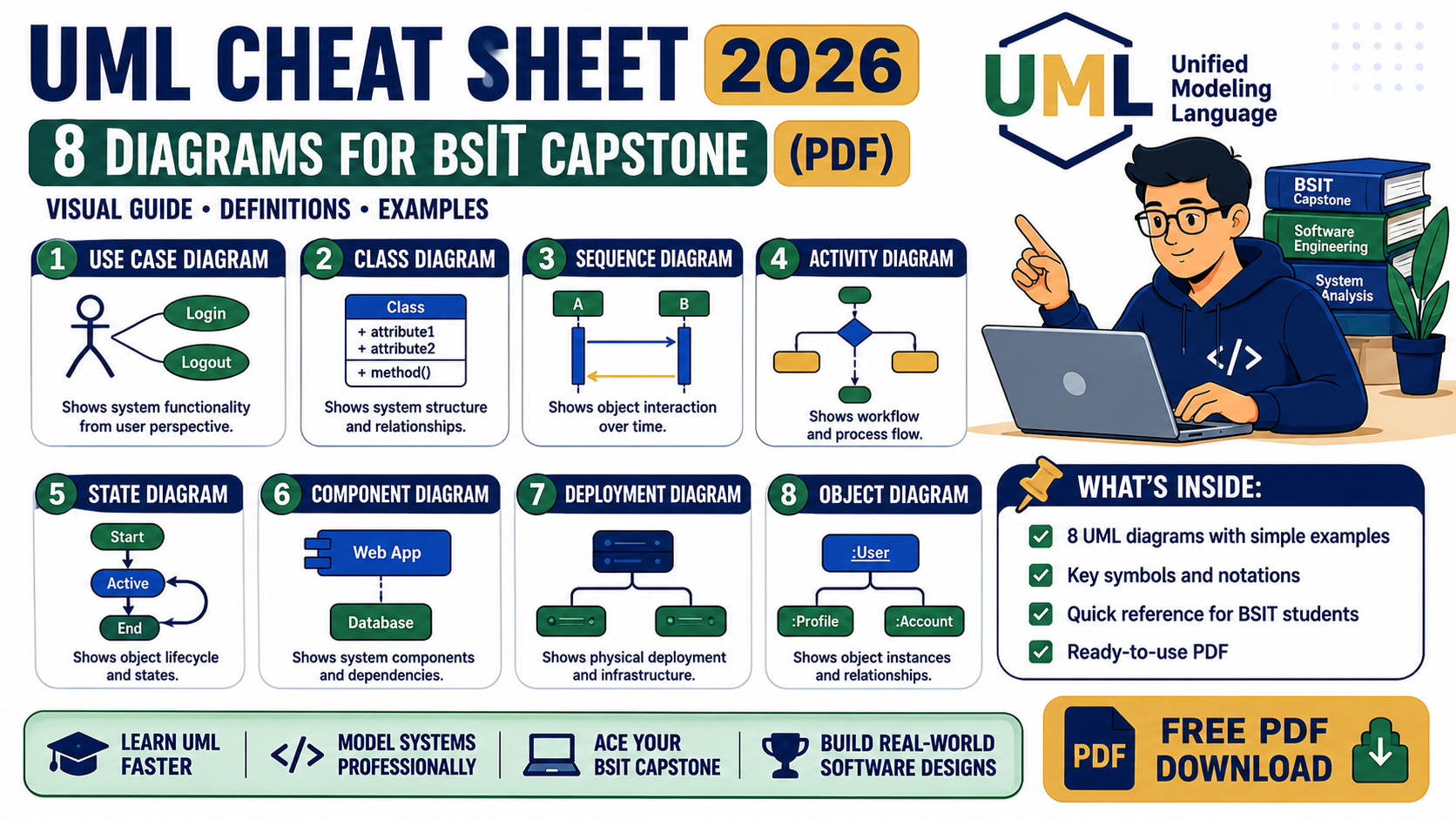
The UML Master Cheat Sheet 2026 is a free reference PDF covering the 8 essential UML diagrams every BSIT student needs for capstone Chapter 3 documentation. Compiled from Nym’s archive of 370+ diagram walkthroughs on itsourcecode.com, each diagram type includes purpose, key notation, common capstone systems, and links to real working examples you can adapt.
Get the Complete UML Cheat Sheet PDF
All 8 essential UML diagram types in one printable reference. Notation tables, capstone examples, panel defense tips.
Free reference · No email required · Perfect for capstone defense prep · Updated August 2026
What is inside the cheat sheet
8 UML diagram types across 2 categories, each with a purpose statement, complete notation table, common capstone systems, and links to top walkthroughs on itsourcecode.com.
Structural diagrams (what the system is made of):
- Class Diagram – domain model, classes, attributes, relationships (inheritance, aggregation, composition)
- Component Diagram – deployable software components with interfaces
- Deployment Diagram – hardware nodes and artifact deployment map
- ER Diagram – data entities, attributes, and relationships (Chen and crow’s foot notation)
Behavioral diagrams (what the system does):
- Use Case Diagram – actors, use cases, includes and extends relationships
- Sequence Diagram – object interactions over time with messages and lifelines
- Activity Diagram – workflow with decisions, forks, joins, and swimlanes
- Data Flow Diagram (DFD) – Levels 0, 1, and 2 with processes, entities, data stores, data flows
Who this cheat sheet is for
BSIT and Computer Science students preparing capstone documentation. System analysts refreshing UML notation for a design review. Faculty advisers looking for one clean reference to hand to advisees. Anyone who wants a printable UML reference on their desk instead of Googling notation every time they open draw.io or Lucidchart.
Free tool
Build your capstone diagrams in 3 minutes
Class, Use Case, ER, DFD, Activity and Sequence diagrams with templates already filled in for POS, Hospital, Library, E-commerce and more.
Browse the templates →3 free diagrams every week. No credit card needed.
Panel defense tips included
The PDF also includes six questions Filipino BSIT panels actually ask during 2024-2026 capstone defenses, with guidance on how to answer each one. Includes:
- How to explain your class diagram in your own words (without reading attribute names)
- Why you used inheritance in a specific relationship
- How to walk the panel through a sequence diagram
- The difference between DFD and Activity Diagram (a common trap question)
Get the matching source code too
Every capstone system featured in the cheat sheet has working source code on itsourcecode.com in one or more of PHP, Python, Java, VB.NET, C#, and JavaScript. After you finish your diagrams, download the matching source code to demo the actual working system to your panel:
- PHP Projects (319 capstones)
- Java Projects (127 capstones)
- VB.NET Projects (296 capstones)
- Python Projects (259 capstones)
Which UML tool should you use for capstone documentation
The cheat sheet is tool-agnostic. But panels still ask what you used. Three tools cover 99 percent of BSIT capstone work in 2026:
- draw.io (diagrams.net): free, browser-based, has every UML shape built in, exports to PNG, SVG, and PDF. This is the default recommendation for BSIT capstones in the Philippines. Works offline via the desktop app when your Wi-Fi at the campus lab drops out.
- Lucidchart: paid ($9-15/mo), stronger team collaboration, better shape libraries, cloud auto-save. Worth it if your team edits diagrams together and pays through the university. Overkill for solo work.
- Visual Paradigm: the classic academic UML tool. Community edition free for students, generates code stubs from class diagrams, has a specific “Chapter 3 documentation” workflow. Learning curve is steeper than draw.io.
Skip Visio unless your school specifically requires it. It costs money, exports poorly, and its UML shapes are outdated.
Chapter 3 documentation checklist
Filipino BSIT capstone Chapter 3 (System Design) usually requires a specific diagram order. Match your document to this outline before submission:
- Context Diagram (DFD Level 0). Shows the entire system as one process with external actors.
- DFD Level 1. Decomposes the system into 3-7 major processes with data flows and data stores.
- ER Diagram + SQL Schema. Data model. Every panel checks these against your actual database.
- Use Case Diagram. All actors and their goals, with include/extend where relevant.
- Class Diagram. Domain model. Attributes, methods, and relationships (inheritance, aggregation, composition).
- Activity Diagram. One per key workflow (login, checkout, admission, appointment, etc.).
- Sequence Diagram. One per critical use case (login, payment, submission).
- Component and Deployment Diagrams. Required for distributed capstones (web + mobile + database).
Not every capstone needs all 8. Confirm with your adviser which the panel will require, then use the cheat sheet PDF to check that your notation matches convention.
When your panel says “redo your ER diagram”
The most common reason panels reject an ER diagram is notation inconsistency. Common fixes:
- Pick either Chen notation OR crow’s foot notation. Do not mix them across diagrams.
- Every entity must have a primary key marker (underlined attribute in Chen, PK label in crow’s foot).
- Every relationship needs cardinality on both ends (1, 0..1, 1..*, *).
- Many-to-many relationships need an explicit junction entity in the physical model, even if the conceptual ER shows M:N directly.
- Weak entities (dependent on another entity for identity) must use double borders or a dashed line to their identifying relationship.
The cheat sheet PDF above shows both notations side by side for quick reference during redraw.
Official documentation
Frequently asked questions
Is the PDF really free?
Yes. No email signup, no paywall, no watermark. Free to download and share. The download click plays a short ad that supports our free BSIT tutorials, then the PDF starts automatically.
Which 8 diagram types are covered?
Class, Component, Deployment, ER (Entity-Relationship), Use Case, Sequence, Activity, and Data Flow Diagram (DFD). These are the 8 diagrams every Filipino BSIT capstone panel expects to see documented in Chapter 3. If your school requires additional diagrams (State Machine, Communication, or Object diagrams), reply to any of our UML posts and we will add them to the next edition.
Can I use this for my capstone documentation?
Yes. The cheat sheet is a reference for what each diagram type is, when to use it, and what notation to use. You still need to build your own diagrams for your specific system. Use the walkthrough links on each page to see how similar systems were diagrammed, then adapt to your capstone.
What tool should I use to draw the actual diagrams?
draw.io (also known as diagrams.net) is free, browser-based, has all UML shapes built in, and exports to PNG, SVG, and PDF. Lucidchart is a strong paid alternative with better team collaboration. For quick sketches, hand-drawn on paper is fine early in the capstone process.
Do faculty advisers approve of this resource?
Faculty advisers regularly point BSIT students to itsourcecode.com as a UML reference. The cheat sheet consolidates 370+ walkthroughs into one printable PDF, which makes it easier for advisers to hand advisees a single starting reference. Free to share with attribution.
Bottom line
Every UML diagram type BSIT panels ask about, in one printable reference, with real capstone examples for each. Download the PDF above and keep it open during your Chapter 3 documentation work. If a diagram type you need is not covered in the cheat sheet, browse the full UML archive of 306+ examples for the specific system you are building.

Mary Grace G. Patulada
Programmer & Technical Writer at PIES IT Solution
Mary Grace G. Patulada (pen name ‘Nym’) is a programmer and writer at PIES IT Solution with a BSIT background from Carlos Hilado Memorial State College, Binalbagan Campus. Authored 370+ UML diagram tutorials and capstone documentation guides at itsourcecode.com. Specializes in UML (class, use case, activity, sequence, component, deployment), DFD, and ER diagrams for BSIT capstone projects.
Expertise: UML Diagrams · DFD · ER Diagrams · Use Case Diagrams · Activity Diagrams · Capstone Documentation · PHP · View all posts by Mary Grace G. Patulada →