
Recruiters use LinkedIn Recruiter (a paid tool) to search for candidates the same way you use Google to find a restaurant. They type keywords, they filter, and they contact the profiles that appear on page 1 of the results. If your profile does not surface for the right keywords, you might as well not have a profile. This is why LinkedIn Profile SEO is one of the highest-ROI career activities you can do in a single afternoon.
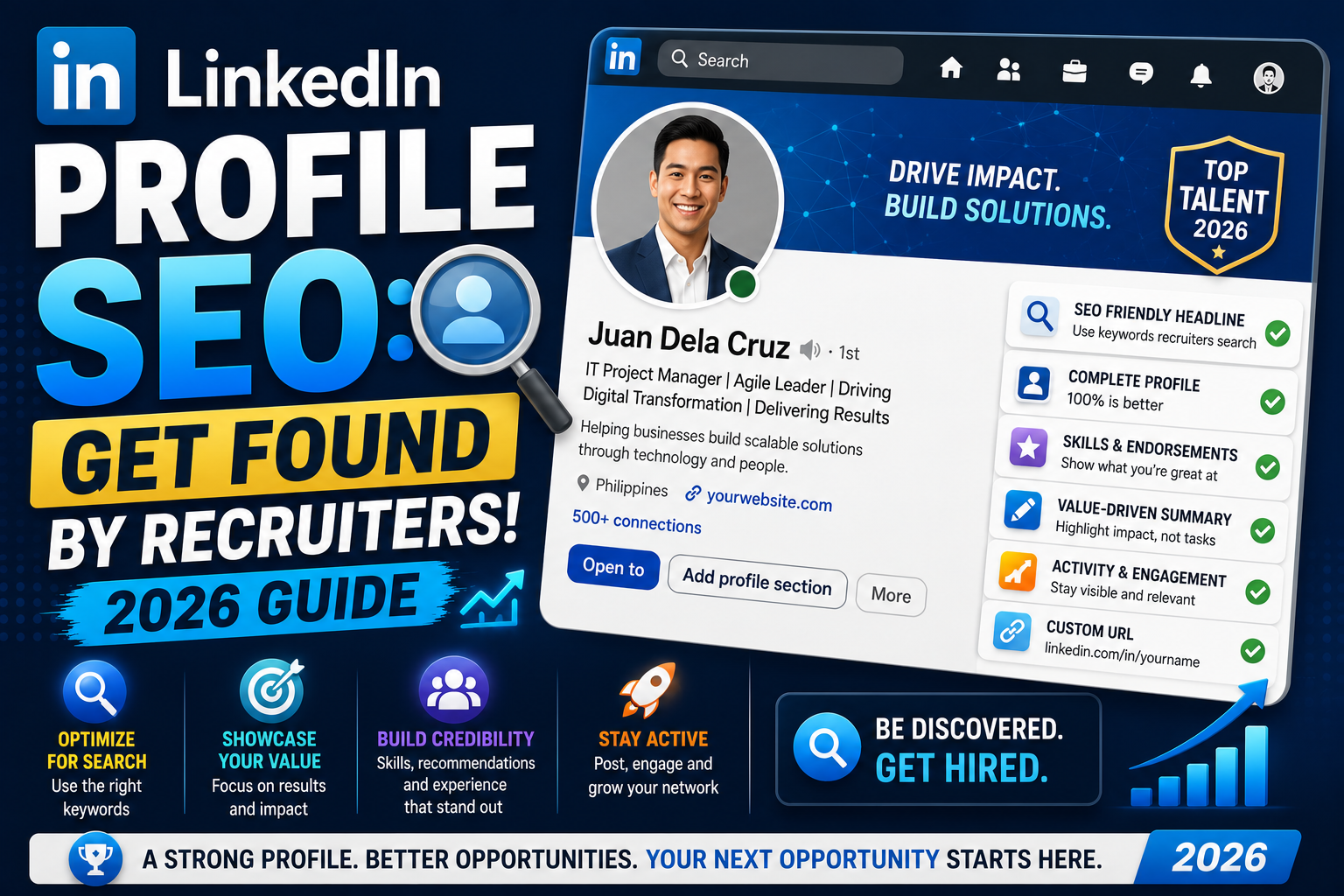
This guide covers exactly where recruiters look for keywords on your profile, which fields matter most, how to research the right keywords for your target roles, and the tests you can run to verify your profile actually shows up in real recruiter searches.
Quick step-by-step summary (click to expand)
- Research keywords from real job postings. Pull 10-15 postings for your target role and note the repeated skill words.
- Write a keyword-loaded headline. Do not just write your job title. Include 2-3 target-role keywords separated by a pipe.
- Fill the Skills section with 40+ skills. LinkedIn Recruiter weights this heavily.
- Rewrite each Experience section. Include role-specific keywords, tools, and metrics.
- Add keywords to your About section. First 300 characters are indexed most heavily.
- Test with an incognito search. Search your target keywords in incognito to see how you rank without your own recent activity boosting the result.
How recruiter search actually works
LinkedIn Recruiter (the paid tool) lets recruiters search by keyword, filter by location, seniority, current company, and past experience, then rank results. LinkedIn does not publish the exact ranking algorithm, but based on years of testing and LinkedIn’s own guidance, the main factors are:
- Keyword frequency and placement across your profile (Headline, Skills, Experience, About)
- Skill endorsement count for each keyword
- Profile completeness (Photo, headline, About, at least 1 experience, 5+ skills)
- Connection count in the recruiter’s network (2nd and 3rd degree beat 4th+ degree)
- Recent activity level (people who logged in this month rank higher than dormant profiles)
- Match to the recruiter’s saved search filters (location, current title, industry)
Notice that keyword coverage matters across MULTIPLE profile sections. Just putting “Software Engineer” in your headline does not make you rank #1 for that search. LinkedIn wants to see the same keyword repeated in your About, Experience, and Skills to confirm the match is genuine.
Research the right keywords first
Do not guess your keywords. Extract them from real job postings for the roles you want:
- Open LinkedIn Jobs. Search for your target role and location.
- Pick 10-15 postings that match what you actually want.
- Open each posting and paste the description into a Google Doc or Notion page.
- Highlight the skill words and tools mentioned (specific technologies, methodologies, soft skills).
- Count how often each word appears across the 10-15 postings. Words that appear in 7+ postings are the keywords recruiters search for.
Example for a “Product Manager” role: after scanning 10 postings, you might find “roadmap” in 9, “stakeholder” in 8, “user research” in 7, “SQL” in 6, “A/B testing” in 6. These become your priority keywords. Skip words that appeared in only 1-2 postings; those are unique to specific companies.
Write a keyword-loaded headline
Your headline is the second-most-searched field after Skills (per LinkedIn’s own guidance). Most people waste it by writing just their current job title. Do better:
- Weak: “Software Engineer at Acme Corp”
- Better: “Software Engineer | Full-Stack | Python + React + AWS”
- Better still: “Backend Engineer building distributed systems | Python, PostgreSQL, AWS | 6 years scaling APIs to 10M+ req/day”
Rules:
- Use the character limit (up to 220 characters as of 2026, was 120 before)
- Separate sections with the pipe character (|) for readability
- Include 3-5 keywords that recruiters search for
- Add a specific number or scale marker if you have one (users served, revenue impact, years of experience)
- Do NOT use emojis in the headline. They compete for characters and do not help ranking.
Fill the Skills section (all 50 slots)
LinkedIn lets you add up to 50 skills. Fill all 50. This section is one of the most heavily weighted in Recruiter search because each skill can be endorsed by connections, and endorsement count reinforces the keyword.
Priority order for the top 5 skill slots (they display first on your profile):
- Your primary role title (Product Manager, Software Engineer, Data Analyst)
- Your top technical skill or specialization (Python, Financial Modeling, User Research)
- Your industry vertical if relevant (Fintech, Healthcare Software, EdTech)
- A methodology you use (Agile, Design Sprints, DevOps)
- A soft skill that recruiters actually search for (Cross-Functional Leadership, Stakeholder Management)
Fill slots 6-50 with every other skill from your keyword research. Even less-common ones can help you rank when a recruiter searches for that specific term.
Rewrite your Experience sections
Each Experience entry should include:
- Job title with a keyword-loaded qualifier (“Product Manager, Growth” not just “Product Manager”)
- Company name (already there)
- 3-5 bullets covering what you did with specific tools and technologies mentioned
- Metrics where possible (revenue, users, latency, cost savings)
- Repetition of your target keywords 2-3 times naturally in the description
Bad example:
“Managed team of 5. Worked on projects. Delivered features.”
Good example:
“Led a cross-functional team of 5 engineers and 2 designers on our checkout redesign. Shipped A/B testing framework using Optimizely. Ran user research with 30+ customers. Result: 12 percent lift in conversion, PHP 4M added quarterly revenue.”
The second version has 5 more searchable keywords (cross-functional, A/B testing, Optimizely, user research, quarterly revenue) plus a specific number that a hiring manager can verify.
Rewrite your About section
The first 300 characters of your About section are indexed most heavily and appear as your snippet in search results. Front-load your keywords in that first paragraph, then use the remaining 2,000+ characters for more detail.
Structure that works:
- First 300 characters: your role in one line, your specialty in one line, your top 3-5 keywords woven into a natural sentence, one line about the outcome you produce.
- Next 500-700 characters: what specific tools, methodologies, and industries you work in. Recruiter search happens here too.
- Next 500-700 characters: what you are looking for next OR what you are best known for (career story context).
- Closer: a soft CTA like “Open to conversations about [specific topic]” or “Message me if you are working on [specific problem].”
Test your profile in real search
You cannot use LinkedIn Recruiter without paying, but you can approximate a recruiter search using LinkedIn’s regular search bar:
- Open LinkedIn in an incognito browser window.
- Log out of your own account (or use a different account).
- Search for your target keywords + your location (e.g., “Backend Engineer Python Manila”).
- Note where your profile appears. First page (top 25)? Second page (26-50)? Deeper?
- If you are past page 2, your profile SEO needs more work. Add more keywords in the sections above and retest in a week.
Also useful: ask a friend who is not connected to you to search the same keywords and screenshot the results. Their view is closer to what a recruiter from outside your network sees.
Maintenance schedule
Profile SEO is not a one-time project. Recruiter search algorithms and keyword trends change. Set a calendar reminder:
- Every 3 months: re-run the keyword research (job postings change). Update Skills and Headline as needed.
- Every 6 months: re-run the incognito search test. Track where you rank.
- After each new job or major project: add the new keywords to your top 5 Skills within a week.
- Once a year: refresh your profile photo and cover image so recruiters see you look current (yes, this affects click-through even if not ranking).
Official documentation
Frequently asked questions
Do I need LinkedIn Premium for my profile to rank higher?
No. Premium gives you InMail credits and lets you see who viewed your profile, but Premium status is not a ranking factor in Recruiter search. A well-optimized Free profile beats a poorly-optimized Premium one every time.
How many skills should I list on my profile?
All 50 slots that LinkedIn allows. Each skill can be endorsed and each endorsement reinforces the keyword match. Profiles with 40+ skills consistently rank higher than profiles with 10-15 skills, even when both cover the same core roles.
Should I include salary or availability in my headline?
No on salary (looks unprofessional and constrains negotiation). Yes on availability if you are actively looking. “Open to Remote Backend roles” as part of your headline signals to recruiters you are interviewable, which lifts your ranking for active searches.
How long does it take for profile changes to show in search?
Usually 24-72 hours. LinkedIn re-indexes profiles regularly but not in real time. If you make major changes today, wait 3-5 days before running your incognito test, otherwise you may see stale ranking data.
Does the Open to Work banner hurt my chances?
Split verdict. Some recruiters see the green banner as a positive (candidate is definitely available). Others treat it as a soft negative (candidate may be desperate or recently laid off). Best practice: use the “Recruiters only” visibility option, which shows Open to Work to LinkedIn Recruiter users but hides the public banner from everyone else.
Can I use ChatGPT to rewrite my LinkedIn profile?
You can use AI as a first draft but always rewrite in your own voice before publishing. AI-generated text is easy to spot (generic phrasing, no specific numbers, no personal story). LinkedIn algorithm does not detect AI directly, but recruiters do, and generic AI text lowers your interview conversion even if you rank well.
LinkedIn Profile SEO takes one focused afternoon to do well, then quarterly maintenance to keep. Compared to sending 100 cold applications, one optimized profile can bring recruiters to you passively for years. Do the keyword research, fill every field completely, and test your results in incognito every few months.

Leah Whynett Dela Pena
Technology Writer at PIES IT Solution
Leah Whynett Dela Pena is a technology writer at PIES IT Solution, author of 93 career and IT education guides at itsourcecode.com.
Expertise: Tech Careers · IT Education · Web Development Careers · Software Engineering Careers · Cybersecurity Careers · IT Certifications · Career Guidance · View all posts by Leah Whynett Dela Pena →