
LinkedIn added an AI Job Search assistant and a Career Coach chatbot in 2024, and both got major upgrades throughout 2025 and 2026. They can rewrite your resume, tell you which jobs actually match your background, generate cover letter drafts, and answer career questions in a chat window. If you have been paying for LinkedIn Premium and only using it for InMail credits, you are leaving the AI features on the table.
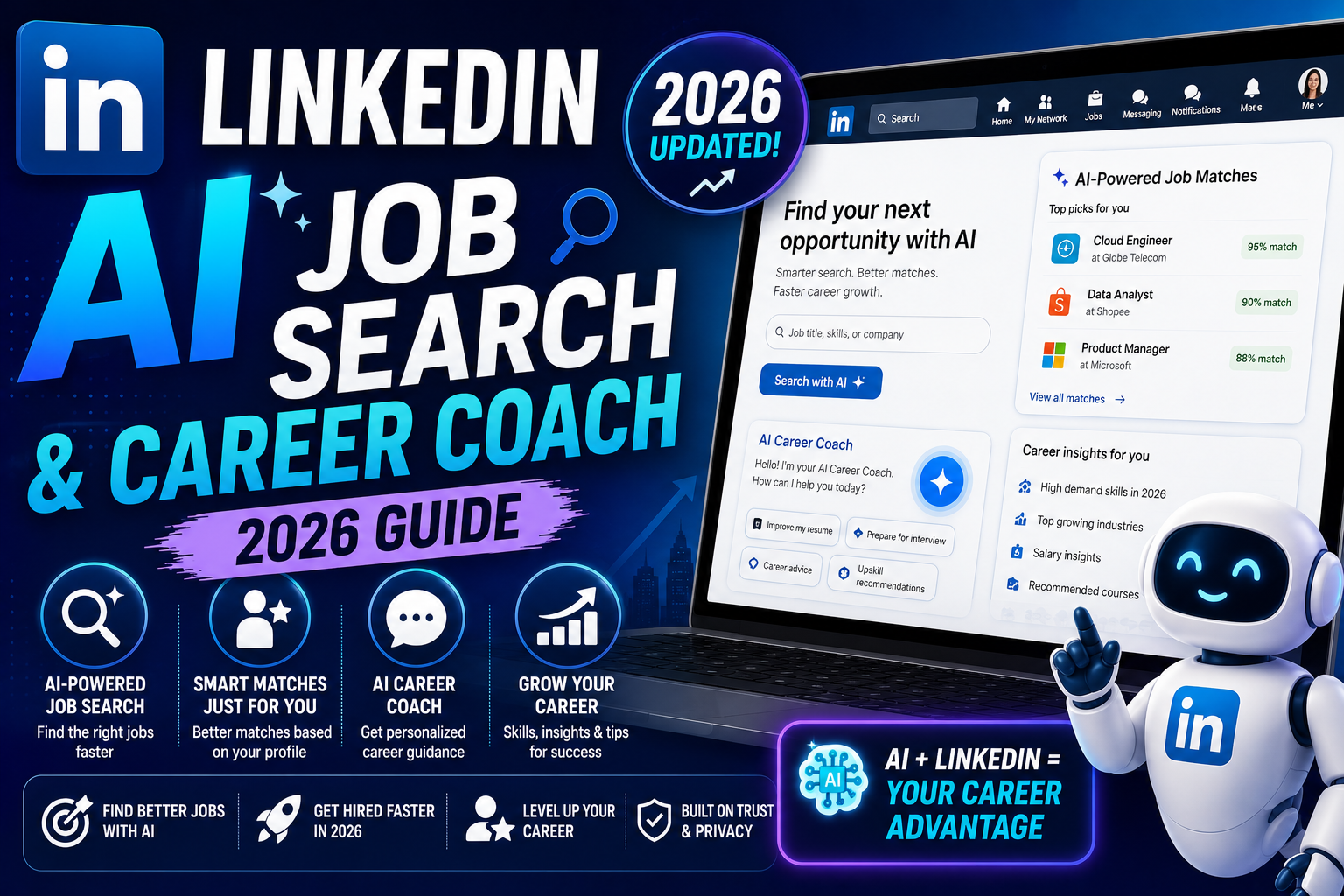
This guide covers what LinkedIn AI Job Search and Career Coach actually do in 2026, who gets access (spoiler: mostly Premium), how to write prompts that get useful answers, and where the AI still gives generic advice you should ignore.
What LinkedIn AI Job Search does
The AI Job Search assistant sits inside the Jobs tab. When you open any job posting, you see a small AI badge with buttons like “Am I a good fit?” and “Tell me more about this role”. Tap one and LinkedIn analyzes your profile against the job description, then gives you a plain-English answer.
What “Am I a good fit?” actually tells you:
- Which skills on your profile match the job’s required skills (and which are missing)
- How your years of experience compare to the role’s requirement
- Whether your current or past job titles have led to this kind of role for other people
- Specific bullet points from your profile that make you a stronger candidate
- Specific gaps you should address in a cover letter or InMail to the recruiter
This is the most useful AI feature LinkedIn added because it saves you from applying to roles you have no chance at (protecting your application quota + morale) and highlights the gaps that matter most for the roles you do apply to.
What LinkedIn Career Coach does
Career Coach is a separate chatbot you access from the LinkedIn Premium home screen. It looks like ChatGPT but is trained on LinkedIn’s data (job postings, salary data, career paths, learning courses) and can pull from your profile as context.
Questions Career Coach handles well:
- “What are 3 realistic next roles based on my current job title?”
- “How does my salary compare to the average for my role in the Philippines?”
- “What skills should I learn to move from Software Engineer to Engineering Manager?”
- “Which LinkedIn Learning courses fit my career gap?”
- “Rewrite my About section to target product roles”
- “Give me 5 interview questions likely to come up for this specific job posting”
The answers include specific numbers from LinkedIn’s dataset when relevant. If you ask about salary, it gives you the actual median for your city and role from LinkedIn’s Insights data, not a made-up estimate.
Who gets access to LinkedIn AI features
Access depends on your LinkedIn plan and region.
- LinkedIn Free: a small subset of AI Job Search features (mainly “Tell me about this role” summaries). No Career Coach, no personalized fit analysis, no AI writing tools.
- LinkedIn Premium Career: full AI Job Search including “Am I a good fit?”, basic Career Coach access, AI cover letter drafts, AI About section rewriter.
- LinkedIn Premium Business: everything above plus expanded Career Coach with company research features.
- Sales Navigator / Recruiter: role-specific AI tools separate from the Career Coach.
Geographic rollout has been uneven. Users in the US, UK, India, and most of Southeast Asia see the AI features. Some EU countries got them later due to AI Act compliance work. If you have Premium and cannot see the AI badges on job postings, your account may be in a region that has not received the rollout yet. Contact LinkedIn support to check.
Best prompts to try in Career Coach
Generic prompts get generic answers. Specific prompts get useful answers. A few patterns that consistently produce useful output:
- “Given my profile, what are the 3 highest-paying next roles I could realistically get in 12 months?” Career Coach pulls from your actual profile and cross-references paths other people have taken.
- “Rewrite my About section to target [specific role] at [company size or industry].” The company size and industry qualifiers make the output specific instead of generic.
- “Compare the growth trajectory of Data Analyst vs Data Engineer roles in the Philippines over the past 3 years.” Career Coach cites LinkedIn’s own dataset for market answers.
- “What 5 skills should I add to move from a $50K salary bracket to a $75K bracket in my role?” Money-linked prompts pull salary data plus the skills correlated with the higher bracket.
- “Draft a cold InMail to [specific person’s name] asking about their team’s hiring plans. Keep it under 400 characters and reference our shared connection [name].” The mutual connection and word limit produce clean drafts you can send with minor edits.
Where LinkedIn AI falls short
Four things Career Coach and AI Job Search do NOT do well:
- Salary negotiation coaching. The advice defaults to safe, generic suggestions (“research the market, be confident”). For real negotiation prep, use dedicated resources like Fearless Salary Negotiation or Levels.fyi.
- Interview practice. Career Coach can generate likely interview questions but cannot roleplay a mock interview well. It stays overly polite and never pushes back. Use Interview Prep OS, Interview Warmup by Google, or a real human coach for realistic prep.
- Niche career pivots. If you are trying to move from an uncommon starting role (say, veterinary surgeon to product manager), Career Coach falls back to generic advice because the dataset does not have enough peers who made that jump.
- Resume rewriting. The AI rewrites your About section well but resume bullet points come out bland (heavy on “responsible for” and “worked on”). For sharper bullets, use dedicated tools or write them yourself with the STAR method.
Is LinkedIn Premium worth it just for the AI features?
Depends on your job search intensity.
- Actively job hunting: yes. The “Am I a good fit?” tool alone saves hours of wasted applications. Combined with 5 InMail credits and profile view stats, Premium Career pays for itself if it lands one interview.
- Passive candidate keeping an eye on the market: maybe. Career Coach’s salary and career-path insights are useful, but you may only need Premium for the 3 months per year when you are actively evaluating options.
- Not job hunting, just building your network: no. Save the money. The AI features rarely help with pure networking use cases.
A common pattern that works: subscribe to Premium Career for 30 days during an active search cycle, use everything (AI, InMail, applicant insights), then cancel until the next search.
Official documentation
Recommended career and interview prep resources
The links below are affiliate links. We may earn a commission at no extra cost to you if you enroll. See our affiliate disclosure.
Frequently asked questions
Is LinkedIn Career Coach available on the free plan?
No, not the full version. Free accounts get a limited AI experience on job postings (summaries and basic role descriptions) but no Career Coach chatbot access. Full Career Coach requires LinkedIn Premium Career or higher.
Does the AI actually read my full profile?
Yes. Career Coach and the “Am I a good fit?” tool pull your headline, About section, experience, skills, education, endorsements, and recent activity as context. This is why the recommendations feel personalized rather than generic. If your profile is thin (missing skills, no experience descriptions), the AI has less to work with and gives weaker answers.
Can the AI apply to jobs for me?
No. LinkedIn does not let the AI submit applications on your behalf. You have to click Apply yourself. The AI can draft cover letters and InMail messages that you then send, but the final action is always human. This is a deliberate choice to prevent spammy mass applications.
Will recruiters know I used AI to write my cover letter?
Not directly, since LinkedIn does not flag AI-written text to recruiters. But if you use the AI draft without editing, it reads generic and recruiters can often tell. Treat the AI output as a first draft, then rewrite in your voice with specific examples. That approach saves time without sacrificing authenticity.
Does Career Coach have access to real-time job data?
Yes for LinkedIn’s own dataset (jobs posted on LinkedIn, salary insights, career transitions from user profiles). No for outside data like Glassdoor reviews, Blind salary reports, or news articles about specific companies. If you want to check company reputation or salary at a specific employer, cross-reference with dedicated sites like Levels.fyi or Blind.
Can I use LinkedIn AI features in the Philippines?
Yes. The Philippines is one of the regions where LinkedIn AI features rolled out early (mid 2024) and are fully available on Premium accounts. Salary data is available in PHP local currency for most standard tech and business roles. Career Coach responds in English by default but understands questions in Filipino.
LinkedIn AI is a genuine upgrade for anyone actively job hunting or evaluating a career move. Treat it as a research assistant, not an oracle. Use its answers as starting points, verify the salary and career-path claims against Glassdoor or Levels.fyi, and always personalize AI-generated writing before sending it to a real recruiter.

Leah Whynett Dela Pena
Technology Writer at PIES IT Solution
Leah Whynett Dela Pena is a technology writer at PIES IT Solution, author of 93 career and IT education guides at itsourcecode.com.
Expertise: Tech Careers · IT Education · Web Development Careers · Software Engineering Careers · Cybersecurity Careers · IT Certifications · Career Guidance · View all posts by Leah Whynett Dela Pena →