
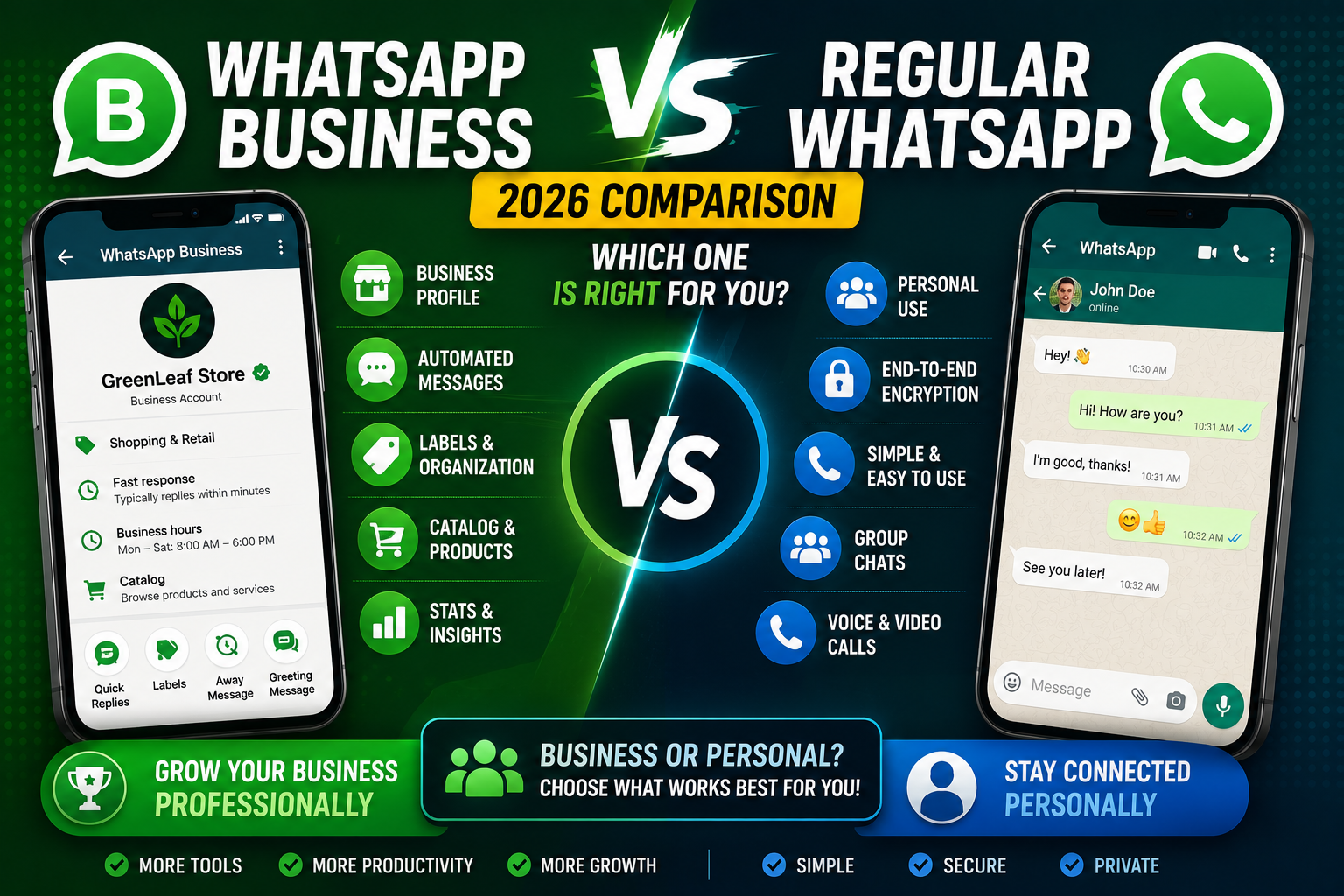
WhatsApp and WhatsApp Business are two separate apps from the same company (Meta). They look almost identical, they share the same underlying network, and messages between them work fine. But WhatsApp Business adds a set of small-business-focused features on top of the regular experience: product catalogs, quick replies, automated greeting messages, business hours, labels for chats, and basic performance analytics. If you sell anything to anyone, WhatsApp Business is almost always the better installation.
This guide covers what each app does, the specific features that differ, whether you can have both installed on one phone, and clear “use this one” recommendations based on your actual situation in 2026.
Quick verdict
- Regular WhatsApp: personal chats with friends and family. Simpler interface. What most people already use.
- WhatsApp Business: anyone who takes orders, sells products, or provides paid services. Adds catalog, labels, auto-replies, and analytics. Also useful for freelancers, tutors, and community organizers who want a more professional presence.
- Both installed: possible if you have two phone numbers (one on each app). Common setup for people who want their personal chats separate from their business chats.
What regular WhatsApp does
Regular WhatsApp is the messenger everyone knows: one-on-one chats, group chats, voice and video calls, status updates, and now channels. Free to use, end-to-end encrypted, works on iPhone, Android, desktop, and web.
Design assumption: you are messaging real people you already know. There is no built-in way to attract new contacts, no product catalog, no way to auto-reply when you are busy, no analytics on who read your messages beyond individual check marks.
What WhatsApp Business adds on top
WhatsApp Business is a superset of regular WhatsApp. Everything you can do in the regular app works in the Business app, plus these additions:
- Business Profile: your name, business category, business hours, website URL, physical address, business description, and photo. Customers see this when they open a chat with you.
- Product Catalog: up to 500 products or services with photos, prices, and descriptions. Customers can browse, tap a product, and start a chat about it directly.
- Quick Replies: save canned responses to common questions and insert them with a keyboard shortcut. “Business hours are 9-5 Mon-Fri” becomes /hours.
- Away Message: auto-reply when you are outside business hours. “Thanks for messaging. We will reply within 24 hours.”
- Greeting Message: auto-reply to first-time contacts. “Welcome to Maria’s Kitchen. What can we help you with today?”
- Labels: color-coded tags for chats. Tag customers as “New Lead”, “Paid”, “Pending Delivery”, etc.
- Basic analytics: messages sent, delivered, and read counts. Broadcast list performance.
- Short link: a wa.me/YOURNUMBER link you can share on social media, business cards, and websites so customers can start a chat without typing your number.
All of these are free. You do not pay for WhatsApp Business, and you do not need a verified checkmark or business registration to install it. Anyone can download and use it.
Feature-by-feature comparison
- Personal chats and group chats: identical in both apps.
- Voice and video calls: identical.
- Status updates: identical.
- Channels: can be created from either app since mid 2024.
- Encryption: both use end-to-end encryption. WhatsApp Business is not less secure than regular WhatsApp.
- Message backup to Google Drive or iCloud: both apps support it, but backups are separate. Business backup does not restore into regular app and vice versa.
- Business Profile with hours and website: Business only.
- Product Catalog: Business only.
- Quick Replies, Greeting, Away Message: Business only.
- Labels: Business only.
- Basic analytics: Business only.
- Multi-device (up to 4 linked devices): both apps support it identically.
- Verified Business badge (green check): Business only, and only for eligible larger businesses through Meta’s application process. Small businesses do not qualify.
Who should use WhatsApp Business
Almost anyone who sells or provides a paid service benefits from WhatsApp Business. Concrete examples:
- Sari-sari stores taking online orders
- Home-based cooks and bakers
- Freelance photographers, videographers, graphic designers
- Tutors and online course creators
- Small salon, spa, or barber shops
- Real estate agents managing client leads
- Small clinics, therapists, and coaches
- Content creators offering paid consultations
- Community organizers managing event RSVPs
Even if your “business” is a side hustle, the free features (auto-reply, quick replies, labels) save enough time to be worth the setup.
Who should stay on regular WhatsApp
Regular WhatsApp is enough if:
- You do not sell anything and never will
- You want the simplest possible chat experience with no extra menu items
- You already installed WhatsApp for personal use and do not want to switch numbers
- You use WhatsApp only for family and close friends
Installing WhatsApp Business “just in case” is fine, but the extra features add small menu clutter you may not want if you never plan to sell anything.
Can I use both on the same phone?
Yes, with one condition: each app needs its own phone number. You cannot install both apps on the same phone with the same number. The typical setup:
- Regular WhatsApp on your personal number
- WhatsApp Business on your business number (dedicated SIM or eSIM)
Both apps run side by side and do not interfere with each other. Modern Android and iPhone models support dual-SIM (physical + eSIM), which makes this setup practical without carrying two phones.
If you only have one phone number and want to switch to Business, WhatsApp lets you migrate your chats and media from regular WhatsApp to WhatsApp Business without losing anything. The reverse (Business to regular) also works. Full migration takes 5-10 minutes and preserves all your history.
Migration steps: switching from regular to Business
- Back up your regular WhatsApp chats first (Settings, Chats, Chat Backup).
- Download WhatsApp Business from your app store.
- Open WhatsApp Business. Verify the same phone number.
- When prompted, allow WhatsApp Business to import your existing WhatsApp data.
- Uninstall the regular WhatsApp app once you confirm your chats transferred.
Warning: after migration, incoming messages only reach WhatsApp Business. Contacts do not need to update anything on their end. Your business shows up in their chat list exactly the same as before, but you now have all the business features on your side.
Official documentation
Frequently asked questions
Is WhatsApp Business free?
Yes, completely free to download and use. Meta monetizes WhatsApp Business through its larger Business API (used by enterprises for bulk messaging), but the standard consumer WhatsApp Business app has zero cost, no premium tier, and no message fees for regular use.
Can customers on regular WhatsApp message me on WhatsApp Business?
Yes. The two apps share the same underlying network. A customer using regular WhatsApp can message your WhatsApp Business number without any special setup. They see a regular chat; you see the business features on your side.
Do I need business registration to use WhatsApp Business?
No. Anyone can install and use WhatsApp Business, including individual freelancers, hobbyists, community organizers, and side-hustlers. Business registration is only required if you want to apply for the Verified Business badge, which is for larger companies through Meta’s separate application process.
Can WhatsApp Business send bulk messages?
The consumer app supports Broadcast Lists (up to 256 recipients per broadcast) which is essentially a bulk send. Each recipient sees the message individually as if you sent it just to them. For true bulk sending (thousands of contacts), you need the WhatsApp Business API, which is a separate paid product typically used by large brands through providers like Twilio or Meta Business Suite.
Will my personal chats transfer if I switch from regular to WhatsApp Business?
Yes. During the WhatsApp Business setup, you get prompted to import your existing WhatsApp data. This includes all your chat history, media, and contacts. The transfer takes 5-10 minutes and preserves everything. After migration, uninstall the regular app to avoid confusion.
Is WhatsApp Business less secure than regular WhatsApp?
No. Both apps use identical end-to-end encryption for messages, voice calls, and video calls. WhatsApp Business does have some additional data-collection related to business features (analytics, catalog usage) but message content is equally private. Meta cannot read your chats in either app.
For most people who sell anything, installing WhatsApp Business is a one-time 10-minute setup that saves hours per month through auto-replies, quick replies, and labels. If you are on the fence, install it, run it for a week, and see if the extra features earn their menu space. If not, you can migrate back to regular WhatsApp just as easily.

Caren Bautista
Technical Writer at PIES IT Solution
Responsible for crafting clear, well-structured, and beginner-friendly content across the platform.
Expertise: Technical Writing · Content Creation · Documentation · Editorial Writing · JavaScript · TypeScript · Python · Python Errors · HTTP Errors · MS Excel · View all posts by Caren Bautista →