
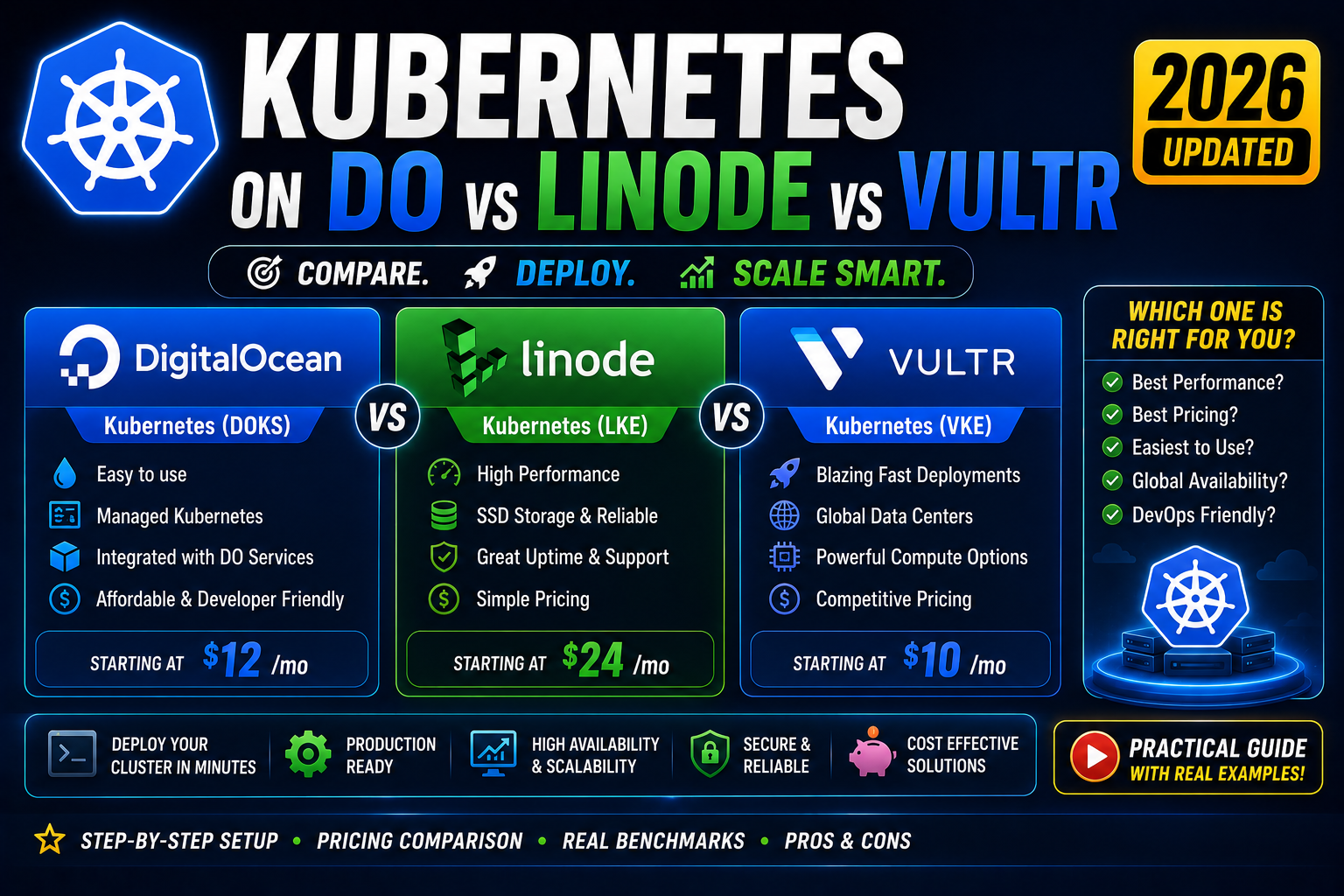
AWS EKS, Google GKE, and Azure AKS run most enterprise Kubernetes. For solo developers, small teams, and side projects, the “big three” cloud pricing hurts. The alternative in 2026 is the developer-friendly cloud trio: DigitalOcean Kubernetes (DOKS), Linode Kubernetes Engine (LKE, now under Akamai), and Vultr Kubernetes Engine (VKE). All three offer managed Kubernetes for a fraction of the cost of EKS, with clearer pricing, faster setup, and free control planes. This 2026 comparison covers pricing per node, load balancer costs, the sticker-shock line items that catch developers off guard, and a real deploy walkthrough.
Quick 2026 verdict
Pick DigitalOcean Kubernetes if you want the best documentation, biggest developer community, and predictable pricing. Pick Linode Kubernetes Engine if you want the cheapest baseline (Linode consistently 10-20 percent cheaper per equivalent node). Pick Vultr Kubernetes Engine if you need niche regions (Vultr has 32 global locations vs DO’s 15 and Linode’s 11) or GPU nodes. All three offer free control planes; you pay only for worker nodes plus a load balancer.
Why not AWS EKS or GKE for solo devs
AWS EKS charges 0.10 USD per hour for the control plane = 72 USD/month just for the API server, before you spin up a single worker node. GKE has a similar 0.10 USD/hour charge (with one zone-only cluster free per account, which limits you to a single-zone deployment). Azure AKS is free for the control plane but the ecosystem push toward AKS-only features locks you in.
Add a load balancer (30-40 USD/month AWS, similar GKE), 2-3 worker nodes (30-100 USD each), and container image storage. A “small” EKS or GKE cluster easily runs 200-400 USD/month. For a solo developer or side project, that is prohibitive.
The developer-cloud trio (DO, Linode, Vultr) removes the control plane fee and drops per-node cost by 30-50 percent. A comparable small cluster runs 30-80 USD/month.
Side-by-side pricing 2026
| Component | DigitalOcean | Linode (Akamai) | Vultr |
|---|---|---|---|
| Control plane | FREE (HA add-on: 40 USD/mo) | FREE (HA add-on: 60 USD/mo) | FREE (HA add-on included on all plans) |
| Smallest worker node | 2GB / 1 vCPU = 18 USD/mo | 2GB / 1 vCPU = 12 USD/mo | 2GB / 1 vCPU = 14 USD/mo |
| Mid worker (4GB/2vCPU) | 32 USD/mo | 24 USD/mo | 28 USD/mo |
| Load balancer | 12 USD/mo | 10 USD/mo | 10 USD/mo |
| Block storage per GB | 0.10 USD/mo | 0.10 USD/mo | 0.10 USD/mo |
| Container registry | Free tier: 500 MB (paid: 5 USD/mo) | Not offered natively | Not offered natively |
| Egress traffic (free/mo) | Pooled 1 TB per droplet | 1-9 TB per node (plan-dependent) | 1-3 TB per node |
| Regions | 15 (Americas, EU, Asia) | 11 (with Akamai edge integration) | 32 (widest global coverage) |
| GPU nodes | Yes (H100 + others) | Yes (RTX 6000 Ada) | Yes (A16, A40, A100 available) |
Real total cost example (3-node cluster, 4GB/2vCPU per node, load balancer, 50 GB block storage):
- DigitalOcean: 3×32 + 12 + 5 = 113 USD/month
- Linode: 3×24 + 10 + 5 = 87 USD/month
- Vultr: 3×28 + 10 + 5 = 99 USD/month
For the equivalent EKS cluster: 72 + 3×61 + 25 = 280 USD/month. Roughly 2.5-3x more expensive.
1. DigitalOcean Kubernetes (best developer experience)
DOKS launched in 2018 and has the most mature developer-cloud managed Kubernetes offering. Setup: 5 minutes via the web console or 1-click via the DO CLI (doctl kubernetes cluster create). Managed control plane is free. Auto-upgrades run automatically to keep the cluster on a supported Kubernetes minor version.
Strong points: best documentation of the three (DO’s tutorials are legendary for good reason), largest developer community, one-click apps for common workloads (WordPress, Django, GitLab, PostgreSQL), integrated container registry with vulnerability scanning.
Weak points: slightly more expensive per node than Linode, egress pool is per-droplet not per-cluster (annoying for high-traffic clusters), fewer regions than Vultr.
2. Linode Kubernetes Engine (cheapest with Akamai backbone)
LKE has been part of Akamai since the 2022 acquisition. Real benefit: LKE nodes ride Akamai’s global edge network for outbound traffic, which cuts real-world latency for global users. Baseline pricing is consistently 10-20 percent cheaper than DigitalOcean for equivalent nodes.
Strong points: cheapest per-node pricing, generous egress allowance (up to 9 TB free per node on higher plans), Akamai edge integration for global performance, HA control plane available at 60 USD/mo for production.
Weak points: no native managed container registry (bring your own: GitHub Container Registry, Docker Hub, Harbor self-hosted), documentation is not as polished as DO’s, community smaller.
3. Vultr Kubernetes Engine (widest region coverage + GPU)
VKE launched in 2022, still the newest of the three. Best fit for: workloads that need niche regions (Vultr has 32 including Delhi, Mumbai, Bangalore, Manila, Seoul, Tokyo, Osaka, Melbourne, Johannesburg, Tel Aviv, Warsaw, Amsterdam, and more that neither DO nor Linode covers). GPU workload developers: Vultr has A16, A40, and A100 GPU nodes available in managed Kubernetes, which is rare at this price tier.
Strong points: widest global footprint (32 regions), GPU nodes in managed Kubernetes, aggressive pricing, HA control plane included on higher tiers.
Weak points: smallest community, less mature documentation, some Kubernetes features lag DO/Linode by 1-2 releases.
Real deploy: DigitalOcean Kubernetes in 5 minutes
All three providers follow the same pattern. Using DO because their CLI is the most polished:
# 1. Install doctl and authenticate
brew install doctl
doctl auth init   # paste API token from cloud.digitalocean.com

# 2. Create a 3-node cluster in 5 min
doctl kubernetes cluster create my-cluster \
    --region sgp1 \
    --size s-2vcpu-4gb \
    --count 3

# 3. Save kubeconfig locally
doctl kubernetes cluster kubeconfig save my-cluster

# 4. Verify with kubectl
kubectl get nodes

# 5. Deploy nginx
kubectl create deployment nginx --image=nginx
kubectl expose deployment nginx --port=80 --type=LoadBalancer

# 6. Get the load balancer URL (takes 1-2 min to provision)
kubectl get svc nginx
The LoadBalancer service triggers DigitalOcean to provision a real DO Load Balancer (12 USD/month) with a public IP. Visit the IP, see the nginx welcome page. Production-grade Kubernetes cluster, running, publicly accessible, under 5 minutes. Total cost to test-drive: about 20 cents.
Common developer-cloud Kubernetes pitfalls in 2026
- Persistent volume regional lock-in. DO block storage lives in one region. If you drain a node in region A and the pod reschedules to region B, the PV cannot follow. Same for Linode and Vultr. Design your workloads with regional affinity or replicate data across zones.
- Load balancer bill shock. Every LoadBalancer service = a real 10-12 USD/mo load balancer. Three microservices with three LoadBalancer types = 30-36 USD/mo just for LBs. Use an Ingress controller (nginx-ingress or Traefik) behind a single LB to consolidate.
- Cluster autoscaling maturity. DO has the best autoscaler. Linode and Vultr are workable but slower to scale. If your workload has sudden traffic spikes, benchmark before committing.
- Node drain during upgrades. All three auto-upgrade minor Kubernetes versions during a maintenance window. Ensure your PodDisruptionBudgets are set so critical services stay up during rolling node replacement.
- Container registry choice. DO has native registry, Linode + Vultr do not. Using GitHub Container Registry (free for public, low cost for private) works cleanly with all three via imagePullSecrets.
Which one do I actually pick
- Solo developer, side project, learning Kubernetes: DigitalOcean. Best docs make the learning curve gentler.
- Bootstrapped startup optimizing cost: Linode Akamai. Cheapest per node + generous egress.
- Global product needing edge presence (Latin America, Middle East, Africa, less-common Asia): Vultr. Widest region list.
- ML workload needing GPU nodes: Vultr (widest GPU option) or DO (H100 tier if you need serious training compute).
- Enterprise with compliance requirements (SOC 2, HIPAA): DO and Linode both have SOC 2. For HIPAA on managed Kubernetes, still simpler on AWS EKS or GCP GKE despite the cost.
Try these hosting + tool partners for your Kubernetes workload
The links below are affiliate links. We may earn a commission at no extra cost to you when you sign up through them. See our affiliate disclosure for details.
- Cloudways, managed cloud hosting for the non-Kubernetes services (databases, static sites) that pair with your K8s workload.
- Kamatera, per-hour cloud VMs for a self-hosted Kubernetes cluster with k3s if you want full control instead of managed.
- Network Solutions, domain + hosting combo for pointing your custom domain at the LoadBalancer IP.
Official documentation
Frequently Asked Questions
Is the free control plane real, or hidden fees?
Real. DigitalOcean, Linode, and Vultr all offer the Kubernetes control plane at zero cost. They monetize through worker node hours and load balancer hours. High-availability control planes (multi-master for production) cost extra (40-60 USD/mo on DO and Linode, included on Vultr’s HA-tier plans). For dev/staging, single-master free control plane is fine.
Which supports the latest Kubernetes version?
All three typically support the current + previous two Kubernetes minor versions. DO tends to add new versions 1-2 weeks after upstream release. Linode 2-4 weeks. Vultr 3-6 weeks. If you need bleeding-edge Kubernetes features on day one, none of the developer clouds are the right pick; use kind or minikube locally for that.
Can I run production workloads on developer-cloud Kubernetes?
Yes. Thousands of small businesses and startups run production on DOKS/LKE/VKE. Production checklist: enable HA control plane, use at least 3 worker nodes across different availability zones (where offered), configure PodDisruptionBudgets, set up automated backups for persistent volumes, monitor with Prometheus + Grafana, budget for at least 100-150 USD/mo minimum realistic production spend.
How do I migrate from one to another?
Kubernetes manifests are portable across managed offerings. Steps: (1) provision the new cluster, (2) apply your same YAML/Helm charts with kubectl apply -f, (3) migrate persistent data (dump + restore for databases, rsync for volumes), (4) update DNS to point at the new LoadBalancer IP, (5) tear down the old cluster. Downtime: minimal if you can dual-run for a few hours during data migration.
What about k3s or self-managed Kubernetes?
k3s (Rancher’s lightweight distribution) runs on any 1 GB VPS and gives you a real Kubernetes API. Cheapest option: k3s on 3 Vultr or Hetzner VPS at 4-6 USD each = 12-18 USD/mo for a full 3-node cluster. Downsides: you manage the control plane, upgrades, cert rotation, and etcd backups yourself. Fine for learning, risky for real production unless you know what you are doing.
Which has the best autoscaling behavior?
DigitalOcean has the most mature autoscaler (scales in 60-90 seconds on average). Linode is 90-180 seconds. Vultr is 180-300 seconds. For steady workloads all three are fine. For sudden spike-heavy workloads (viral traffic, batch jobs) DO’s faster scale-up matters. All three support cluster-autoscaler v1.31+ for both node and pod scaling.
Related Cloud + DevOps tutorials
- Kubernetes for Beginners 2026 (Complete Practical Tutorial)
- Kubernetes Deployment YAML Explained (2026 Complete Guide)
- Docker Compose Multi-Container Setup 2026 (Web+DB+Cache)
- Terraform vs Pulumi 2026 (Which IaC Tool to Learn)
Official documentation
- DigitalOcean Kubernetes: official documentation
- Linode Kubernetes Engine: official documentation
- Vultr Kubernetes Engine: official documentation

Angel Jude Suarez
Full-Stack Developer at PIES IT Solution
Focuses on Python development, machine learning, and AI integration. Has built production AI systems including OpenAI Whisper integration for medical transcription and GPT-4o-powered diagnosis assistance. Strong background in pandas, scikit-learn, and TensorFlow.
Expertise: Python · PHP · Java · VB.NET · ASP.NET · Machine Learning · AI Integration · OpenCV · Django · CodeIgniter · View all posts by Angel Jude Suarez →