
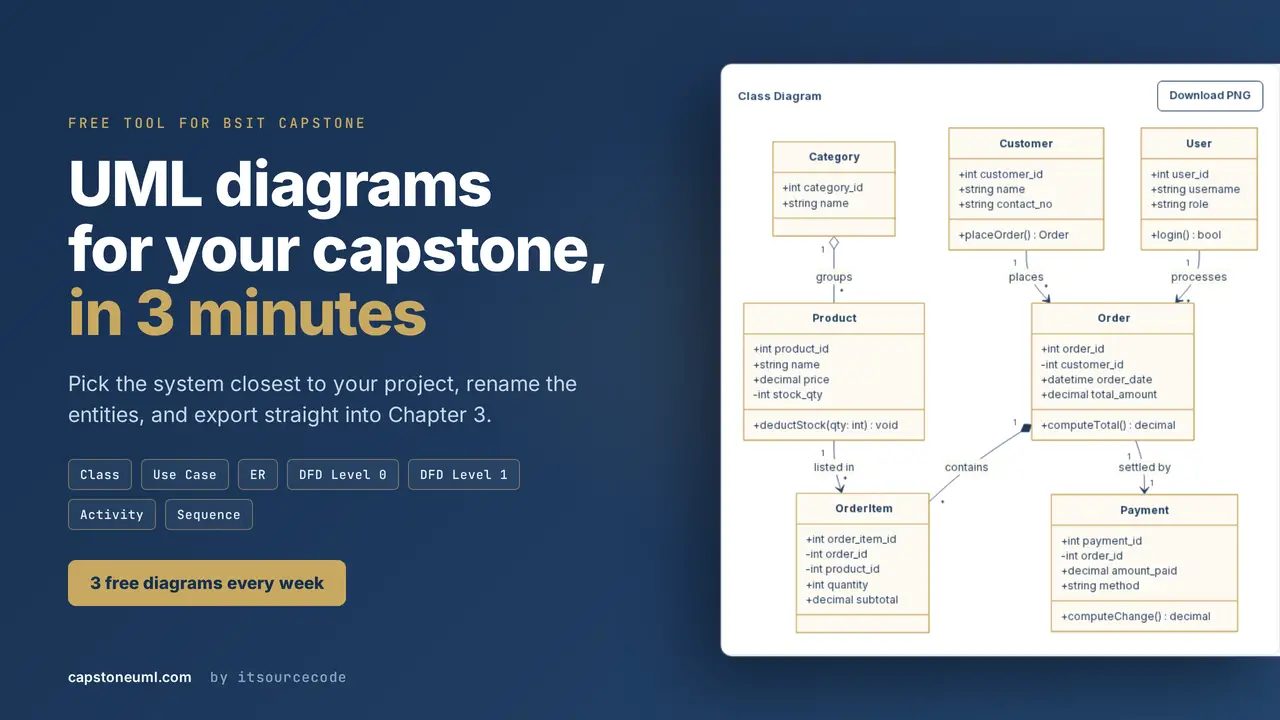
It is 11 in the evening, your defense is in two days, and Chapter 3 still has no diagrams in it. You open a drawing tool, you drag one box, you connect one arrow, and then you realize you have six more diagrams to go. I have watched students go through this every semester for the last eight years, and it is always the same sleepless night.
So I built something to fix it. It is called Capstone UML, it lives at capstoneuml.com, and it generates the UML diagrams your panel asks for. I should say plainly that this is my own tool, built by our team here at PIES IT Solutions, so treat this article as me showing you what I made rather than as a neutral review.
Why I built this in the first place
Every year I get the same messages. A student sends me a screenshot of a half finished class diagram at one in the morning and asks if the cardinality is correct. Another one asks why the panel rejected their data flow diagram. When I look at the work, the problem is almost never that the student does not understand their own system. They understand it perfectly. What they cannot do is draw it fast enough, in the notation the panel expects, while also writing five chapters and building the actual software.
Drawing tools are built for people who draw for a living. You get an infinite canvas and a thousand shapes and no opinion at all about what a proper use case diagram should look like. That is fine if you are a designer. It is not fine if you are a fourth year student who has never drawn one before and has a defense on Friday.
What it actually generates
The tool covers the seven diagram types that show up in almost every BSIT and CS capstone in the Philippines. You get Class, Use Case, ER, Activity, Sequence, and Data Flow Diagrams at Level 0 and Level 1. Those are the ones panels ask about, and those are the ones that go into Chapter 3 of your documentation.
The notation follows the academic format your panel is checking for. Crow foot cardinality on the ER diagrams. Numbered processes and proper data stores on the DFDs. Actors on the left with the system boundary drawn around the use cases. This is the same format we have been recommending on itsourcecode.com for years, so it should look familiar if you have used our diagram articles before.
Free tool
Build your capstone diagrams in 3 minutes
Class, Use Case, ER, DFD, Activity and Sequence diagrams with templates already filled in for POS, Hospital, Library, E-commerce and more.
Browse the templates →3 free diagrams every week. No credit card needed.
You start from a template, not a blank page
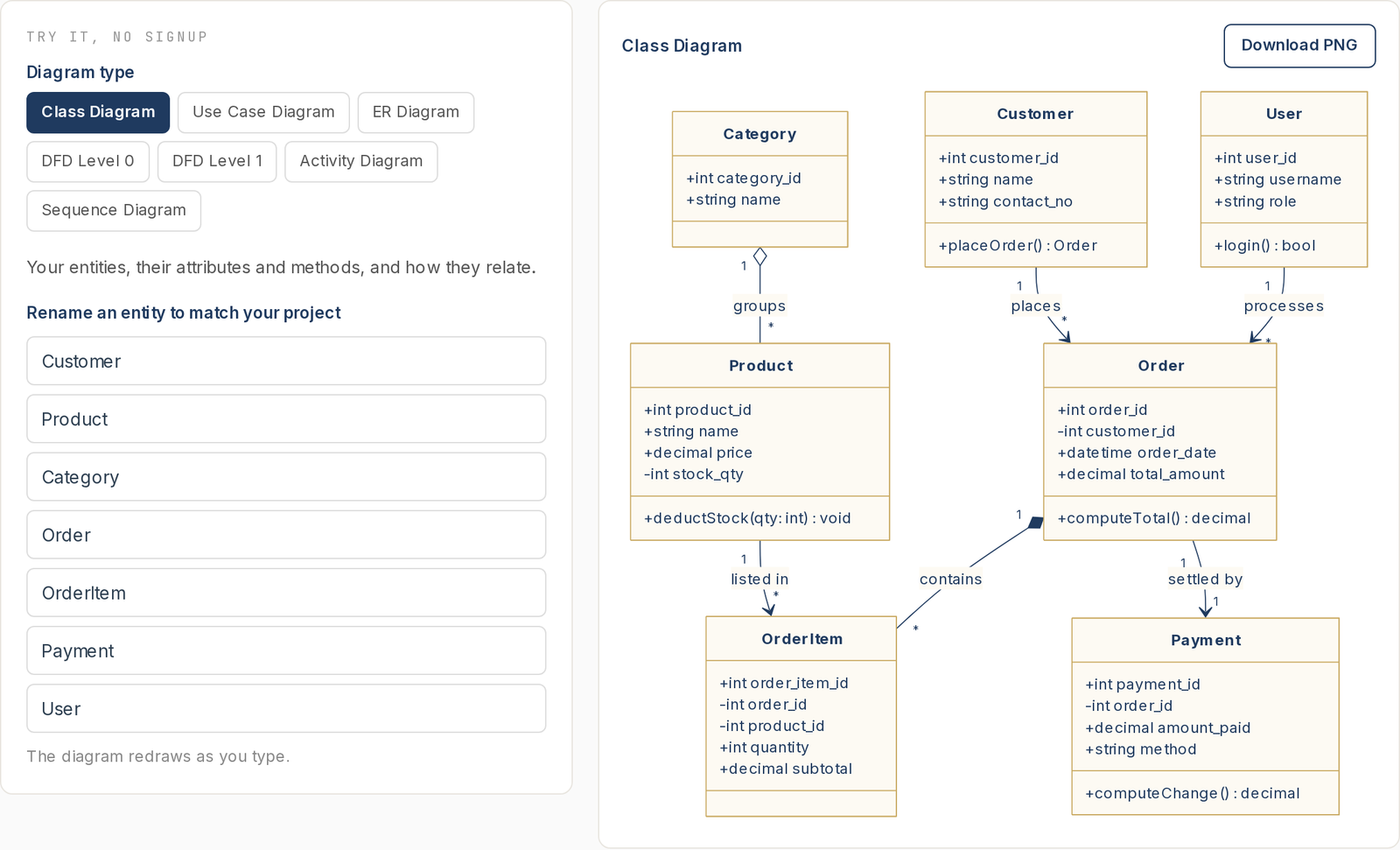
This is the part I care about most. A blank canvas is where capstone projects go to die at midnight, so the tool does not give you one. Instead you pick the system closest to yours and it arrives already filled in with entities, attributes, and relationships that make sense for that system.
There are twelve templates right now: Point of Sale, Library Management, Hospital Management, E-commerce, Inventory, School and Enrollment, Payroll, Restaurant, Booking and Reservation, Car Rental, Online Voting, and Attendance. Your capstone will not match any of them exactly, and it is not supposed to. You rename what does not fit, delete what you do not need, add the two or three entities that make your project yours, and you are done. Renaming is much faster than inventing.
How long it takes
First, you pick the diagram type you need. Second, you pick the system closest to your capstone. Third, you edit the entities so they match your project. Finally, you export it. On a normal internet connection this takes about three minutes for your first diagram, and less once you know where everything is.
By the way, if you want to see the output before you sign up for anything, every diagram on our UML diagrams section shows you the notation the tool produces. Those articles are free to read and they explain what each diagram means, which is worth understanding before you generate one.
The export formats matter more than you think
You can export as PNG, PDF, SVG, and PowerPoint. The PNG is for pasting into your Word documentation. The PDF is vector, so it stays sharp when your adviser prints Chapter 3 instead of reading it on screen.
The PowerPoint export is the one I am proud of. It does not paste a picture into a slide. It builds real PowerPoint shapes, so during your defense you can click a box and edit the text right there in front of the panel when someone asks you to rename an entity. I have seen a student lose momentum because they had to say “I will fix that after the presentation.” You will not have to say that.
What it costs, honestly
You get three diagrams every week for free, using the Point of Sale template, exported as a watermarked PNG. No credit card, no trial that quietly expires. For a lot of students that is genuinely enough, especially if you only need one or two diagrams for a specific chapter.
The paid plan is PHP 199 a month or PHP 1,999 a year. That removes the weekly limit and the watermark, unlocks all twelve templates, and enables the PDF, PowerPoint, and SVG exports. If you have a .edu.ph email address you get 30 percent off automatically at checkout, so it comes to PHP 139 a month. You can pay with GCash, Maya, GrabPay, ShopeePay, or online banking through BPI and UnionBank.
One thing I decided on purpose: nothing renews automatically. When you pay for a month, you get a month, and then it stops. There is no subscription quietly charging you in December for a defense you finished in October.
What this tool will not do for you
It will not understand your capstone. It generates correct notation from the structure you give it, but deciding that your Borrowing process needs a Fine Calculation subprocess is your work, not the tool’s. If you paste in a template and never think about whether it matches your system, your panel will notice, and they will be right to.
It also does not write your documentation. It gives you the figures. The explanation underneath each figure, the part where you defend why you modelled it that way, still has to come from you. I would rather tell you that now than have you find out during your defense.
Who should probably skip it
If your capstone needs only one simple diagram, draw it by hand or use the free tier and stop there. If your adviser requires a specific tool for a specific class, use what your adviser told you to use. And if you enjoy drawing diagrams and you have the time, honestly, enjoy it. I am not trying to talk everyone into paying for something they do not need.
The students I built this for are the ones with six diagrams to produce, a system to finish coding, and a defense date that is not moving.
Official documentation
Frequently asked questions
Is Capstone UML really free?
Yes, three diagrams every week with the Point of Sale template and watermarked PNG export, with no credit card required. The paid plan at PHP 199 a month removes the limit and the watermark and unlocks the other eleven templates and the PDF, PowerPoint, and SVG exports.
Which UML diagrams does it generate?
Class, Use Case, ER, Activity, and Sequence diagrams, plus Data Flow Diagrams at Level 0 and Level 1. These are the seven that appear in most BSIT and CS capstone documentation.
Can I use it if my capstone is not one of the twelve templates?
Yes. Pick the template closest to your system and rename the entities. A hotel booking system starts well from the Booking template, and a clinic system starts well from Hospital Management. Editing an existing structure is much faster than starting from an empty canvas.
Will my panel accept diagrams made with this tool?
The notation follows the standard academic format, including crow foot cardinality on ER diagrams and numbered processes on DFDs. What panels reject is a diagram that does not match the system being defended, so make sure you edit the template to reflect your actual project.
How do I pay from the Philippines?
GCash, Maya, GrabPay, ShopeePay, or online banking through BPI and UnionBank. Payments are processed by PayMongo, so your wallet and card details never reach us. Nothing renews automatically.
Can I edit the diagrams after exporting them?
The PowerPoint export builds real shapes rather than a flat image, so you can click any box and change the text inside PowerPoint. That is useful during a defense when a panelist asks you to rename something on the spot.
Try it before you decide
You can generate three diagrams this week without paying anything and without giving a card, which is enough to see whether the output is the format your panel wants. If it is not useful for your project, close the tab and use our free UML diagram guides instead. They are not going anywhere.
I hope this article helps you finish your Chapter 3 without another sleepless night. If you have questions or suggestions about the tool, please feel free to contact me through our contact page, or you can add me on Facebook at https://www.facebook.com/joken.villanueva.