
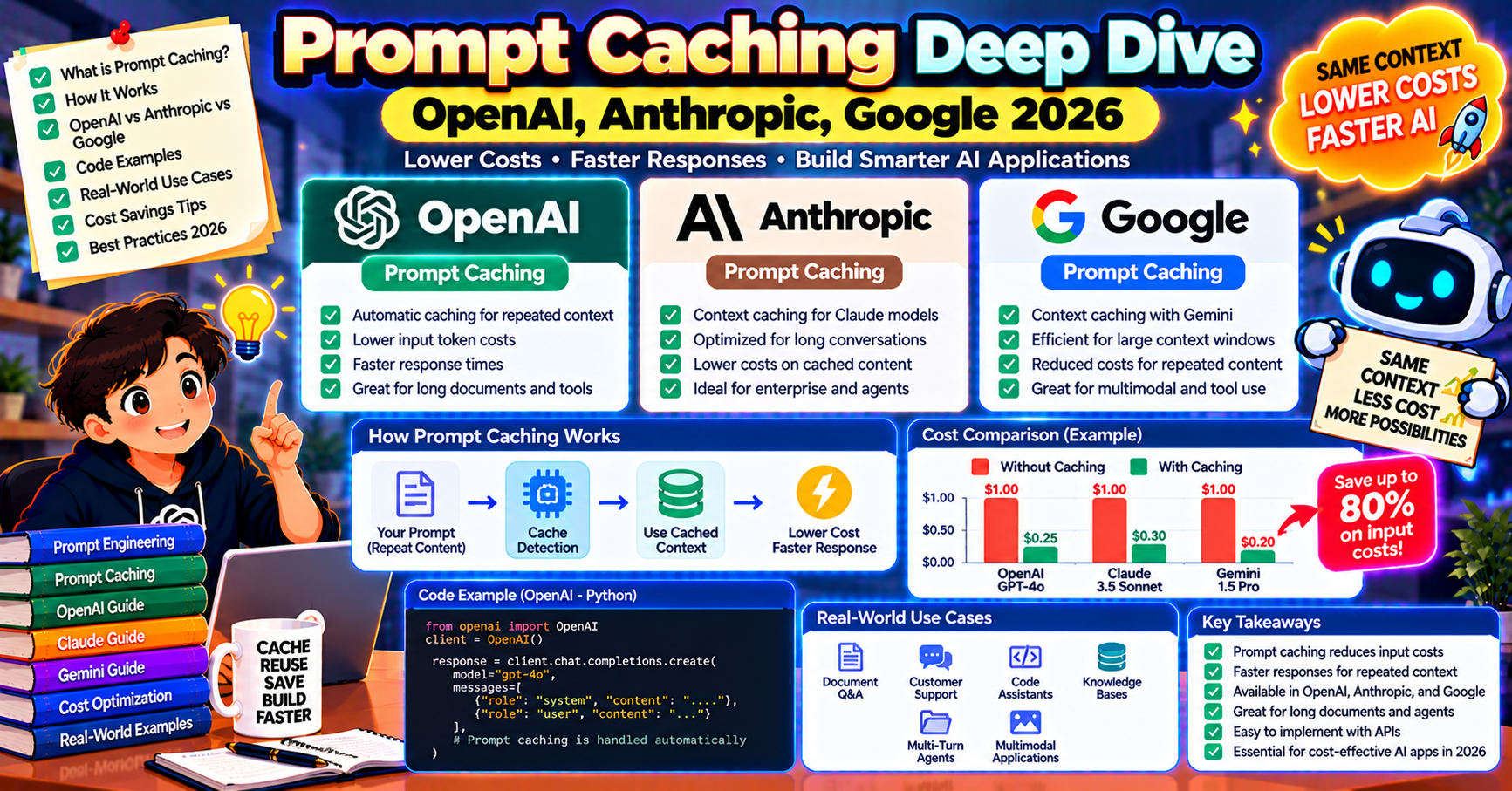
Prompt caching cuts inference cost by 50% to 90% on workloads with repeated prefixes. In 2026 it is a baseline production feature across OpenAI, Anthropic, and Google. If your app sends similar system prompts, long tool definitions, or shared retrieved context on every call, you are leaving significant money on the table if you have not enabled caching. This article walks through what prompt caching actually does, how each provider implements it, and how to structure prompts to maximize cache hits.
What prompt caching actually does
LLM inference starts by processing the input tokens through the model’s attention layers. For long prompts (several thousand tokens), this prefill phase dominates request latency and cost. Prompt caching stores the intermediate results of this prefill so subsequent requests with the same prefix skip the recomputation. OpenAI, Anthropic, and Google all implement variants of this, with different cache lifetimes and pricing.
The economic effect: cached input tokens cost 10% to 25% of fresh input tokens. On a 10K-token system prompt reused across 10K requests, that is a $225 saving (OpenAI gpt-4o: $2.50 fresh input vs $1.25 cached means $0.0125 saved per request).
OpenAI prompt caching
Automatic. If any prompt is 1024+ tokens long and the first 1024+ tokens match a recently-sent prefix, OpenAI serves the cached result and bills you at 50% of the input price (specifically $1.25 per million for gpt-4o cached vs $2.50 fresh). No API changes needed; caching happens behind the scenes.
Cache lifetime: 5 to 10 minutes with no activity, extending to around 1 hour under continuous use. Responses include usage.prompt_tokens_details.cached_tokens so you can verify the cache fired.
Design implication: put stable content (instructions, few-shot examples, retrieved documents) at the start of the prompt, variable content (user input) at the end. Cache keys off the prefix, so a stable prefix followed by varying suffix maximizes hits.
Anthropic prompt caching
Explicit. You mark cache breakpoints in your request with cache_control blocks. Everything before a breakpoint is cached as a block.
from anthropic import Anthropic
client = Anthropic()

response = client.messages.create(
    model="claude-sonnet-5-5",
    max_tokens=1024,
    system=[
        {
            "type": "text",
            "text": "You are a code reviewer. Here is our style guide: ...",
            "cache_control": {"type": "ephemeral"},
        },
    ],
    messages=[{"role": "user", "content": "Review this diff:\n\n" + diff}],
)
print(response.usage.cache_read_input_tokens)
print(response.usage.cache_creation_input_tokens)
Minimum cached block size: 1024 tokens for Sonnet/Opus, 2048 for Haiku. Up to 4 cache breakpoints per request so you can cache multiple layers (system prompt, few-shot examples, retrieved documents) separately.
Pricing in 2026: cache writes cost 25% MORE than fresh input (because they allocate the storage). Cache reads cost 10% of fresh input. Breakeven is after 2 to 3 reads; after that every cache hit is net savings.
Cache lifetime: 5 minutes default. Anthropic added a 1-hour cache tier (cache_control: {"type": "ephemeral_1h"}) in 2026 at 2x the price of 5-minute, useful for long-running chat sessions where 5 minutes is too short.
Google Gemini prompt caching
Explicit, via a dedicated Cached Content object. You pre-create a cached context, then reference it in subsequent generation calls:
from google import genai

client = genai.Client(api_key="...")

# Create cache once
cache = client.caches.create(
    model="gemini-2.5-pro",
    config={
        "contents": [{"role": "user", "parts": [{"text": LONG_DOCUMENT}]}],
        "system_instruction": "You are a Q&A system.",
        "ttl": "3600s",  # 1 hour
    },
)

# Use it on every query
response = client.models.generate_content(
    model="gemini-2.5-pro",
    contents="What are the key financial risks?",
    config={"cached_content": cache.name},
)
Pricing: cached tokens cost 25% of fresh. Cache storage costs $1 per million tokens per hour (separate from inference). For a 500K-token cached document used 100 times per hour, cache storage costs $0.50/hr vs saving $9+ in prefill cost. Breakeven is after 10 to 20 reads.
Minimum cache size: 32,768 tokens for Gemini 2.5 Pro, 1024 for Flash. Gemini’s higher minimum makes it best for very long context (whole-document RAG, codebases) rather than short system prompts.
Pattern: structuring prompts for maximum cache hits
Three principles across all three providers:
- Stable before variable: system message, few-shot examples, tool definitions, retrieved documents go first (stable). User input and conversation history go last (variable).
- Minimize prefix drift: if your system prompt includes the current date, use “today’s date” relative language instead of hardcoding, so the prefix stays identical across days.
- Share prefixes across requests: a chatbot with 10,000 users should all share the same base system prompt. If each user has unique instructions, keep those small and append them AFTER the shared prefix.
Measuring cache effectiveness
Every provider returns cache statistics in the usage block of the response:
- OpenAI:
usage.prompt_tokens_details.cached_tokens - Anthropic:
usage.cache_read_input_tokensandusage.cache_creation_input_tokens - Google: implicit in the usage block when a cached_content was referenced
Log these to your observability stack. A production dashboard tracking “cache hit rate” and “savings per request” tells you whether caching is actually paying off. Cache hit rate under 50% usually means the prefix is drifting; audit your prompt-building code for date injections, random seeds, or user-specific headers that break the cache.
When caching backfires
- Low-volume calls: if you only call the API once per hour, cache expires between calls. OpenAI’s 5-minute default is enough for busy apps and useless for quiet ones.
- Short prompts: below OpenAI’s 1024-token minimum (or Anthropic’s 1024 / Google’s 32K), caching does nothing.
- Highly varied prefixes: if every request has unique system instructions, caching never fires. Refactor to share prefixes.
- Cache write without reads: Anthropic’s write-cost premium means a cache created but never read is more expensive than no cache. Make sure your pattern will hit the cache before you enable it.
Cross-provider cache strategy
Teams running multi-provider setups (OpenAI primary with Claude failover, or vice versa) need to think about cache behavior per provider. A prefix that is cached on OpenAI is not cached on Anthropic; each provider maintains its own cache keyed on its own tokenization. Three practical rules for mixed stacks:
- Keep the same provider for a given user session. Switching providers mid-session throws away the cache you built up on the first provider.
- Measure cache hit rate per provider separately. OpenAI and Anthropic report cached tokens through different fields; your dashboard should track each independently so you can tell which provider actually benefits from caching your traffic pattern.
- Use the same system prompt across providers. If you maintain two separate system prompts (one for OpenAI, one for Anthropic), minor drift between them creates distinct cache entries and the per-provider hit rate drops.
Frequently Asked Questions
Official documentation
Do I have to enable caching, or is it automatic?
OpenAI: automatic, no config required. Anthropic and Google: explicit, you mark cache breakpoints or create cached content objects. For zero-config savings, OpenAI is the easiest; for finer control, Anthropic’s breakpoint model is the most flexible.
How much does caching save in practice?
For a typical production app with 5K to 10K-token system prompts shared across users, caching saves 30% to 60% of total token spend. For long-document RAG where a 50K-token document is reused, savings are 70% to 85%. The exact number depends on how much of each request is cached vs fresh.
Does caching change the model’s output?
No. The cache stores intermediate attention state, not the final response. The model still generates fresh output tokens for each request. Output is identical whether the prefix was cached or recomputed.
Can I force a cache invalidation?
OpenAI: no, the cache invalidates automatically. Anthropic: no explicit invalidation, but changing any token in the prefix breaks the match. Google: you can delete a cached_content object explicitly if you want to free the storage early.
Does caching work with streaming?
Yes, on all three providers. Streaming responses still benefit from cached prefill. The streaming only affects how the output tokens are returned to you; the input processing is where caching kicks in.
How do I debug when caching is not working?
Log the cached_tokens or cache_read_input_tokens field on every response. If it is zero on calls that should hit cache, your prefix is drifting. Common culprits: dynamic timestamps, UUIDs, hashed user IDs in the system prompt, or whitespace differences from different code paths assembling the same logical prompt.

Joken E. Villanueva
Founder & Lead Developer at PIES IT Solution
Founder of PIES Information Technology Solutions, a software company building production-grade applications for institutions across the Philippines. Over 8 years of hands-on full-stack development experience, currently leading the development of ClinicAI, an AI-powered clinic management platform.
Expertise: PHP · MySQL · JavaScript · AI Integration · SaaS Architecture · VB.NET · Database Design · Capstone Documentation · Java · View all posts by Joken E. Villanueva →