
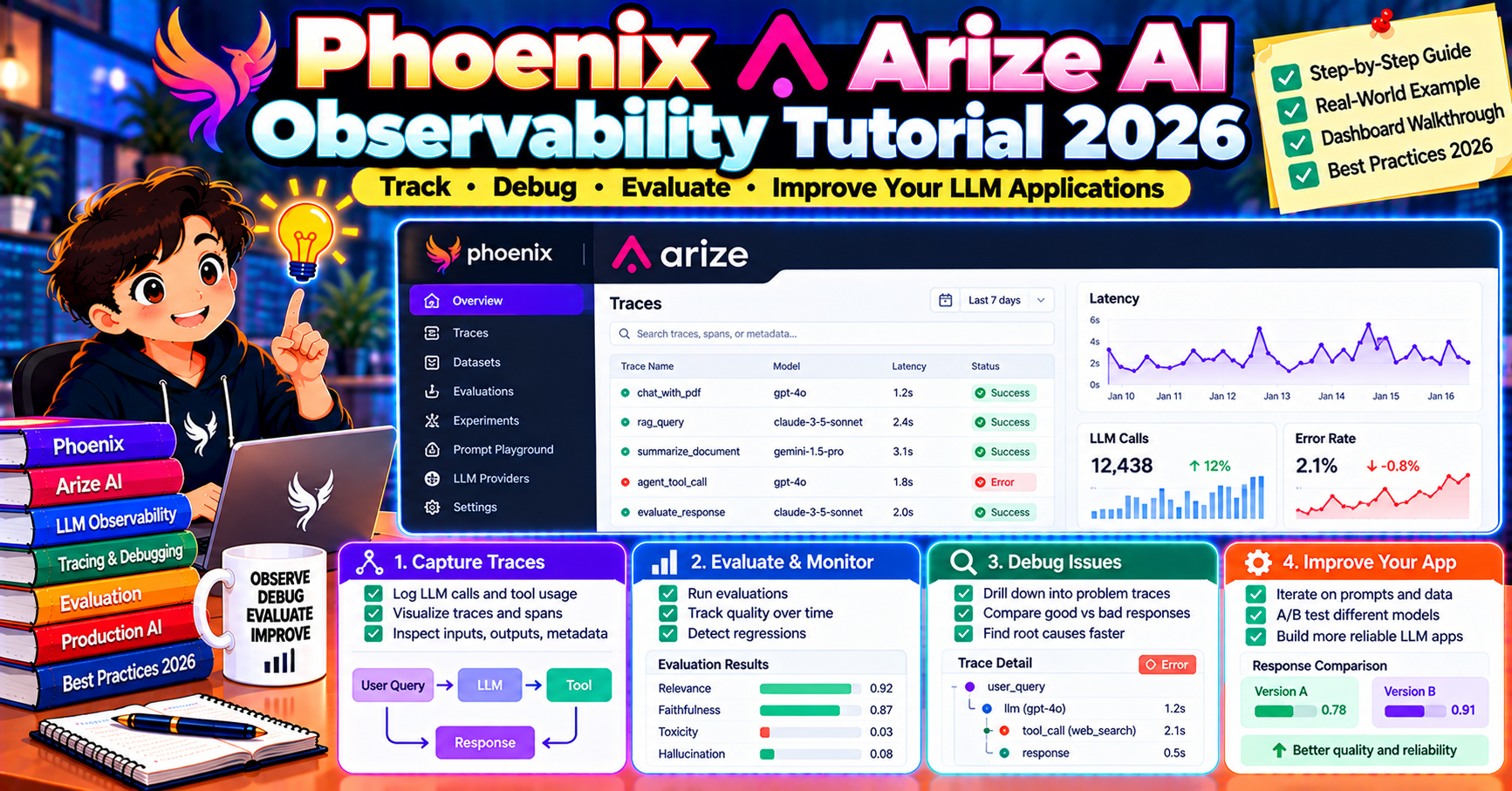
Arize Phoenix is the open-source LLM observability tool that stands out for one reason: it is built on OpenTelemetry from day one. If your organization already runs OTel for traditional APM, Phoenix slots in alongside without the lift of adopting a new telemetry stack. This article walks through installing Phoenix locally, instrumenting an OpenAI or Anthropic app, and understanding what the traces, evaluations, and datasets views actually give you.
What Phoenix is
Phoenix is Arize AI’s open-source companion to their enterprise ML observability platform. It focuses on three capabilities:
- Tracing: every LLM call, retrieval, and tool invocation captured as an OTel span
- Evaluation: run LLM-as-judge or heuristic metrics against your pipeline output
- Datasets + experiments: version-controlled test cases and side-by-side experiment comparisons
Unlike LangSmith (hosted-first) or Langfuse (full LLM engineering platform), Phoenix stays narrow and OTel-native. Run it in a notebook for prototyping or deploy it as a self-hosted service in production. The commercial Arize AX platform exists if you need enterprise features but the open-source Phoenix is production-capable on its own.
Install and run locally
Easiest way to start:
pip install arize-phoenix

# Launch the UI (opens a browser at http://localhost:6006)
python -c "import phoenix as px; px.launch_app()"
In production, use the Docker image:
docker run -p 6006:6006 -p 4317:4317 \
    arizephoenix/phoenix:latest
Port 6006 is the web UI, port 4317 is the OTLP gRPC endpoint your apps send telemetry to.
Instrument an OpenAI app in 5 lines
Phoenix uses OpenInference, a semantic convention for LLM traces built on OpenTelemetry. The openinference-instrumentation-openai package auto-instruments every OpenAI call:
from phoenix.otel import register
from openinference.instrumentation.openai import OpenAIInstrumentor
from openai import OpenAI

tracer_provider = register(
    project_name="support-bot",
    endpoint="http://localhost:4317",
)
OpenAIInstrumentor().instrument(tracer_provider=tracer_provider)

client = OpenAI()
response = client.chat.completions.create(
    model="gpt-4o",
    messages=[{"role": "user", "content": "Hello"}],
)
That one call to register plus the instrumentor hooks every OpenAI call. Open http://localhost:6006 and the trace appears with full prompt, response, token usage, and latency broken down by step.
Instrumenting Anthropic, LangChain, LlamaIndex
OpenInference ships instrumentors for every major LLM library in 2026. Pattern is the same across all of them:
from openinference.instrumentation.anthropic import AnthropicInstrumentor
AnthropicInstrumentor().instrument(tracer_provider=tracer_provider)

from openinference.instrumentation.langchain import LangChainInstrumentor
LangChainInstrumentor().instrument(tracer_provider=tracer_provider)

from openinference.instrumentation.llama_index import LlamaIndexInstrumentor
LlamaIndexInstrumentor().instrument(tracer_provider=tracer_provider)
Install the instrumentor package for each library you use, call .instrument() once, done. Phoenix now shows cross-library traces where a LangChain chain calls Anthropic which triggers a tool invocation, all stitched together in one span tree.
Running evaluations
Phoenix ships evaluators that run against logged traces. The common pattern:
from phoenix.evals import (
    HALLUCINATION_PROMPT_TEMPLATE,
    OpenAIModel,
    llm_classify,
)

# Pull traces as a dataframe
df = px.Client().get_spans_dataframe(project_name="support-bot")

# Run hallucination eval on each trace
eval_results = llm_classify(
    dataframe=df,
    template=HALLUCINATION_PROMPT_TEMPLATE,
    model=OpenAIModel(model="gpt-4o"),
    rails=["factual", "hallucinated"],
)
print(eval_results.value_counts())
Built-in prompts cover hallucination, toxicity, QA correctness, retrieval relevance, and more. For custom metrics, write your own template; the llm_classify helper handles batching, parallelism, and the LLM-as-judge call.
Datasets and experiments
Datasets in Phoenix are versioned collections of input-output pairs. Create one from logged traces or import a CSV:
dataset = px.Client().upload_dataset(
    dataset_name="support-golden-set-v1",
    dataframe=golden_df,
    input_keys=["question"],
    output_keys=["expected_answer"],
)
Experiments run a task function against a dataset and compare runs:
from phoenix.experiments import run_experiment

def my_task(example):
    return my_pipeline(example.input["question"])

run_experiment(dataset, task=my_task, evaluators=[hallucination_eval])
Each experiment is a run of the task + evaluators across every dataset example. The Phoenix UI shows side-by-side diffs so you can see which prompts regressed when you changed something.
Why pick Phoenix over the alternatives
- OpenTelemetry-native: traces flow through standard OTel infrastructure. If you already run Jaeger, Tempo, or Grafana for traditional APM, Phoenix traces land next to them without duplicate tooling.
- Fully self-hostable: no vendor lock-in. The exact same Phoenix you run on localhost scales to production via Docker or Kubernetes.
- Open source: Apache 2.0 license, no paid tier required for production use.
- Framework-neutral: works equally well with raw OpenAI SDK, LangChain, LlamaIndex, or anything else. LangSmith is best when you commit to LangChain; Phoenix stays agnostic.
- Arize AX bridge: if you later outgrow Phoenix, migrate to Arize’s enterprise platform without changing instrumentation code.
Common Phoenix gotchas
- Localhost vs remote endpoint: if your app is in a container and Phoenix runs on the host, set
endpoint="http://host.docker.internal:4317"instead of localhost. - Instrumentor install order: install OpenAI (or Anthropic etc) before calling the instrumentor. The patcher imports the library at instrument time and fails silently if not installed.
- Sampling for high-volume apps: Phoenix stores every trace by default. At 10M requests/month, set a sampler on the TracerProvider to keep 10-25%. Use
TraceIdRatioBased(0.1)for simple sampling. - Persistent storage: the default Docker image uses in-memory storage. For production, mount a volume at
/mnt/dataand setPHOENIX_WORKING_DIRto persist traces.
Production deployment patterns
Running Phoenix in production (vs. a notebook) is a step up. Three deployment patterns teams use in 2026:
Pattern 1: Phoenix as a sidecar in Kubernetes. Each application pod sends traces to a dedicated Phoenix pod via OTLP gRPC. The sidecar runs with persistent volume mounted for storage. Scales horizontally; each application cluster has its own Phoenix instance. Good for isolation but limits cross-service trace correlation.
Pattern 2: Centralized Phoenix cluster. One Phoenix deployment serves all applications in a region. Deploy with a load balancer in front; each app points its OTLP exporter at the shared endpoint. Simplest ops; all traces land in one UI. Works up to a few million traces per day; past that, consider sharding.
Pattern 3: Phoenix behind the OTel Collector. Applications send traces to a Collector; the Collector forwards to Phoenix plus other backends in parallel. This is the most flexible setup: you keep Phoenix for the LLM-specific UI while also sending the same traces to Datadog or Grafana for broader APM context. Added complexity: a Collector pipeline to maintain.
Scaling Phoenix past 1M traces per day
Three tuning knobs matter at high volume:
- Database backend: Phoenix defaults to SQLite for simplicity. Past 100K traces/day, switch to PostgreSQL via the
PHOENIX_SQL_DATABASE_URLenv var. Postgres handles the write load and query latency better. - Trace retention: default is unlimited. Set
PHOENIX_TRACE_RETENTION_DAYS=30to automatically purge older traces. Prevents disk growth without manual cleanup. - Sampling at the source: use OTel’s
TraceIdRatioBasedsampler to keep 10-25% of traffic. Phoenix stores less, UI stays fast, and most production debugging still works on the sampled set.
Frequently Asked Questions
Is Phoenix really production-ready or is it just a dev tool?
Production-ready as of version 4+ (2024 onwards). Teams at scale run self-hosted Phoenix in Kubernetes handling millions of traces per day. The main production consideration is adding persistent storage and tuning the sampling rate for your volume.
How does Phoenix compare to Langfuse for self-hosting?
Both are self-hostable and open source. Phoenix is OTel-native (good for shops that already run OTel). Langfuse is a fuller LLM engineering platform with built-in prompt management and more polished UI. Pick Phoenix for OTel integration, Langfuse for product-manager-friendly UI.
Can I use Phoenix without instrumenting my code?
Not directly. Phoenix needs instrumentors wired in (one line per LLM library). If you want zero-code instrumentation, Helicone’s gateway approach is the alternative.
Does the eval system cost money?
Phoenix is free; the LLM-as-judge calls behind the evaluators cost you (goes against your OpenAI/Anthropic bill). Budget $0.001 to $0.005 per evaluated example when using GPT-4o as the judge. Use smaller judges (gpt-4o-mini, Claude Haiku) to reduce cost 10x.
Can I migrate from LangSmith or Langfuse to Phoenix?
Partial migration works. Instrumentation code moves cleanly (both use OpenInference under the hood). Trace history does not migrate; start fresh on Phoenix. Datasets can be exported as CSV from LangSmith/Langfuse and uploaded to Phoenix.
Does Phoenix support team workspaces?
The open-source version has single-tenant workspaces. For multi-team setups with role-based access control, you need Arize AX (the paid enterprise version). Phoenix open source is better for a single team’s observability needs.
Official documentation

Caren Bautista
Technical Writer at PIES IT Solution
Responsible for crafting clear, well-structured, and beginner-friendly content across the platform. Handles the writing, proofreading, and editorial review of tutorials, guides, and documentation to ensure every article is accurate, readable, and easy to follow.
Expertise: Technical Writing · Content Creation · Documentation · Editorial Writing · JavaScript · TypeScript · Python · Python Errors · HTTP Errors · MS Excel · View all posts by Caren Bautista →