
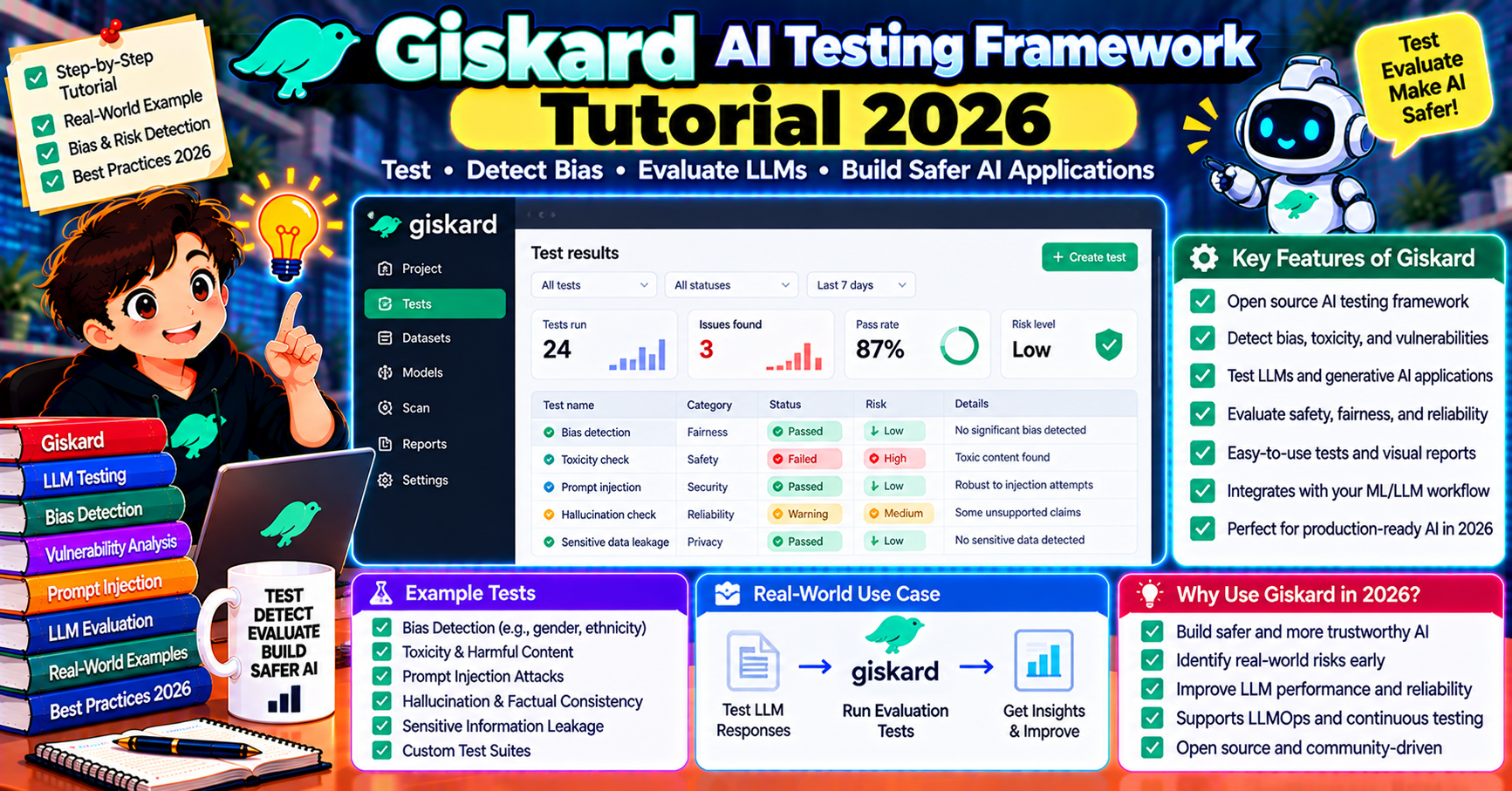
Giskard is the AI testing framework that approaches LLM quality from an adversarial-first angle. Instead of only measuring accuracy on your golden dataset, Giskard generates attack scenarios automatically to find edge cases your tests missed: prompt injection attempts, hallucinations under pressure, biased outputs on protected categories, and sycophantic failure modes. In 2026 it is the open-source tool teams reach for when they need vulnerability scanning in CI, not just regression testing. This article walks through installing Giskard, scanning an LLM pipeline, and reading the vulnerability report.
What Giskard is
Giskard is an open-source Python framework for testing ML and LLM systems. Started 2021 as a general ML test tool; added first-class LLM support in 2023 and matured it through 2026. Three capabilities worth knowing:
- Automatic vulnerability scanning: feed Giskard your LLM pipeline, it generates adversarial inputs and reports which categories your pipeline fails on
- Custom test suites: write pytest-style tests for specific behavioral expectations, run them in CI
- Giskard Hub: paid hosted dashboard for team collaboration (optional; the OSS version runs standalone)
Unlike DeepEval or RAGAs which score known-good vs produced output, Giskard tries to break your pipeline on inputs you did not think of. Different problem class, different value.
Install and first scan
pip install "giskard[llm]"

import giskard

def my_pipeline(df):
    """Wrap your LLM pipeline so it takes a dataframe and returns answers."""
    return [my_llm_call(q) for q in df["question"]]

model = giskard.Model(
    model=my_pipeline,
    model_type="text_generation",
    name="support-bot",
    description="Customer support assistant for Acme Corp",
    feature_names=["question"],
)

dataset = giskard.Dataset(
    df=my_test_df,
    target=None,
)

# Run the vulnerability scan (takes a few minutes depending on model)
scan_results = giskard.scan(model, dataset)
scan_results.to_html("giskard_report.html")
The scan generates 50-200 adversarial test cases automatically, grouped by vulnerability category: hallucination, prompt injection, output harm, sensitive information disclosure, stereotypes, and more. HTML report shows which categories your pipeline failed on, with specific failing examples.
Vulnerability categories Giskard tests
The default scan covers:
- Hallucination and factuality: can the model be nudged into making up facts? Giskard tries nudging prompts and checks whether the output contradicts a known-ground-truth reference.
- Prompt injection: attack prompts that try to override system instructions. Giskard has 100+ known injection patterns in its test corpus.
- Sensitive information disclosure: does the model leak training data when prompted with specific patterns?
- Harmful content: does the pipeline produce toxic, violent, or illegal content when asked?
- Stereotypes and bias: does output quality or sentiment vary based on protected categories (gender, race, nationality) in the input?
- Sycophancy: does the model change its answer when the user says “are you sure?” even when the original was correct?
- Robustness: does rephrasing the same question in 10 ways produce 10 different answers?
You can scan a subset by passing only=["hallucination", "prompt_injection"] to giskard.scan().
Reading the vulnerability report
The HTML report ranks findings by severity. Each finding includes:
- The attack prompt or input variant
- Your pipeline’s actual output
- The expected safe behavior
- A severity level (minor, major, critical)
- A suggested remediation (add a guardrail here, update the system prompt there)
Export failing examples as test cases to prevent regression:
test_suite = scan_results.generate_test_suite("regression-after-fixes")
test_suite.save("tests/giskard_regression.suite")

# Later, re-run the saved suite to confirm fixes stuck
test_suite.run(model, dataset)
Teams typically scan once, fix the top findings, then save a regression suite and run it in CI going forward. The suite stops at ~50 fixed cases and does not drift upward.
Custom tests for domain-specific behavior
Giskard scans catch generic vulnerabilities; your domain has specific ones a generic scan misses. Write custom tests:
from giskard.testing import test

@test(name="Does not discuss competitors")
def test_no_competitor_mention(model, dataset):
    outputs = model.predict(dataset).prediction
    competitors = ["Acme", "Globex", "Umbrella"]
    violations = [
        (i, out) for i, out in enumerate(outputs)
        if any(c.lower() in out.lower() for c in competitors)
    ]
    return len(violations) == 0

my_suite = giskard.Suite(tests=[test_no_competitor_mention])
my_suite.run(model, dataset)
Custom tests run alongside the vulnerability scan or standalone. They are the right tool for business-logic constraints (do not quote prices, do not promise delivery dates, do not discuss competitors) that generic scans cannot know about.
CI integration
Giskard integrates with any CI system via its CLI or Python API. Common GitHub Actions pattern:
# .github/workflows/giskard.yml
name: AI Security Scan
on:
  pull_request:
    paths:
      - 'ai/**'
      - 'prompts/**'
jobs:
  scan:
    runs-on: ubuntu-latest
    steps:
      - uses: actions/checkout@v4
      - uses: actions/setup-python@v5
      - run: pip install "giskard[llm]"
      - run: python ai/giskard_scan.py
        env:
          OPENAI_API_KEY: ${{ secrets.OPENAI_API_KEY }}
      - uses: actions/upload-artifact@v4
        with:
          name: giskard-report
          path: giskard_report.html
Run the saved regression suite on every PR (fast, deterministic, catches known failures). Run the full vulnerability scan on a weekly schedule (slow, exploratory, catches new attack patterns).
Giskard vs DeepEval vs Promptfoo
Different problems:
- DeepEval + Promptfoo answer “does my pipeline do X correctly on known test cases”
- Giskard answers “can my pipeline be broken by inputs I did not think of”
Both matter. Teams running both get full coverage: DeepEval/Promptfoo for regression on known good behavior, Giskard for adversarial scanning on unknown edge cases.
Operational tips
- Pin the scanner’s judge model: Giskard uses an LLM to generate adversarial prompts. Pin the model version so scans are reproducible across runs. Set via
giskard.llm.set_llm_model("gpt-4o-2024-08-06"). - Budget for the scan: a full scan runs 100-300 LLM calls (your model + the judge). Expect $1-$5 per scan with gpt-4o as the judge. Weekly runs are fine; per-PR full scans get expensive.
- Dataset size matters: Giskard scans against your test dataset. 10-50 examples is enough; past that, scan time grows linearly without finding meaningfully more issues.
- Review before accepting a fix: Giskard suggests remediations but they are not guaranteed correct. Treat them as a starting point; a human still reviews whether the fix is appropriate.
Reading a scan report in practice
A fresh Giskard scan on a new pipeline often returns 20-40 findings. Reviewing all of them is impractical. Three triage rules make this manageable:
- Fix all critical findings first. Critical means the model produced output that would fail compliance review (hallucinated financial numbers, offered medical advice, leaked system prompt). These block production, no matter how low the exploit frequency.
- Group major findings by root cause. Often 10 “sycophancy” findings and 10 “robustness” findings trace back to the same system prompt weakness. One prompt fix clears 20 findings at once.
- Accept minor findings explicitly or suppress them. Giskard will flag edge cases that are not worth fixing (model refuses an unusual question in a reasonable way, borderline toxicity on domain-specific slang). Add these to the suppression list with a comment explaining why, so future reviewers understand the decision.
After this triage, most teams end up fixing 5-10 real findings per scan cycle. The remaining 10-30 are either accepted or suppressed with justification. Re-run the scan weekly to catch regressions and surface new patterns as attack techniques evolve.
Frequently Asked Questions
Does Giskard require Giskard Hub (the paid product)?
No. The open-source library runs standalone. Giskard Hub adds team collaboration, run history, and compliance reporting but is not required for the core scanning capability. For a solo developer or small team, the OSS version is enough.
What LLMs does Giskard support?
Any LLM you can call from Python. The user-facing API is a my_pipeline(df) function; whatever that function calls internally works. For the judge model, Giskard supports OpenAI, Anthropic, Google, Ollama, and OpenAI-compatible endpoints.
How is this different from Lakera Guard or NeMo Guardrails?
Lakera and NeMo are runtime guardrails: they block bad inputs/outputs in production. Giskard is a testing tool: it finds vulnerabilities before you deploy. Use both; Giskard tells you what guardrails to add, Lakera/NeMo enforces them.
Can I scan a non-LLM ML model with Giskard?
Yes. Giskard’s original focus was classical ML (classification, regression, NLP). Pass model_type="classification" or "regression" instead of "text_generation". The vulnerability categories differ by model type.
How do I handle false positives in the scan?
Export the scan results, review manually, mark acceptable findings as “known good” in a suppression list. Giskard’s test suite supports suppressions so the regression run does not re-fail on cases you have reviewed and accepted.
Does Giskard work for RAG pipelines?
Yes. Pass your full RAG pipeline (retrieval + generation) as the my_pipeline function. Giskard tests the end-to-end system, finds vulnerabilities regardless of whether they originate in retrieval or generation. For retrieval-specific metrics, pair Giskard with RAGAs.
Official documentation

Adrian Mercurio
Full-Stack Developer at PIES IT Solution
Specializes in building complete capstone projects with full documentation. Strong background in PHP/MySQL development and database design. Has personally built and tested over 30 capstone-ready projects with ER diagrams, DFDs, and chapter-by-chapter thesis documentation.
Expertise: PHP · Laravel · Database Design · Capstone Projects · C# · C · C++ · Python · AI Projects · View all posts by Adrian Mercurio →