
Notion and ClickUp both call themselves “the all-in-one workspace” and both cost about the same. That marketing overlap makes it hard to pick, especially since the free tiers of each look great on the landing page but hit their limits fast once you actually work in them.
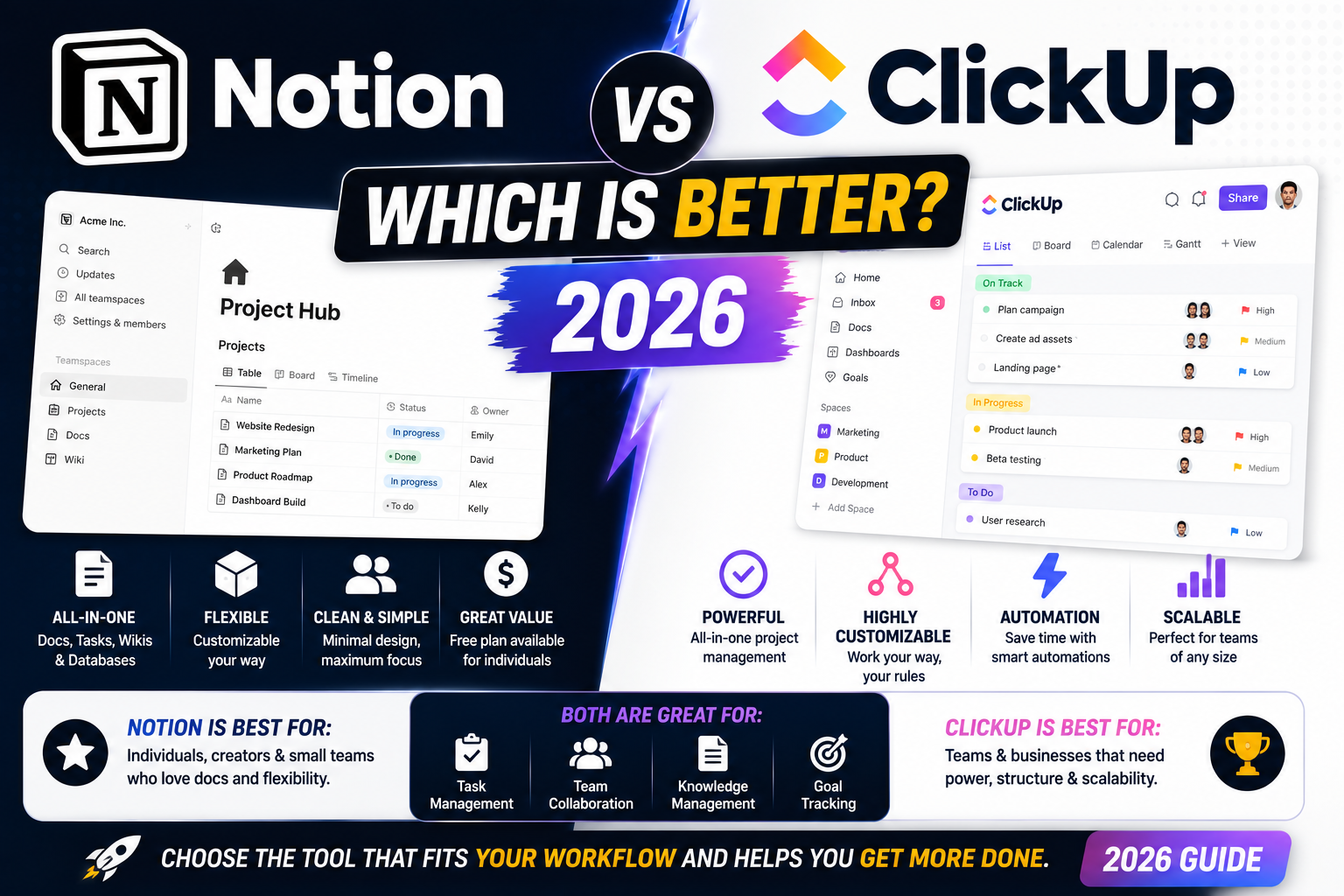
After using both daily for over a year (Notion for personal writing and knowledge base, ClickUp for a small client team), here is the honest breakdown of when each one wins, and where they lose to each other.
The 30-second answer
- Pick Notion if you are a solo user, writer, student, or small team (under 10 people) that mostly needs docs, notes, wikis, and light task tracking.
- Pick ClickUp if you run a bigger team (10 plus people), need real project management (Gantt charts, workload views, time tracking), or manage software or agency work with strict deadlines.
- Skip both if you just need simple task management. Todoist, TickTick, or Google Tasks are faster and cheaper.
Pricing in 2026 (side by side)
Real prices as of August 2026:
- Notion Free: Unlimited pages for personal use, 10-guest limit on shared workspaces
- Notion Plus: USD 10 per user per month (annual), unlimited file uploads, 30-day version history
- Notion Business: USD 15 per user per month, SAML SSO, private team spaces
- ClickUp Free: 100MB storage total, unlimited users, unlimited tasks
- ClickUp Unlimited: USD 7 per user per month, unlimited storage, integrations, dashboards
- ClickUp Business: USD 12 per user per month, workload management, custom exporting, time tracking
Cost winner: ClickUp. It is 30 to 40 percent cheaper per seat at every paid tier and its free plan is more generous for real team use (Notion’s free tier caps at 10 guests, which teams hit quickly).
Learning curve: how long to get productive?
Both tools are famously complex, but for different reasons.
Notion is easier to learn but harder to structure. In an hour you can be writing pages, embedding databases, and linking notes. What takes weeks is figuring out how to organize your workspace so pages do not become a maze. Templates help but you still need to prune regularly.
ClickUp is harder to learn but easier to structure. The default hierarchy (Space, Folder, List, Task, Subtask) forces order from day one. First-timers usually feel overwhelmed by the settings panel, which has over 100 toggles, but the actual daily workflow becomes muscle memory faster because the structure never surprises you.
Verdict: Notion for solo users who value flexibility over structure. ClickUp for anyone who wants to be productive in week 2 rather than week 6.
Docs and wikis: Notion wins clearly
If your main use case is writing, note-taking, personal knowledge base, meeting notes, or team documentation, Notion is the better tool by a wide margin.
- Nested pages inside pages inside pages, all searchable
- Inline databases you can view as tables, boards, calendars, or galleries
- Best-in-class markdown-like editor that never fights you
- Sync blocks that update everywhere when you edit them once
- Web clipper that saves articles cleanly to your workspace
ClickUp has a Docs feature but it feels like an afterthought. Formatting is clunkier, embed options are limited, and search across docs is slower.
Project management: ClickUp wins clearly
If you actually run projects with deadlines, dependencies, resource allocation, and multiple contributors, ClickUp is not close.
- Gantt charts that let you visualize dependencies and drag deadlines to reschedule
- Workload view to see who is overbooked this week
- Time tracking built in, no third-party integration needed
- Custom statuses per project (Notion databases have status columns but nothing this flexible)
- Automations triggered by field changes, deadlines, or comments
- Sprint management for software teams (velocity, burndown, story points)
Notion has databases and task templates but for real project management, using Notion feels like building your own tool from scratch. ClickUp gives you the tool out of the box.
AI features (2026 update)
Both have added AI features and both charge extra for them.
Notion AI costs an extra USD 10 per user per month on top of your plan. It handles summarization, writing assistance, translation, and Q&A on your workspace content. It is the better AI for writing-heavy tasks.
ClickUp Brain costs USD 7 per user per month extra. It generates task descriptions, subtasks, summaries, and can answer questions about project data. It is stronger at operational tasks (generating task lists from a meeting summary, for example).
Neither is essential. If you already pay for ChatGPT Plus or Claude Pro, most of the AI features overlap and it makes little sense to double up.
Mobile and offline experience
Notion mobile: Fast and clean for reading. Editing on mobile still feels awkward because tables and databases are hard to interact with on a small screen. Offline mode was added in 2024 but only supports pages you have viewed recently.
ClickUp mobile: Full feature parity with desktop, which sounds great but means the app has too many buttons for a phone screen. Offline mode is more mature (started in 2022) but still misses views like Gantt.
For quick checks on the go, both work. For daily driving on mobile, Notion is slightly more pleasant if you mostly read and take short notes.
Which one to pick, by use case
- Student, writer, solo freelancer: Notion. Free tier is enough, docs experience is unbeatable.
- 2 to 5 person team doing content, marketing, or research: Notion Plus. Cheap enough, docs win.
- 10 plus person team doing client work, agency, or dev: ClickUp Unlimited. The cost savings alone justify the switch.
- Software team running sprints: ClickUp Business. Sprint tools, workload view, time tracking are worth the extra.
- Personal knowledge base with occasional light task tracking: Notion, always.
- Marketing agency tracking 30 client campaigns at once: ClickUp, always.
Official documentation
Try them yourself
The links below are affiliate links. We may earn a commission at no extra cost to you when you sign up. See our affiliate disclosure.
- Sign up for Notion (free tier)
- Sign up for ClickUp (free tier)
- Master Notion course (Coursera) for the deep-dive learners
- ClickUp Complete Course (Udemy) for team leads implementing ClickUp at work
Frequently asked questions
Is Notion or ClickUp better for a small startup?
For a startup under 10 people, Notion is usually better because most of your work is docs, wikis, meeting notes, and light task tracking. Once you cross 15 people or start managing client projects with hard deadlines, ClickUp starts to make more sense.
Can I use both Notion and ClickUp together?
Yes, and many teams do. The common pattern is Notion for internal knowledge base and documentation, ClickUp for active project management and client work. The overlap is small and you avoid forcing one tool to do everything.
Which one is faster to learn?
Notion feels easier in the first hour because you can just start writing. ClickUp feels harder at first because of the settings panel, but its rigid structure means you become productive faster (usually week 2 vs week 6 for Notion power users).
Is the free tier of Notion or ClickUp enough for real work?
Notion free is enough for solo users and pairs. Once you have 5 plus collaborators the guest limit will bite you. ClickUp free is enough for small teams that do not upload many files (the 100MB storage cap is the first thing you hit). For teams doing real work, both essentially require paid plans within a few months.
Does ClickUp have a wiki or docs feature?
Yes, ClickUp Docs exists but it is noticeably weaker than Notion. Formatting is clunkier, embed options are limited, and the search feels slower on large doc collections. If docs are your main use case, this alone tips the decision toward Notion.
Is Notion or ClickUp better for personal task management?
Neither is ideal for personal use. Both are overkill for simple todo lists. If you just need to manage personal tasks, Todoist, TickTick, or Apple Reminders are faster, cheaper, and less distracting. Use Notion for personal notes and reflection, not day-to-day task management.

Caren Bautista
Technical Writer at PIES IT Solution
Responsible for crafting clear, well-structured, and beginner-friendly content across the platform.
Expertise: Technical Writing · Content Creation · Documentation · Editorial Writing · JavaScript · TypeScript · Python · Python Errors · HTTP Errors · MS Excel · View all posts by Caren Bautista →