
You wrote result[0] assuming the list had at least one item, but it was empty, and Python threw IndexError: list index out of range. The list might come from a filter, an API call, or a database query, all common sources of “sometimes empty” results
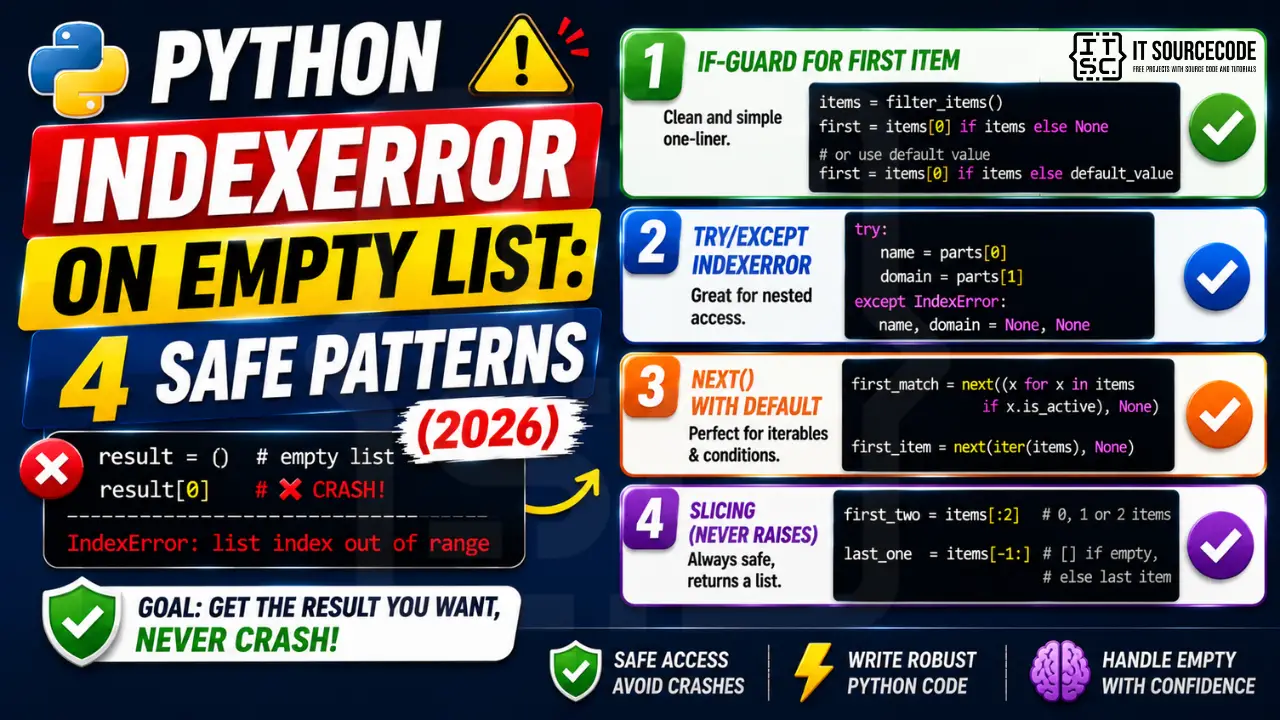
📌 Quick answer: Use result[0] if result else None for safe first-item access. For “next item from iterable” use next(iter(result), None). For “any matching item” use next((x for x in result if cond(x)), None). All return None on empty instead of raising.
Pattern 1: if-guard for first item
Cleanest one-liner for “give me the first item, or None if empty.”
items = filter_items()    # might return []
first = items[0] if items else None

# Or with default value
first = items[0] if items else default_value
Pattern 2: try/except IndexError
Useful when the access is nested or conditional and an if-guard would clutter.
try:
    name = parts[0]
    domain = parts[1]
except IndexError:
    name, domain = None, None
Pattern 3: next() with default
For iterators, generators, and filter results.
first_match = next((x for x in items if x.is_active), None)
first_item = next(iter(items), None)
Pattern 4: slicing (never raises)
Slices on an empty list return an empty list, no error. Useful for “first N items” or “last item.”
first_two = items[:2]     # works even if items has 0 or 1 items
last_one = items[-1:]     # empty list if items is empty, else 1-element list
Prevention
- Never trust upstream filters/queries to return non-empty results
- Use
if my_list:as truth test (empty list is falsy) - For “first matching” use
next((g), default)with generator expression - Slices over scalars when you need “up to N items”
Related Guides
- List index out of range (full guide)
- String index out of range
- All IndexError fixes
- Python Tutorial hub
Debugging checklist for IndexError on empty list
- Print the list right before the failing access to confirm whether it is empty.
- Check the code path that populates the list. A function returning
[]on failure is the usual culprit. - Look for off-by-one errors. Accessing
my_list[len(my_list)]is always an IndexError. - If parallel or async code populates the list, check for race conditions.
Safe patterns for list access
# Pattern 1: truthiness guard
if items:
    first = items[0]
    last = items[-1]
else:
    first = last = None

# Pattern 2: try/except
try:
    first = items[0]
except IndexError:
    first = None

# Pattern 3: default via next() + iter (works for generators too)
first = next(iter(items), None)
Common IndexError patterns beyond empty lists
- Off-by-one:
for i in range(len(items) + 1)instead ofrange(len(items)). - Enumerate misuse: passing the value to another list as an index when you meant to pass the counter.
- String slicing edge:
text[0]raises IndexError iftext == ""even though slicingtext[0:1]returns an empty string.
Testing your fix
import unittest

class TestSafeAccess(unittest.TestCase):
    def test_empty_list_returns_none(self):
        items = []
        self.assertIsNone(items[0] if items else None)

    def test_populated_returns_first(self):
        items = ["a", "b", "c"]
        self.assertEqual(items[0] if items else None, "a")

if __name__ == "__main__":
    unittest.main()
Real-world example: safe first-record fetcher
Here is a working pattern that combines the safe-access techniques into a small reusable helper.
from typing import Iterable, Optional, TypeVar

T = TypeVar("T")

def first_or_none(items: Iterable[T]) -> Optional[T]:
    """Return the first item or None. Works on lists, tuples, generators, and empty sequences."""
    return next(iter(items), None)

def last_or_none(items):
    """Return the last item of a sequence or None. Only works on sequences, not generators."""
    return items[-1] if items else None

# Real usage in a database query result
rows = db.execute("SELECT id, email FROM users WHERE last_login IS NULL").fetchall()
first_stale = first_or_none(rows)
if first_stale is not None:
    notify_admin(first_stale)
else:
    print("no stale users")
The first_or_none helper is the pattern to reach for when working with database results, API responses, and any collection that can legitimately be empty.
Related patterns that avoid IndexError entirely
- Use
collections.dequefor queue-style access.deque.popleft()anddeque.pop()raiseIndexErrortoo, but combining with thewhile queueguard handles all edge cases. - Use
dict.get()instead ofdict[key]when the key might be missing. ReturnsNoneby default. - Use
getattr(obj, "attr", default)instead ofobj.attrwhen the attribute might be missing.
Quick reference summary
The IndexError almost always comes from one of three code shapes: reading before the list has data, off-by-one in a manual loop, or a race where a consumer runs faster than the producer. Fix by guarding with truthiness, using try/except IndexError, or replacing raw index access with a helper like next(iter(items), None) that has empty semantics baked in. Combine with unit tests that cover the empty case explicitly so the bug does not come back.
Why IndexError happens
List index out of range means you accessed my_list[i] beyond the list’s actual length. Python lists are indexed from 0 to len(list)-1.
Common triggers
- Off-by-one.
my_list[len(my_list)]fails — uselen(my_list) - 1. - Empty container.
my_list[0]fails when the list is empty. - Wrong data source. CSV had fewer columns than expected.
- Loop range wrong.
for i in range(len(my_list) + 1)— off-by-one. - API returned empty result. Unhandled empty response.
Diagnostic pattern
# BAD — accessing first element without check
def get_first(items):
    return items[0]     # IndexError if items is empty

# GOOD — guard for empty
def get_first(items):
    if not items:
        return None
    return items[0]

# BETTER — use Optional and let caller handle
from typing import Optional, Sequence, TypeVar
T = TypeVar("T")

def get_first(items: Sequence[T]) -> Optional[T]:
    return items[0] if items else None

# For pandas, use .iloc with .empty check
import pandas as pd
def first_row(df: pd.DataFrame) -> Optional[dict]:
    if df.empty:
        return None
    return df.iloc[0].to_dict()

# For enumerate-based loops, this is safe
for i, item in enumerate(items):
    print(i, item)      # never IndexError

# Never write: for i in range(len(items) + 1)
Best practices
- Prefer enumerate over range(len()). Never off-by-one.
- Guard empty containers. Return None or default before accessing.
- Use slicing.
items[:5]is safe even if items has fewer than 5 elements. - Use type hints with Optional. Communicates that the value may not exist.
- Use pytest with edge cases. Test empty lists, single-element lists, off-by-one boundaries.
Official documentation
Quick step-by-step summary (click to expand)
- Check emptiness with a truthy test. Use if mylist: before any indexed access. Empty list is falsy in Python.
- Use next() with iter() for first-item access. first = next(iter(mylist), None) returns None on empty without raising IndexError.
- Return early from functions that expect data. Add if not input_list: return [] at the top of processing functions.
- Use list comprehensions instead of indexed access. When possible, [f(x) for x in mylist] naturally handles empty lists without any guards.
Frequently Asked Questions
Why does Python raise IndexError on empty list?
list[i] requires position i to exist. An empty list has no valid positions (length 0, valid range is empty). Any positive integer access fails. Negative access also fails for the same reason.
What’s the safest way to get the first item from a list?
items[0] if items else default. For an iterator-friendly form: next(iter(items), default). Both return the default on empty.
Does slicing an empty list raise IndexError?
No. Slice access never raises. list[:5] on empty list returns []. list[10:20] on a 5-item list returns []. Use slices when you want ‘up to N items’ regardless of actual count.
How do I find the first item matching a condition?
next((x for x in items if x.is_active), None). The generator expression is lazy and stops at first match; the second argument is the default if no match.
Should I use try/except or if-guard for IndexError?
If-guard for simple cases (it’s faster and clearer). try/except for nested logic where you’d otherwise need multiple if-checks. Performance-wise, if-guard is faster when the access usually succeeds; try/except is faster when failures are rare and noisy.

Adrian Mercurio
Full-Stack Developer at PIES IT Solution
Specializes in building complete capstone projects with full documentation. Strong background in PHP/MySQL development and database design. Has personally built and tested over 30 capstone-ready projects with ER diagrams, DFDs, and chapter-by-chapter thesis documentation.
Expertise: PHP · Laravel · Database Design · Capstone Projects · C# · C · C++ · Python · AI Projects
· View all posts by Adrian Mercurio →