
LinkedIn Recruiter Lite sits in a strange middle ground. It costs USD 170 per month, which is not cheap, but it delivers most of what a small business needs to hire without paying USD 900 per month for full LinkedIn Recruiter. For a Philippine startup, a small US agency, or an independent tech recruiter working on 5 to 15 open roles at a time, Recruiter Lite is the right tool.
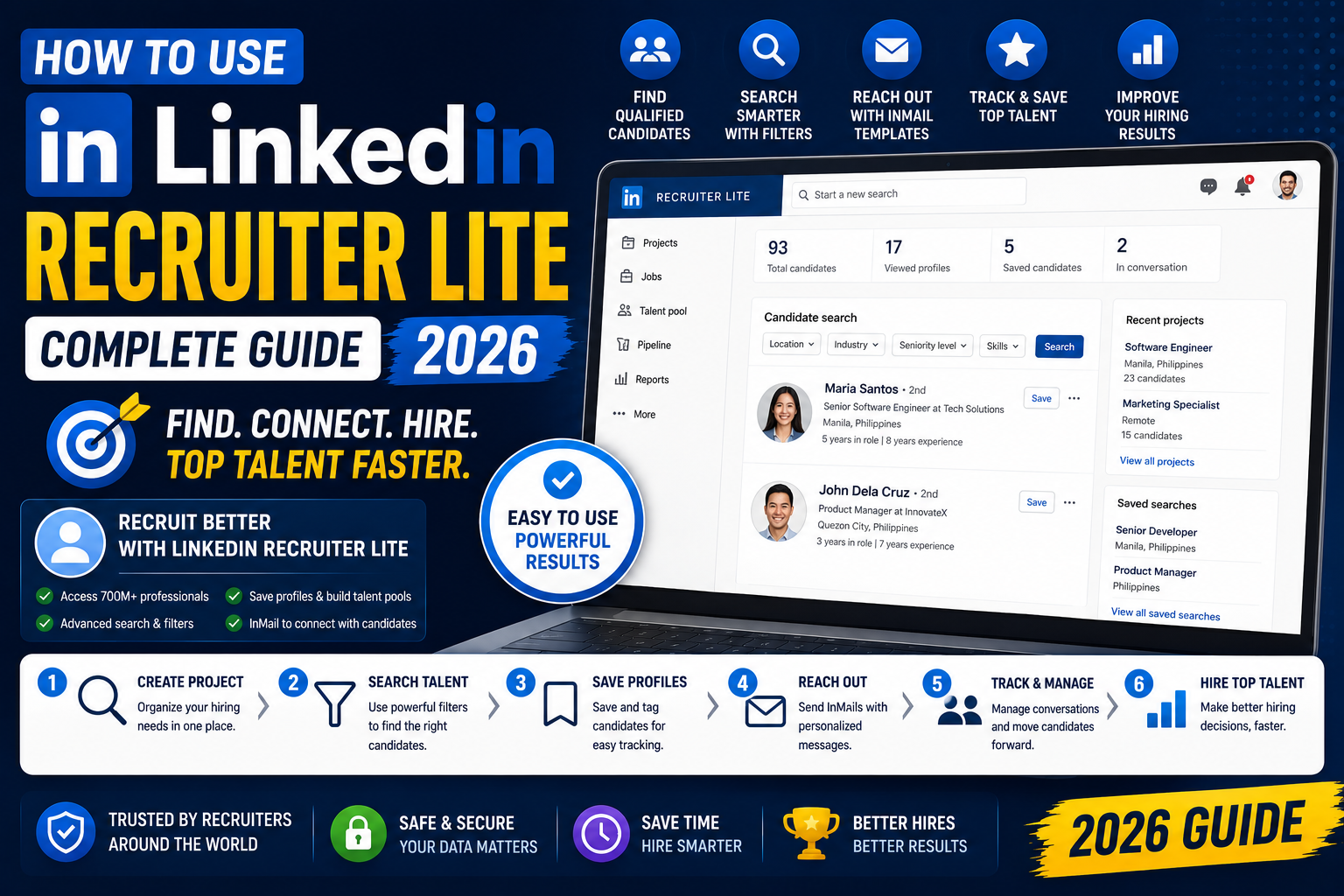
This guide walks through the exact setup, the filters that actually matter, InMail templates that get replies, and how to build a small candidate pipeline that does not fall apart after a week.
What Recruiter Lite gives you that free LinkedIn does not
Free LinkedIn shows you the first 100 to 1,000 people who match a search, and you can only message people you are already connected to. That is the ceiling for most active roles.
Recruiter Lite unlocks:
- Unlimited candidate search across LinkedIn (not just your network)
- 30 InMail messages per month (message anyone, no connection needed)
- Advanced filters (years of experience, past companies, seniority, function)
- Candidate tracking and notes across sessions
- Basic pipeline management with stages
- Access to Open To Work candidates directly
What it does NOT give you: bulk InMail credits, custom outreach templates at scale, or the collaboration features of full Recruiter. If your team needs to hire more than 5 to 6 people per month, upgrade to full Recruiter.
Step 1: Sign up and set up your Recruiter Lite account
- Go to linkedin.com/products/recruiter-lite
- Click Start free trial (LinkedIn offers a 30-day free trial for new accounts)
- Choose monthly (USD 170) or annual (USD 1,680, saves about 18 percent)
- Fill in your billing details and confirm
- Complete the onboarding survey: role you are hiring for, industry, and typical seniority
The onboarding survey is not just marketing filler. LinkedIn uses it to seed your initial candidate recommendations, so answer accurately.
Step 2: Build your first candidate search
The search bar is where you spend 80 percent of your Recruiter Lite time. The key filters to always use:
- Keywords: The actual skills or job title (be specific: “React Native developer” beats “mobile dev”)
- Location: Metro Manila, Cebu, Davao, or “Philippines” for full remote
- Years of experience: Set a range (typically 2 to 8 years for mid-level roles)
- Current company: Add or exclude specific companies (exclude your current employer, include known talent-rich competitors)
- Industry: Software, BPO, e-commerce, whatever fits
- Function: Engineering, Design, Marketing, etc.
- Spoken languages: Filipino, English (crucial for BPO roles)
Save the search as soon as you get a solid initial result set. Saved searches send you daily email digests of new matches without you re-running the search manually.
Step 3: Review candidates efficiently
Recruiter Lite shows candidate cards with a preview of headline, current role, and location. Do not open every profile. Instead:
- Scan the headline (does it match the role?)
- Check the current company (relevant industry or competitor?)
- Look at role tenure (staying 12+ months = stable, jumping every 6 months = warning sign)
- Skip anyone with under 1 year of relevant experience if you are hiring for mid-level
- Star the ones worth deep-reviewing
Aim to shortlist 15 to 25 strong candidates per open role before you start reaching out. This gives you a real pipeline instead of one at a time.
Step 4: Write InMail messages that actually get replies
You get 30 InMail credits per month. That is not a lot. Every message needs to earn its place. What works:
- Subject line under 60 characters, specific to their work. “Loved your work on the Shopee checkout redesign” beats “Exciting opportunity at our company”
- First line is a specific compliment tied to something in their profile, not “I saw your profile”
- Second line is the role in one sentence, with the salary range or a signal (remote, equity, tech stack)
- Third line is a specific ask: “Would you be open to a 15-minute call this week?” not “Interested in chatting?”
- Total length: under 100 words. Long InMails get ignored.
A InMail response rate of 25 to 35 percent is normal for well-crafted messages. Below 15 percent means your subject lines or targeting is off.
Step 5: Track your pipeline with Projects
Recruiter Lite has a lightweight pipeline tool called Projects. Each open role gets its own Project. Inside a Project you can:
- Save candidates from search results
- Tag them with custom labels (Sent InMail, Replied, Interviewed, Offer)
- Add private notes per candidate
- See the last time you contacted each person
This is not as powerful as an ATS (Applicant Tracking System) but for 5 to 10 open roles it works. If you have more than 10 open roles or a team of recruiters, you need a real ATS (Greenhouse, Lever, or Ashby) with a LinkedIn integration.
Step 6: When to upgrade to full LinkedIn Recruiter
Upgrade signals:
- You are burning through 30 InMail credits before the 20th of every month
- Your team has 2 plus recruiters and you need shared candidate visibility
- You are hiring for 15+ open roles at any given time
- You need Recruiter Insights (competitor hiring patterns, market compensation benchmarks)
- You want the ability to post jobs directly and manage applicant flow
Full Recruiter (Corporate) costs about USD 900 per month per seat, so the jump is significant. Only justify it if you have consistent hiring volume for 6 plus months.
Common mistakes I see new Recruiter Lite users make
- Wasting InMails on unqualified candidates. Filter aggressively before sending. 30 InMails per month means each one is worth USD 5 to 6 in real cost.
- Copy-pasting the same InMail to everyone. LinkedIn detects this and lowers your delivery rate silently.
- Not using saved searches. Manual re-searching every week burns time you could spend on outreach.
- Ignoring the Open To Work filter. These candidates are actively looking. Response rates are 3 to 5x higher.
- Skipping the profile picture review. Not for looks, but a real photo signals a real active user, not a bot or abandoned account.
Quick step-by-step summary (click to expand)
- Sign up for Recruiter Lite. Use the 30-day free trial at linkedin.com/products/recruiter-lite. USD 170 per month after.
- Build a candidate search. Combine keywords, location, years of experience, current company, and language filters.
- Review candidates efficiently. Scan headlines and companies, star the top 15-25 per role, skip anyone with under 1 year relevant experience.
- Write specific InMails. Subject under 60 characters, personalized first line, role in one sentence, specific ask. Under 100 words total.
- Track candidates in Projects. One Project per open role, tag candidates by pipeline stage, add private notes.
- Upgrade when limits bite. Move to full Recruiter (USD 900/mo) if you burn 30 InMails/month or have 15+ open roles.
Official LinkedIn documentation
Frequently asked questions
Is LinkedIn Recruiter Lite worth USD 170 per month?
For anyone hiring 2 to 6 people per month, yes. The unlimited candidate search and 30 InMails alone save more time than free LinkedIn. If you are hiring less than 2 people per month, free LinkedIn plus targeted networking is enough. If you are hiring more than 6 people per month, upgrade to full Recruiter.
What is the difference between Recruiter Lite and full Recruiter?
Full Recruiter (about USD 900/month per seat) gives you more InMail credits (150 vs 30), bulk actions, team collaboration, Recruiter Insights (competitor hiring, market compensation), Job Slots, and integration with major ATS platforms. Recruiter Lite is the solo or small team version.
Do InMail credits roll over if I do not use all 30?
Yes, unused InMail credits roll over for up to 3 months, with a maximum accumulated balance of 90 credits. But if you get replies, LinkedIn refunds those credits within 90 days of sending, so aim for high response rates to stretch your quota.
Can I use Recruiter Lite for freelance or contract hiring?
Yes, it works for any hiring context. Just adjust your filters to Open To Work status and include “freelance” or “contract” in the keyword search. Response rates for freelance InMails are often higher (35 to 45 percent) because active freelancers are always looking for new projects.
Does Recruiter Lite have an ATS or applicant tracking?
Only the lightweight Projects feature. It handles pipeline stages, notes, and last-contacted timestamps, but it is not a real ATS. For 5 to 10 open roles it is enough. For anything bigger, integrate with Greenhouse, Lever, Ashby, or similar (though most ATS integrations require full Recruiter, not Lite).
Can Philippine-based recruiters use Recruiter Lite?
Yes, Recruiter Lite is available in the Philippines with the same features and pricing. The billing is in USD but LinkedIn accepts Philippine credit cards, GCash-linked debit cards, and PayPal. Many Manila-based agency recruiters and startup founders use Recruiter Lite as their primary sourcing tool.

Leah Whynett Dela Pena
Technology Writer at PIES IT Solution
Leah Whynett Dela Pena is a technology writer at PIES IT Solution, author of 93 career and IT education guides at itsourcecode.com.
Expertise: Tech Careers · IT Education · Web Development Careers · Software Engineering Careers · Cybersecurity Careers · IT Certifications · Career Guidance · View all posts by Leah Whynett Dela Pena →